
EU Withdrawal Button for Paymenter: withdrawal link, cancellation page and checkout checkboxes
From 19 June 2026, EU consumer law asks for a withdrawal function when consumers conclude contracts online: a link labelled "withdraw from contract here", a statement in two steps and a receipt with the date and time. Germany's § 312k BGB also asks for a cancellation button for paid, continuing contracts concluded on a website. Paymenter 1.5.9 has neither, and only one terms checkbox of its own.
Version 1.0.1, tested with Paymenter 1.5.9. Available on Gumroad.
- Version
- 1.0.1
- Requires
- Paymenter 1.5 with its scheduler, queue worker and mail set up
- Tested with
- Paymenter 1.5.9 (Laravel 12, Filament 5, Livewire 4) in Microsoft Edge, 143 checks
- Languages
- English and German
- Price
- $12.99, one-time
- Get it on
- Gumroad
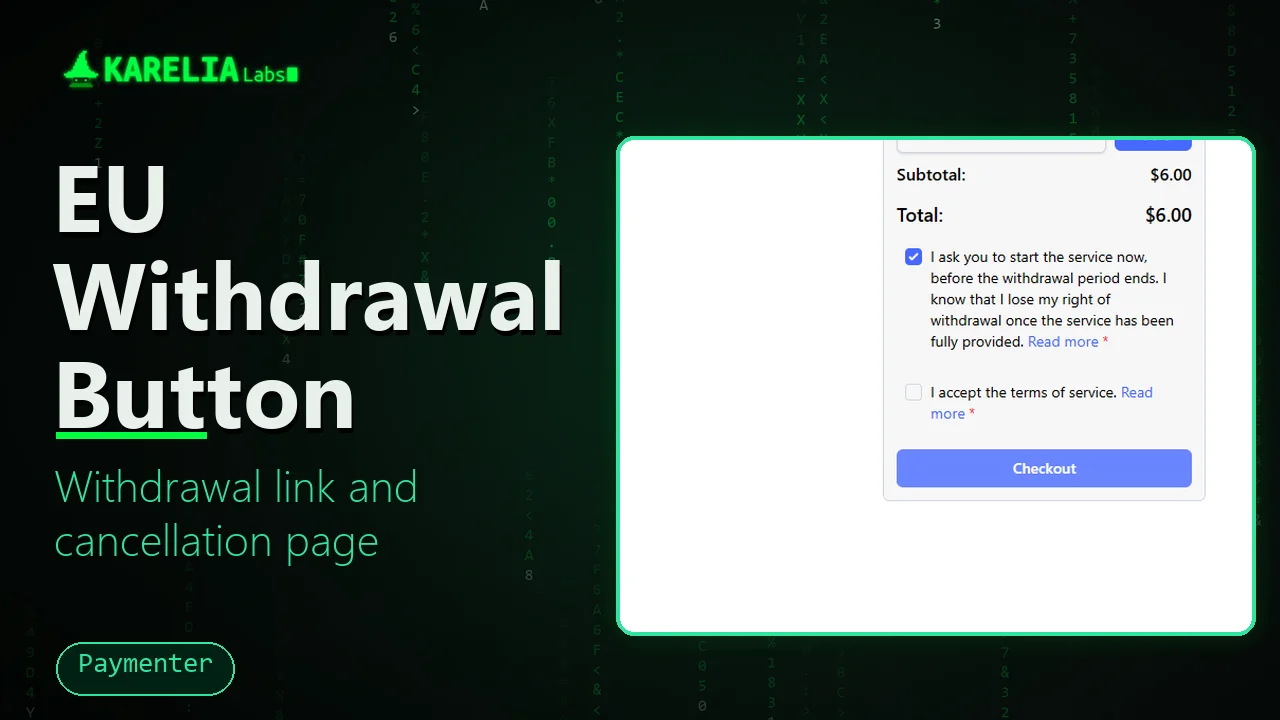
EU Withdrawal Button adds both pages to a Paymenter shop, in English and German, without a login and without changing any Paymenter file. It also adds mandatory checkboxes to Paymenter's checkout and saves the exact words each client saw with the order. Every request is logged and can be exported as CSV.
What EU Withdrawal Button for Paymenter does
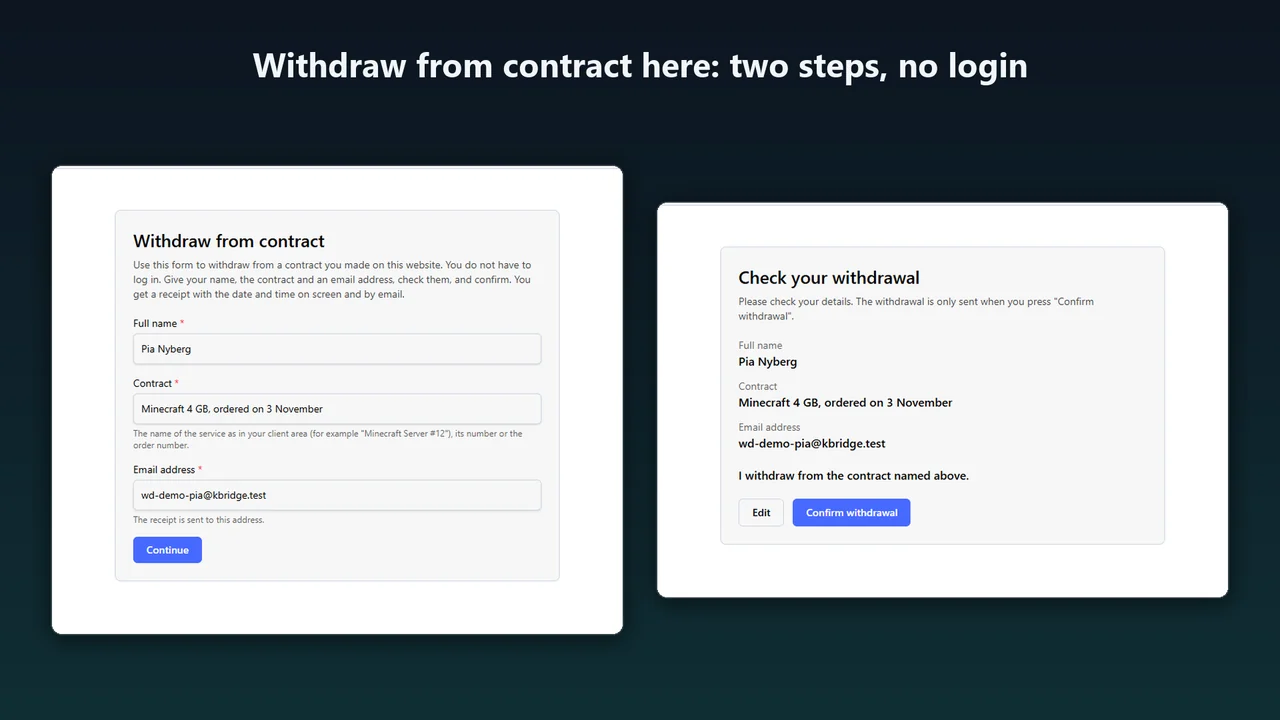
Withdraw from contract here
A link in the navigation and the footer of every page, also for visitors who are not logged in. The client gives a name, the contract and an email address, checks them and presses Confirm withdrawal.
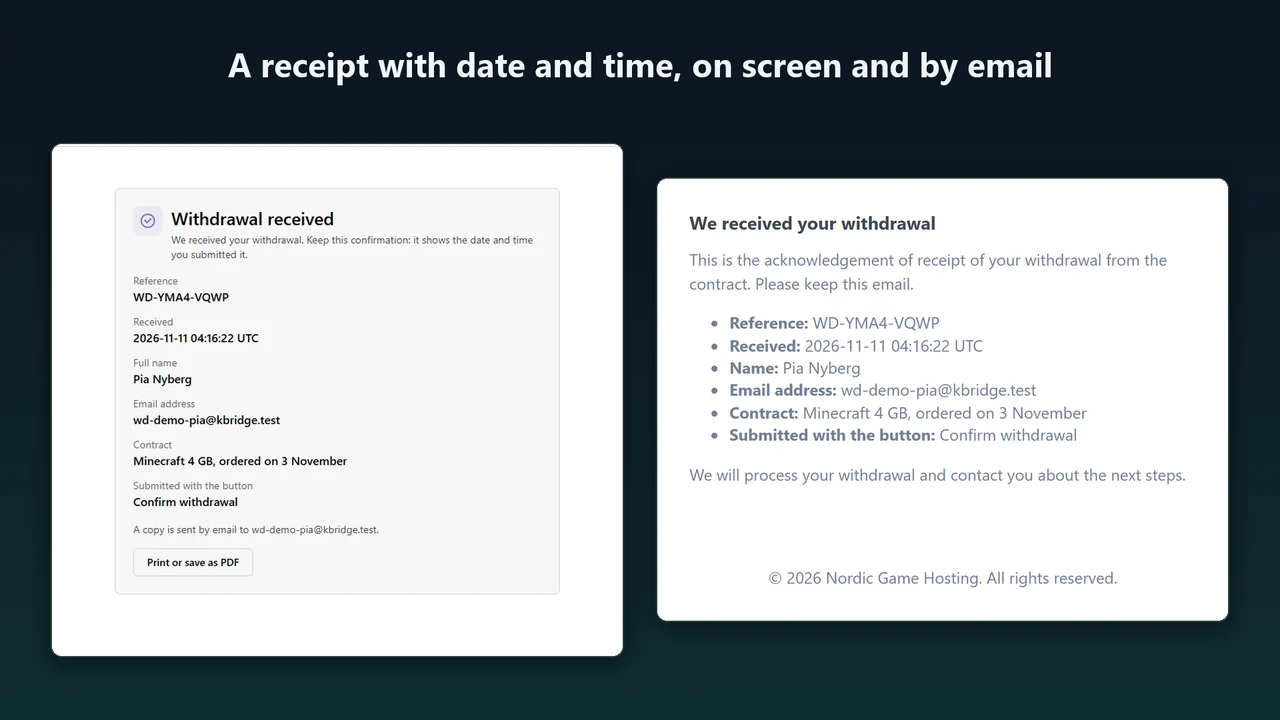
A receipt with date and time
On screen and by email, with a reference, the date, the time and the time zone, in the language the client used.
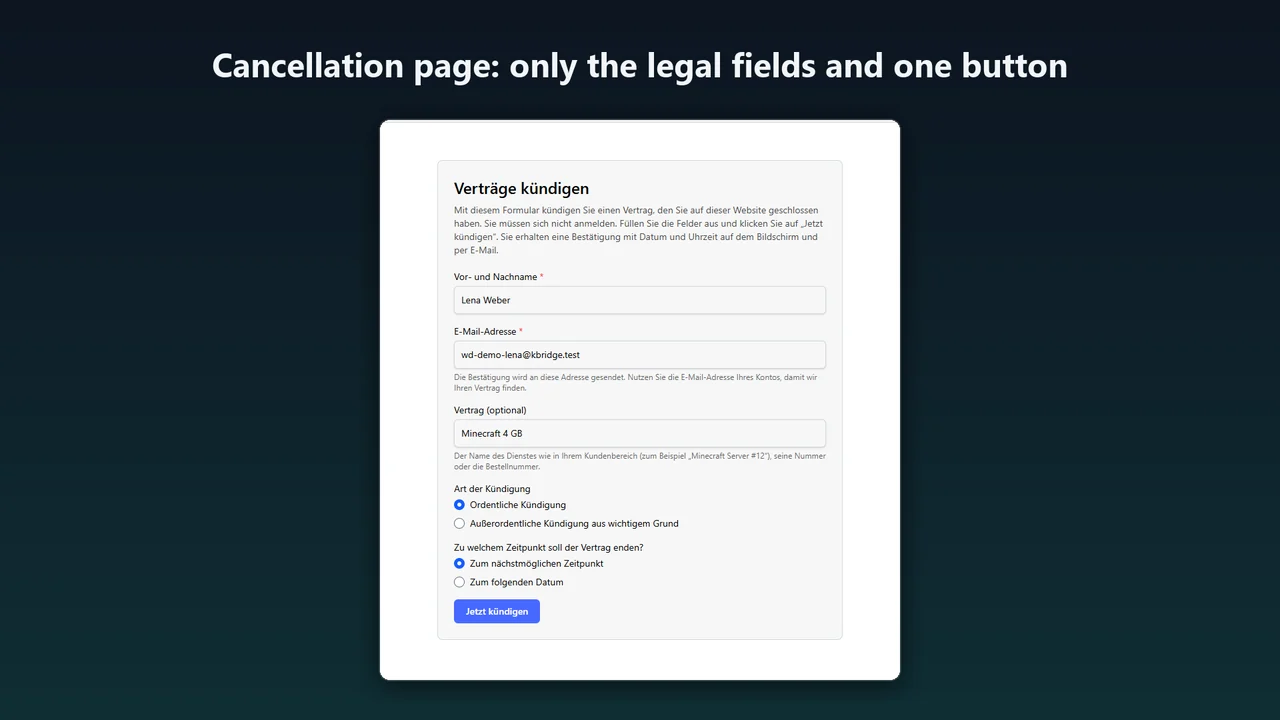
The German cancellation page
"Verträge hier kündigen" leads straight to one page with the fields § 312k BGB lists and one button, "Jetzt kündigen". No offers and no extra questions.
Services end the normal way
When the client is logged in, an ordinary cancellation ends the named service at the end of its term through Paymenter's own cancellation, or right away, or is only recorded: your choice. A request sent without a login never changes a service: it is recorded as To check for you, and the account with that email address gets a short notice.
Mandatory checkout checkboxes
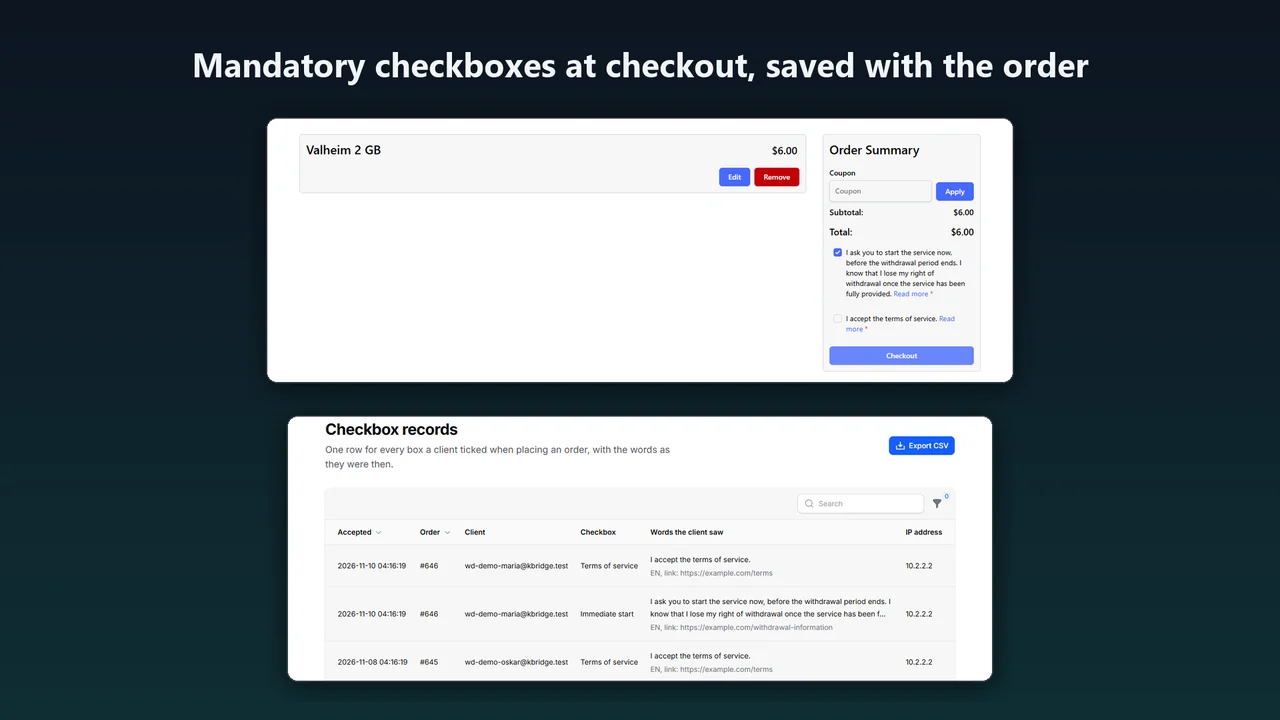
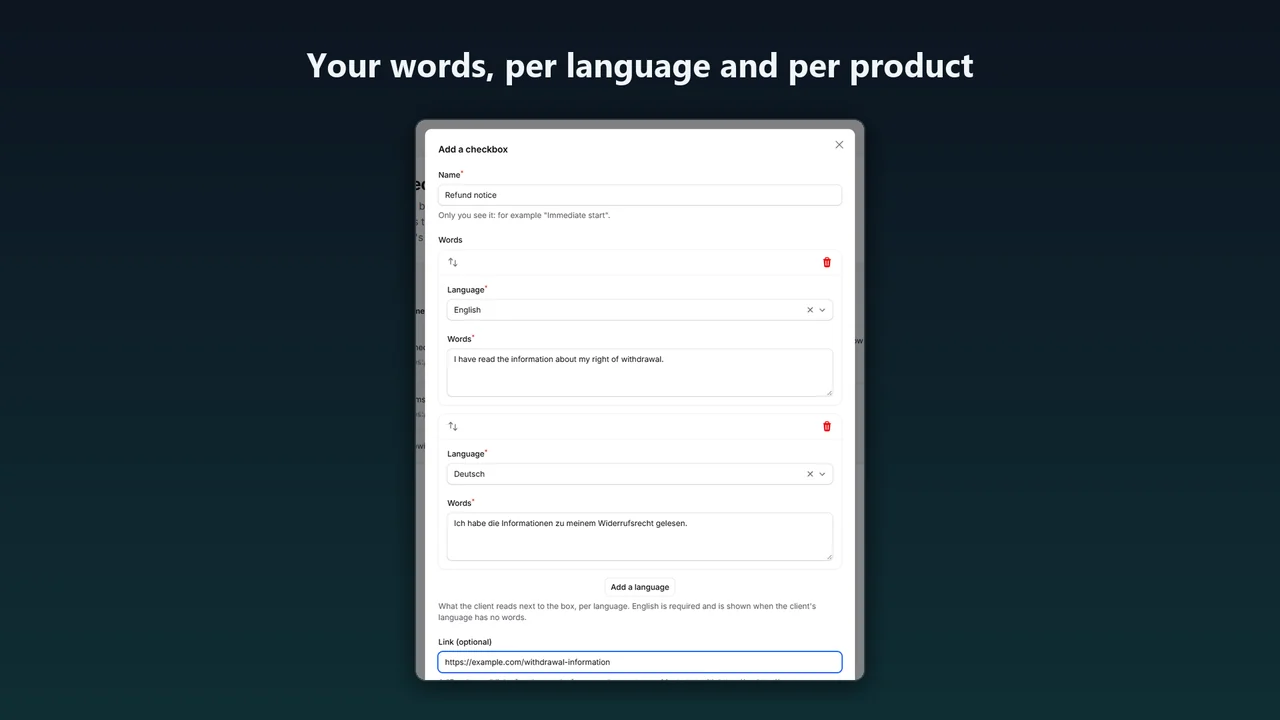
Your words per language, optionally for chosen products only. The tick is checked on the server before Paymenter's checkout runs, and the words, language, time and IP address are saved with the order.
A log with CSV export
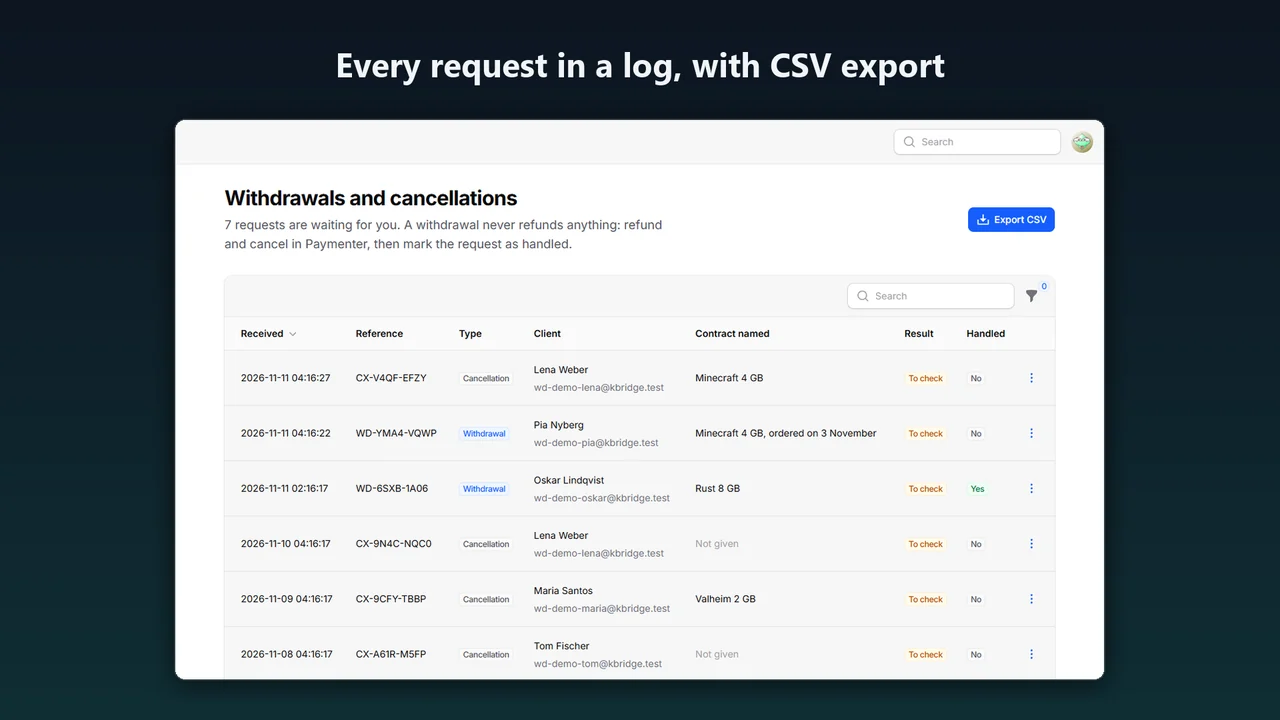
Every request with its result, Mark as handled, Undo cancellation for end-of-term cancellations and CSV export. The same for the checkbox records.
No CAPTCHA in front of a legal right
A hidden field, a minimum fill time and limits per IP address and per email address keep bots and floods out.
How it works
- Upload. In Paymenter, go to Admin → Extensions → Available Extensions → Ready to Install / Upload → Upload Extension and upload the zip.
- Install and turn on. Click Install next to EU Withdrawal Button (Karelia Labs), check the settings, turn on Enabled and save. The links appear at once.
- Add your checkboxes. Under Admin → Withdrawal → Checkout checkboxes, with your own words per language.
Screenshots
What the rules ask for, and what the extension does
| Rule | What it asks for | What the extension does |
|---|---|---|
| Directive 2011/83/EU art. 11a, from 19 June 2026 | A withdrawal function labelled "withdraw from contract here", available during the whole withdrawal period, a confirmation step labelled "confirm withdrawal", and a receipt with the content, date and time | A link in the navigation and the footer of every page, no login, two steps, and a receipt on screen and by email |
| § 356a BGB | The German version of art. 11a, with "Vertrag widerrufen" and "Widerruf bestätigen" | The German texts use those words |
| § 312k BGB | For paid, continuing contracts concluded on a website: an always available button "Verträge hier kündigen", a page with the listed fields, a button "jetzt kündigen" and a confirmation with the content, the time of receipt and the end of the contract | The cancellation page with those fields and that button, and a confirmation on screen and by email |
| Directive 2011/83/EU art. 8(8), 14(3) and 16 | An express request when a service is to start within the withdrawal period, a proportionate payment after a withdrawal, and no withdrawal right once a service has been fully performed with the consumer's prior consent and acknowledgement | Checkout checkboxes that record what the client ticked and the words they saw |
Sources: Directive (EU) 2023/2673 and Directive 2011/83/EU on eur-lex.europa.eu, § 312k and § 356a BGB on gesetze-im-internet.de. The extension does not decide whether a withdrawal is in time, whether an exception applies to your contracts or which words your checkboxes need.
Pricing
On Gumroad. One licence covers one Paymenter installation. The full source, and updates within version 1.x.
Good to know
- Tested with Paymenter 1.5.9 in Microsoft Edge. A later Paymenter version can change what the extension relies on: the navigation and footer hooks, Livewire's call event for the checkout and the cart page's markup.
- With a custom theme the links need the theme's navigation or footer, and the checkboxes stay above the cart when the order summary is not found.
- Orders created in the admin area or through the API are not asked for checkboxes.
- The pages need no login by design, so anyone who knows a client's email address can send a request in their name. Such a request never changes a service: it is recorded as To check for you to decide, and the account's own address gets a short notice. Only a logged-in client's request for one of their own services is carried out automatically.
- Behind Cloudflare or another proxy, set Paymenter's Trusted Proxies to your proxy's addresses (never
*), so the limits and the records see each client's own IP address. - Receipts were tested through Paymenter's mail queue and email log, not with a real mail server. Real payment gateways and real bot traffic were not tested.
Privacy
For each request the extension stores the reference, time, name, email address, the contract text, the type of cancellation, the cause and end date, the client and service it found, the result, the IP address and the language. For each ticked checkbox it stores the order, client, box, words, link, language, IP address and time.
All of it stays in your Paymenter database. Nothing is sent to Karelia Labs or any other service; receipts go out through your own Paymenter mail. Set Delete records after to remove old records automatically.
FAQ
Do clients need to log in?
No. Both pages open without a login. When a client is logged in, the extension uses that account to find the contract.
What happens to the service after a cancellation?
When a logged-in client cancels one of their own services to the earliest date, it ends at the end of its term through Paymenter's own cancellation, so no renewal invoice is created. You can choose right away, or only recording it, instead. A cancellation sent without a login is recorded as To check and changes nothing until you act.
And after a withdrawal?
The withdrawal is recorded for you to settle in Paymenter. If you turn on Cancel the matching service right away, the extension also cancels the one service a logged-in client named, when it can be found without doubt.
Which orders get the checkboxes?
Orders placed in Paymenter's client checkout. Orders created in the admin area or through the API are not asked.
Which Paymenter versions does it work with?
It needs Paymenter 1.5 with its scheduler, queue worker and mail set up, and was tested with Paymenter 1.5.9. No Paymenter file is changed.
Is this legal advice?
No. EU Withdrawal Button is a technical tool. It does not make a shop compliant with any law: what your contracts need, and which words your checkboxes need, is for you to decide.
Is there a cancellation button for WordPress too?
Yes. Cancelwright adds the § 312k BGB cancellation button to WordPress membership sites.
Related tools
Cancelwright
Cancellation button for WordPress membership sites: no login, an on-screen confirmation with date and time, a log and an e-mail. Free, with a Pro version.
Karelia Bridge
Customers open Pterodactyl 2.0 from Paymenter already signed in, and see due dates and unpaid invoices in the panel. Official 2.0 extension, no core edits.
Free Trials for Paymenter
Free trial game servers in Paymenter: 24 hours or 3 days, one per person, a reminder, then suspend and terminate. Upgrading keeps the same server.
More from Karelia Labs
Updated