Karelia Bridge for WHMCS: due dates and unpaid invoices inside Pterodactyl 2.0
Customers ask when their server is due in the panel, not in WHMCS. Karelia Bridge puts the answer where they already are: it reads the customer's service and unpaid invoices from your WHMCS and shows them inside Pterodactyl 2.0.
On sale on Gumroad since 2026-11-22. The panel half is tested in a real Pterodactyl 2.0.0-beta.2; the WHMCS half is tested with a stand-in for WHMCS, not a live WHMCS.
- Requires
- Pterodactyl 2.0.0-beta.2 or newer 2.0 (PHP 8.3+), WHMCS 8 or newer (PHP 7.4+), https on both sides
- Matching
- The server's external ID must be the WHMCS service ID, and the customer's e-mail address the same in both
- Tested
- 149 checks in a real Pterodactyl 2.0.0-beta.2 with a mock of the WHMCS API; the WHMCS module with a PHP stand-in on PHP 7.4 and 8.3
- Price
- $19.99, one-time
It also adds an Open control panel button to the WHMCS client area that signs the customer in with one click. It is an official Pterodactyl 2.0 extension with no core files edited, plus a standard WHMCS addon module with a hook.
What Karelia Bridge for WHMCS does
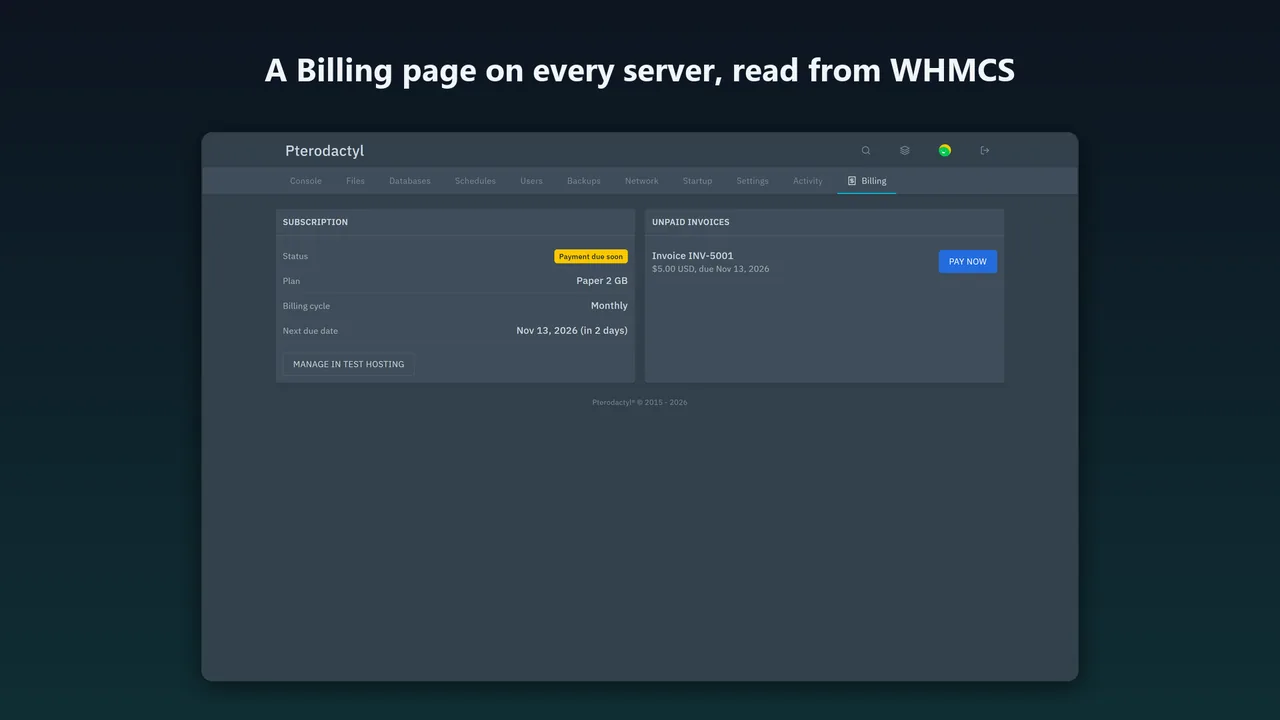
A Billing page on every server
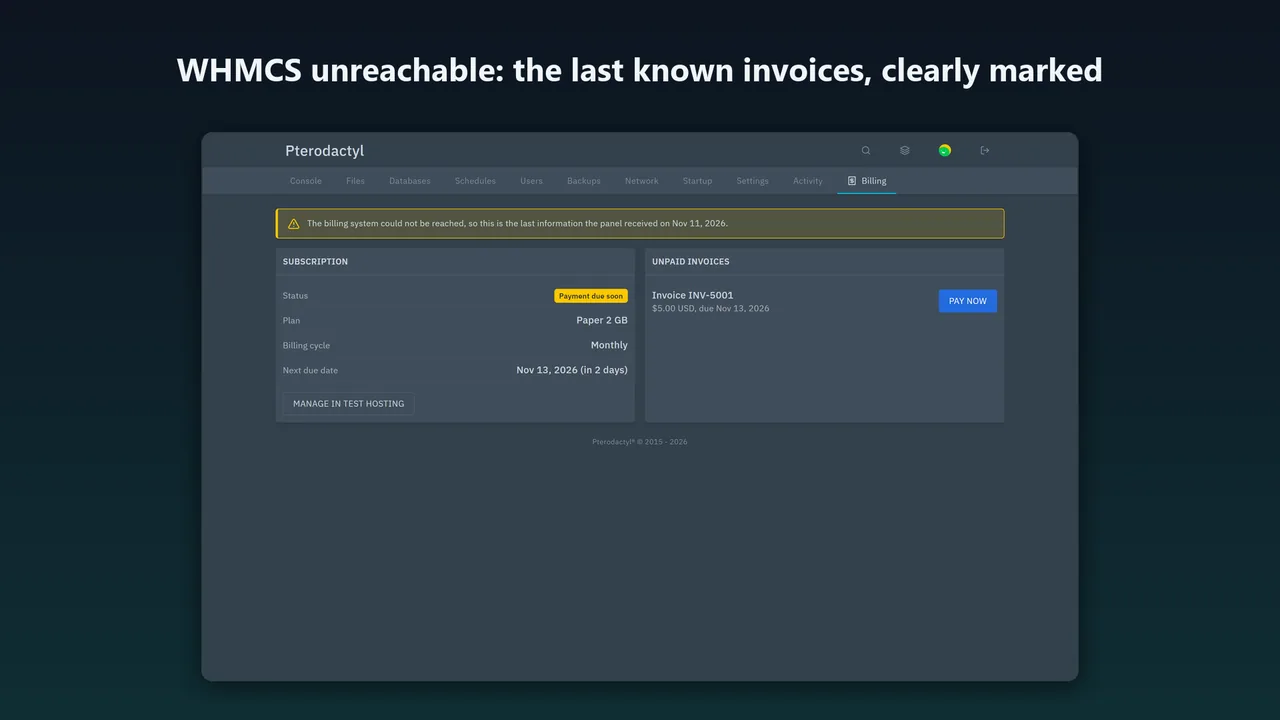
Plan, billing cycle, next due date, status and the unpaid invoices of that service, with a Pay now button that opens the invoice in WHMCS.
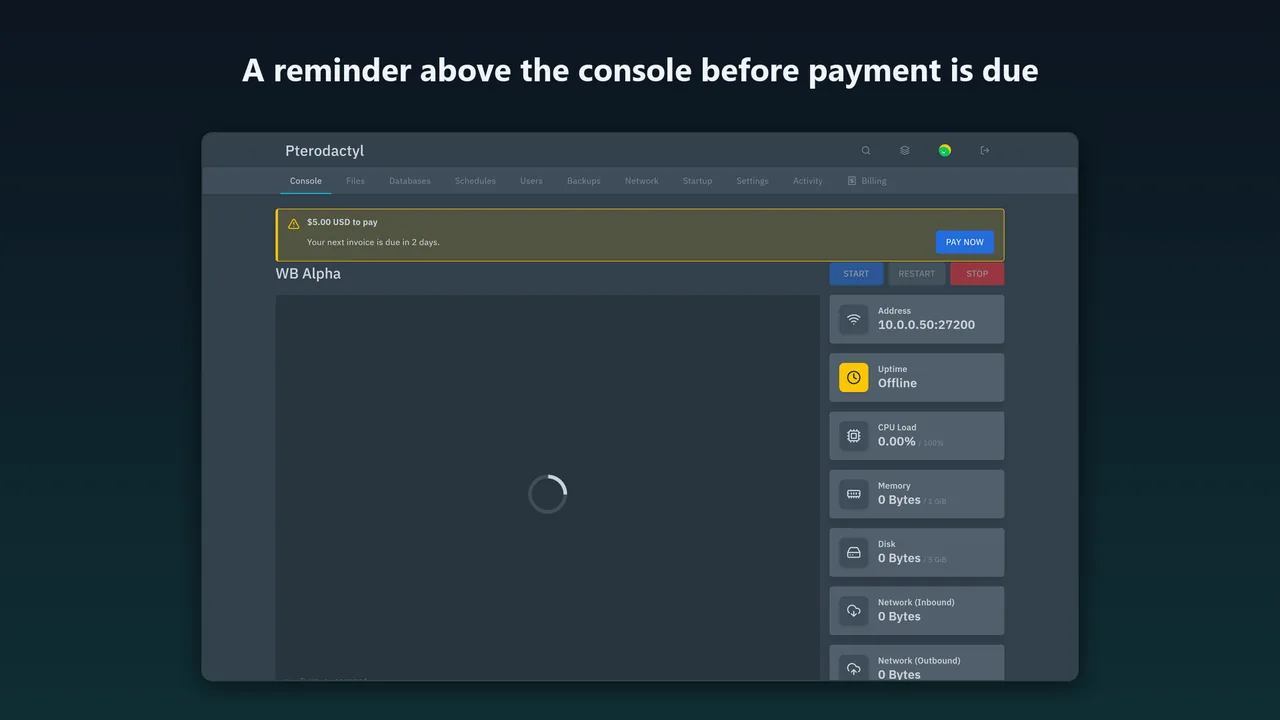
Banner above the console
Before an invoice is due (you choose how many days), red when it is overdue, and when the service is suspended.
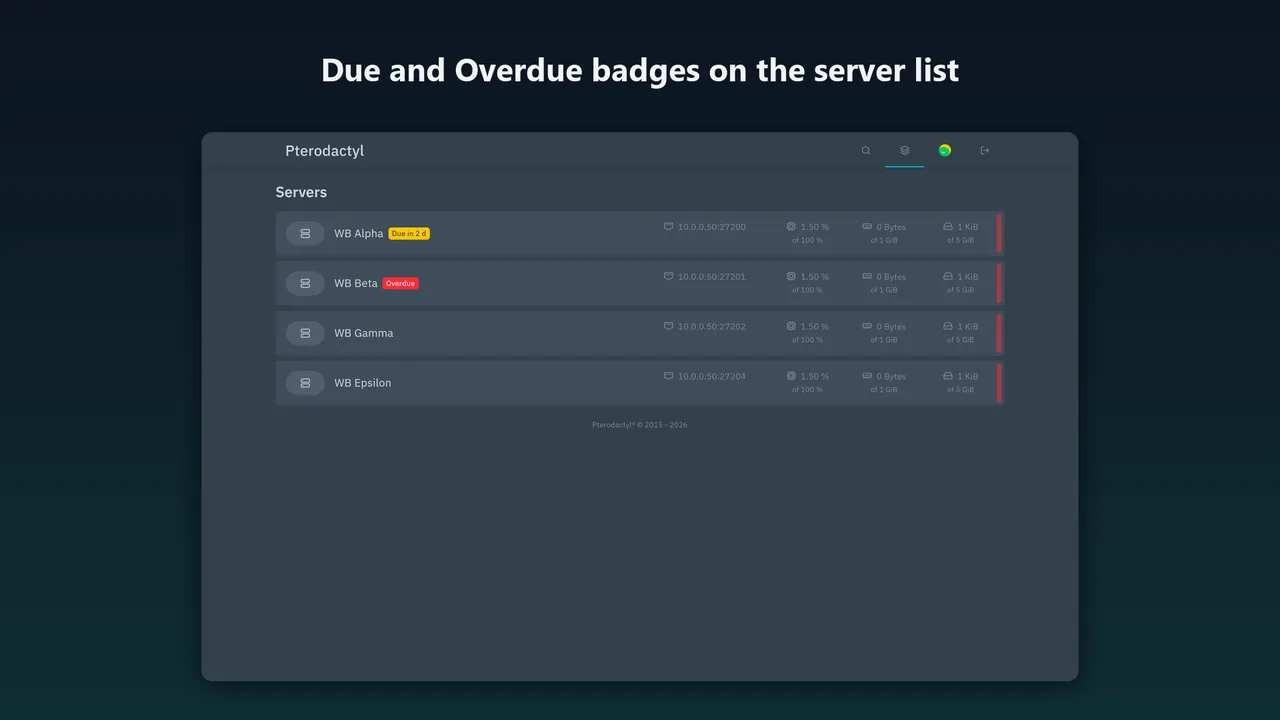
Badges on the server list
Due in 2 d and Overdue next to the server name, shown to the owner only.
One-click sign-in from WHMCS
A button in the service page's action box. The customer lands on their server in the panel, signed in, without a second password.
The panel keeps working when WHMCS is down
The billing page shows the last information the panel received, clearly marked as out of date, or says that billing is not available. Nothing else changes.
How it works
- Install in the panel. Run
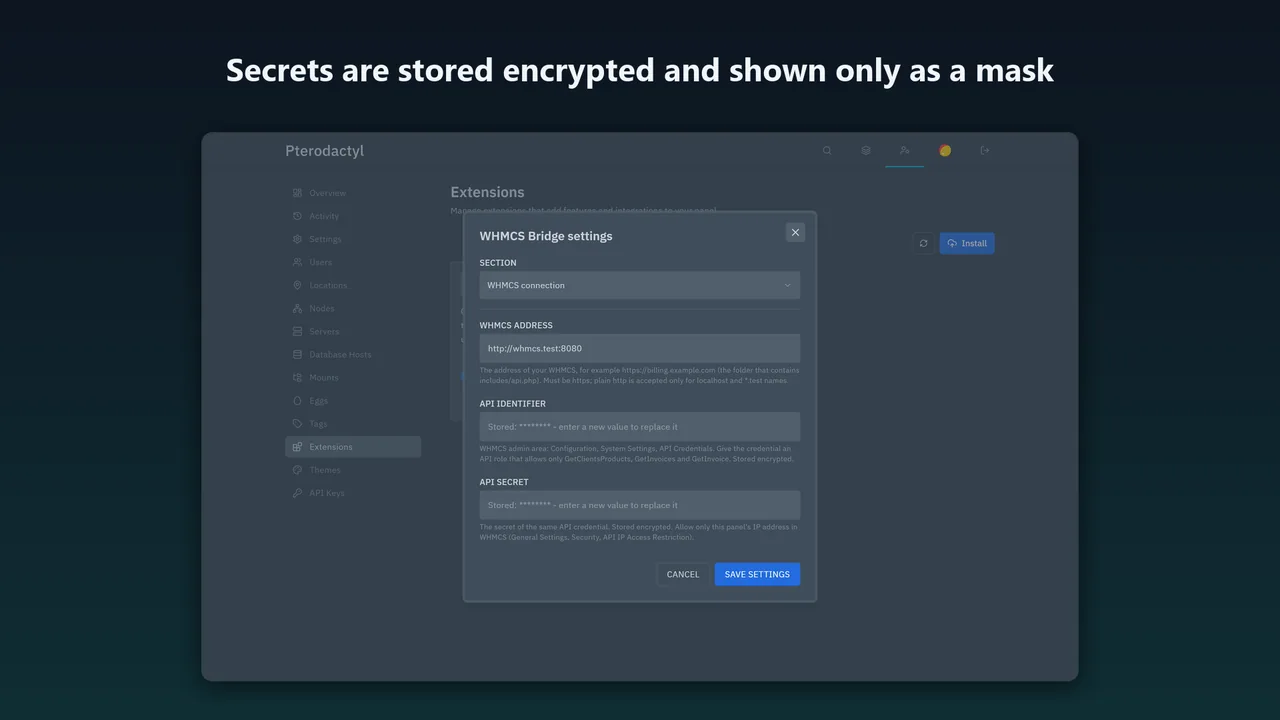
php artisan p:extension:install whmcs-bridge.pteroext --enable, then open Admin, Extensions, WHMCS Bridge, Settings and enter the WHMCS address, the API identifier and secret, and a sign-in secret of at least 32 random characters. - Install in WHMCS. Create an API credential with a role limited to
GetClientsProducts,GetInvoicesandGetInvoice. Uploadmodules/addons/kareliabridge, activate it under Addon Modules and enter the panel address and the same sign-in secret. - Check. Run
php artisan whmcs-bridge:check, then click *Open control panel* on a service.
Screenshots
Built to be safe
- The WHMCS API credential is stored encrypted in the panel and never reaches the browser. Use an API role that allows only the three read actions, and restrict it to your panel's IP address.
- The sign-in ticket is random, valid for 60 seconds, works once and is bound to one panel user and server. WHMCS asks for it with a signed request (HMAC-SHA256, replay protected), and the browser posts it in a form, so it never appears in a URL, a log or a Referer header.
- Root administrators and users with two-factor authentication always sign in with their password unless you allow otherwise. An administrator who views the WHMCS client area as a client is never signed in to the panel.
- Subusers see billing only with the new *billing* permission. Everything is checked on the server for every request.
Pricing
Sold through Gumroad, which handles VAT. The source of both halves is included and readable.
Good to know
- WHMCS itself is commercial software and was not available for testing. The WHMCS half follows the documented addon module, hook and API conventions; the install guide has a short check to run with your own WHMCS before you rely on it.
- It needs a Pterodactyl provisioning module for WHMCS that sets the server's external ID to the WHMCS service ID, or you set it by hand in the panel.
- It does not work with Pterodactyl 1.x: it uses the extension system of Pterodactyl 2.0.
- It reads from WHMCS and never writes to it. Payments happen in WHMCS.
FAQ
Does it work with Pterodactyl 1.x?
No. It uses the extension system of Pterodactyl 2.0.
Which WHMCS data does the panel read?
The customer's service (plan, cycle, next due date, status) and the unpaid invoices that contain it. It never writes to WHMCS.
How are servers matched to WHMCS services?
By the server's external ID, which must be the WHMCS service ID.
Can I use it together with Karelia Bridge for Paymenter?
Both can be installed in one panel; servers then have two tabs named Billing.
Related tools
Karelia Bridge
Customers open Pterodactyl 2.0 from Paymenter already signed in, and see due dates and unpaid invoices in the panel. Official 2.0 extension, no core edits.
Staff Access for Pterodactyl 2.0
Staff ask for time-limited access to a customer's Pterodactyl 2.0 server, the owner approves exact permissions, and access ends on its own. Logged.
Crash Detector for Pterodactyl 2.0
Notices Pterodactyl 2.0 servers that stop without anyone stopping them, keeps the last console lines, alerts the owner and your staff, and stops crash loops.
More from Karelia Labs
Updated