
PureImage Background Remover: remove backgrounds from a whole folder of photos, offline
PureImage Background Remover cuts the subject out of a photo with an AI model that runs on your own computer. The free web version does one image at a time. The Offline Batch Edition does a whole folder, with the internet unplugged.
- Input
- JPG, PNG, WebP
- Output
- PNG, WebP, JPG
- Speed
- About 3–5 s per photo with WebGPU
- Batch Edition
- $19 one-time
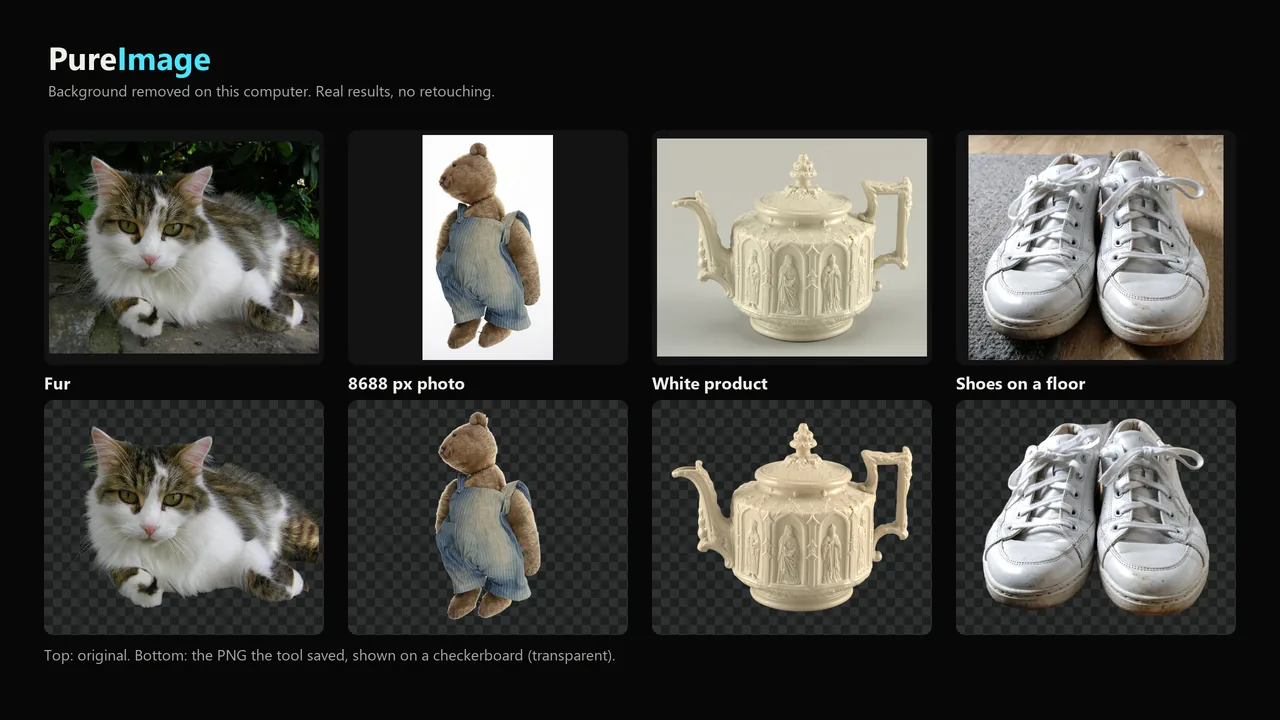
Set the output once (transparent, white or any colour, crop with a margin, a square or 4:5 canvas) and it is applied to every file. Nothing is uploaded, and the results carry no EXIF, GPS or C2PA data.
What PureImage Background Remover does
Whole folders
Drop a folder with sub-folders or many files. The folder structure is kept, and images that are already done are skipped.
One setting for every image
PNG, WebP or JPG; transparent, white, any colour or your own background image; crop to the subject; fixed canvases such as 1:1 2000 × 2000 px.
Runs offline
The model and the runtime are inside the download. Unzip it, double-click index.html, and it works with no connection, no account and no licence key.
Clean files
EXIF, GPS, XMP and C2PA are removed from the results by default, and a receipt reads the new files back.
Touch up by hand
Where the AI gets a spot wrong, paint it away or back with an erase and restore brush, zoomed in on the edge. Undo, redo and reset, on the free page and in the Batch Edition.
Pricing
One image at a time on pureimage.online.
One-time purchase on Gumroad, no account or subscription.
Good to know
- Glass and other see-through objects come out solid, with the old background showing through.
- Very fine hair and whiskers lose some strands and can keep a trace of the old background colour.
- Without WebGPU each photo takes about 25 to 30 seconds on the processor.
- HEIC input is not supported. Export HEIC photos as JPG first.
Guides
FAQ
Are my images uploaded?
No. The model runs in your browser on your own device. The Batch Edition makes no network requests at all.
Which browsers does it work in?
Chrome, Edge and Firefox (tested on Windows). Chrome and Edge use the graphics card through WebGPU and can save straight into a folder.
Can I fix a spot the AI got wrong?
Yes. Open the touch-up brush on the result: Erase paints away what should not be there, Restore paints back what was removed, and Apply saves the image again.
Can I try it before buying?
Yes. The free web version uses the same model, one image at a time. Sales are final, so please try it on your own photos first.
Related tools
More from Karelia Labs
Updated