
Tavlas: turn an Excel or CSV file into a framed chart board
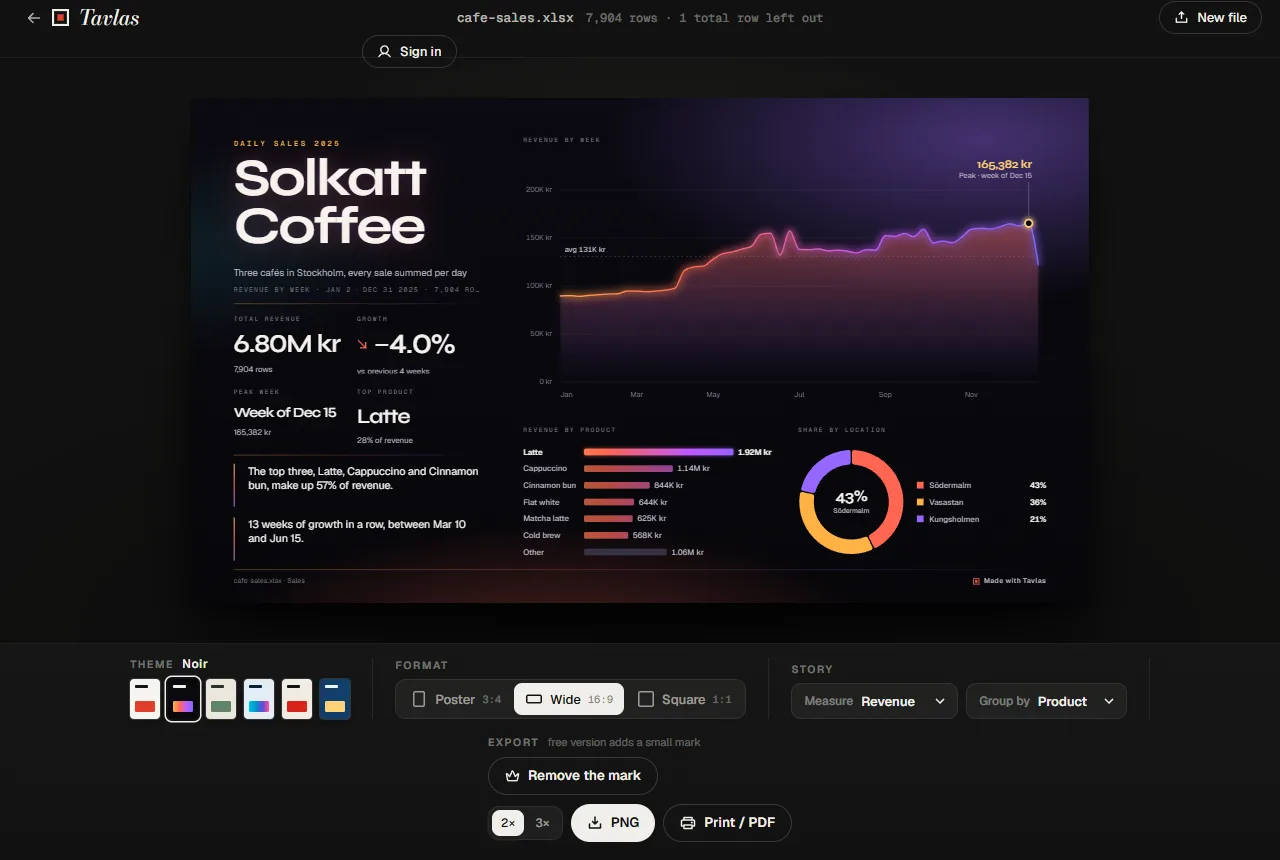
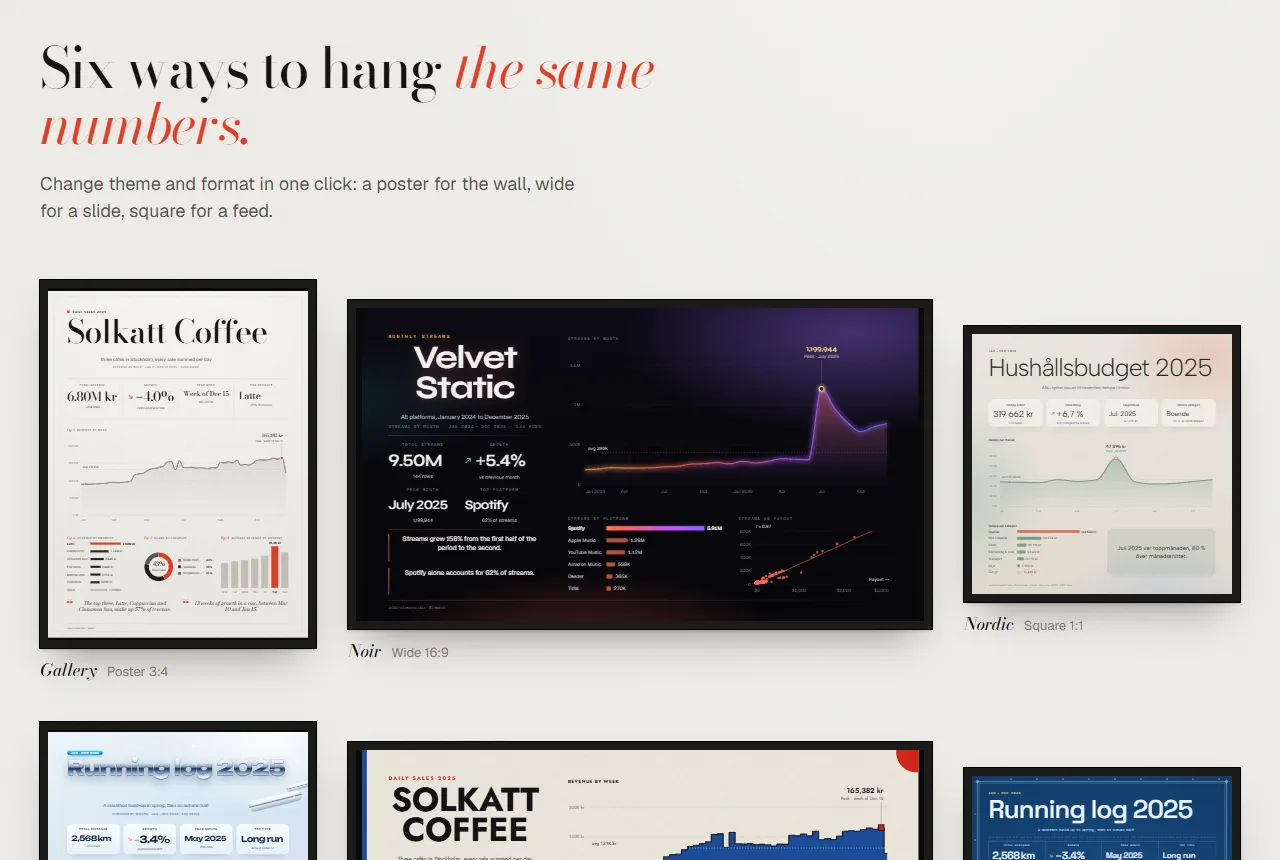
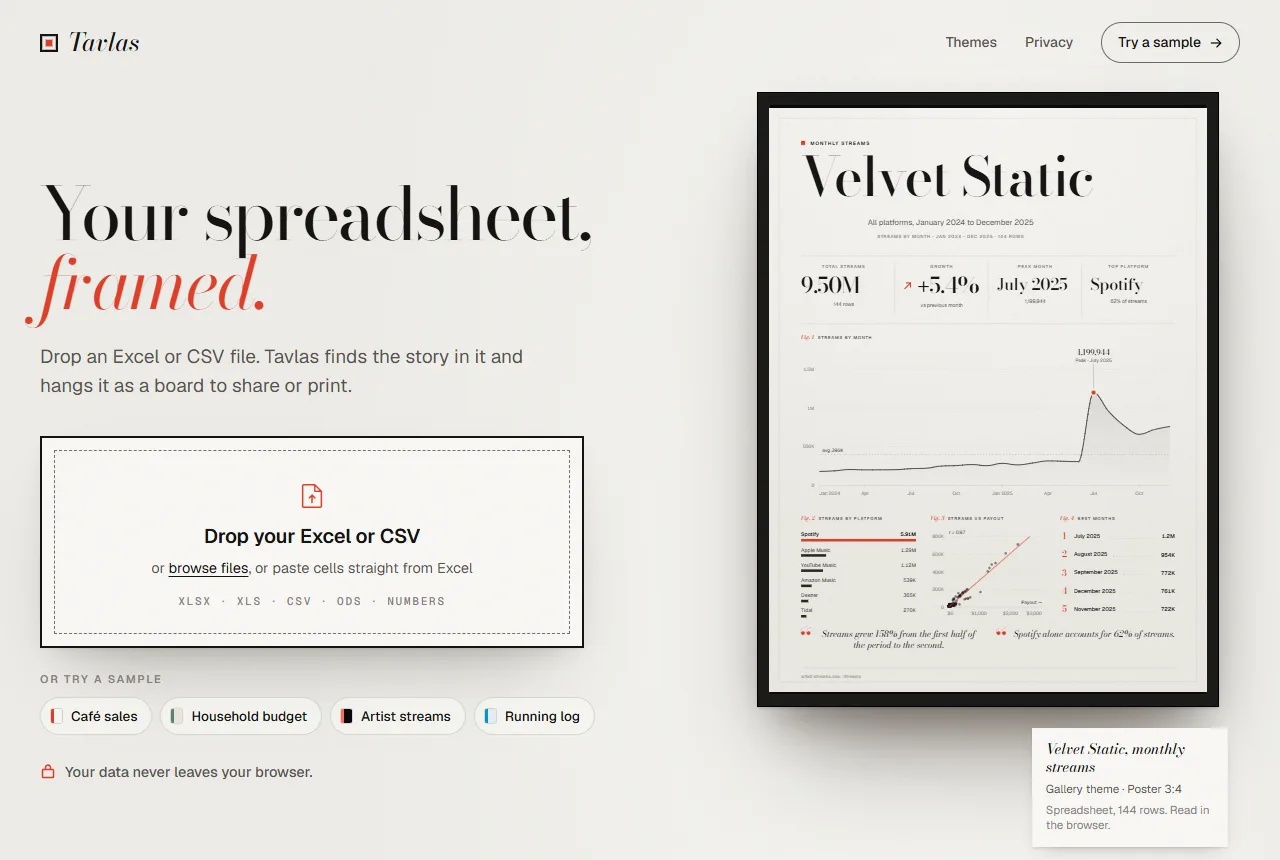
A spreadsheet holds the numbers, but nobody hangs a spreadsheet on the wall. Tavlas reads an Excel or CSV file, finds the measures that matter and lays them out as one finished board: the headline numbers, a trend over time, the biggest groups and two short insights written from the data.
- Files
- XLSX, XLS, CSV, ODS, Numbers
- Formats
- Poster 3:4, Wide 16:9, Square 1:1
- Export
- PNG 2× or 3×, print to PDF
- Price
- Free with a mark; Pro from $9/month
Pick a theme and a format, then download a PNG or print it to PDF. The file is read with SheetJS inside your browser, so the data is not uploaded.
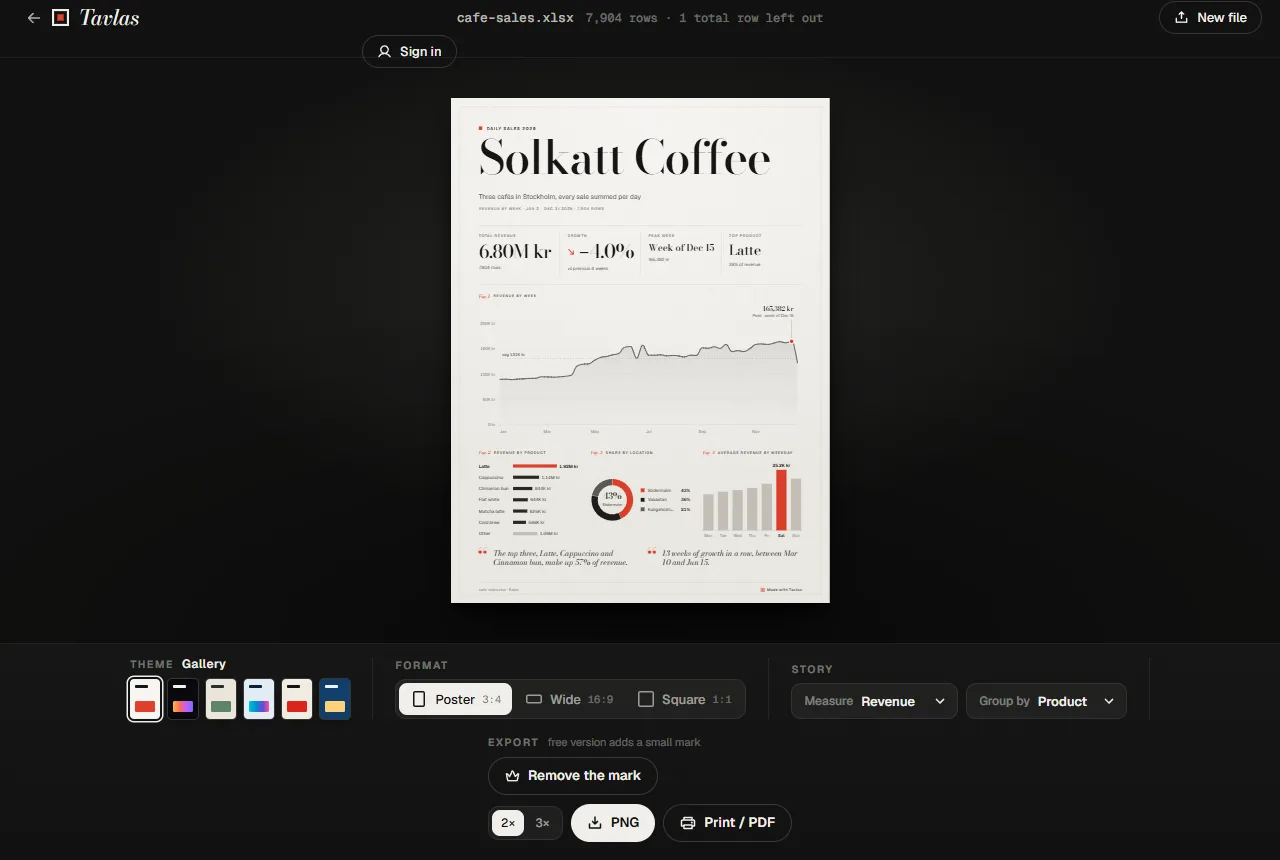
What Tavlas does
Finds the story
Detects headers and column types, picks a measure and a grouping, and writes two insights such as the best period or the biggest share.
Six themes
Gallery, Noir and Nordic, plus Y2K Chrome, Bauhaus and Blueprint for Pro.
Three formats
Poster 3:4 for the wall, Wide 16:9 for a slide and Square 1:1 for a feed.
You choose the measure
Switch the measure and the grouping, and the board redraws with new charts and insights.
PNG and PDF
PNG at 2× or 3× resolution, or print to PDF on a page sized to the board.
Swedish or English numbers
"1 234,56 kr" and "$1,234.56" both work, as do Excel, CSV, ODS and Numbers files.
How it works
- Drop a file. Drop an Excel or CSV file, paste cells from Excel, or start from one of four samples.
- Pick the look. Choose a theme, a format and the measure to tell.
- Export. Download a PNG or print to PDF.
Screenshots
Pricing
Exports carry a "Made with Tavlas" mark, and the three Pro themes a larger watermark. No account needed.
This board, HD without the mark.
Every board, all themes, HD.
Same as monthly, two months free.
Good to know
- Tavlas reads one table: a header row and one row per record works best. Total rows are left out of the numbers.
- Paid plans need an account, by email or Google. Free boards need none.
Privacy
Your file is read with SheetJS in your browser. The data is not uploaded and never reaches a server.
An account is only needed for Frame it and Pro. Then the account and its plan are stored, and payments are handled by Stripe.
FAQ
Is my spreadsheet uploaded?
No. Tavlas reads the file in your browser. Close the tab and it is gone.
Which files work?
Excel (XLSX and XLS), CSV, ODS and Numbers, or cells pasted straight from Excel.
Do I need an account?
Not for free boards. Frame it and Pro need an account by email or Google, so the purchase follows you.
What does the free version leave out?
Free exports carry a "Made with Tavlas" mark, and boards in the three Pro themes a larger watermark. Frame it removes it from one board for $4.99; Pro removes it from every board.
Related tools
Updated 2026-10-19