
Server Expiry for Blueprint: expiry dates for Pterodactyl servers without a billing system
Not every panel has a billing system. Free hosts, communities and hosts paid by hand through PayPal or Discord still need servers to stop when their time is up, and nobody wants to keep a spreadsheet and suspend them by hand.
On sale on Gumroad. The SourceXchange listing is coming soon.
- Requires
- Pterodactyl Panel 1.x with Blueprint, the panel's cron and queue worker
- Tested with
- Pterodactyl 1.15.1 and Blueprint beta-2026-08
- Payments
- None: for panels without a billing system
- Price
- $7.99, one panel
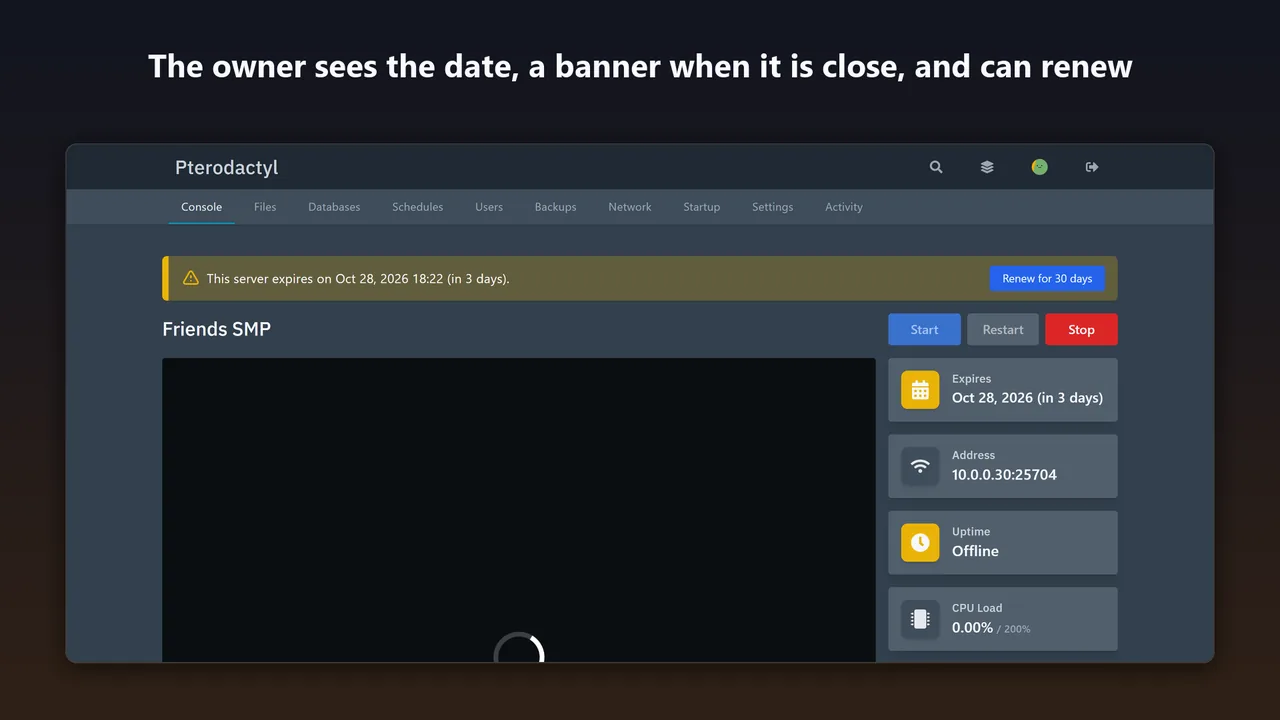
Server Expiry gives every server an expiry date. The owner is warned on the panel and by email, the server is suspended when the date passes, and you extend it when you have been paid. Free hosts can let owners renew with one click.
What Server Expiry for Blueprint does
Expiry dates
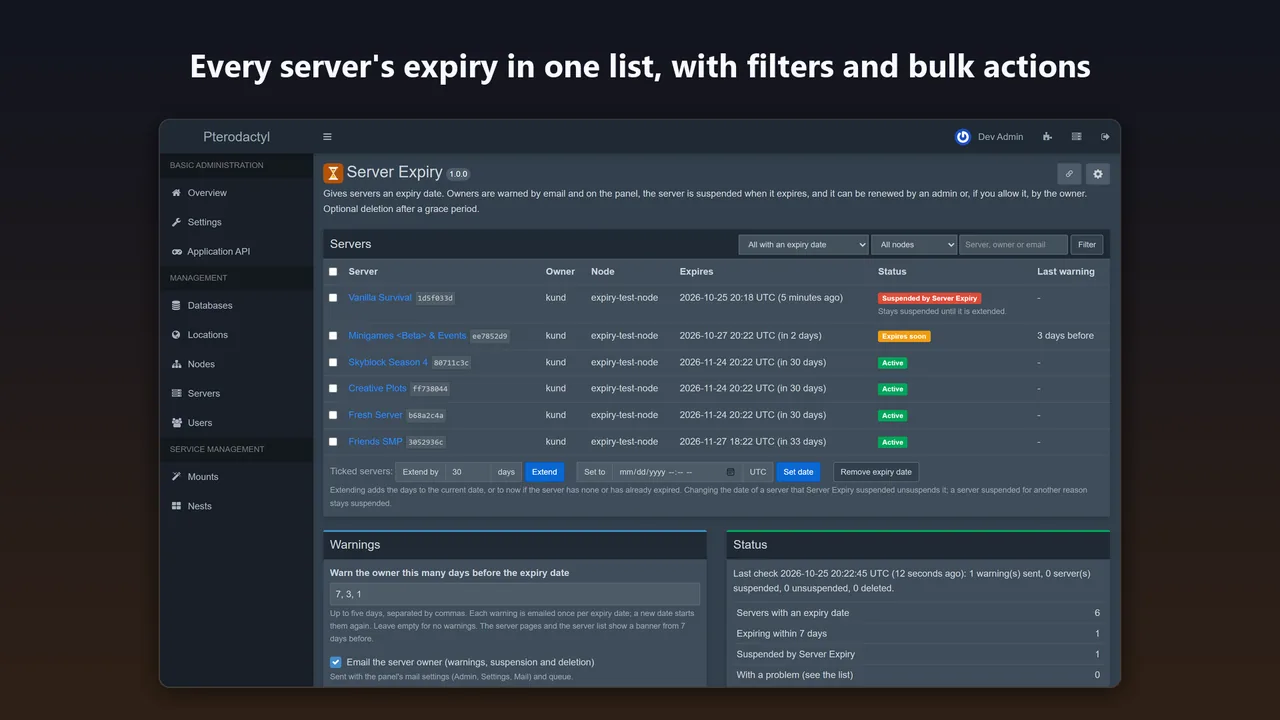
Set, extend or remove them on the server's own admin page, or for many servers at once from one list with filters for status, node, name, owner and email.
The owner sees it
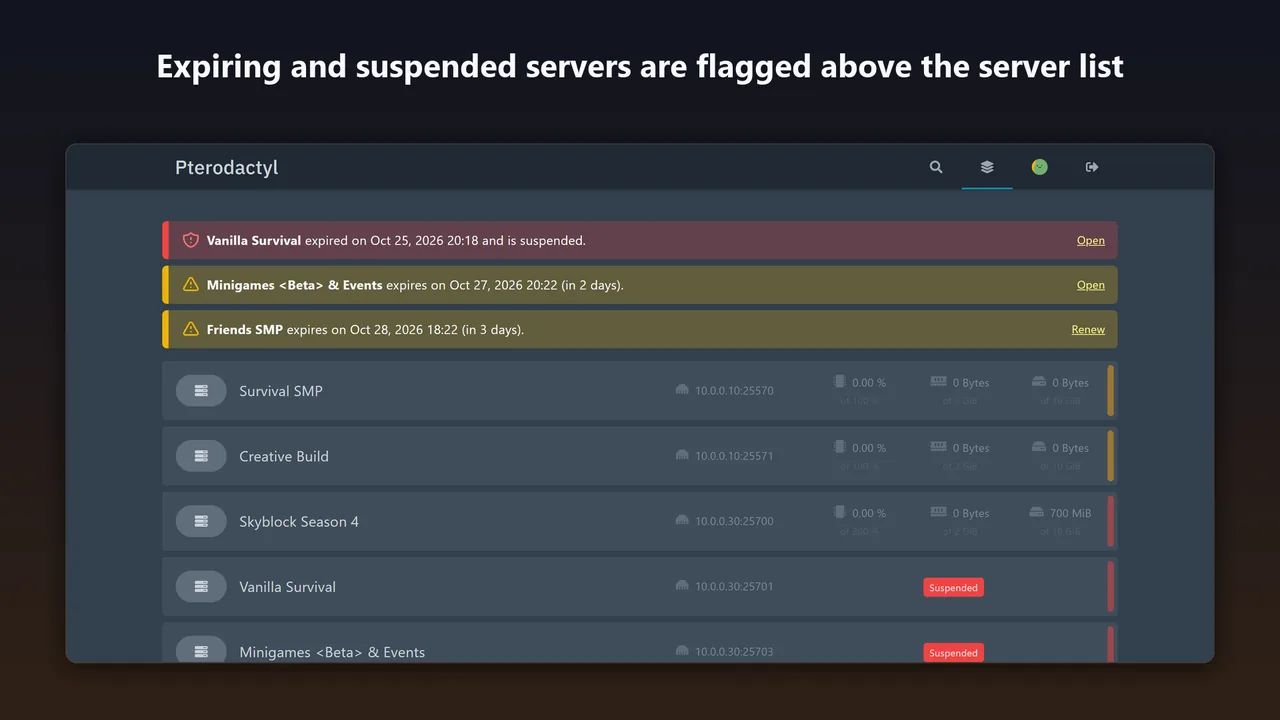
An Expires box on the console page, a banner when the date is close, and a banner above the server list for every server that expires soon or was suspended.
Warning emails
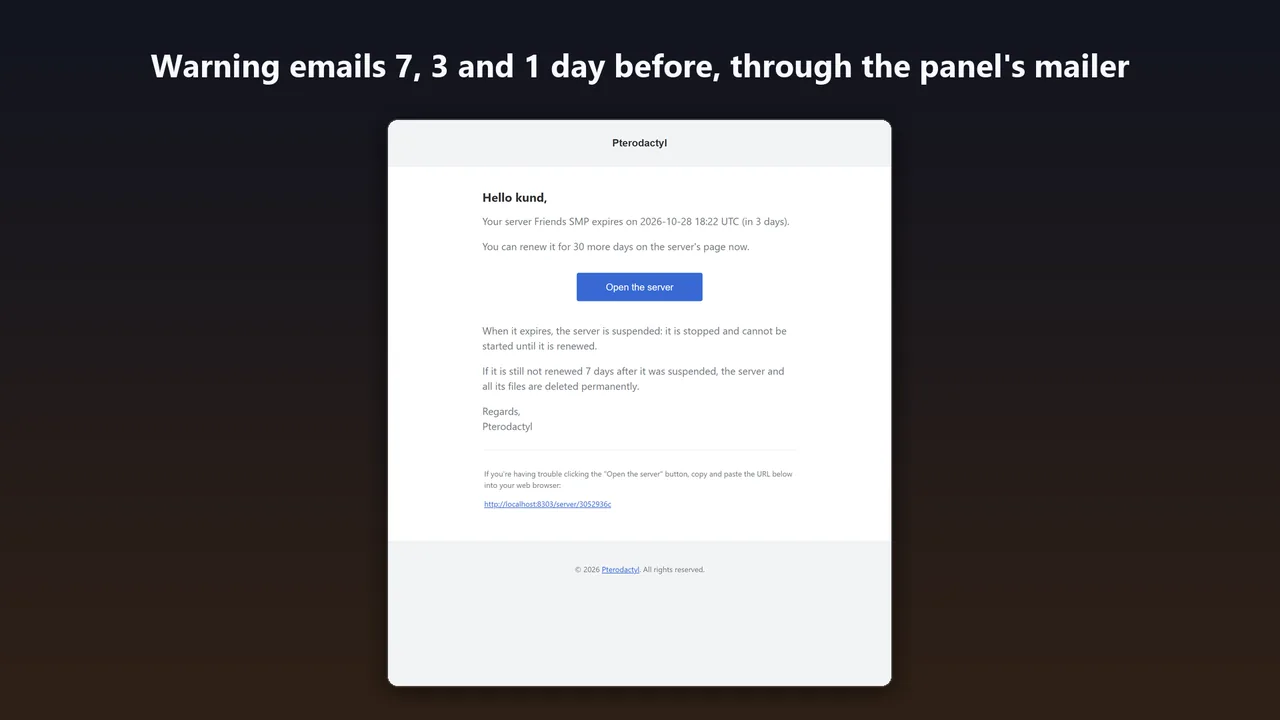
7, 3 and 1 day before (you choose the days), through the panel's own mail settings. Each is sent once per expiry date.
Suspends at expiry
With the panel's own suspension, exactly like the Suspend button. It remembers which suspensions it made and never undoes yours.
Free renewal by the owner
Optional: a Renew button in the last days before expiry. The permission, the time window and a rate limit are checked on the server, and a double click extends only once.
Deletion after a grace period
Optional and off by default: only servers it suspended that are still suspended, after the days you set, and never when the node does not answer.
How it works
- Upload. Put
serverexpiry.blueprintin your Pterodactyl folder (usually/var/www/pterodactyl). - Install. Run
blueprint -install serverexpiry. With Blueprint in Docker, also runphp artisan migrate --forcein the panel container, or restart it. - Give servers a date. Nothing happens to any server until you give it a date or switch on a default for new servers in Admin → Extensions → Server Expiry.
Screenshots
Settings
- Warning days (default 7, 3, 1) and email the owner (on).
- Expiry for new servers: a number of days after creation (default none).
- Renewal by the owner: on or off (off), days per renewal (30), allowed in the last N days (7).
- Deletion: on or off (off), days after the suspension (7).
The panel's scheduler runs the check every minute, so warnings, suspension and deletion happen within a minute of their time. Nothing is installed on your nodes.
Pricing
One panel; a test or staging copy is included. Updates within 1.x, full source.
Good to know
- It takes no payments. For paid renewals use a billing system, or extend servers in the admin area when you have been paid.
- Subusers see the date and may renew if they have the Rename permission: Pterodactyl 1.x does not let an extension add its own subuser permission without editing core files.
- If a node does not answer, nothing changes on it; the admin page shows the problem and it is tried again every minute.
- Removing the extension removes its table and settings. Servers it suspended stay suspended until you extend or unsuspend them.
FAQ
Does it take payments?
No. It is for panels without a billing system. You extend servers when you have been paid, or let owners renew for free.
What if I suspend a server myself?
It stays suspended. Server Expiry only ever unsuspends servers it suspended, and forgets a suspension as soon as someone else lifts it.
Can it delete servers by mistake?
Deletion is off until you switch it on. When on, it only deletes servers it suspended, that are still suspended, after the grace period, and never when the node does not answer.
Can owners renew on their own?
Only if you turn on renewal by the owner. They then get a Renew button in the last days before expiry, with no payment step.
Related tools
Crash Detector for Blueprint
Notices when a Pterodactyl game server crashes, keeps the last console lines, emails the owner and posts to Discord. Optional crash loop stop. Blueprint.
Staff Access for Blueprint
Staff request access to a customer's Pterodactyl server, the owner approves the permissions, and access ends on its own. Logged. Blueprint, no core edits.
Updated 2026-10-25