
Staff Access for Blueprint: look at a customer's Pterodactyl server with their consent
When a customer opens a ticket, your staff usually need to look at the server: read the console, check a config, restart it. Today that means asking for the customer's password, or a root admin opening the server with full power and no record of who looked or why.
On sale on Gumroad. The SourceXchange listing is coming soon.
- Requires
- Pterodactyl Panel 1.x with Blueprint
- Tested with
- Pterodactyl 1.15.1 and Blueprint beta-2026-08
- Core files
- None edited; Blueprint extension features only
- Price
- $9.99, one panel
Staff Access gives staff a proper way in. A staff member asks for access to one server, with a reason, a time limit and the permissions they need. The owner sees the request in their panel and decides. Once approved, the staff member is a normal subuser with exactly those permissions, until the time runs out or the owner revokes it.
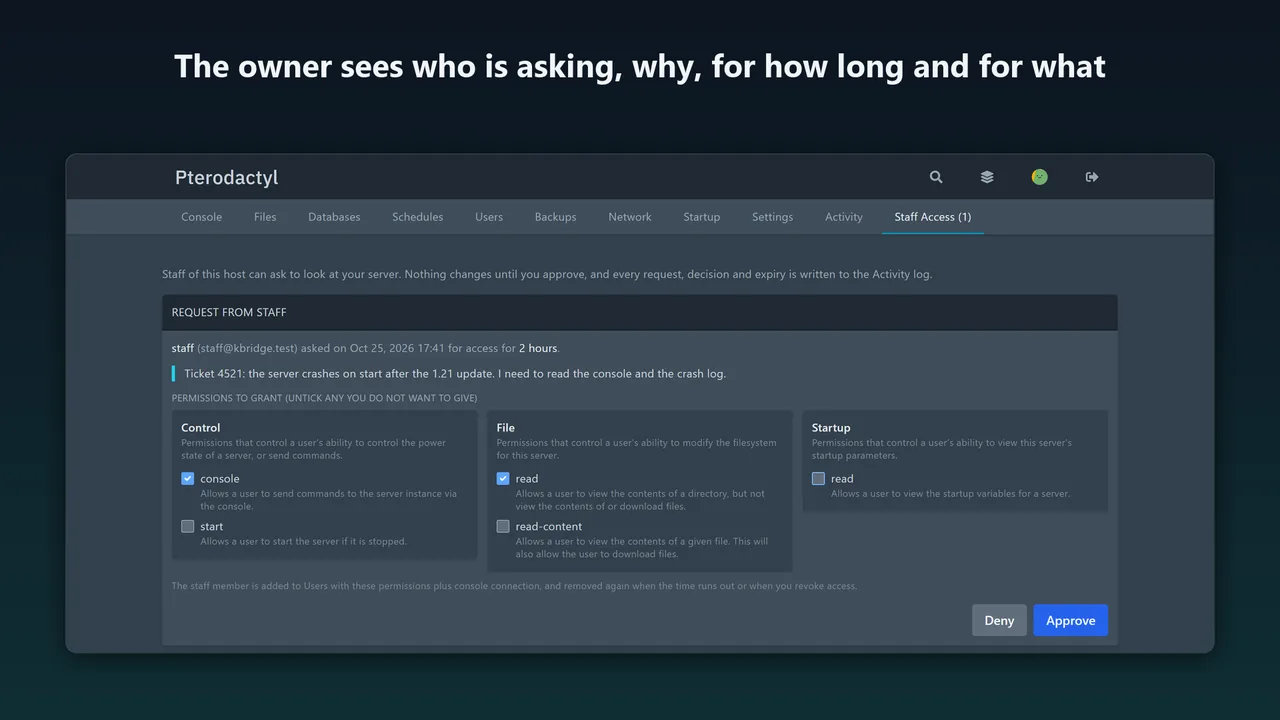
What Staff Access for Blueprint does
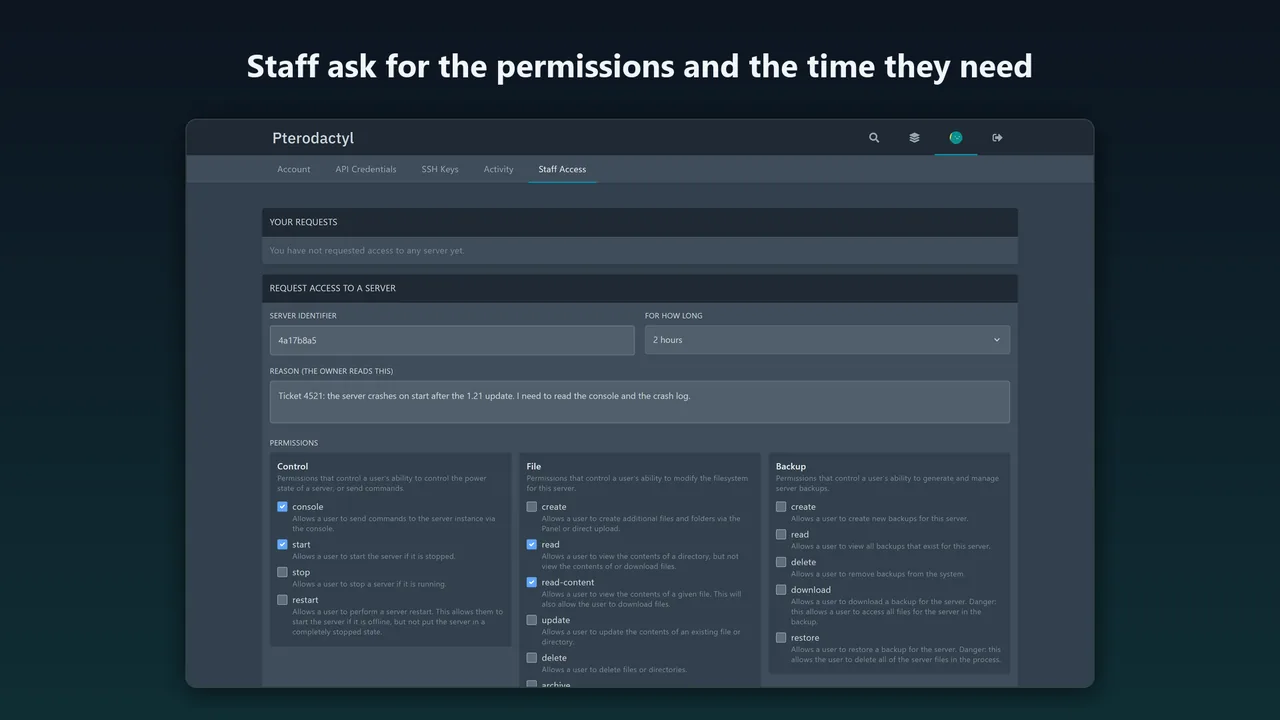
Staff request access
From a Staff Access page in their account menu: server ID, reason, how long (up to your maximum) and the permissions, picked from Pterodactyl's own subuser permission list.
The owner decides
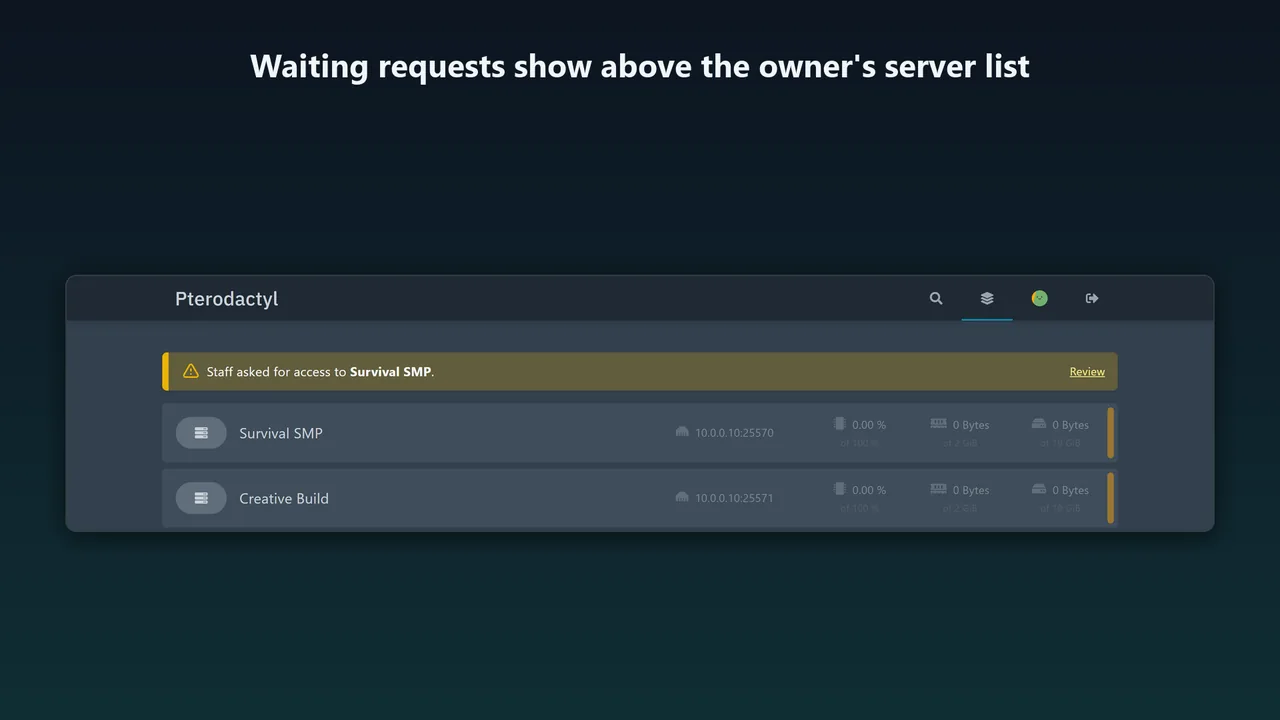
A notice above their server list and a Staff Access tab show who is asking, why, for how long and for what. The owner can untick permissions before approving, or deny.
Exactly those permissions
The staff member becomes a subuser with the approved permissions. Subuser management (user.*) can never be requested, so no one can leave access behind.
Access ends on its own
A scheduled job removes the subuser within a minute of the end time, the way the Users page does, including telling the node to drop SFTP and console sessions. The owner can revoke at any time.
Everything is logged
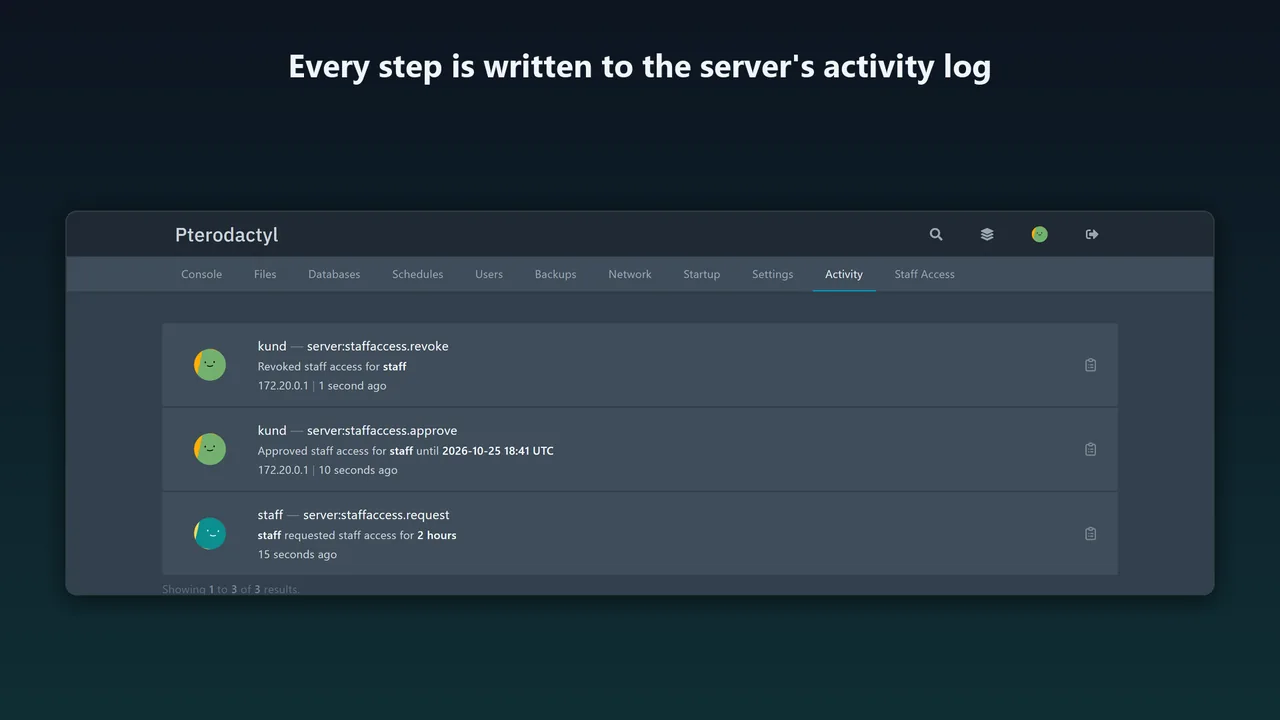
Request, cancellation, approval, denial, revocation and expiry go to the server's activity log as readable sentences.
Admins stay in control
Choose whether root admins count as staff, add other staff accounts, set the maximum length and see every waiting request and running grant in one table.
How it works
- Upload. Put
staffaccess.blueprintin your Pterodactyl folder (usually/var/www/pterodactyl). - Install. Run
blueprint -install staffaccess. With Blueprint in Docker, also runphp artisan migrate --forcein the panel container, or restart it. - Configure. Admin → Extensions → Staff Access: root admins as staff (on by default), the maximum access length (24 hours by default, up to 720) and your staff accounts.
Screenshots
Pricing
One panel; a test or staging copy is included. Updates within 1.x, full source.
Good to know
- Built for Pterodactyl 1.x with Blueprint. It uses the panel's own cron (
schedule:run), which every Pterodactyl install already has. - Removing the extension revokes all running access first, then drops its table.
- Tested in English with a stand-in Wings node, which shows the panel sends the same calls as the Users page does.
FAQ
Can staff give themselves more than the owner approved?
No. They get exactly the approved permissions, and subuser management is never grantable, so they cannot add other users or raise their own access.
What if the owner changes their mind?
Revoke now removes the staff member from the server immediately.
Do root admins still have their usual access?
Yes, nothing in Pterodactyl is changed. Staff Access adds a way in that has the customer's consent and a record.
Does it work with other extensions?
It only adds its own pages, tab and admin page through Blueprint and does not replace any panel component.
Where is the data?
In your panel database (staffaccess_requests) and the server activity log. Nothing is sent anywhere.
Related tools
Crash Detector for Blueprint
Notices when a Pterodactyl game server crashes, keeps the last console lines, emails the owner and posts to Discord. Optional crash loop stop. Blueprint.
Server Expiry for Blueprint
Expiry dates for Pterodactyl servers without a billing system: warning emails 7, 3 and 1 day before, suspend at expiry, renew by admin or owner. Blueprint.
Updated 2026-10-25