
Captionwright: AI captions, subtitles and transcripts for WordPress video
Captions are required for pre-recorded video under WCAG 2.1 success criterion 1.2.2. Writing them by hand is slow, and caption services charge by the minute.
Captionwright Pro is on sale now. The free plugin is in review at WordPress.org.
- Requires
- WordPress 6.5+, PHP 7.4+
- Languages
- 30, or an English translation of any of them
- Caption format
- Standard WebVTT files in your uploads folder
- Tested in
- Current Chrome, Edge and Firefox
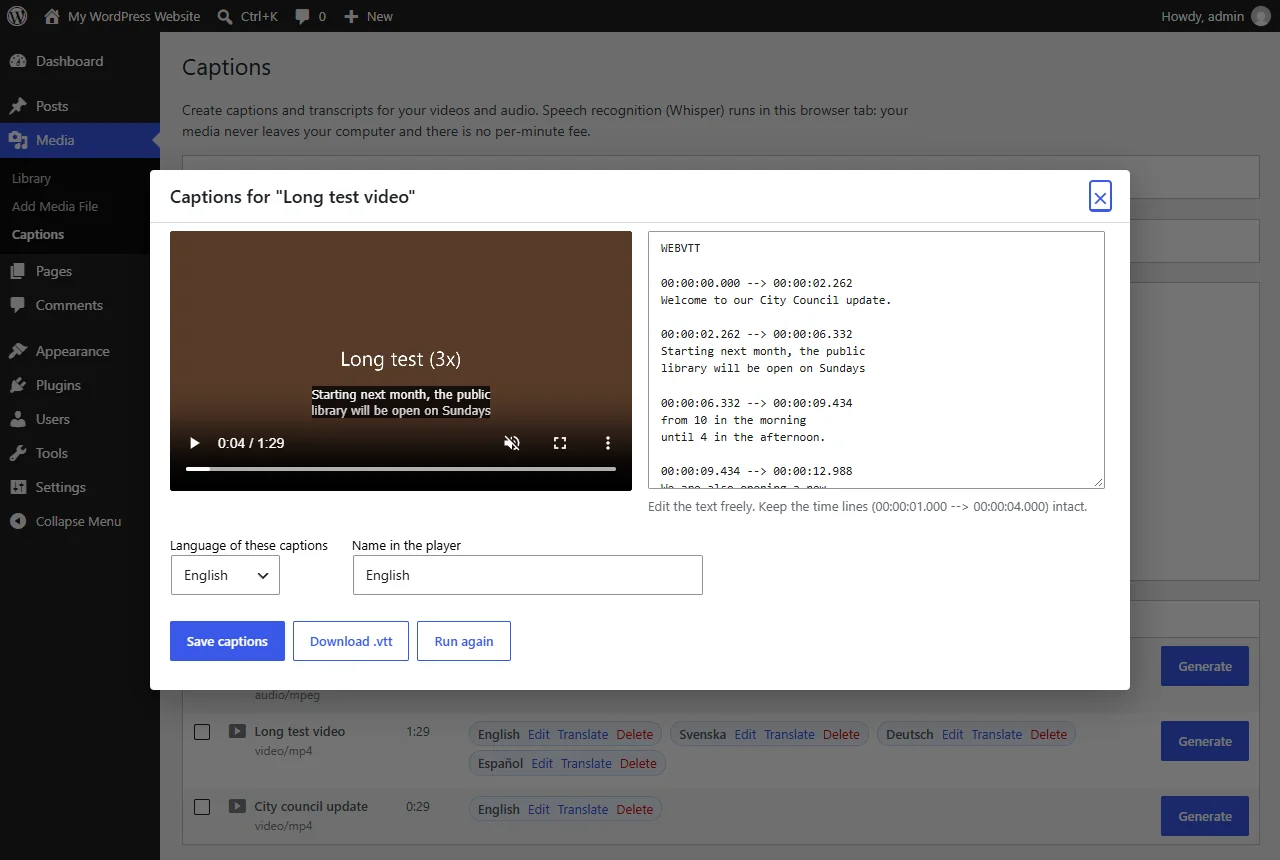
Captionwright writes them inside WordPress. Go to Media → Captions, click Generate, and OpenAI's Whisper speech model listens to the file in your own browser tab. Check the text next to a live preview, save, and the captions show up in the core Video block and [video] shortcodes with no theme changes.
What Captionwright does
Whisper in your browser
WebGPU when there is a graphics card, WebAssembly otherwise. No API key, no account and no per-minute fees.
Edit before you save
A caption editor next to a live preview, so names and terms can be fixed before publishing.
Works with the Video block
Captions are added automatically to the core Video block and the [video] shortcode.
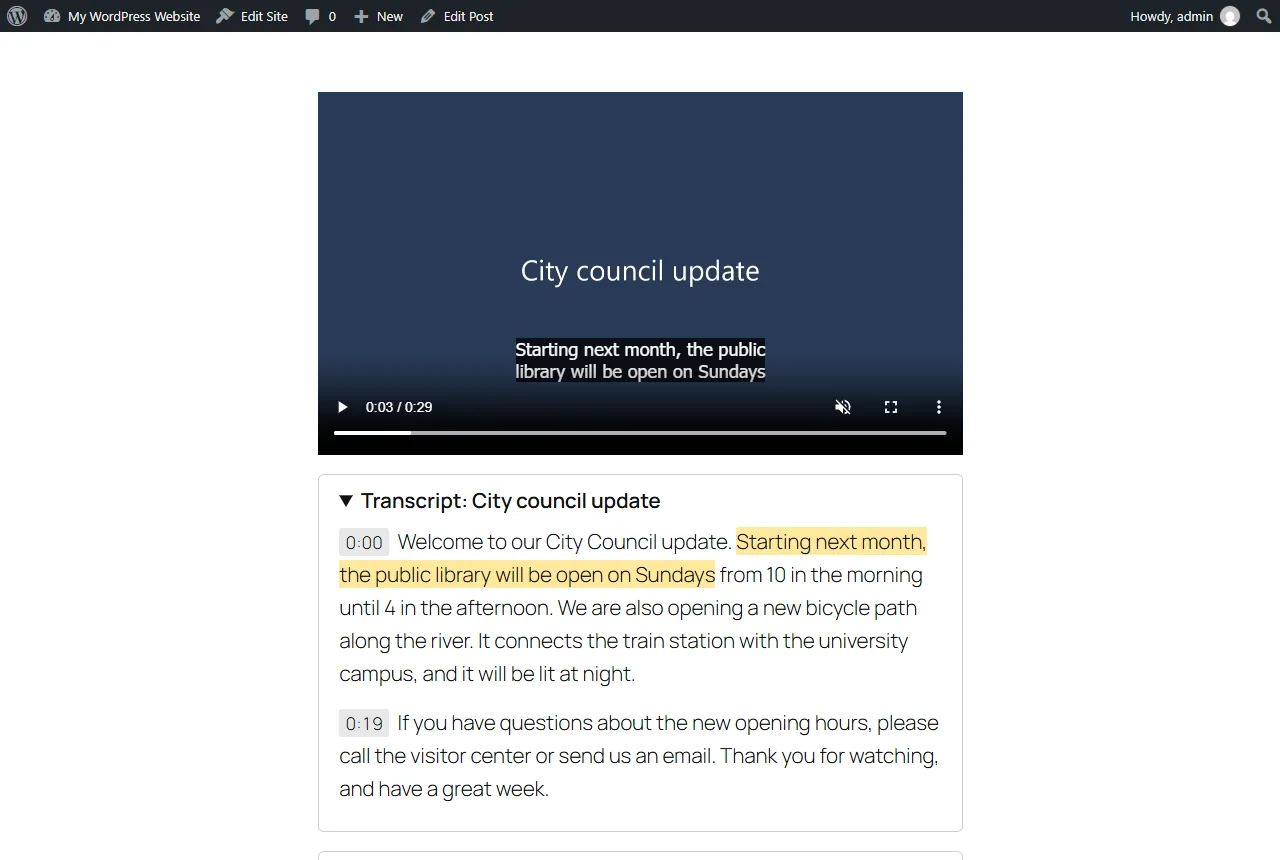
Clickable transcripts
A Transcript block where every line jumps the player, plus a [captionwright_transcript] shortcode for classic editors and page builders.
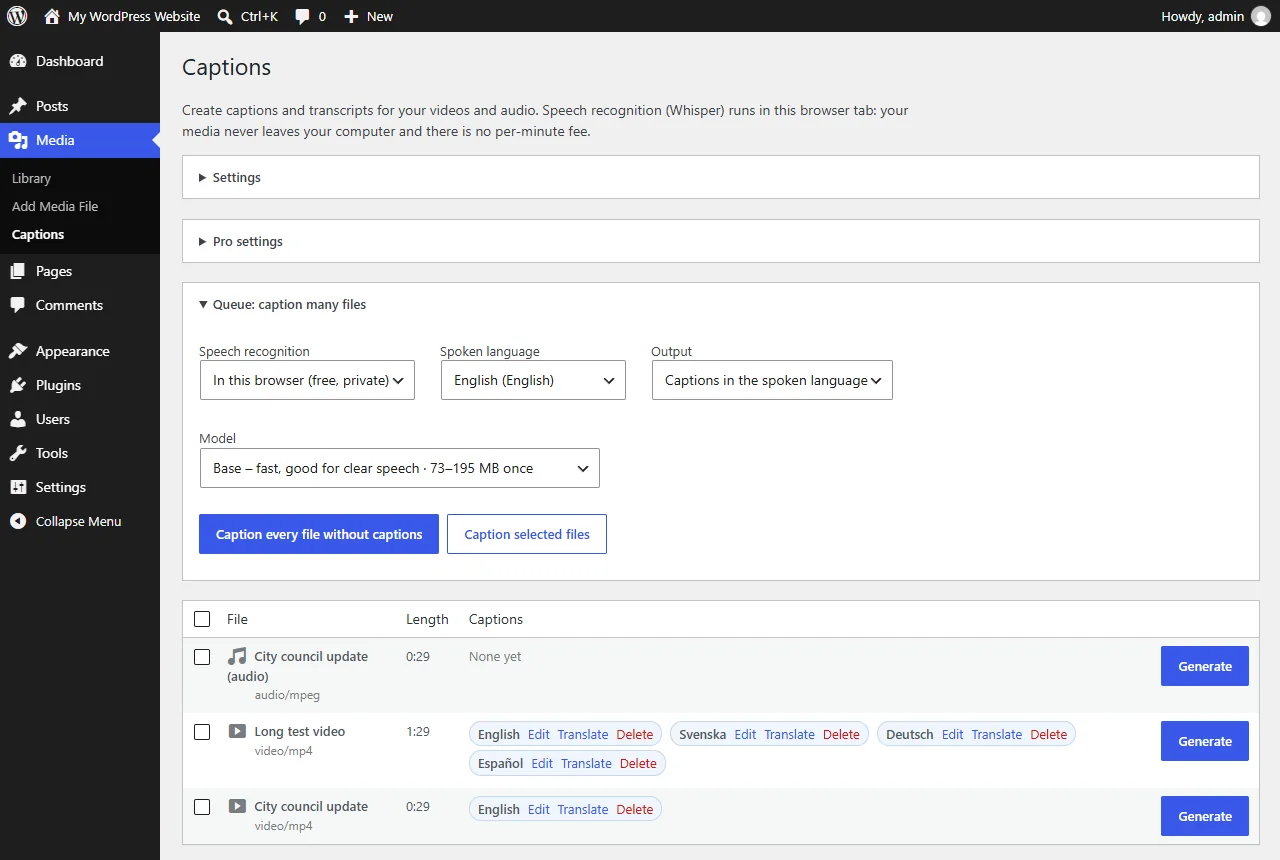
Pro: the whole Media Library
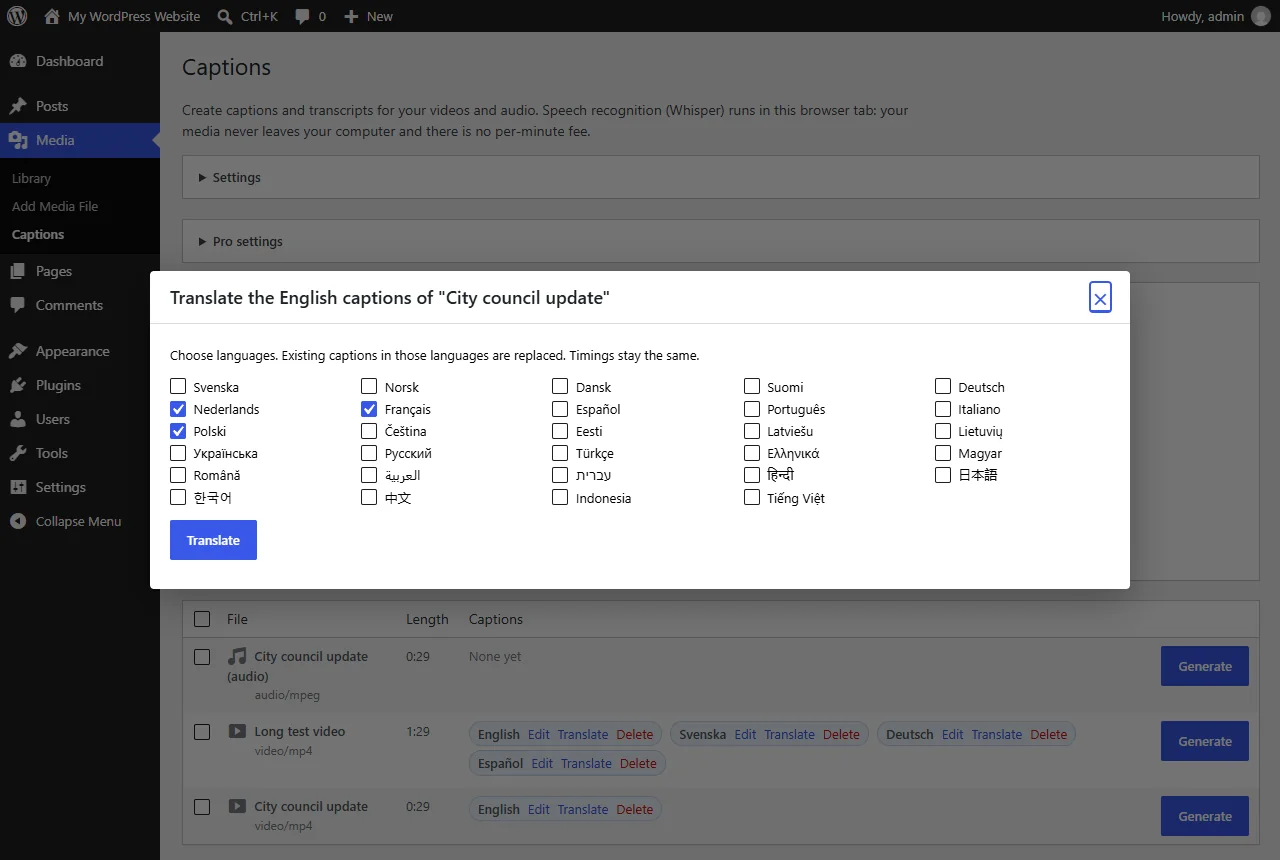
Caption every file in one queue with pause and resume, and translate captions into 30 languages with timings kept.
Pro: YouTube, Vimeo and cloud mode
Interactive transcripts under YouTube and Vimeo embeds, and an optional cloud mode with your own Groq or OpenAI key.
How it works
- Generate. Media → Captions → Generate next to a video or audio file.
- Check. Read the text next to the live preview and fix names and terms.
- Publish. Save. The captions appear in the player, and the transcript can go below the video.
Screenshots
Why captions are due now
- WCAG 2.1, success criterion 1.2.2 asks for captions on all pre-recorded video with audio. It is a Level A requirement, the most basic level.
- ADA Title II (US): state and local governments must meet WCAG 2.1 AA on their websites from April 26, 2027 if they serve 50,000 people or more, and from April 26, 2028 for smaller ones and special districts.
- European Accessibility Act: has applied since June 28, 2025 to many products and services sold to consumers in the EU, including e-commerce, banking and e-books.
Sources: ada.gov, with the dates set by the interim final rule of April 20, 2026, and W3C: Understanding 1.2.2. Checked 2026-10-19. Not legal advice.
What captions cost elsewhere
Caption services charge for every minute of video. Captionwright runs Whisper in your browser, so ten more hours of video cost nothing extra.
| Option | Price | 10 hours of video |
|---|---|---|
| Human captioning (Rev) | From $1.99 per minute | $1,194 |
| Captionwright Pro, 1 site | $59 a year | $59, no limit on hours |
Human captions are checked by people; Captionwright's are machine-written and you check them in the editor. Price from rev.com/pricing, checked 2026-10-19. In cloud mode your own Groq or OpenAI bill applies.
Pricing
14-day refund. Sold through Gumroad.
No licence key. On Payhip and PlugNest.
On Payhip.
Good to know
- No automatic captions are perfect. Read the text before saving, especially names and technical terms.
- In cloud mode the audio is sent to Groq or OpenAI with your own key. In the default browser mode it never leaves the computer.
- Safari 17+ has the browser features Captionwright needs but has not been tested on a Mac yet.
Privacy
Captionwright runs on your own WordPress site and in the browser of the person who creates captions. It sends Karelia Labs nothing: no usage data, analytics or telemetry, and there is no account with us.
In the default browser mode, speech recognition runs inside the browser tab and the audio never leaves that computer. The only download is the public Whisper model from Hugging Face, after an administrator allows it.
Pro's optional cloud mode sends the audio to the speech service you choose (Groq, OpenAI or another OpenAI-compatible service) with your own key. Translations send the caption text to WordPress' built-in AI or to the service you set up. API keys stay on your server.
Captionwright Pro bought on Gumroad checks its license key with Gumroad when you activate it and then once a day. Only the status, the number of sites and the dates are kept.
Caption files are saved in wp-content/uploads/captionwright/ and are public like your videos, so they contain whatever is said in the recording.
Guides
How to add captions to WordPress videos without per-minute fees
Generate captions for a Media Library video with Whisper in your own browser, check them next to a live preview, and they appear in the core Video block with a clickable transcript.
Read the guide →How to add an interactive transcript under a YouTube or Vimeo video in WordPress
Download the video's captions from YouTube Studio or Vimeo as SRT or WebVTT, add the file with the video link in Captionwright Pro, and the transcript appears under the embedded video.
Read the guide →FAQ
Do visitors need a special browser?
No. Only the person who creates captions needs Chrome, Edge or Firefox. Visitors see the captions in any browser.
How fast is it?
With a graphics card and the Base model, speech is processed roughly ten times faster than real time. In our tests a 90-second video took 8 seconds. Without a graphics card it is noticeably slower.
Where are the caption files stored?
In wp-content/uploads/captionwright/, one .vtt file per media file and language.
Does it make my site legally compliant?
It writes the captions that WCAG 1.2.2 asks for. Compliance also depends on the captions being accurate and on the rest of the site, so check every caption before publishing.
When do the ADA Title II web rules apply?
For US state and local governments serving 50,000 people or more, from April 26, 2027. For smaller ones and special districts, from April 26, 2028. Both must meet WCAG 2.1 AA, which includes captions for pre-recorded video.
How does the price compare with a captioning service?
Captionwright Pro is $59 a year for one site with no limit on hours. Human captioning from Rev starts at $1.99 per minute, so 10 hours of video cost $1,194.
Updated 2026-10-19