
How to add captions to WordPress videos without per-minute fees
Updated 2026-10-19
Why recorded video needs captions
WCAG 2.1 success criterion 1.2.2 asks for captions on pre-recorded video with audio. WCAG 2.1 is the standard behind the US ADA Title II rule for state and local governments, the European Accessibility Act and the EU Web Accessibility Directive for public bodies.
The dates: the European Accessibility Act has applied since June 28, 2025. Under ADA Title II, US state and local governments serving 50,000 people or more must comply from April 26, 2027, and smaller ones and special districts from April 26, 2028.
Captions also help everyone else: people watching without sound, people who don't speak the language well, and search engines that can't listen to a video.
Generate captions in WordPress
- Install Captionwright and go to Media → Captions.
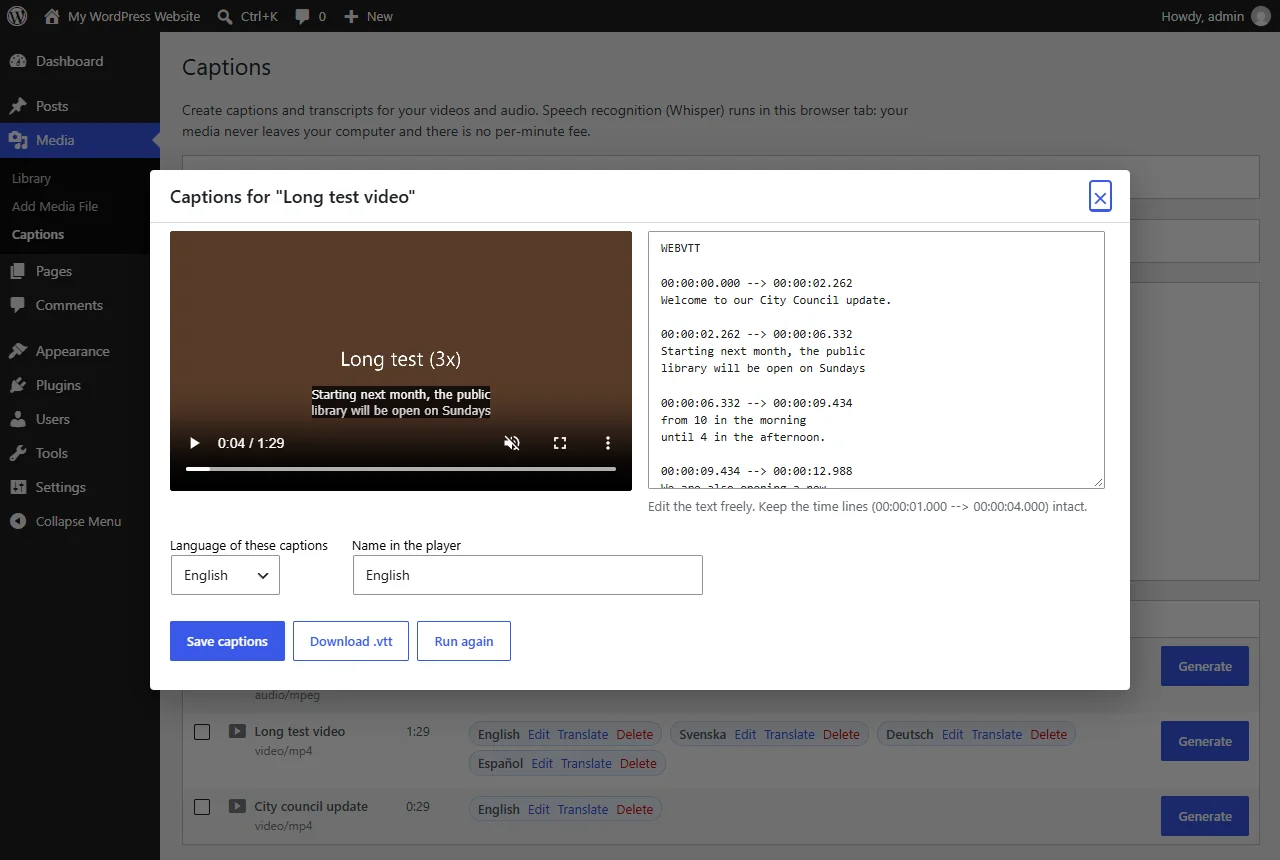
- Click Generate next to a video or audio file. OpenAI's Whisper model listens to it inside your browser tab: WebGPU with a graphics card, WebAssembly without one.
- Read the text next to the live preview. Fix names and technical terms, then save.
- Open the page with the video. The captions are in the core Video block and in
[video]shortcodes, with no theme changes.
Add a clickable transcript
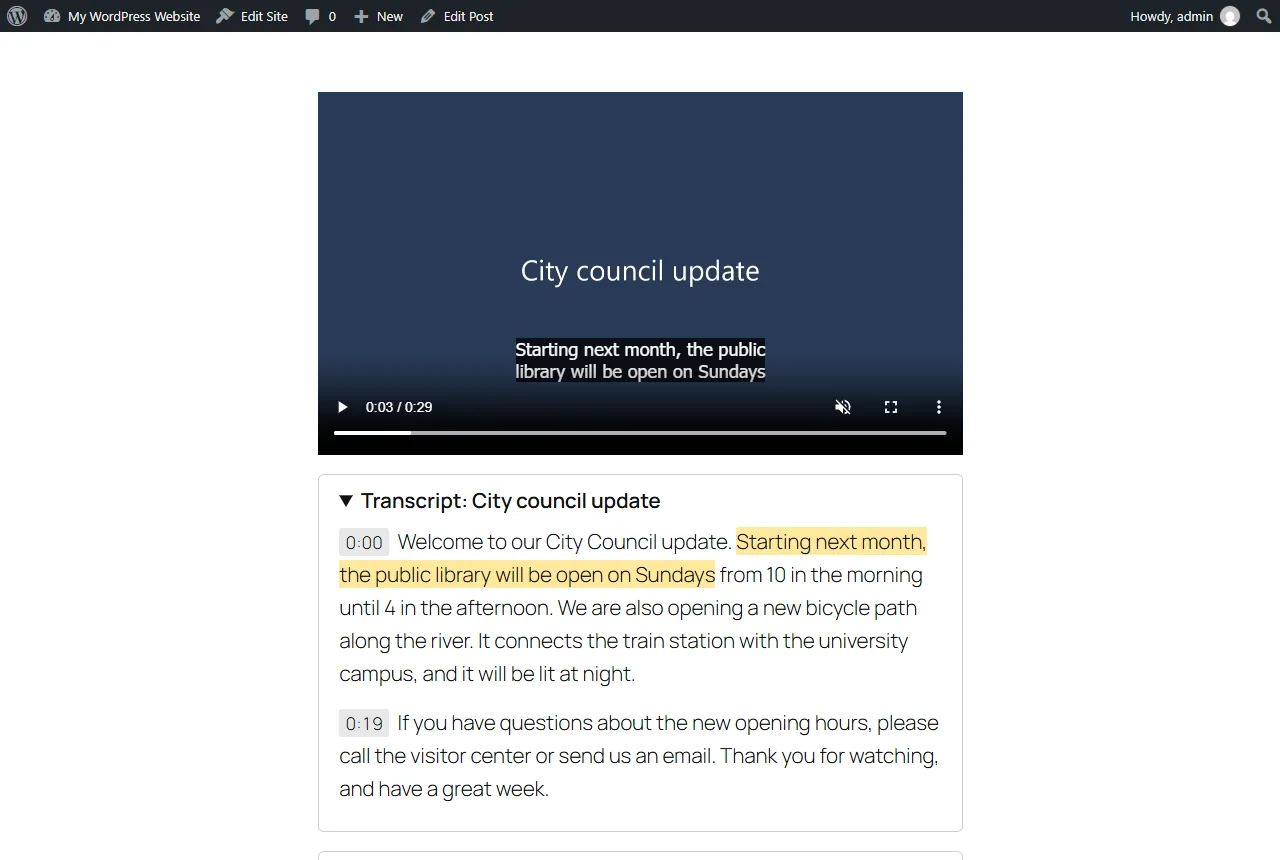
Add the Transcript block below the video, or use [captionwright_transcript id="123"] in classic editors and page builders. Every line jumps the player to that moment, and the current sentence is highlighted while the video plays.
Tips for accurate captions
- No automatic captions are perfect. Read every caption before publishing; accessibility depends on accuracy.
- Use a larger model for difficult audio when the computer has a graphics card. Tiny and Base are the practical choices without one.
- With a graphics card and the Base model, speech is processed roughly ten times faster than real time: in our tests a 90-second video took 8 seconds.
Large libraries and other languages
Captionwright Pro captions every file in the Media Library in one queue with pause and resume, translates captions into 30 languages with timings kept, and adds interactive transcripts under YouTube and Vimeo embeds.
FAQ
Is my video uploaded to a captioning service?
Not in the default mode. Whisper runs in the browser of the person who clicks Generate. The optional Pro cloud mode sends audio to Groq or OpenAI with your own key.
Which caption format is used?
Standard WebVTT files, saved in wp-content/uploads/captionwright/.
More guides
How to add an interactive transcript under a YouTube or Vimeo video in WordPress
Download the video's captions from YouTube Studio or Vimeo as SRT or WebVTT, add the file with the video link in Captionwright Pro, and the transcript appears under the embedded video.
Read the guide →Fix Paymenter after upgrading to Pterodactyl 2.0: "api/application/nests could not be found"
Pterodactyl 2.0 removed the nest endpoints that Paymenter's built-in extension calls. Switch to a 2.0-aware extension with one command; products and services stay.
Read the guide →Solar2D and Google Play's 16 KB page size rule: find the library that fails
Apps targeting Android 15+ must support 16 KB memory pages. Check every 64-bit library in your build, find the plugin that ships each 4 KB-aligned one, and update or remove it.
Read the guide →