Cash book and day closing for Dolibarr TakePOS: float, deposits, count and booked difference
TakePOS closes the day, but it does not count bank deposits, cash expenses or payments taken outside TakePOS, and it books no difference. This module adds a real cash book and a real day closing on top of TakePOS, with its own tables and no change to Dolibarr core files.
On sale on Gumroad since 2026-11-22. Also submitted to DoliStore. Tested on Dolibarr 20 to 24.
- Requires
- Dolibarr 20 to 24 with TakePOS. Amounts in euro
- Tested
- Dolibarr 24.0.2 with real TakePOS sales in the browser: 112 checks in English, 100 in German and 102 in French; versions 20 to 23 installed from the zip and smoke tested
- Licence
- GPL v3
- Price
- 109 EUR, one-time
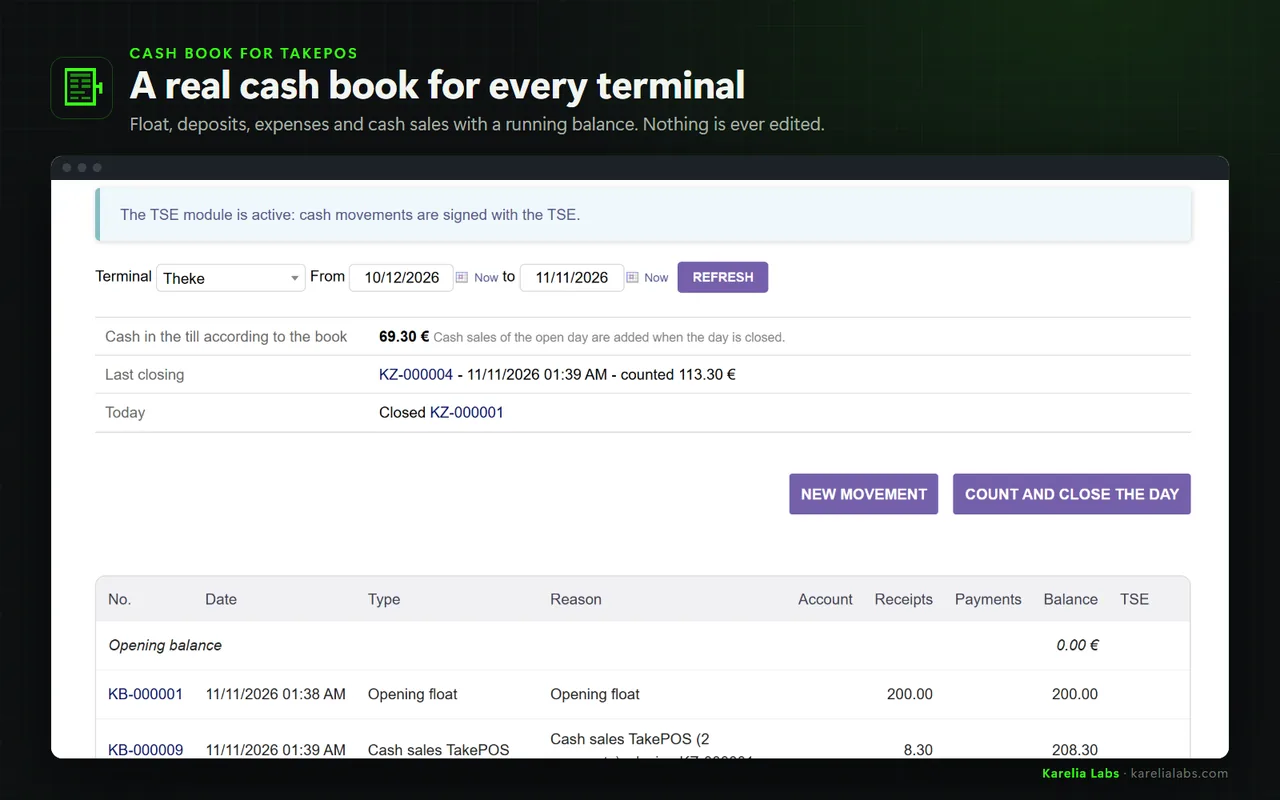
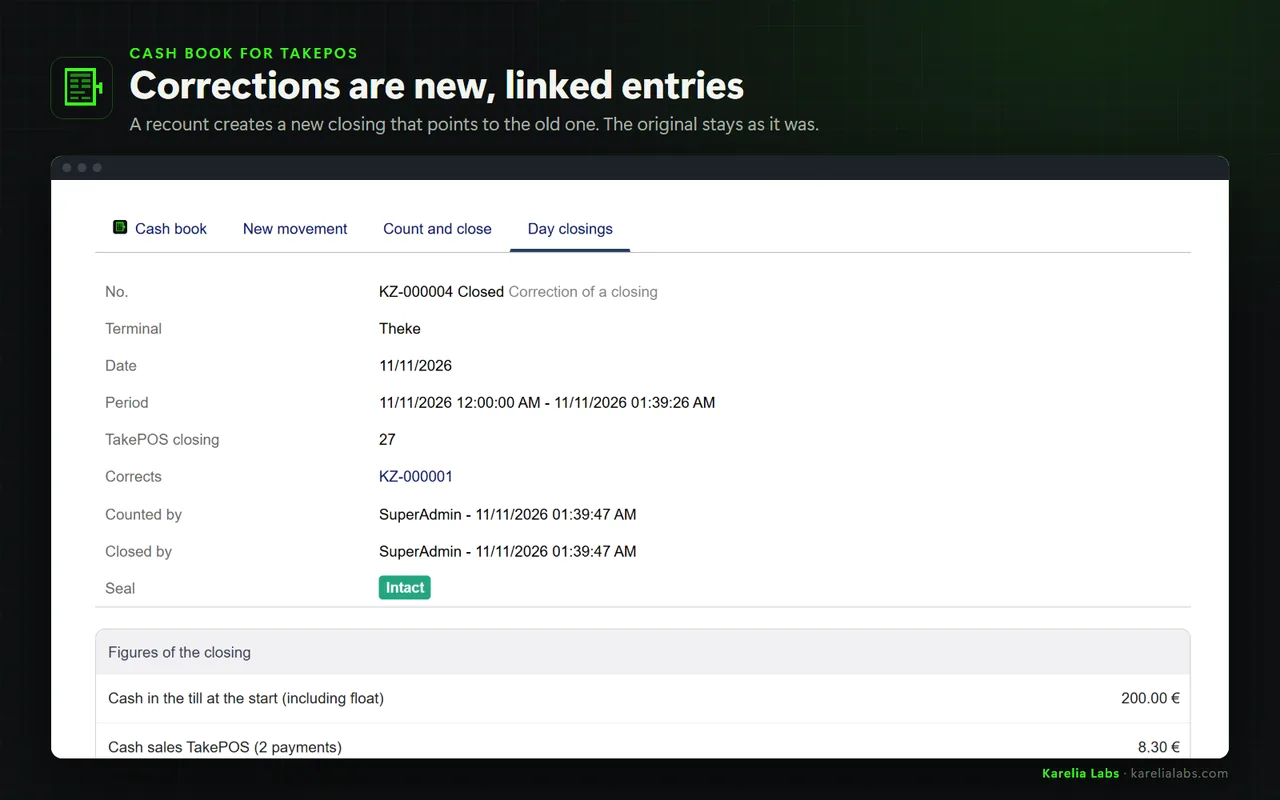
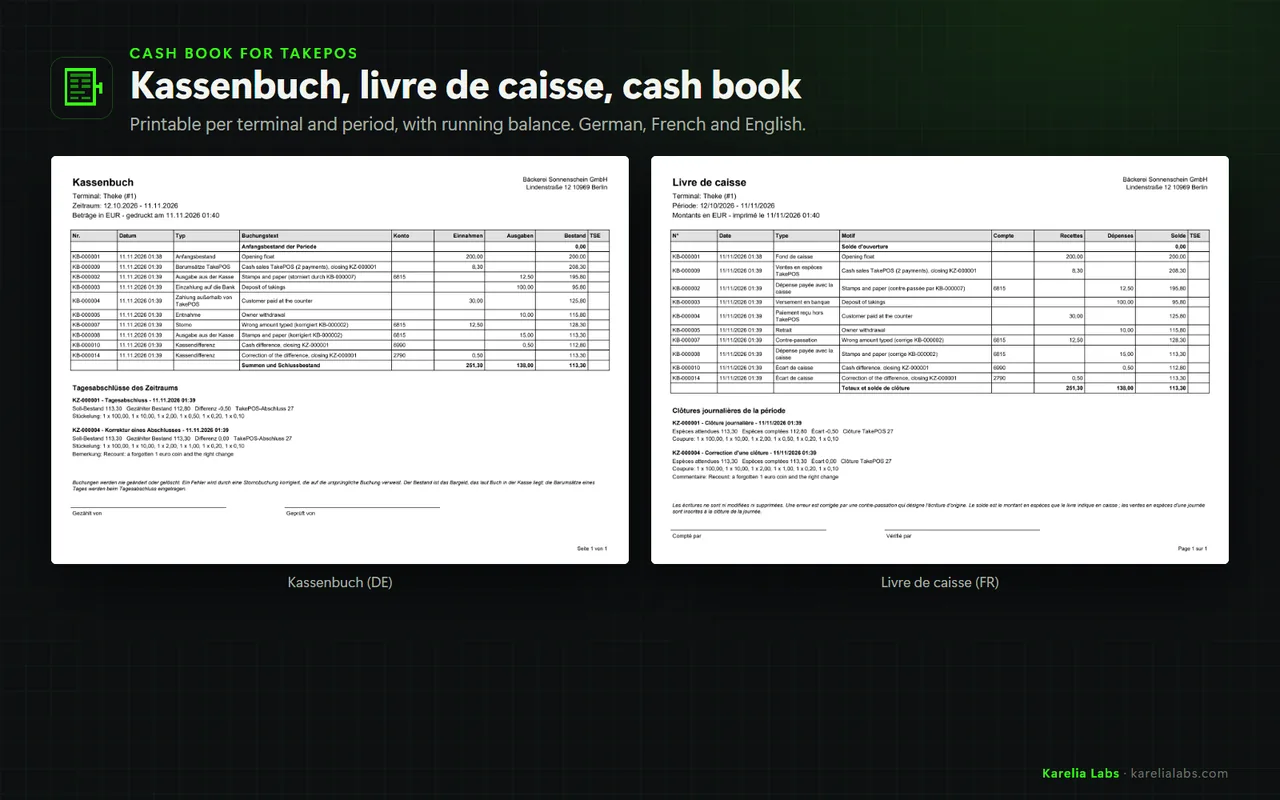
A mistake is corrected by a new entry that points to the original; nothing is edited or deleted. The cash book prints as a PDF in German (Kassenbuch), French (livre de caisse) or English with a running balance.
What Cash book for TakePOS does
A cash book per terminal
Opening float, deposit to the bank, expense paid from the till, withdrawal, payment received outside TakePOS and other cash in, each with a reason and a running balance.
Count per denomination
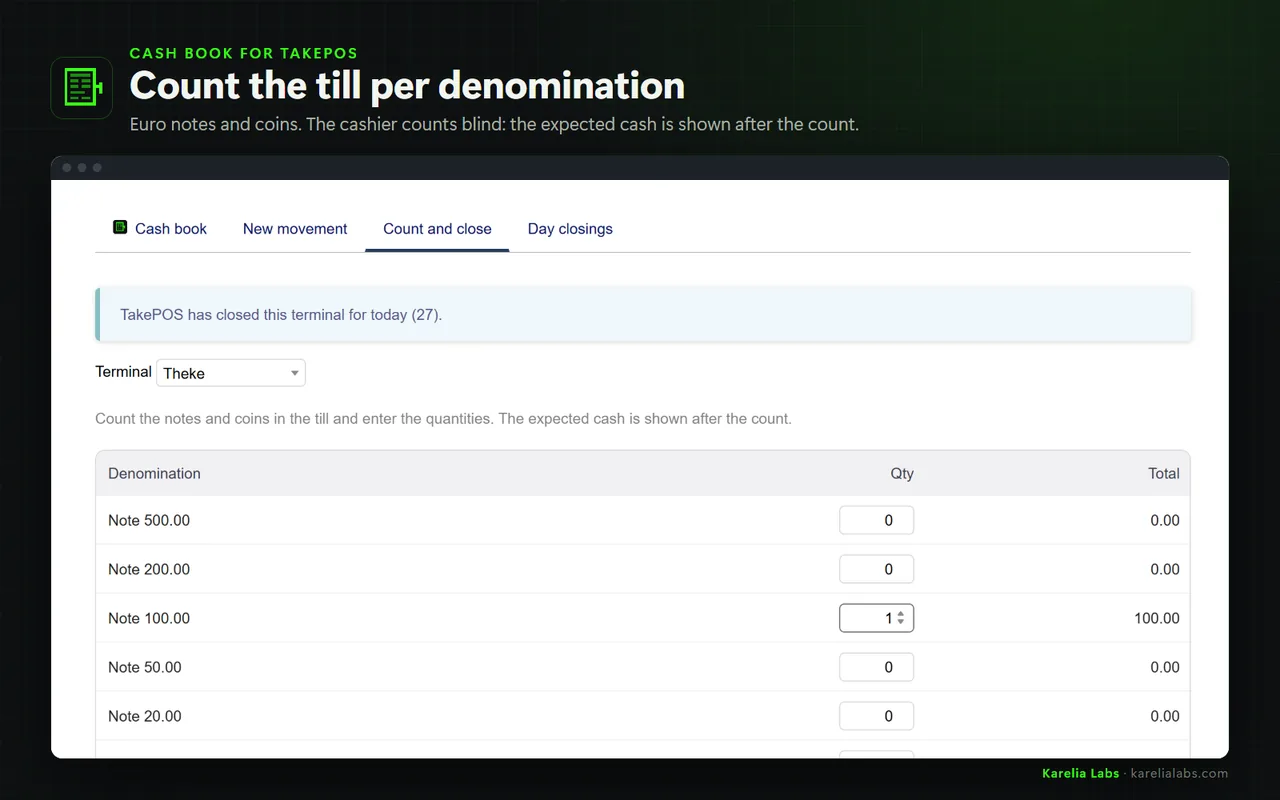
Euro notes and coins. The cashier counts blind; the expected cash is shown after the count.
Difference booked
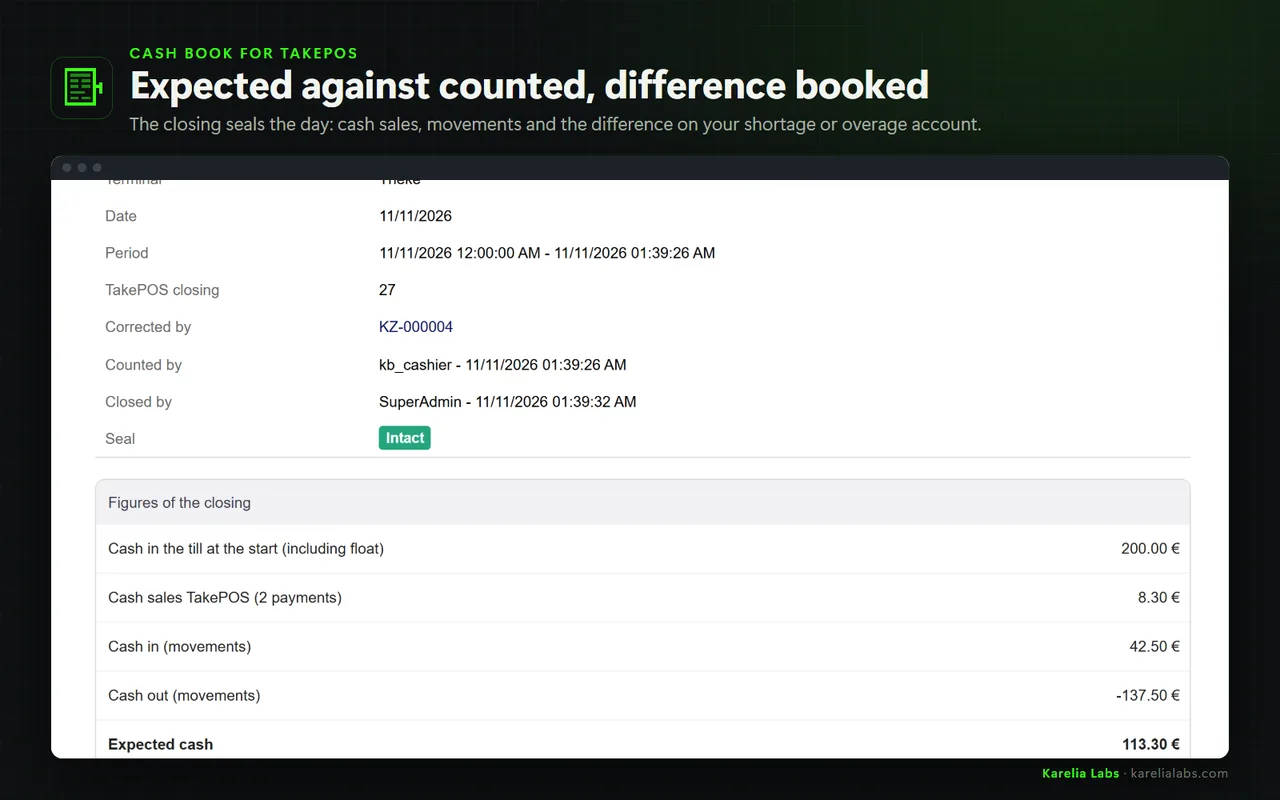
Expected against counted: float plus TakePOS cash payments plus cash in minus cash out. The difference goes to a shortage or overage account you choose, with a mandatory note above a threshold you set.
Corrections, never silent edits
A wrong movement is reversed by an entry that points to it. The latest closing is corrected by a new closing with a new count. Every entry carries the hash of the previous one, every closing is sealed, and a button checks the whole book.
Printable cash book
Per terminal and period, in German, French or English, with totals, the closings with the count per denomination and signature lines.
Works with TSE for TakePOS
With our TSE module active, cash movements and their reversals are also signed with the TSE. If the TSE cannot be reached the movement is still recorded and can be signed later.
How it works
- Install. In Dolibarr open Home > Setup > Modules > Deploy external module and upload the zip, then switch the module on. TakePOS must be active.
- Set the accounts and rights. Choose the shortage and overage accounts and the note threshold, and give users the rights to view, record, count, close and correct.
- Count and close. Record the float and the day's movements, count the till per denomination and close the day. Print the cash book for any period.
Screenshots
Pricing
Sold through Gumroad, which adds VAT where it applies. You get the module as a zip file.
Good to know
- The module creates no bank entries and no accounting entries in Dolibarr. The accounting account on an entry is information for your accountant and is printed in the cash book.
- Expenses are signed by the TSE without a VAT split, and the DSFinV-K export of the TSE module does not contain the cash movements.
- A technical tool, not legal advice and not certified (for example not NF525). You remain responsible for your cash handling.
FAQ
Does it change TakePOS?
No. It never touches the TakePOS cash control and changes no Dolibarr core files, so it works with the rules of newer Dolibarr versions.
Can a cashier count and a manager close?
Yes. Counting and closing are separate rights, so one person can do both or the roles can be split.
How do I fix a mistake?
With a reversal entry that points to the wrong one, followed by a new entry if you wish. Every correction needs a reason.
Do I need the TSE module?
No. The cash book works alone. With TSE for TakePOS active, cash movements are signed too.
Related tools
TSE for TakePOS
Dolibarr module that signs every TakePOS sale with fiskaly's certified cloud TSE, prints the QR code on the receipt and exports DSFinV-K. Dolibarr 20 to 24.
Liasse fiscale 2033
Dolibarr module that computes the French simplified tax return 2033-A to 2033-G from your double-entry accounting, with checks, PDF, CSV and JSON.
More from Karelia Labs
Updated