
FanOut: run one SQL script against many databases from DataGrip and IntelliJ IDEA
Teams with many databases usually end up on the command line when the same script has to run everywhere. FanOut keeps that job in the JetBrains IDE you already use.
Version 1.0.0, tested in DataGrip 2025.1.5 with PostgreSQL 16.15, MySQL 8.0.46 and SQLite.
- Version
- 1.0.0
- IDEs
- DataGrip, IntelliJ IDEA Ultimate and other JetBrains IDEs with Database Tools and SQL
- IDE versions
- 2025.1 to 2026.3 (builds 251 to 263.*)
- Tested with
- DataGrip 2025.1.5, PostgreSQL 16.15, MySQL 8.0.46 and SQLite 3.46.1.3
- Price
- Personal $39/year, organization $79/year, 30-day free trial
- Get it on
- JetBrains Marketplace
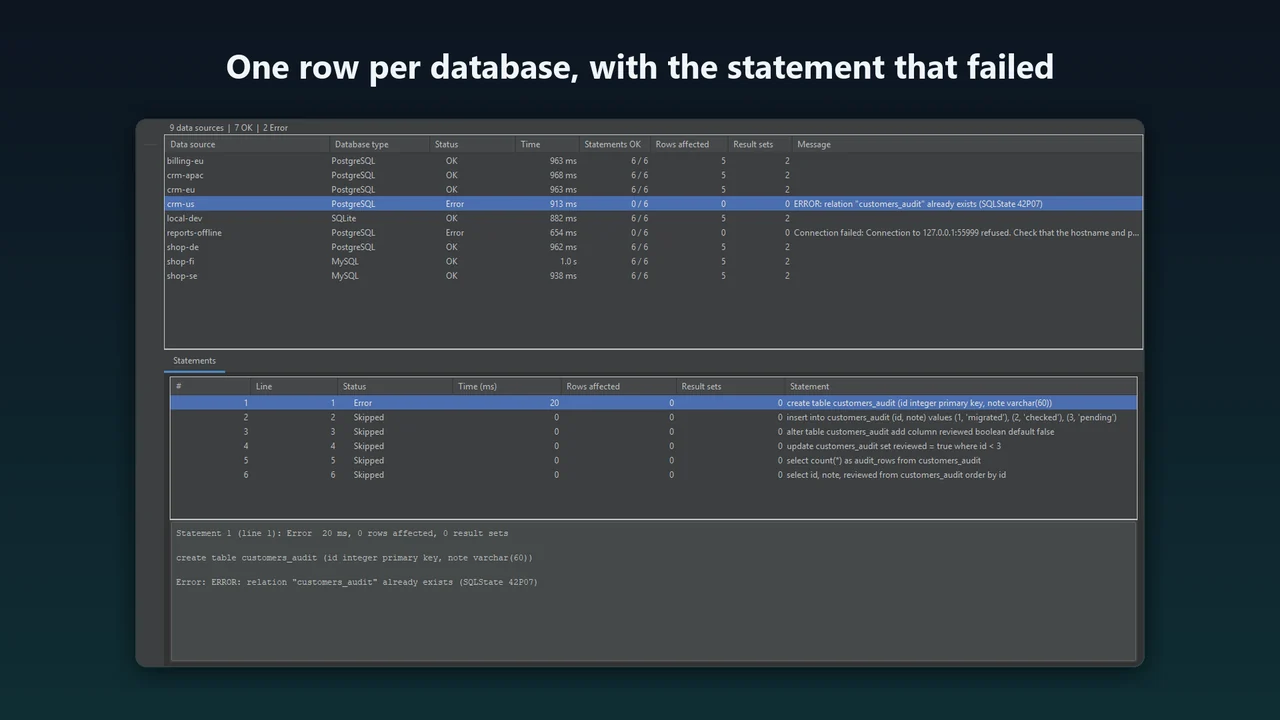
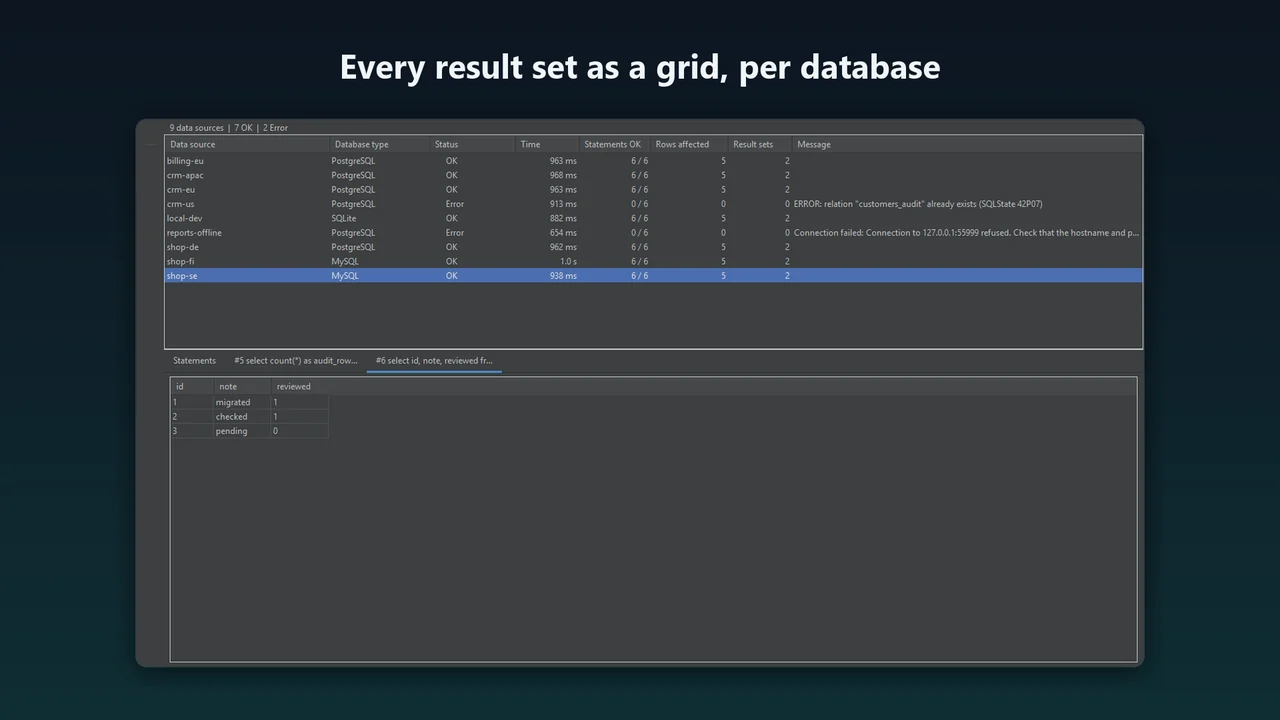
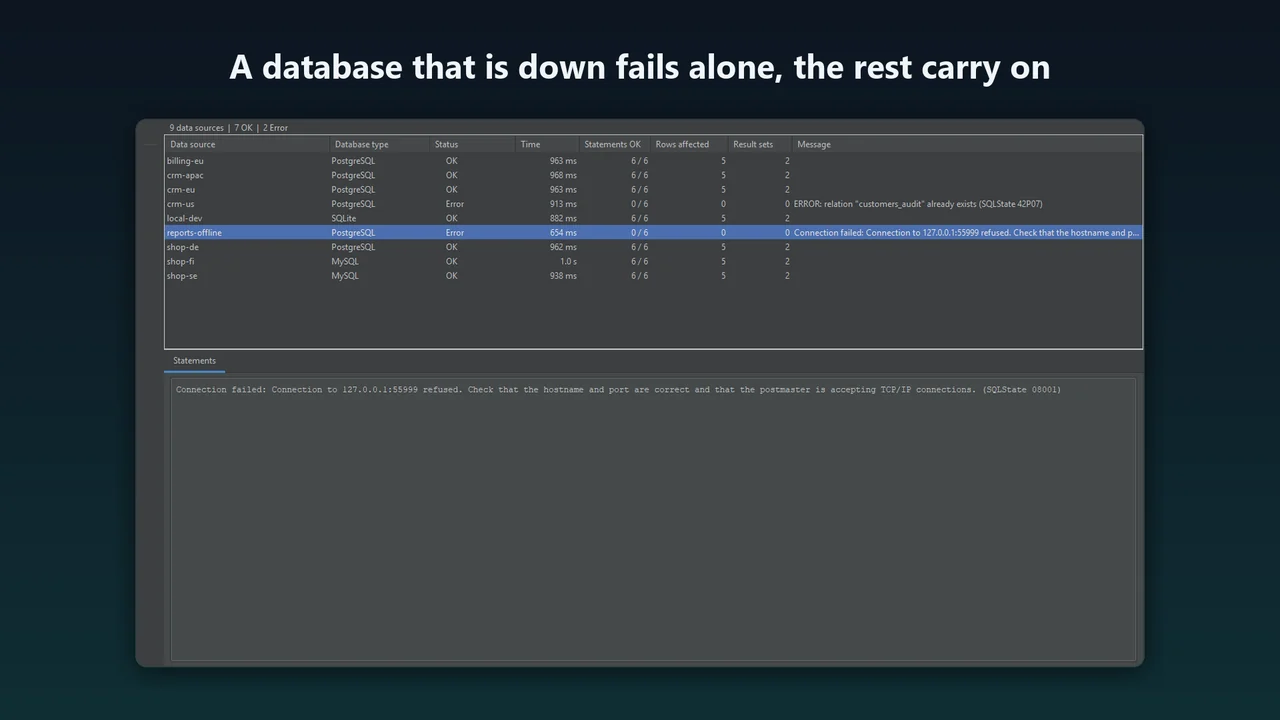
Pick the data sources you already have, press Run, and watch one row per database fill in: running, OK or error, how long it took, how many rows were affected and what the server said. Click a database to see each statement and every result set as a grid. When one database fails, you see the error and the exact statement for that database, and the others are not affected.
What FanOut does
Real scripts
DDL, DML, many statements and many result sets in one run. Run the whole SQL file or only the selected text.
Your IDE data sources
Uses the connection settings, driver and credentials of each data source in the Database tool window. FanOut never stores or reads a password itself.
One row per database
Status, time, statements completed, rows affected, number of result sets and the message or error. Sort by any column.
Every result as a grid
Select a database to see each statement with its status, time, rows affected, full SQL, server messages and error, and every result set in its own tab.
Failures stay local
The first statement that fails stops the script on that database and its remaining statements are shown as skipped. The other databases carry on.
One by one or in parallel
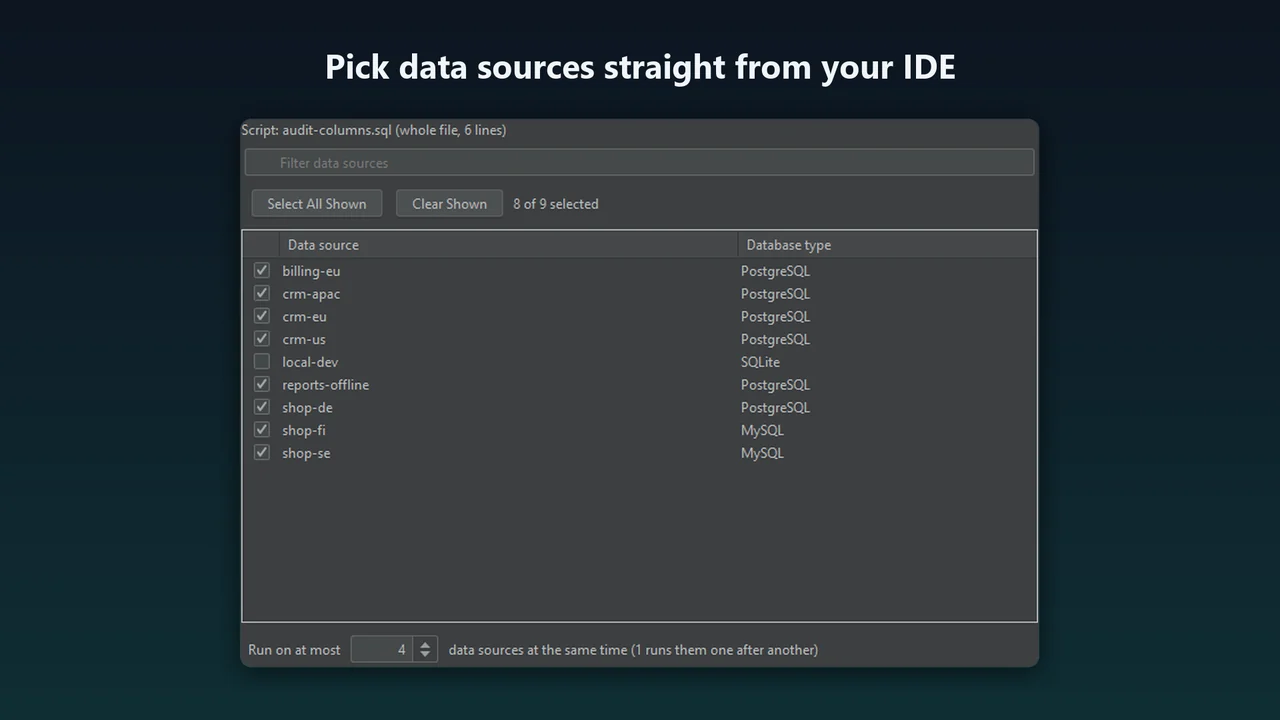
Run the databases one after another or up to a limit you choose, from 1 to 64 at a time. Cancel All stops every running statement and skips the databases that have not started.
Asks before changes
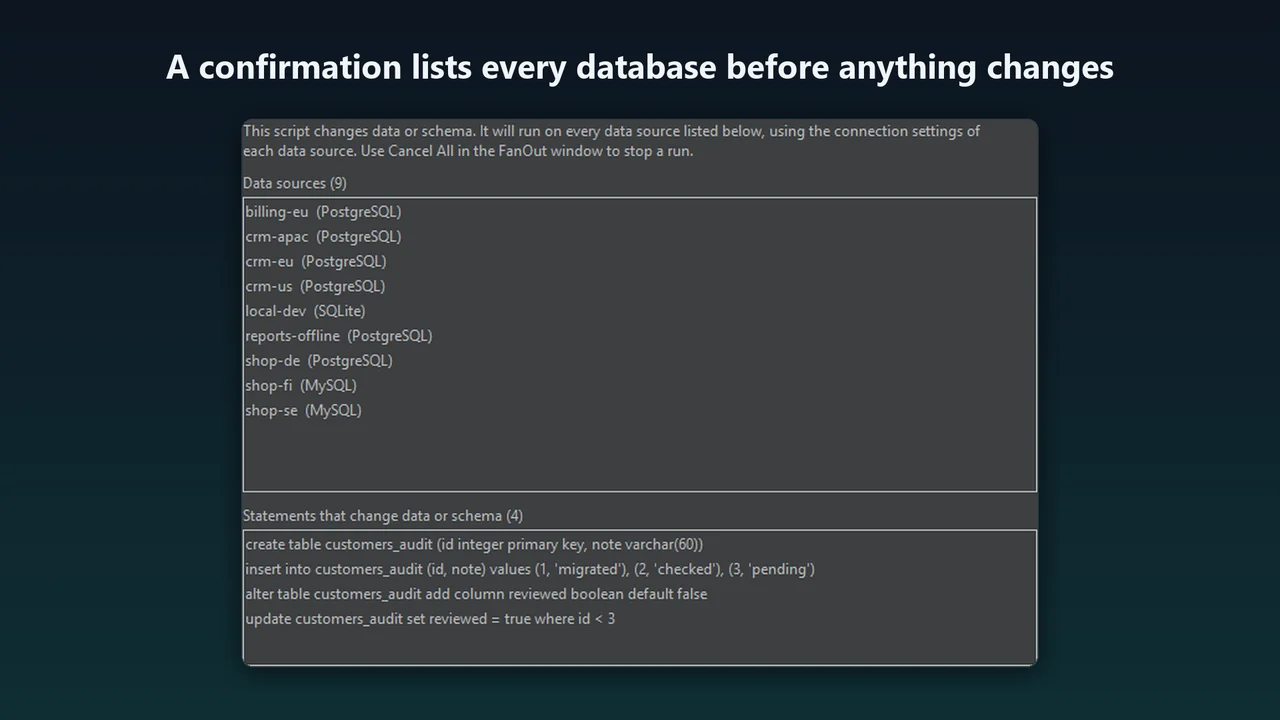
A script that can change data or schema shows a confirmation that lists every database and every statement that changes something.
Export
Save the combined summary, one row per database, as CSV or Markdown.
How it works
- Install. In the IDE open Settings, Plugins, Marketplace, search for FanOut and install it. Restart the IDE when asked.
- Write the script. Open a SQL file or a database console. Select part of it to run only that part.
- Pick the databases. Right-click in the editor and choose Run Script on Many Data Sources... (also in the Tools menu). Tick the data sources, choose how many may run at the same time and press Run.
- Read the results. If the script changes data or schema, confirm the list of databases. The FanOut tool window shows each run in its own tab.
Screenshots
Pricing
Per user and year, for private use and for work that is not done for a company. 30-day free trial.
Per user and year, for use in a company or organization. 30-day free trial.
Good to know
- Requires the Database Tools and SQL plugin, which is included in DataGrip and IntelliJ IDEA Ultimate.
- Tested on Windows in DataGrip 2025.1.5. JetBrains Plugin Verifier reports FanOut compatible with DataGrip 2025.1 to 2026.3. Other IDEs, macOS and Linux have not been run.
- Tested against PostgreSQL 16.15 (two servers), MySQL 8.0.46 and SQLite. SQL Server, Oracle, MariaDB and other databases have not been tested; the splitting rules for SQL Server and Oracle scripts are covered by unit tests only.
- Runs on hundreds of data sources at once have not been tested.
- A result set shows up to 1,000 rows, and the tab says so when it was cut short.
- FanOut 1.0 has no stop-on-error setting for the whole run, no script parameters, no saved groups of data sources and no merged grid for a single SELECT.
- FanOut runs the SQL you give it on the databases you choose. Check the script, the list of databases and your backups before you run it.
Privacy
FanOut collects no data and sends nothing anywhere. SQL, results and credentials stay between your IDE and your databases.
It connects through the data sources you configured in the IDE and never stores or reads a password itself.
Purchases, trials and licenses are handled by JetBrains Marketplace under JetBrains' own terms and privacy policy.
Questions: support@karelialabs.com.
FAQ
Which IDEs does FanOut work in?
DataGrip, IntelliJ IDEA Ultimate and other JetBrains IDEs with the Database Tools and SQL plugin, versions 2025.1 to 2026.3. It was run in DataGrip 2025.1.5 and checked with JetBrains Plugin Verifier against DataGrip 2025.1 to 2026.3.
Which databases was it tested with?
PostgreSQL 16.15 on two servers, MySQL 8.0.46 and SQLite, all in one run. Other databases have not been tested.
What happens when a statement fails on one database?
The script stops on that database, its remaining statements are shown as skipped and the failing statement is shown with the server's error. The other databases keep running.
Does FanOut store my passwords?
No. It uses the connection, driver and credentials of each IDE data source and never stores or reads a password itself.
How are transactions handled?
Each statement commits the way the data source is configured. If a data source uses manual commits, FanOut commits when the whole script succeeded and rolls back when a statement failed.
How much does it cost?
$39 per user and year for personal use and $79 per user and year for organizations, with a 30-day free trial. FanOut is sold through JetBrains Marketplace.
Where is the license?
Read the FanOut license. The JetBrains Marketplace terms apply to the purchase and to the free trial.
Is FanOut made by JetBrains?
No. It is an independent plugin by Karelia Labs. JetBrains, DataGrip and IntelliJ IDEA are named only to describe compatibility.
Related tools
QueryScope for SQL Server
Capture SQL Server queries with Extended Events in your JetBrains IDE: duration, CPU, reads and rows, grouped by query hash. 30-day free trial.
ReferenceFlow for SQL Server
Compare SQL Server reference tables in your JetBrains IDE, pick the row differences you want and generate a guarded T-SQL sync script you review first.
More from Karelia Labs
Updated