
FastDL for Pterodactyl 2.0: fast file downloads for Source-engine game servers
When a player joins a Source-engine game server with custom maps or sounds, such as Counter-Strike, Team Fortress 2 or Garry's Mod, the game downloads them from the game server itself: slowly, and while others are playing. FastDL lets the game download them from your node's web server instead.
Available on Gumroad.
- Requires
- Pterodactyl Panel 2.0. Each node needs Docker (Wings already needs it) and an open port.
- Tested with
- Pterodactyl 2.0.0-beta.2 (PHP 8.4) and nginx 1.30 (official image): 179 browser, API and nginx checks and 6 unit tests (version 1.0.1)
- Package
- Official extension (.pteroext). No panel file is edited and Wings is not touched.
- Price
- $7.99, one panel
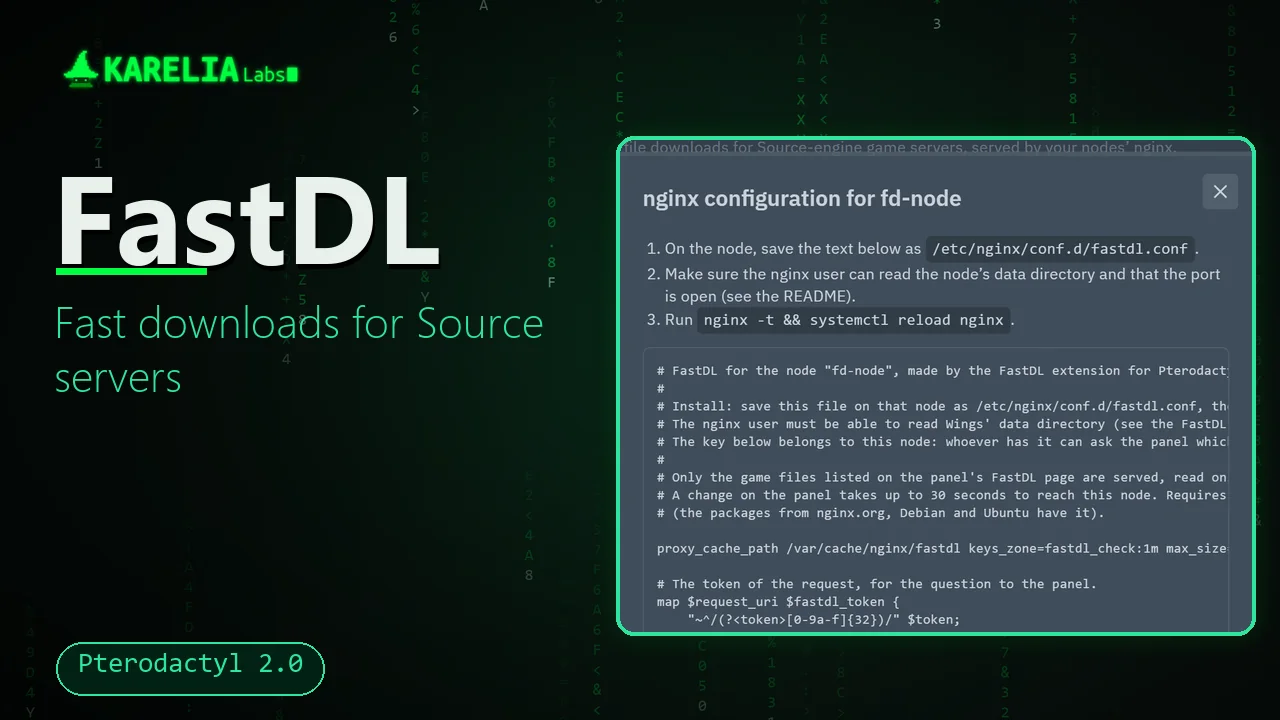
A customer switches it on for their server and copies one line into the server's configuration. You set each node up once.
What FastDL for Pterodactyl 2.0 does
A FastDL tab on every server
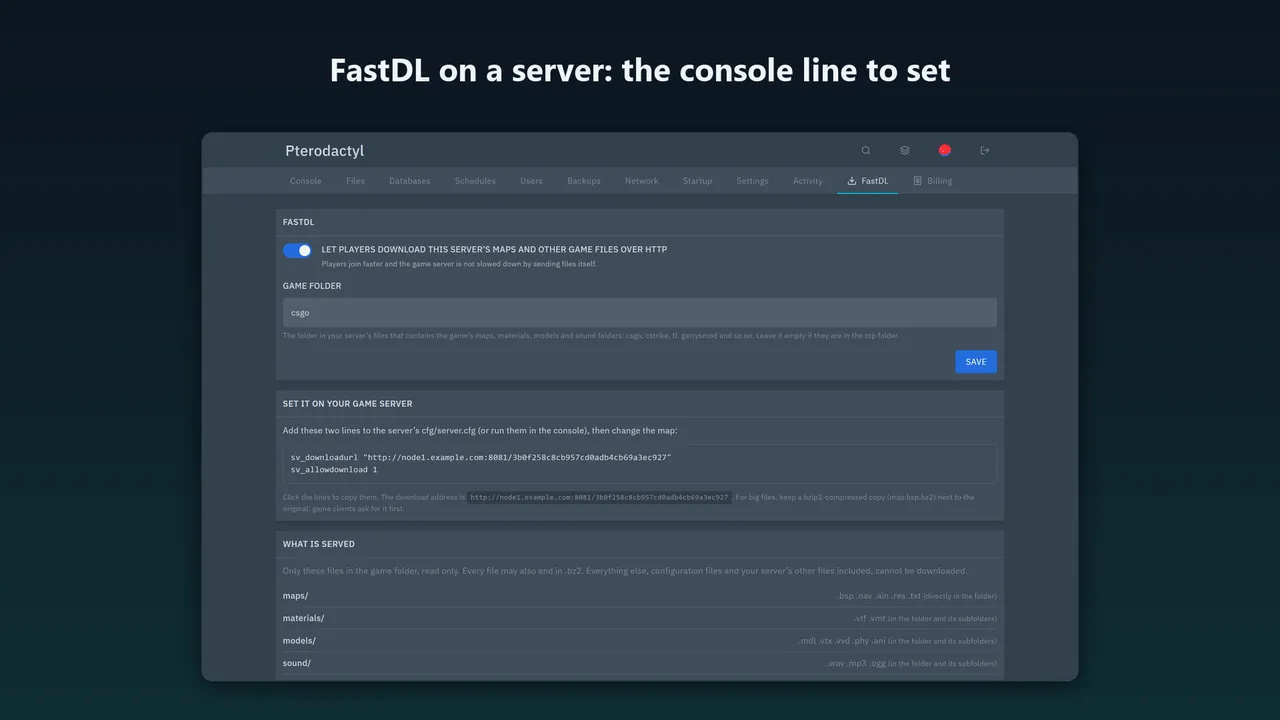
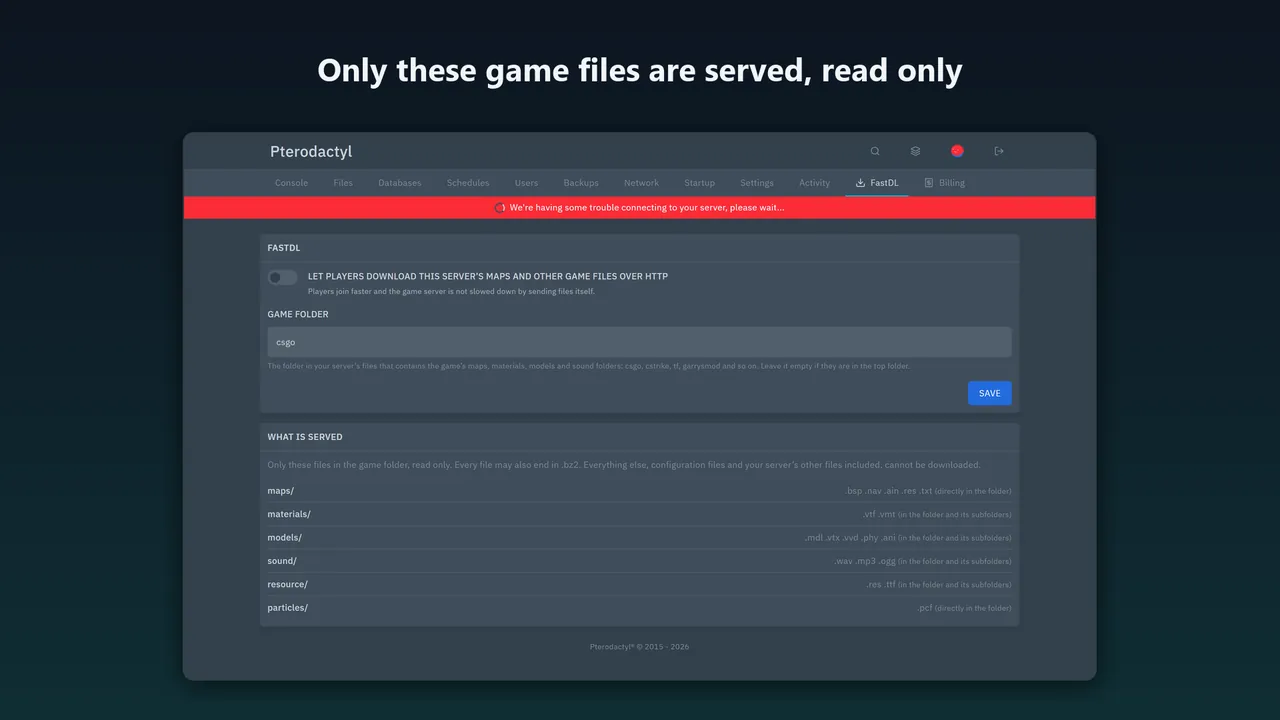
For owners, administrators and subusers with the new Manage FastDL permission: a switch, the game folder (csgo, cstrike, tf, garrysmod and so on) and the exact line to set, sv_downloadurl "http://node1.example.com:8081/<token>".
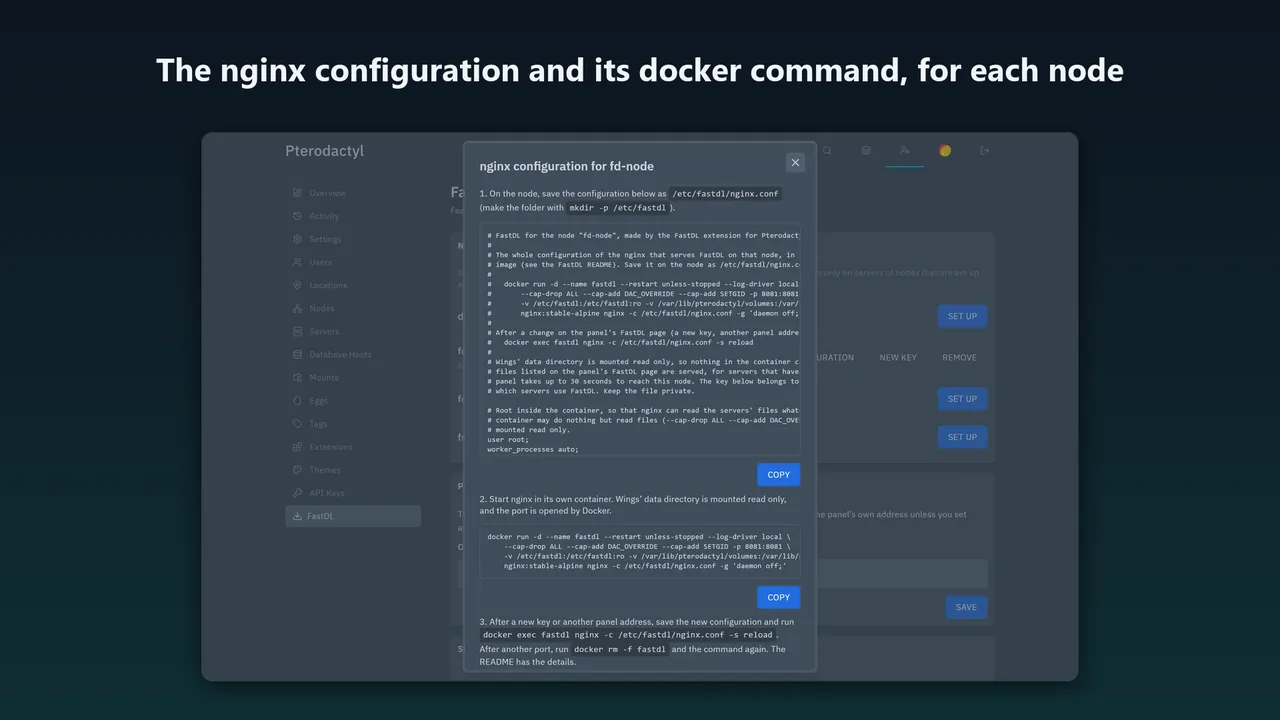
A tested nginx configuration per node
Made by the panel for that node. It serves only the game content a client downloads (maps, materials, models, sound, resource and particles, each also as .bz2), read only, and only for servers that have FastDL on.
Nothing else is served
cfg/server.cfg with the RCON password is a 404, and so are .. and %2e%2e tricks, hidden files, other servers' files and symbolic links.
Node set-up without guessing
One docker command runs nginx from the official image, with Wings' data directory mounted read only. nginx can read every server's files, the step that fails most often with FastDL add-ons, and it cannot change any of them.
Switch on and off without touching the node
The node's nginx asks the panel before it serves a file, and answers are kept for 30 seconds. Switching a server off, blocking it or switching a node off needs no nginx change.
Block a heavy user
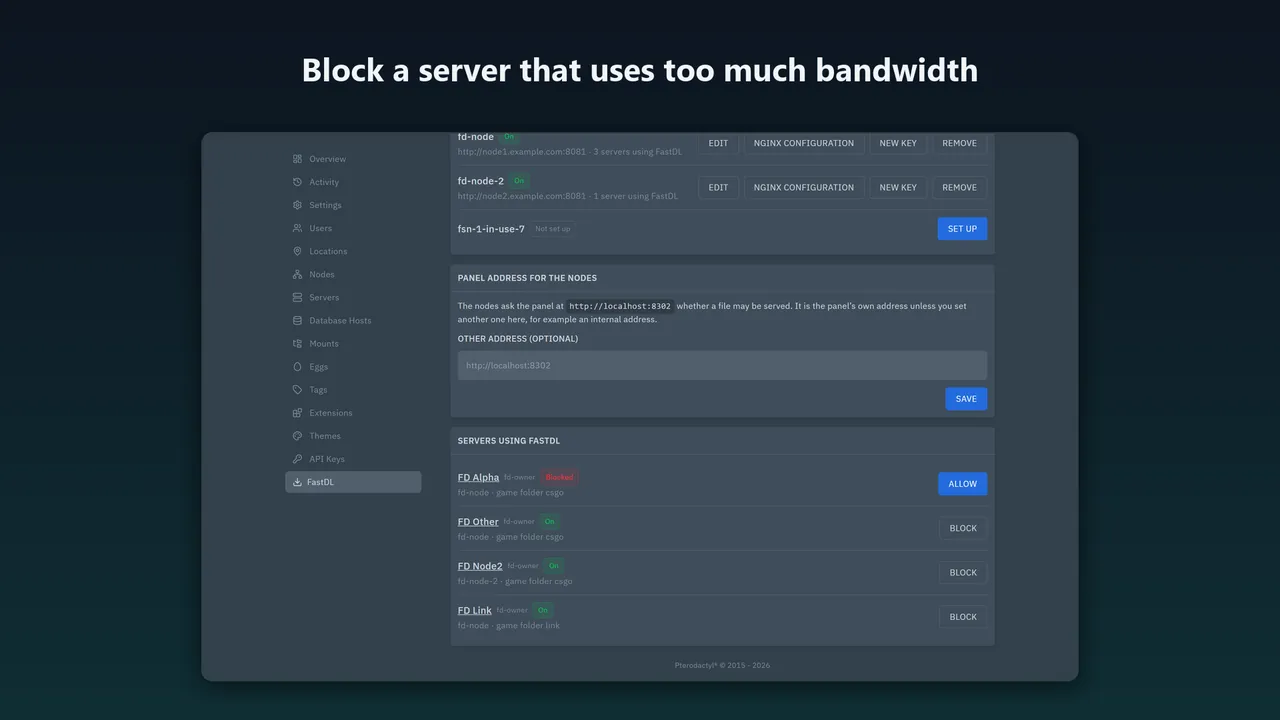
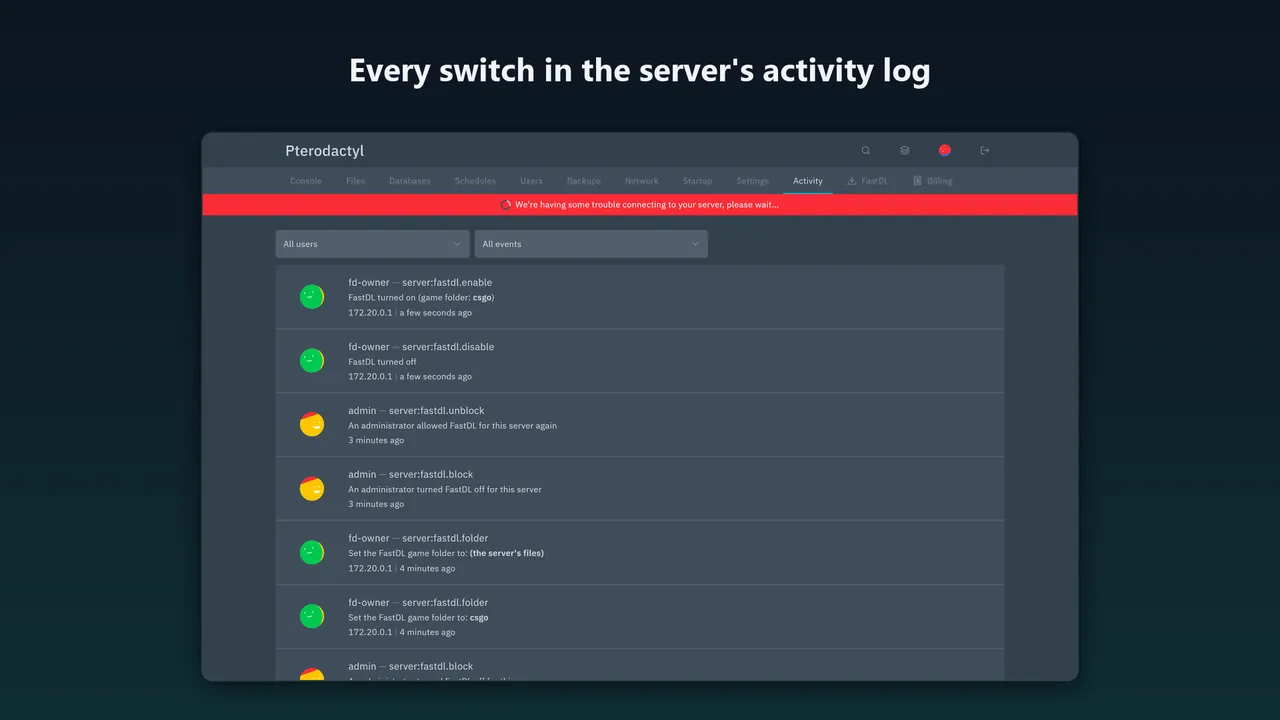
Block a server that uses too much bandwidth, so its owner cannot switch FastDL on again. The download address holds a random token, not the server's UUID.
No floods through the node
Each player address may ask for 10 files a second and 300 at once, and nginx sends the panel none of the player's headers, so nobody can make a node ask the panel about made-up download addresses.
How it works
- Install. Copy
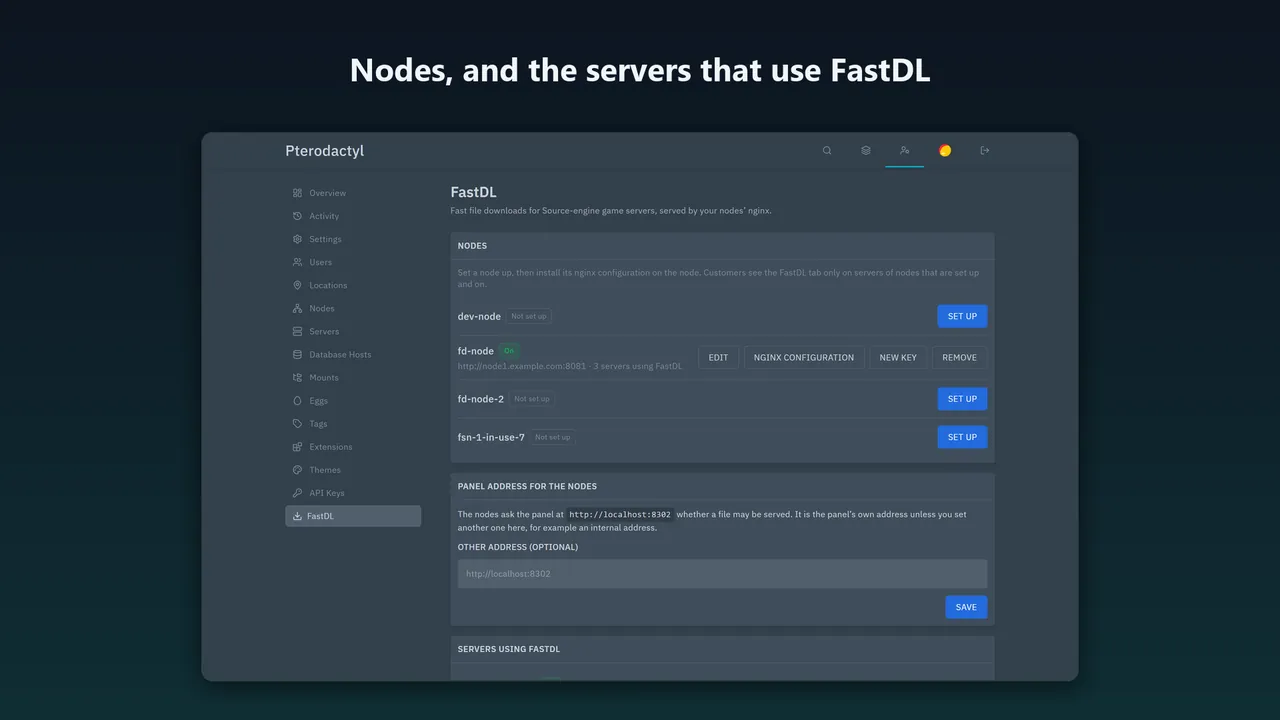
fastdl.pteroextto the panel server and runphp artisan p:extension:install fastdl.pteroext --enable, thenchown -R www-data:www-data extensions public/assets/extensions(use your web user). - Set a node up. Reload the panel and open Admin → FastDL. Save the configuration it shows on the node (
/etc/fastdl/nginx.conf) and run the docker command shown with it. - Switch it on. A customer opens the FastDL tab on their server, switches it on and sets the line it shows.
Screenshots
Pricing
One Pterodactyl panel installation; a test or staging copy is included. Updates within version 1.x. The source is readable.
Good to know
- For Source-engine games only, whose clients download from a web address. It does not work for Minecraft.
- nginx only: the configuration is not for Caddy or Apache. The download address is plain http.
- Tested with a stand-in Wings and a stand-in server volume with Wings' owner and permissions. nginx runs in its own container with the data directory mounted read only, so the file permissions that cause most 403 and 404 errors with FastDL add-ons do not block it. This was not tested with the real Wings.
- A real game client, https towards the panel with a real certificate, nginx versions other than 1.30, SELinux, load testing, mobile layouts and languages other than English are untested.
- If the panel is down, nginx keeps using the answers it already has. A download it has no answer for fails, and the game client falls back to the game server's own slow download.
FAQ
Does it work with Caddy or Apache?
No. The configuration is for nginx.
Does it work for Minecraft?
No. FastDL is for Source-engine games, whose clients download from a web address.
Is it safe to serve game files from the node?
Only the whitelisted folders and file types of servers that have FastDL on are served, and nginx never follows symbolic links. Wings' data directory is mounted read only into nginx's container, so nginx cannot change a file. The tests send path tricks and links against a stand-in volume with an RCON password in it, and none returns a file.
What if the panel is down?
nginx keeps using the answers it already has until the panel answers again. A download it has no answer for fails, and game clients fall back to the game server's own download.
Related tools
Auto Ports for Pterodactyl 2.0
Give every new Pterodactyl 2.0 server its extra ports automatically, by rules per egg and node, from a port range you choose. No port is handed out twice.
Cloudflare Subdomains for Pterodactyl 2.0
Customer subdomains like play.example.com for Pterodactyl 2.0 in Cloudflare DNS: SRV for Minecraft, A/AAAA for other games, records that follow the server.
Karelia Bridge
Customers open Pterodactyl 2.0 from Paymenter already signed in, and see due dates and unpaid invoices in the panel. Official 2.0 extension, no core edits.
More from Karelia Labs
Updated