
Karelia ROTFlow for Odoo: follow ROT and RUT claims to the payout
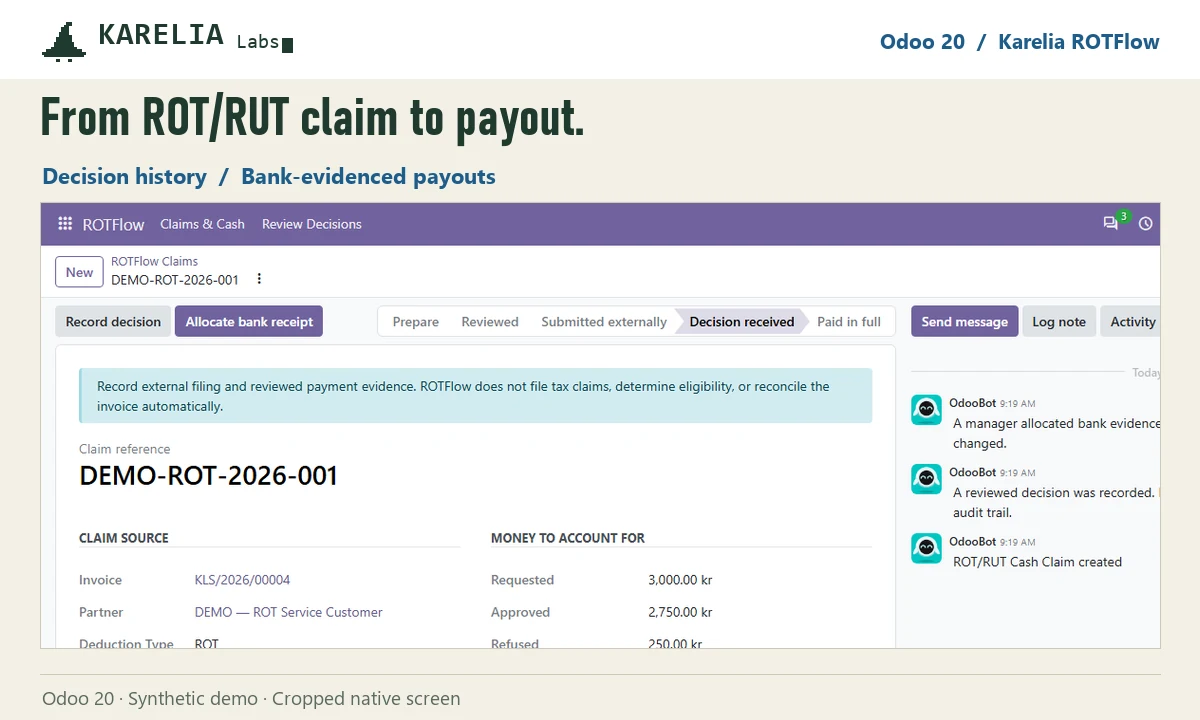
With ROT and RUT, the customer pays part of the invoice and Skatteverket pays the rest later. Karelia ROTFlow follows each claim in Odoo from the customer's payment to the decision and the money that actually arrives.
- Odoo versions
- 19.0 and 20.0
- Editions
- Community and Enterprise
- Hosting
- Odoo.sh or your own server
- Licence
- OPL-1, one-time purchase per Odoo version
What Karelia ROTFlow does
Linked to the invoice
Each claim is tied to its customer invoice and the reviewed customer payment. The customer's share stays apart from the requested deduction.
Decisions with history
Record Skatteverket's decision by hand or from a documented CSV. Approved and refused amounts are kept separately, with their history.
Payouts from the bank
Allocate reviewed bank payments to claims, with checks so a claim never receives more than it is owed. Reversals stay in the audit trail.
Printable summary
A claim summary shows requested, approved, refused and received amounts, and what is still open.
Good to know
- It reconciles your existing ROT/RUT process. There is no BankID login, tax calculation, filing or automatic connection to Skatteverket.
- Odoo Online can't install custom Python add-ons, so it needs Odoo.sh or your own server.
FAQ
Does it file the claim with Skatteverket?
No. You file as before. ROTFlow tracks the claim, the decision and the payout in Odoo.
Is an approved claim shown as paid?
No. Money counts as received only when a reviewed bank payment is allocated to the claim.
Related tools
Karelia ScopePay
Manage construction change orders and ÄTA work in Odoo: record the changed scope and prices, keep the customer's approval and follow what was billed.
Swedish PAXml Export
Turn Odoo attendance, approved absence and expenses into a PAXml 2.0 payroll file for Swedish payroll systems, with a locked review snapshot.
Updated 2026-10-21