
Karelia ScopePay for Odoo: change orders and ÄTA work, priced and billed
Extra work on a building project is easy to do and easy to forget to bill. Karelia ScopePay records each change in Odoo, keeps the customer's approval with it and shows what was actually invoiced.
- Odoo versions
- 19.0 and 20.0
- Editions
- Community and Enterprise
- Hosting
- Odoo.sh or your own server
- Licence
- OPL-1, one-time purchase per Odoo version
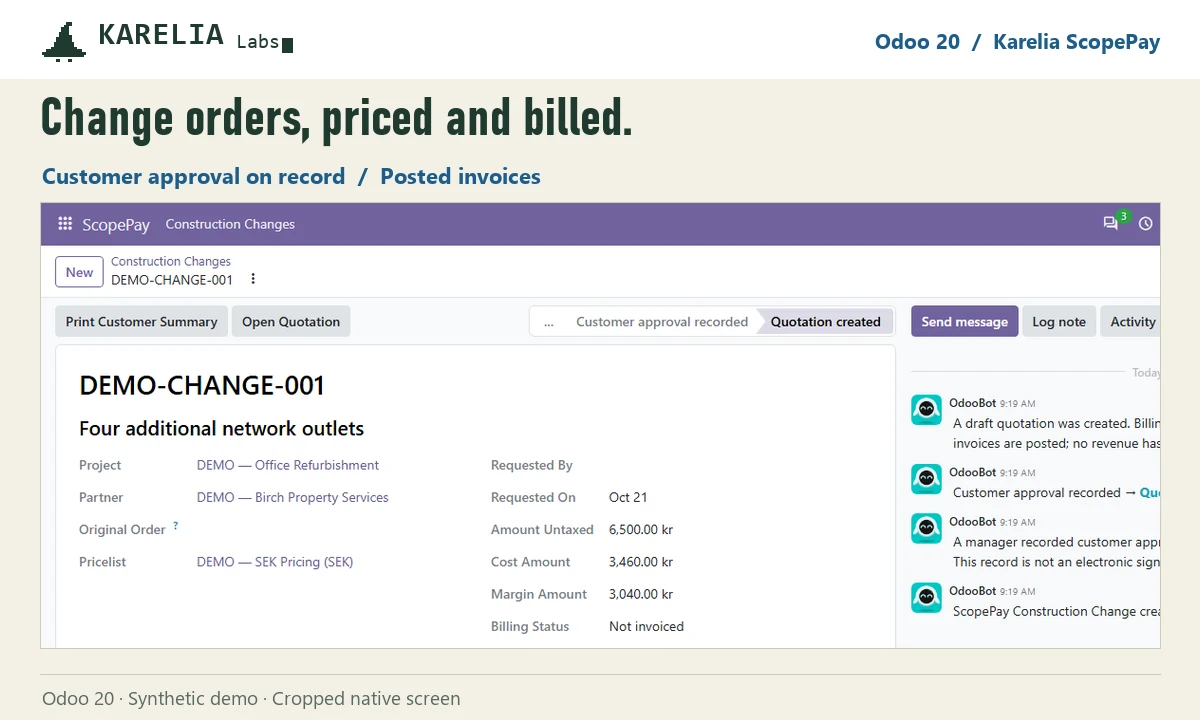
What Karelia ScopePay does
Scope and price
Link the project and the original order, describe the change, and price material, labour and other lines with estimated cost and margin.
Approval on record
Internal approval is kept apart from the customer's approval, with approver, date and attachment.
Customer summary
Print a change summary for the customer without internal cost or margin.
Billed, not just quoted
Create the draft quotation once and follow the posted invoices and credit notes for each change.
Good to know
- ScopePay records approval you already have. It has no e-signature and does not interpret construction contracts.
- Odoo Online can't install custom Python add-ons, so it needs Odoo.sh or your own server.
FAQ
Does it handle ÄTA work?
Yes. Swedish teams use it for ÄTA work: the changed scope, the pricing and the customer's approval. Your team decides what the contract allows.
Is a quotation counted as billed?
No. Only posted invoices and credit notes count as billed.
Related tools
Karelia ROTFlow
Track Swedish ROT and RUT claims in Odoo and reconcile Skatteverket payouts, with requested, approved, refused and paid amounts kept apart.
Karelia Seatwise
Reconcile MSP supplier licence quantities with customer contracts in Odoo, find billing gaps and create draft quotations after a review.
Updated 2026-10-21