
Karelia Site Search: site search and a search bar for Wix, Wix Studio and Wix Harmony
Karelia Site Search gives visitors one search box for the whole site: pages, blog posts, store products, booking services, events and CMS collection pages. It works in Wix Harmony, Wix Studio and the Wix Editor.
- Platform
- Wix App Market
- Works in
- Wix Harmony, Wix Studio and the Wix Editor
- Category
- Design Elements, Search
- Price
- Free plan; Pro $4.99/month and Business $9.99/month, 17% less billed yearly, 14-day free trial
- Languages
- Search window in 14 languages, dashboard in English
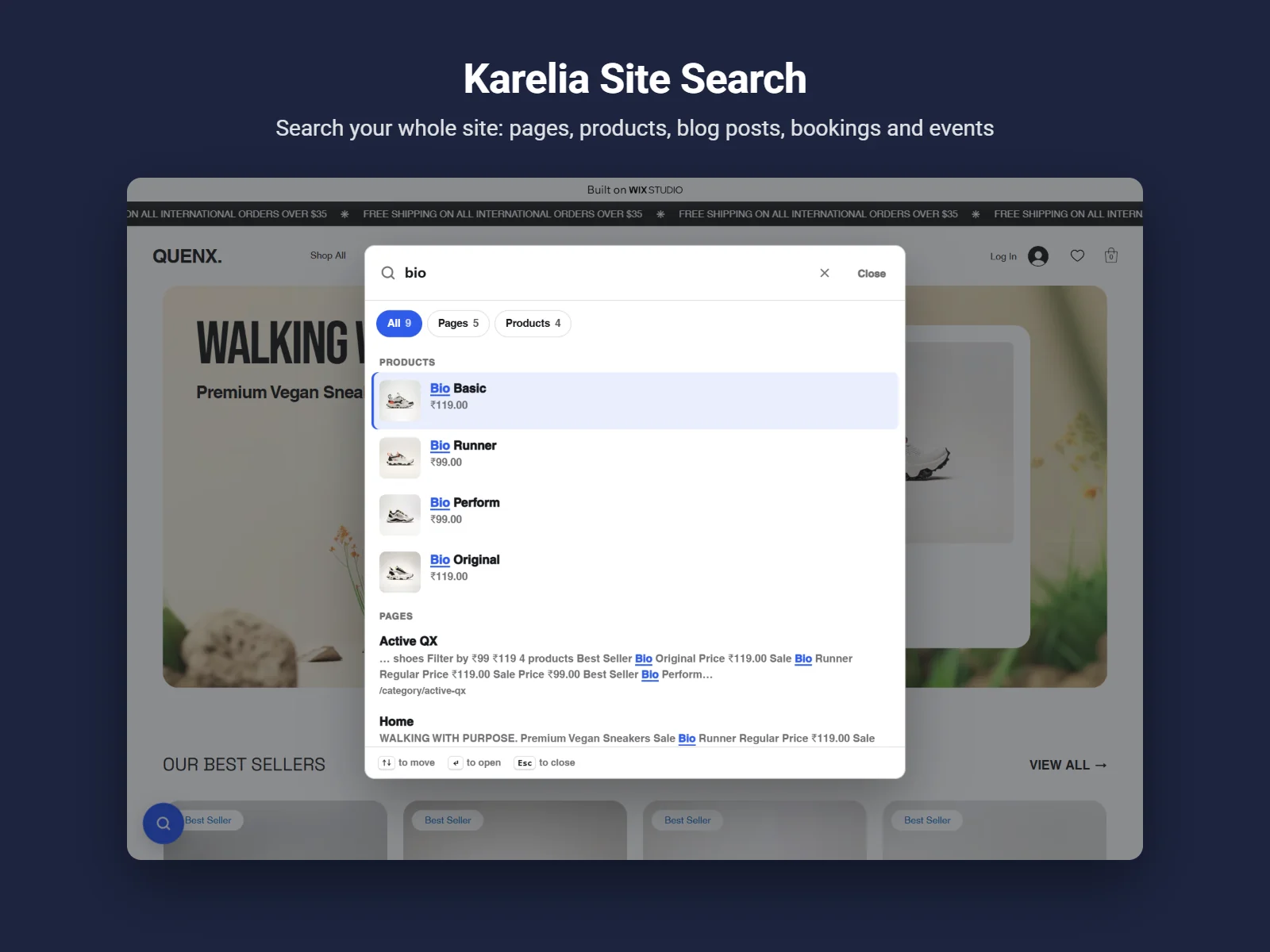
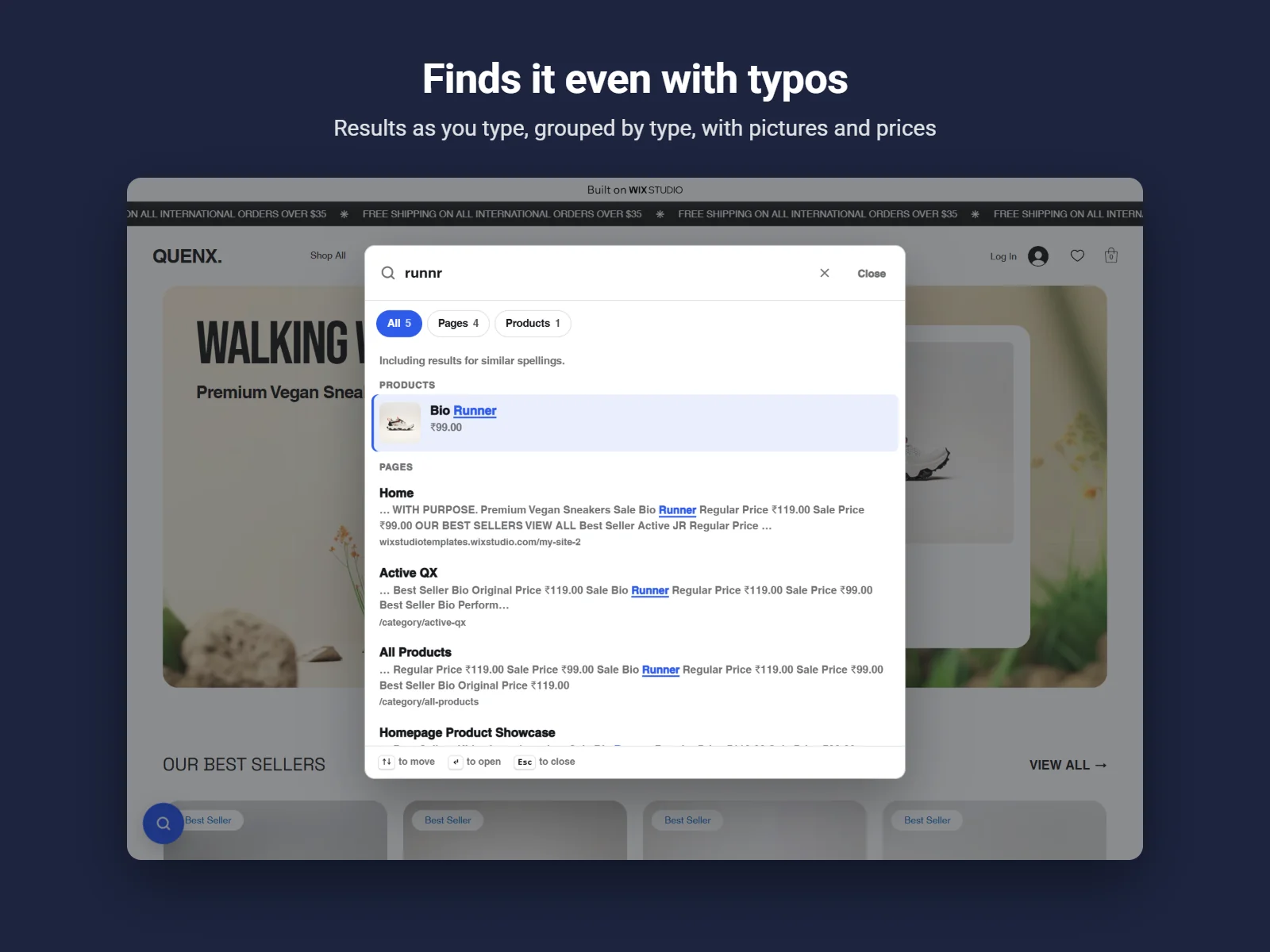
It reads the pages you have published, as visitors and search engines see them, so there is nothing to set up. Results appear as people type, grouped by type, with highlighted words and small typos forgiven, and the dashboard shows what visitors search for and which searches find nothing.
What Karelia Site Search does
The whole site in one search
Pages, blog posts, store products, booking services, events and CMS collection pages, read from your published site. The free plan covers pages and blog posts.
Search as you type, typos forgiven
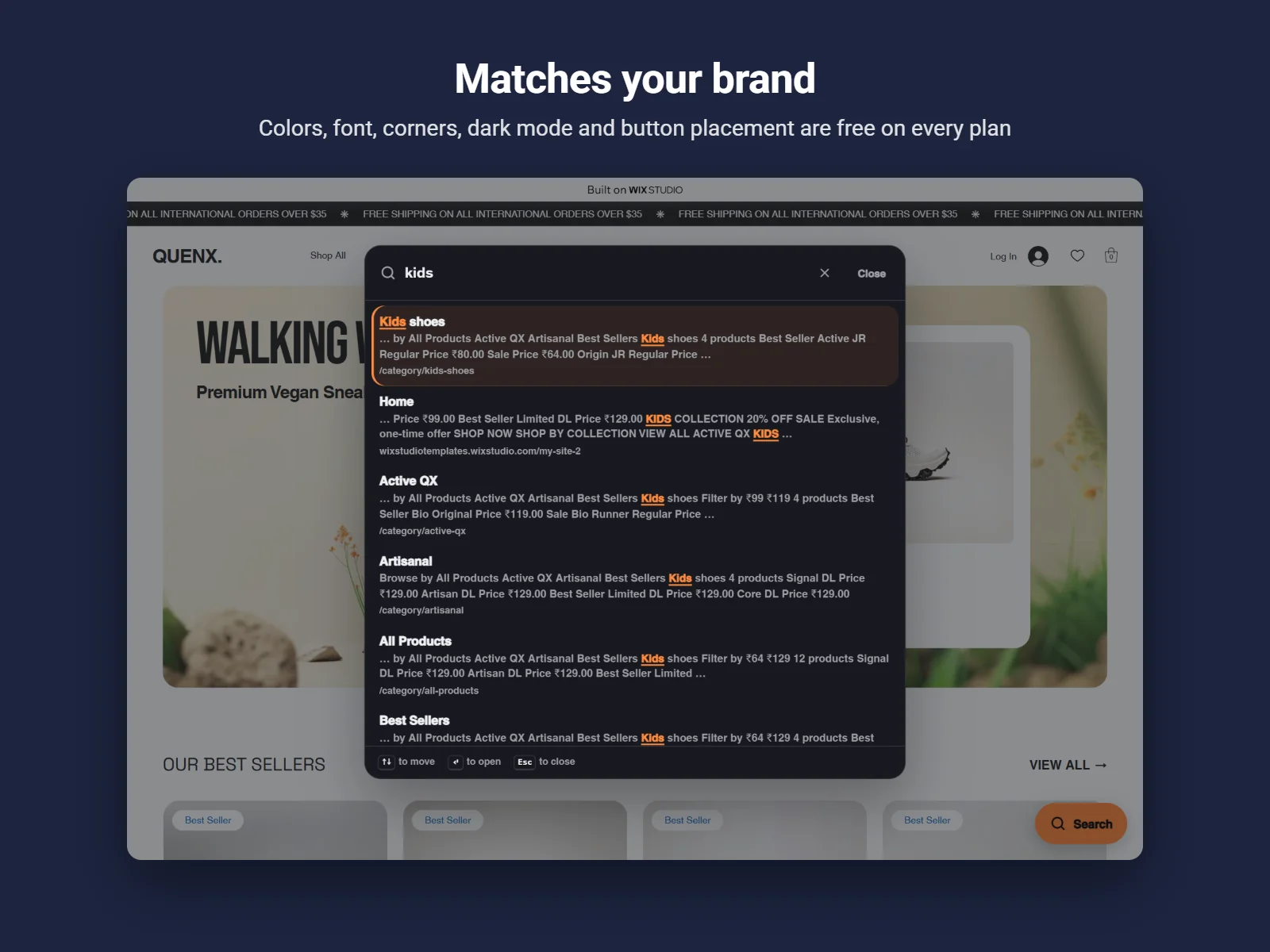
Results update with every key, grouped by type, with highlighted words. One typo is forgiven in words of four to seven letters and two in longer words, and the last word matches while visitors are still typing.
Search bar or search button
Add the Site Search Bar to your header, or use the search button and the Ctrl+K (Cmd+K) shortcut on every page. A one-key "/" shortcut can be switched on.
Search insights
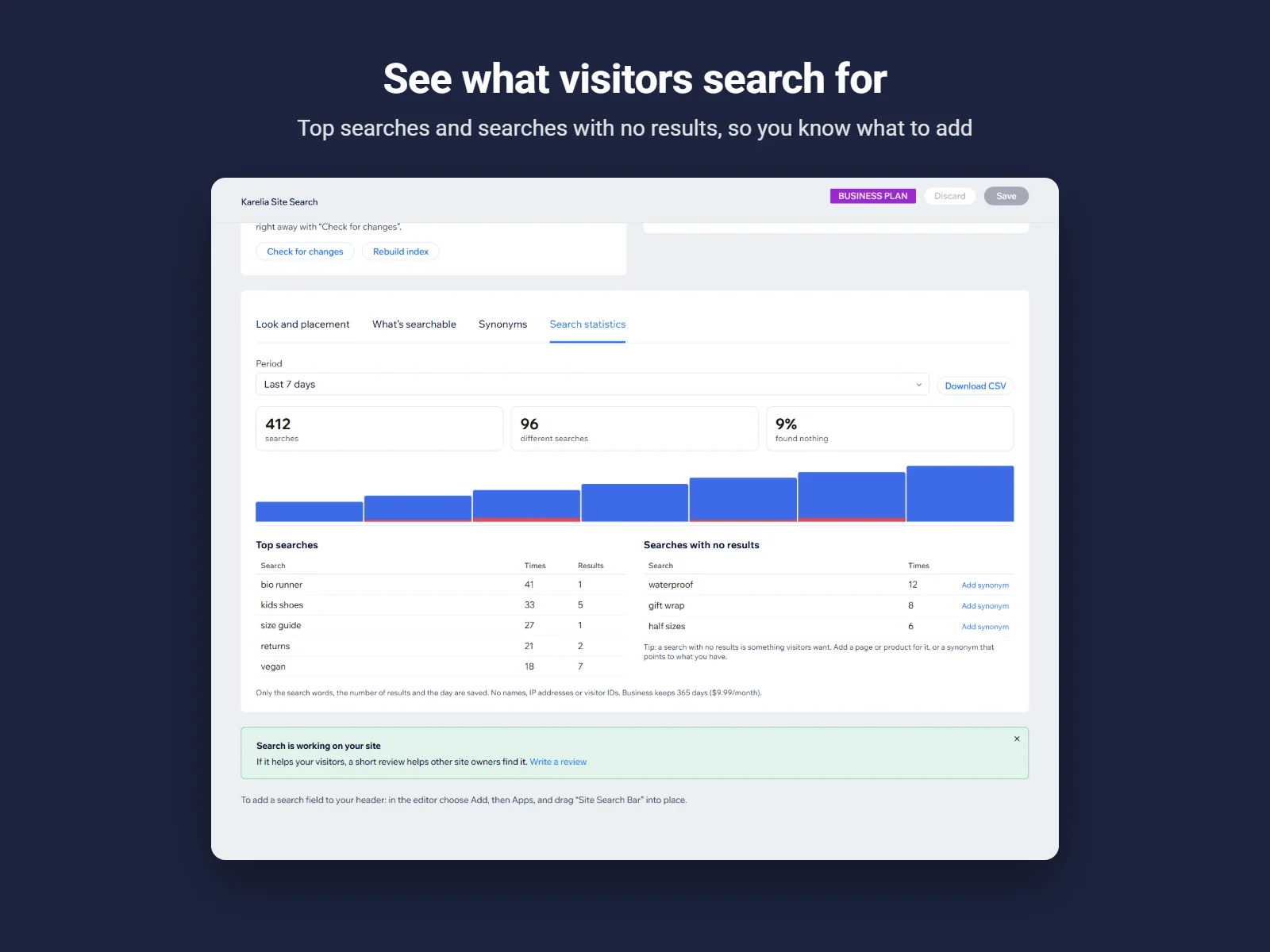
Top searches and searches with no results, so you know which pages or products visitors are missing. 7 days on Free, 90 on Pro, 365 days with CSV export on Business.
Matches your site, on every plan
Colors, font, corner radius, light, dark or automatic mode, button position and label.
For every visitor
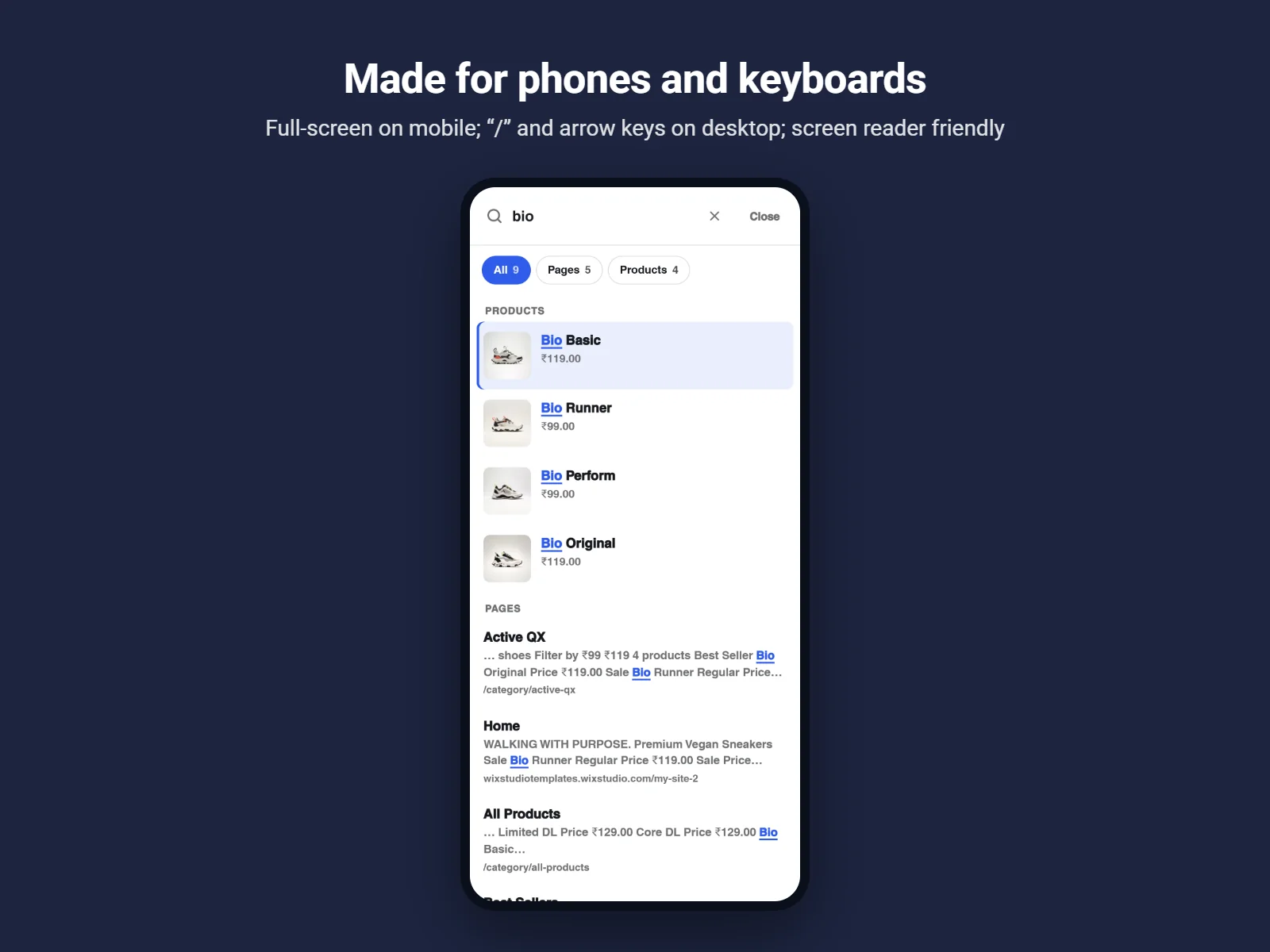
Keyboard and screen reader friendly, full screen on phones, right-to-left ready, and the search window speaks the page's language in 14 languages.
Leave pages out
Pages hidden from search engines are left out, and you can leave out more, for example /thank-you or /members*.
How it works
- Install and publish. Add Karelia Site Search from the Wix App Market and publish your site.
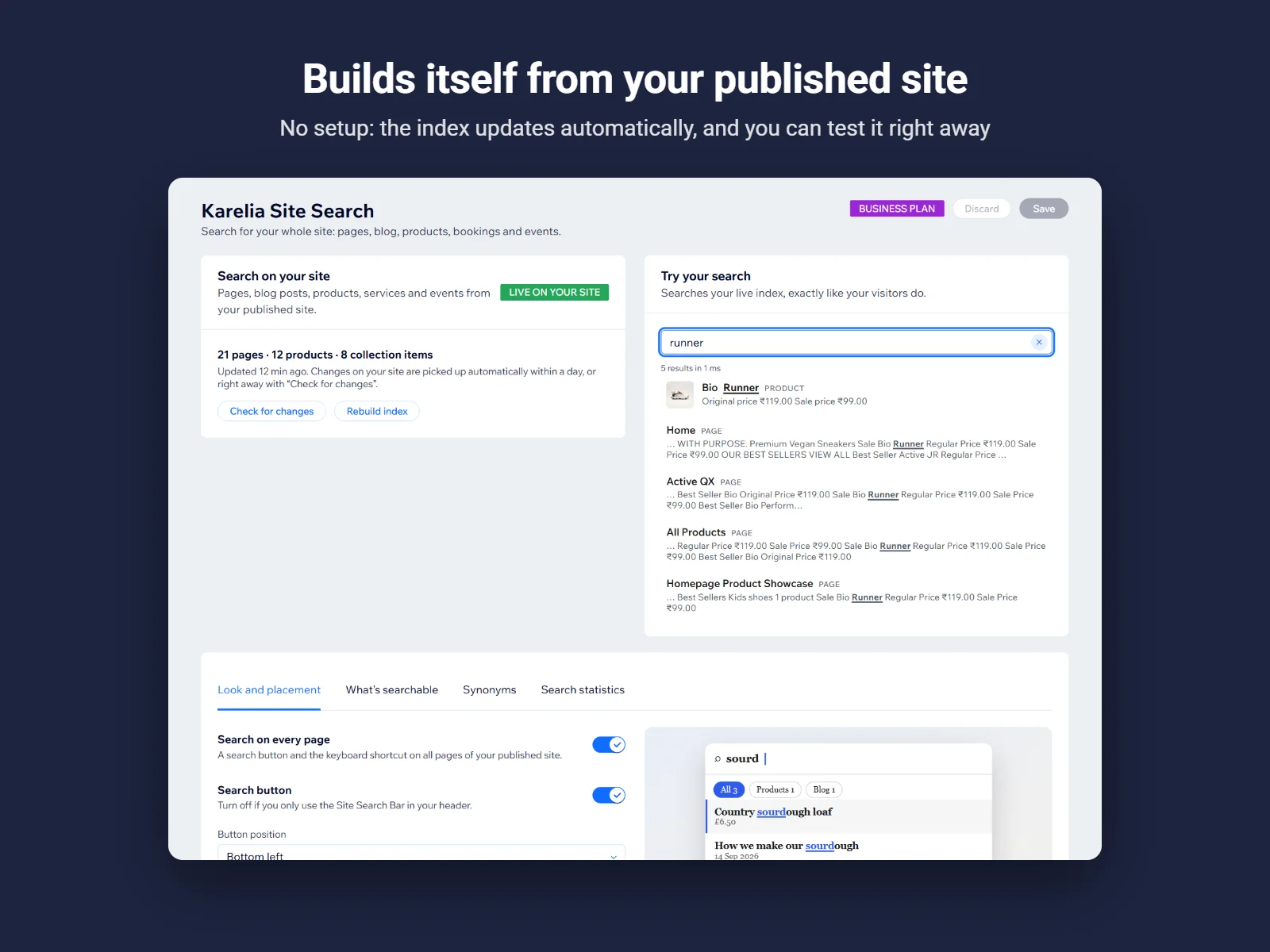
- Open the app once. The dashboard reads your published pages and builds the search index, with a progress bar. Try it in Try your search.
- Place the search bar (optional). The search button is already on every page. To put a search field in your header, add Site Search Bar from the editor's Apps panel.
Screenshots
How the index stays up to date
Every published Wix site has a sitemap, with one list per kind of content and the date each page last changed. Karelia Site Search reads that sitemap and the pages in it, in small steps, and stores the result in your site's own data collections.
Changes on your site are picked up automatically within a day: the app checks the sitemap for changed pages and reads only those again. You can also update it at any time with Check for changes or Rebuild index in the dashboard.
What each plan includes
| Free | Pro | Business | |
|---|---|---|---|
| Pages and blog posts | Yes | Yes | Yes |
| Products, bookings, events, collection pages | No | Yes | Yes |
| Items in the index | 150 | 2,500 | 5,000 |
| Results per search | 12 | 12 | 40 |
| Pictures in results | No | Yes | Yes |
| Synonyms | No | Yes | Yes |
| Search statistics | 7 days | 90 days | 365 days and CSV |
| Colors, font, dark mode, button placement | Yes | Yes | Yes |
Pricing
Pages and blog posts, 150 items, 7 days of statistics
All content types, pictures, synonyms, 2,500 items, 90 days of statistics. 17% less when billed yearly. 14-day free trial.
5,000 items, 40 results per search, 365 days of statistics with CSV export. 17% less when billed yearly.
Good to know
- Search reads the published site. Pages appear in search after the site is published, and pages hidden from search engines are left out.
- Content that a page draws in the browser after it loads (some custom elements) is found by the page title only.
- The index, settings and statistics are kept in the site's own data collections, so the site needs the Wix CMS.
- The dashboard is in English.
Privacy
Search statistics store only the search words (with email addresses, long numbers and links removed), the number of results and the day. No IP addresses, cookies or visitor IDs, and nothing is sent when a visitor declines analytics cookies.
The search index, settings and statistics are stored in data collections on your own Wix site. Karelia Labs runs no servers of its own and copies none of this data elsewhere.
Visitors' last few searches are kept in their own browser, only when functional cookies are allowed, and can be cleared from the search window.
Payments are handled by Wix. Questions about privacy: support@karelialabs.com.
Guides
FAQ
Does it work in Wix Harmony?
Yes. Karelia Site Search works in Wix Harmony, Wix Studio and the Wix Editor.
What does it search?
Everything in your site's sitemap: pages, blog posts and categories, store products and categories, booking services, events and CMS collection pages. The free plan covers pages and blog posts.
Do I need to set it up?
No. Publish the site and open the app once: it builds the search index from your published pages and checks for changes by itself at least once a day.
Does it search every language of a multilingual site?
Yes. Language versions listed in the site's sitemap are indexed, and visitors see results in the language of the page they are on.
Will a page I hide from search engines show up?
No. Pages marked hidden from search engines are left out, and you can leave out more pages, for example /thank-you or /members*.
Does it forgive spelling mistakes?
Yes. One typo in words of four to seven letters and two in longer words, and the last word matches while visitors are still typing.
Can I see what visitors search for?
Yes. The dashboard shows top searches and searches that found nothing: 7 days on Free, 90 days on Pro and 365 days with CSV export on Business.
Why does the app need the CMS?
The index, your settings and the statistics are stored in the app's own data collections on your site, so nothing leaves your site for an outside server.
Related tools
Karelia PDF: Reader & Flipbook
Embed PDF menus, brochures and catalogs on a Wix site as a clean reader or a page-turn flipbook. Free plan on the Wix App Market.
SheetTable
Publish Excel, CSV and public Google Sheets as searchable, sortable tables on Wix: price lists, catalogs and directories that work on phones.
More from Karelia Labs
Updated