
How to add site search to a Wix Harmony site
Updated
Why Harmony sites have no search box
Wix Harmony is the newer, AI-assisted Wix editor. Some features of the classic editors are not available in it, and as of November 2026 Wix Search is one of them (confirmed by Wix forum moderators), so a Harmony site has no search bar unless an app adds one. Apps built on Wix's current app framework work in Harmony, which is how Karelia Site Search adds search there.
Add search in five minutes
- Add Karelia Site Search to the site from the Wix App Market. The CMS is installed with it: the app keeps its search index in your site's own data collections.
- Publish the site. Search reads the published pages, exactly as visitors and search engines see them.
- Open Karelia Site Search in the dashboard. On first open it reads your sitemap and builds the index, with a progress bar. When it is done, test it in Try your search.
- Open the published site: a search button is at the bottom left of every page, and visitors can also press Ctrl+K (Cmd+K on a Mac).
- Optional: in the editor, open the Apps panel and drag Site Search Bar into your header for a search field next to the menu.
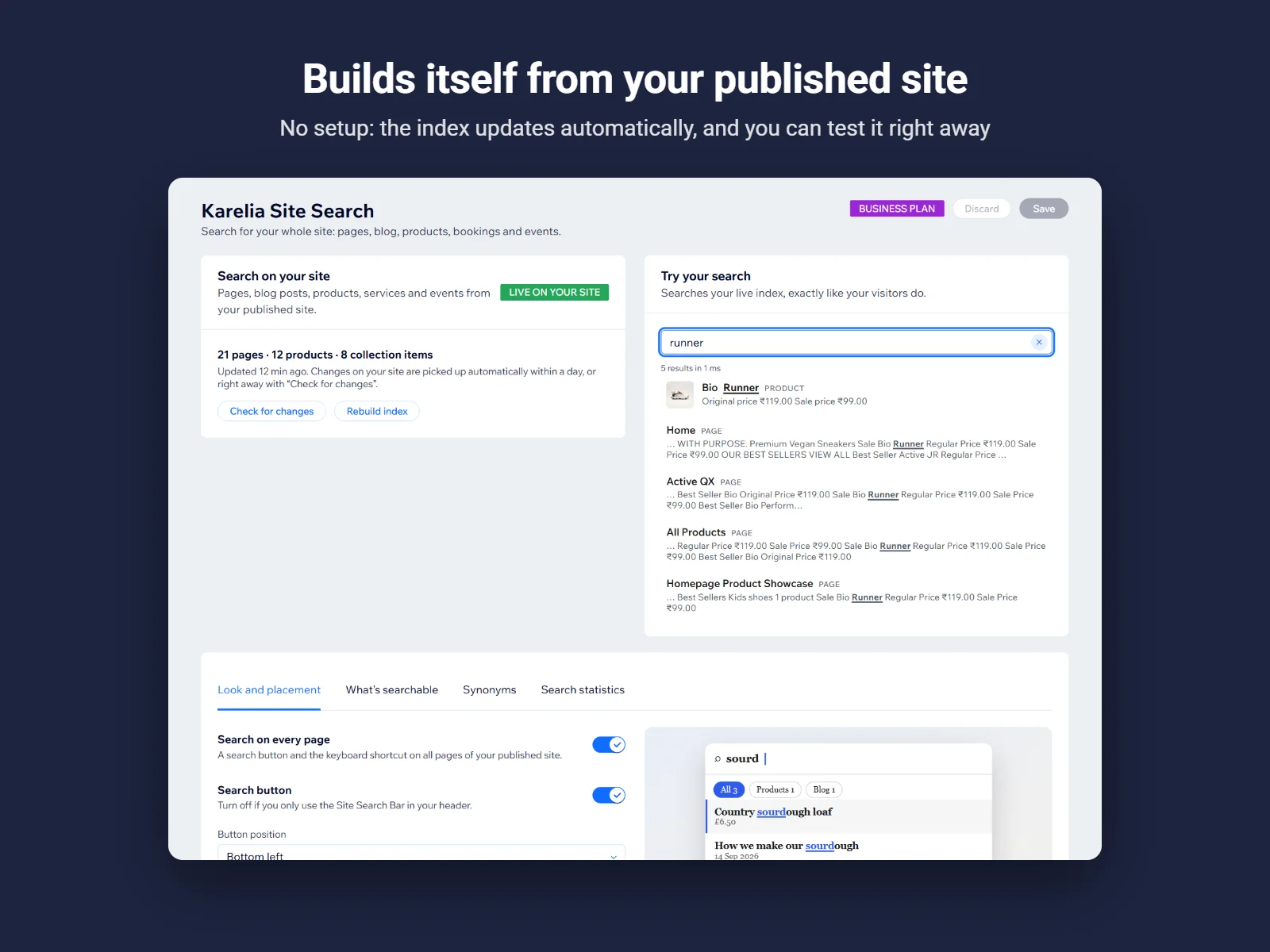
Make it look like your site
- Accent, background and text colors, the font and the corner radius.
- Light, dark, or following the visitor's device.
- Where the search button sits, whether it has a label, and the text in the search box.
- These settings are free on every plan.
What gets searched
| Content | Free | Pro and Business |
|---|---|---|
| Pages | Yes | Yes |
| Blog posts | Yes | Yes |
| Store products | No | Yes |
| Booking services | No | Yes |
| Events | No | Yes |
| CMS collection pages | No | Yes |
Pages marked "hide from search engines" in the page SEO settings are never shown. To leave out other pages, add their address under What's searchable in the app.
Learn from what visitors search for
The Search statistics tab lists the most common searches and the searches that found nothing. A search with no results is something visitors want: add a page or product for it, or add a synonym (Pro) so the word they use finds what you already have.
FAQ
Does it keep working if I move to Wix Studio or the Wix Editor?
Yes. Karelia Site Search works in Wix Harmony, Wix Studio and the Wix Editor.
Does the search work on phones?
Yes. On phones the search opens full screen, with large touch targets.
How quickly do new pages show up?
The app checks the sitemap for changes at least once a day by itself. Use "Check for changes" in the dashboard to pick up a new page right away.
Do I need a paid plan?
No. The free plan searches pages and blog posts and includes all look and placement settings. Pro adds products, bookings, events, pictures and synonyms.
More guides
How to add a PDF menu, brochure or flipbook to a Wix site
Add Karelia PDF from the Wix App Market, choose the PDF, pick a reader theme and colours, and decide whether visitors may download or print it. Pro adds the page-turn flipbook.
Read the guide →How to show a Google Sheet or Excel file as a searchable table on Wix
Add SheetTable, import an Excel or CSV file or a public Google Sheet, tidy the rows, choose a theme and a phone layout, and publish a table visitors can search and sort.
Read the guide →How to set a minimum number of participants for classes in Wix Bookings
Class Guard gives each class occurrence a minimum and a decision deadline, counts group bookings by attendee, and shows which classes are below the minimum. You review and confirm any cancellation.
Read the guide →