
How to add a PDF menu, brochure or flipbook to a Wix site
Updated 2026-10-19
Why not just link the PDF?
A PDF link sends visitors away from the page, opens a file viewer that looks nothing like your site, and on phones often ends in a download. A menu, brochure or catalog shown on the page keeps people on the site and in your colours.
Add the PDF
- Add Karelia PDF to the site from the Wix App Market.
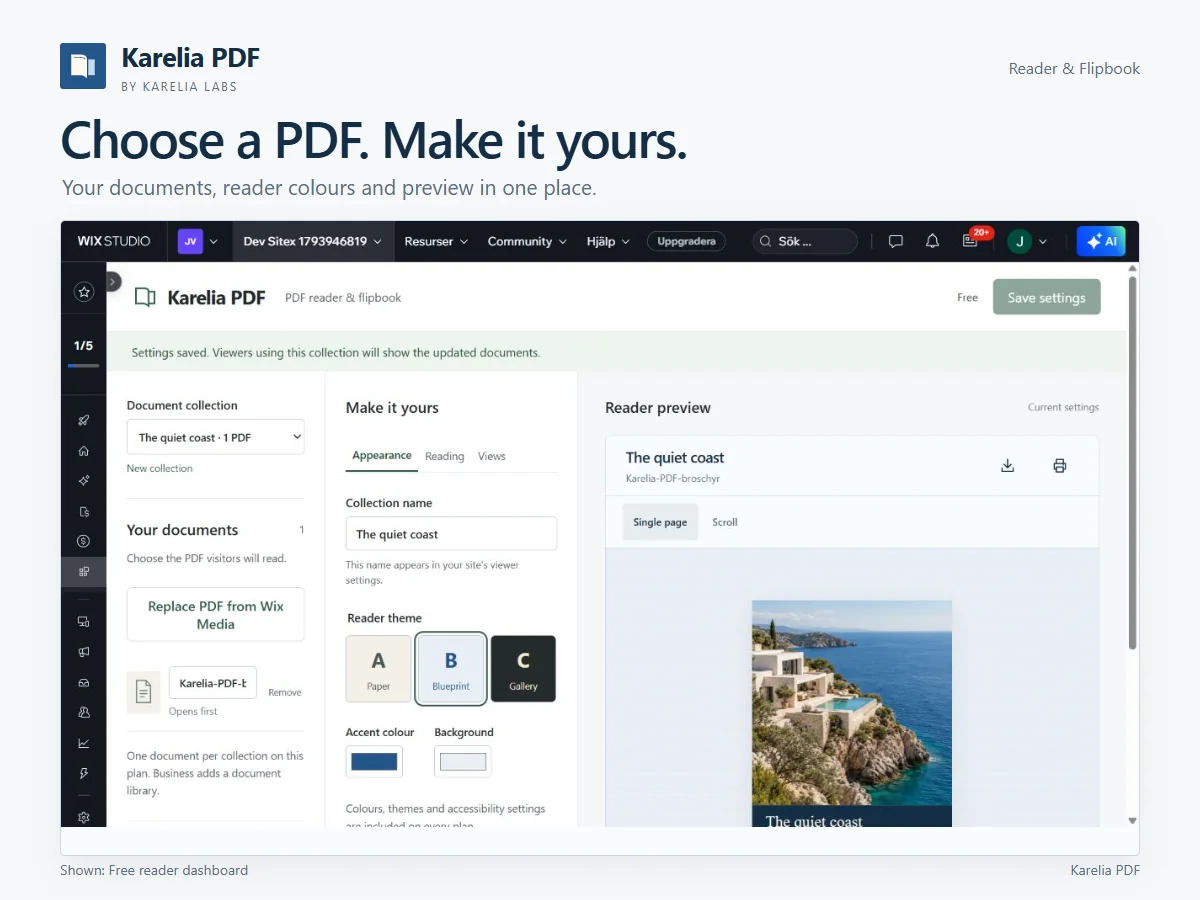
- In the app's dashboard, choose the PDF for the document collection.
- Under Make it yours, pick a reader theme, the accent colour and the background, and check the result in the live reader preview.
- Choose single-page or continuous-scroll reading, and whether the download and print buttons are shown.
- Publish the site.
When you want a flipbook
The page-turn flipbook is part of the Pro plan, together with document search, thumbnails, fullscreen, a cover image and an optional page-turn sound. The Business plan puts several documents in one reader and counts views per document.
Good uses
- Restaurant and café menus that change every season.
- Brochures and product catalogs for sales pages.
- Annual reports, price sheets and event programmes.
FAQ
Can I stop visitors from downloading the PDF?
You can hide the download and print buttons in the reader settings.
Is the flipbook free?
No. The free plan has the single-page and scrolling reader; the page-turn flipbook is on Pro.
More guides
Fix Paymenter after upgrading to Pterodactyl 2.0: "api/application/nests could not be found"
Pterodactyl 2.0 removed the nest endpoints that Paymenter's built-in extension calls. Switch to a 2.0-aware extension with one command; products and services stay.
Read the guide →Solar2D and Google Play's 16 KB page size rule: find the library that fails
Apps targeting Android 15+ must support 16 KB memory pages. Check every 64-bit library in your build, find the plugin that ships each 4 KB-aligned one, and update or remove it.
Read the guide →How to add captions to WordPress videos without per-minute fees
Generate captions for a Media Library video with Whisper in your own browser, check them next to a live preview, and they appear in the core Video block with a clickable transcript.
Read the guide →