
How to set a minimum number of participants for classes in Wix Bookings
Updated 2026-10-19
The problem
Running a class for two people loses money, and cancelling it the evening before loses customers. What helps is a rule decided in advance: the minimum number of participants and the moment you decide.
Set the rule
- Add Karelia Class Guard from the Wix App Market. It works with Wix Bookings.
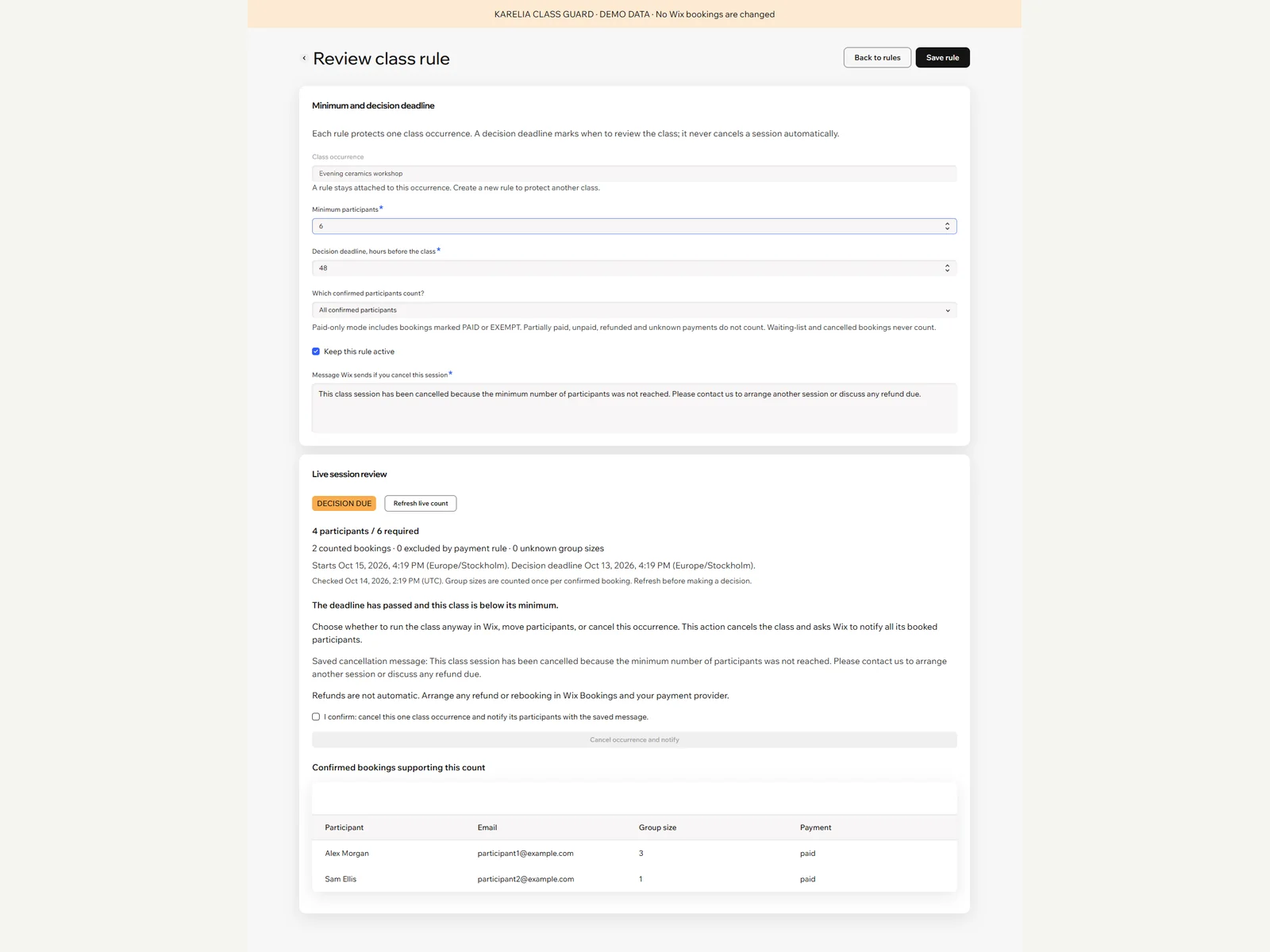
- For a class occurrence, set the minimum enrollment and the decision deadline.
- Choose what counts: every confirmed booking, or only fully paid and free ones.
At the deadline
Class Guard shows which classes are below the minimum. Group bookings count by attendees, so one booking for three people counts as three. If you decide to cancel, you confirm it explicitly and a saved message goes with it to the participants.
Classes are never cancelled automatically. You review and confirm every cancellation.
FAQ
Does it refund participants?
Class Guard handles the minimum, the deadline and the cancellation confirmation. Refunds are handled in Wix as usual.
Is it free?
Yes, Class Guard is free on the Wix App Market.
More guides
Fix Paymenter after upgrading to Pterodactyl 2.0: "api/application/nests could not be found"
Pterodactyl 2.0 removed the nest endpoints that Paymenter's built-in extension calls. Switch to a 2.0-aware extension with one command; products and services stay.
Read the guide →Solar2D and Google Play's 16 KB page size rule: find the library that fails
Apps targeting Android 15+ must support 16 KB memory pages. Check every 64-bit library in your build, find the plugin that ships each 4 KB-aligned one, and update or remove it.
Read the guide →How to add captions to WordPress videos without per-minute fees
Generate captions for a Media Library video with Whisper in your own browser, check them next to a live preview, and they appear in the core Video block with a clickable transcript.
Read the guide →