
Discord Notifications for Pterodactyl 2.0: panel events in your Discord channels
See what happens on your Pterodactyl 2.0 panel without watching it: a server started or killed, a failed sign-in, a file edited over SFTP, a backup that failed, a subuser added, a server suspended by an admin.
On sale on Gumroad. The SourceXchange listing is coming soon.
- Requires
- Pterodactyl 2.0 with the queue worker (pteroq), outgoing HTTPS to discord.com
- Tested with
- Pterodactyl 2.0.0-beta.2 (PHP 8.4)
- Package
- Official extension (.pteroext), no Blueprint
- Price
- $4.99, one panel
Discord Notifications sends those panel events to Discord channels, as embeds that say who did what, where and when. It is a .pteroext for Pterodactyl 2.0's official extension system: no panel files changed and no Blueprint.
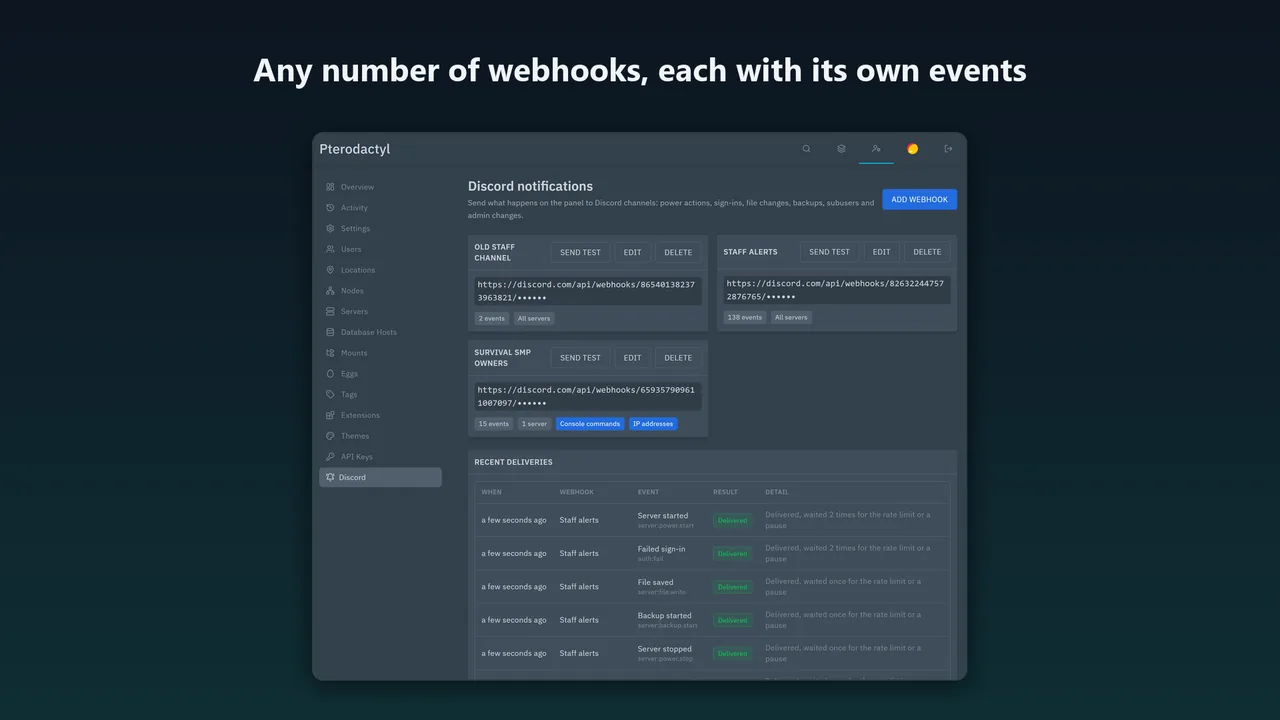
What Discord Notifications for Pterodactyl 2.0 does
Any number of webhooks
Each with its own events and servers: one staff channel with everything, one per customer with the power events and backups of their servers.
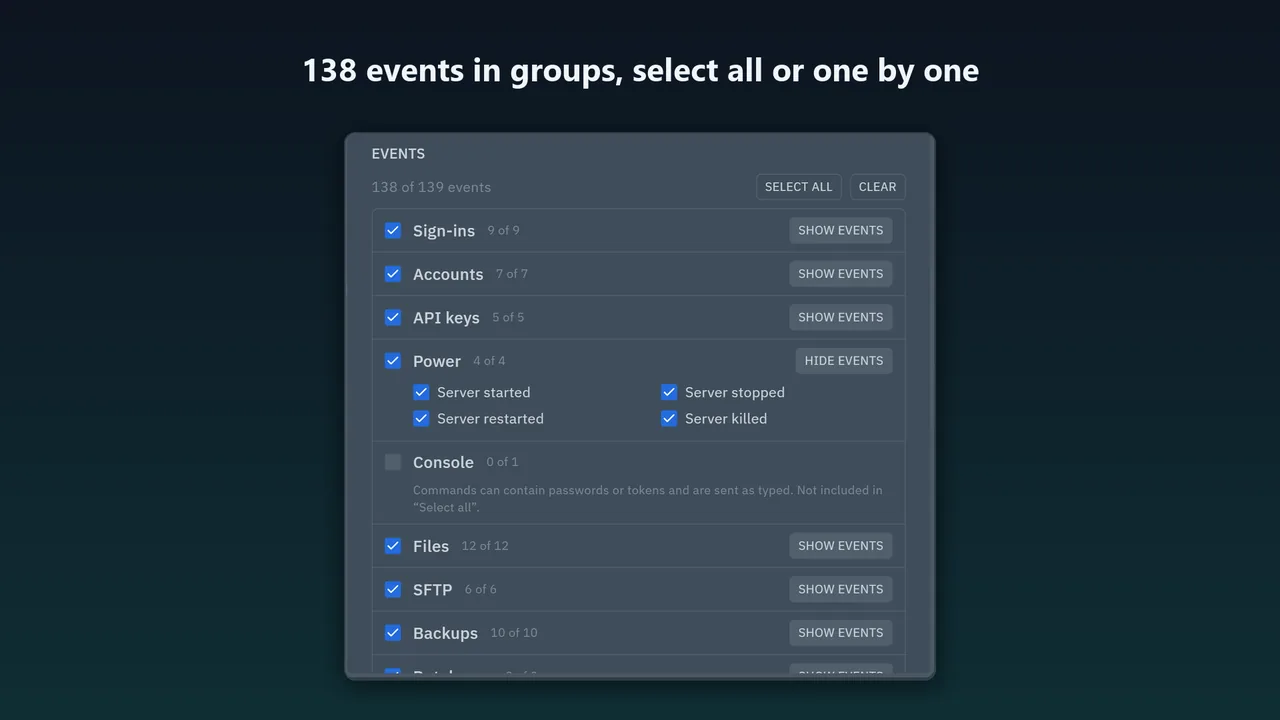
138 events in 16 groups
Sign-ins, accounts, API keys, power, console, files, SFTP, backups, databases, schedules, subusers, server settings and admin changes. Other events catches events of other extensions and newer panel versions.
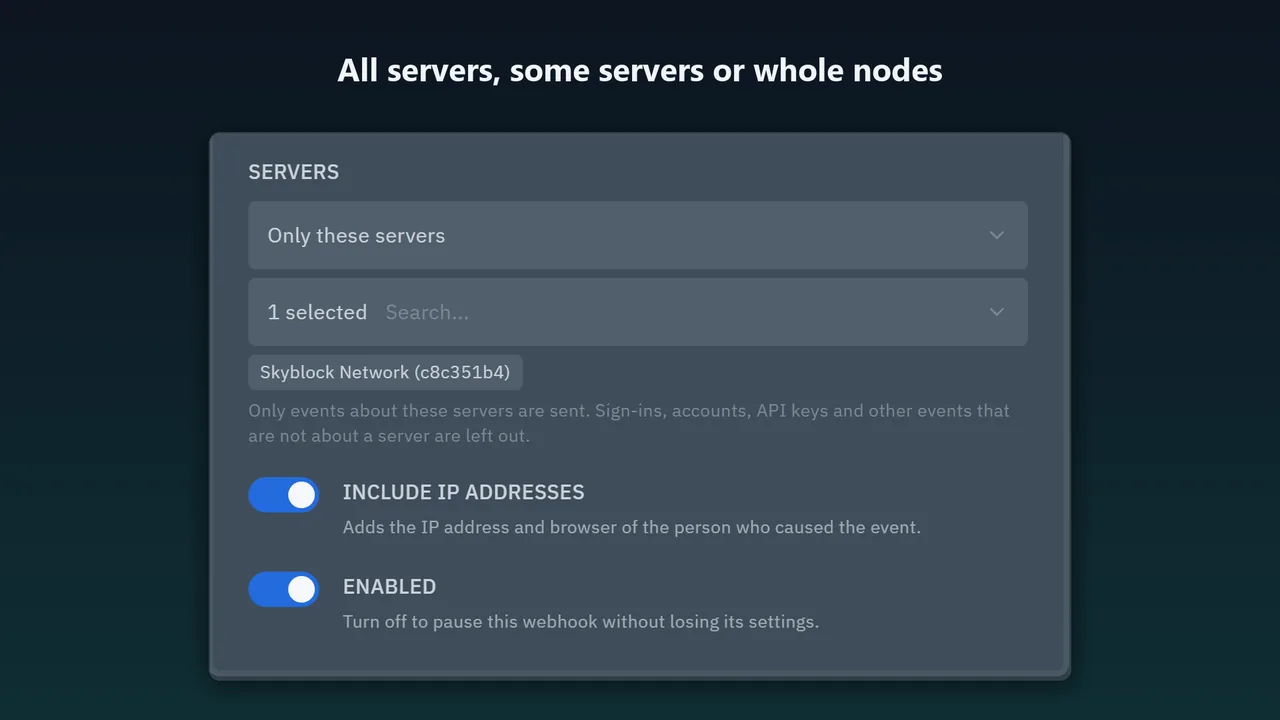
All servers, some servers or whole nodes
Per webhook, so a customer's channel only gets events about their servers.
Messages with context
The event, the user (linked to their admin page), the server (linked to its console and admin page), the node, the time and details such as the file path or the old and new value.
Safe by default
Console commands are opt-in and IP addresses are off until you turn them on. Passwords, API key secrets, tokens and file contents are never sent, and names are escaped so nobody can slip in an @everyone.
Send test and delivery log
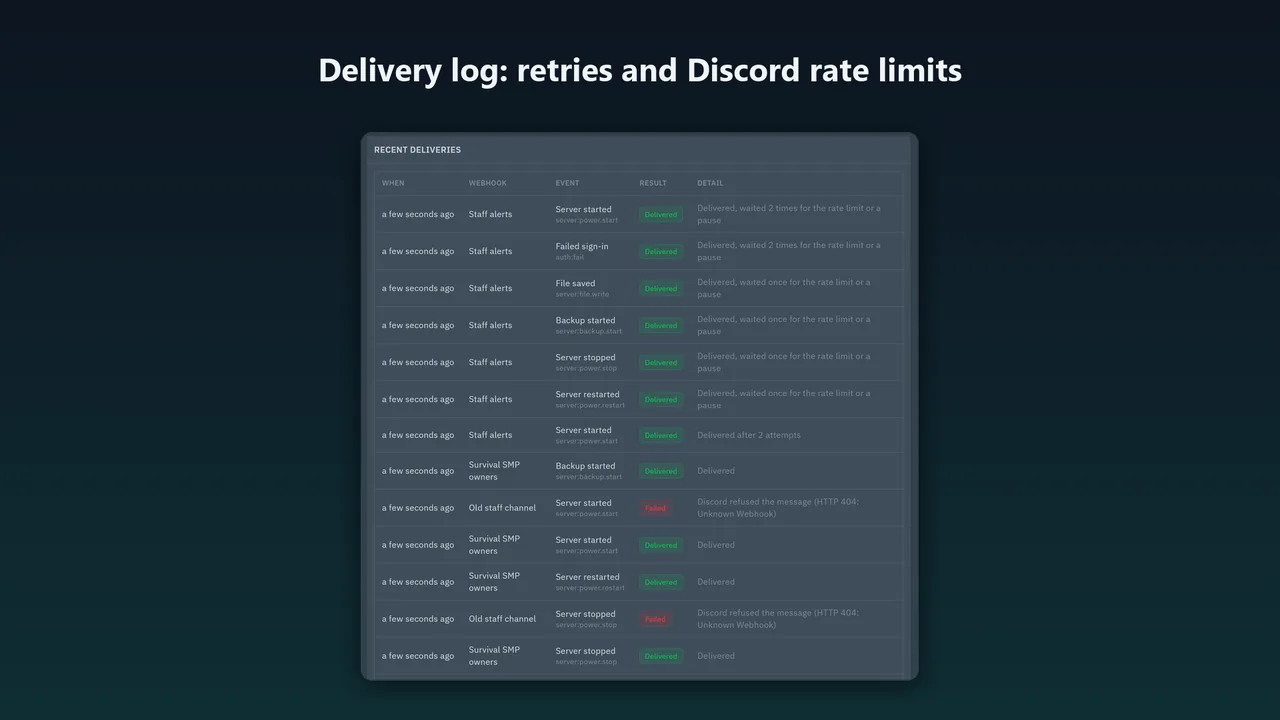
Send test shows Discord's answer right away, and the delivery log keeps the last 50 results: delivered, retried, refused.
How it works
- Install.
php artisan p:extension:install discord-notifications.pteroext --enable, thenchown -R www-data:www-data extensions public/assets/extensions(your web server's user). - Add a webhook. Reload the panel, open Admin → Discord → Add webhook and paste the URL from Discord (channel settings → Integrations → Webhooks).
- Choose and test. Pick the events and servers, then click Send test.
Screenshots
It never slows the panel down
The panel only queues the event and goes on; the queue worker talks to Discord. Discord's rate limits are followed (bucket headers, 429 with retry_after, global limits, one request per webhook at a time). When Discord does not answer or returns a 5xx, the webhook pauses and the message is retried after 10 s, 1 min and 5 min.
In our tests a power action took 27–32 ms (median of 10) with Discord up, down or not answering, the same as with no webhook at all.
Security
- Only Discord webhook URLs are accepted (discord.com, discordapp.com, canary and ptb), so the panel cannot be made to call any other address. Redirects are not followed.
- The URL holds Discord's token. It is stored encrypted with your APP_KEY, never sent back to the browser (the page shows the webhook id only), and never written to the queue or the log.
- Root administrators only, through the panel's own admin API protection, CSRF included.
Pricing
One Pterodactyl panel installation; a test or staging copy is included. Updates within 1.x, full source.
Good to know
- Does not run on Pterodactyl 1.x or with Blueprint.
- A message that still cannot be delivered after 15 minutes is given up and shown as failed in the delivery log.
- Webhooks are set up by root administrators; customers cannot add their own.
- Tested against a local stand-in that answers as Discord's API documentation describes, not against Discord itself.
FAQ
Does it send console commands?
Only to webhooks where you tick Console. Commands can contain passwords, so Select all leaves them out.
What if Discord is down?
The panel works as usual. Messages wait and are retried; after 15 minutes they are given up and shown as failed in the delivery log.
Can customers set up their own webhooks?
No, webhooks are set up by root administrators. You can give a customer a channel that only gets events about their servers.
Does it work with Pterodactyl 1.x or Blueprint?
No. It is built for Pterodactyl 2.0's own extension system.
Will it hit Discord's rate limits?
It follows them, as documented by Discord, and sends one request per webhook at a time.
Related tools
Cloudflare Subdomains for Pterodactyl 2.0
Customer subdomains like play.example.com for Pterodactyl 2.0 in Cloudflare DNS: SRV for Minecraft, A/AAAA for other games, records that follow the server.
Sign in with Paymenter for Pterodactyl 2.0
Free: a Sign in with Paymenter button on the Pterodactyl 2.0 login page. OAuth 2.0 with PKCE, verified-email matching, two-factor kept, admins protected.
Karelia Bridge
Customers open Pterodactyl 2.0 from Paymenter already signed in, and see due dates and unpaid invoices in the panel. Official 2.0 extension, no core edits.
Updated 2026-10-25