
Sign in with Paymenter for Pterodactyl 2.0: one account for store and panel
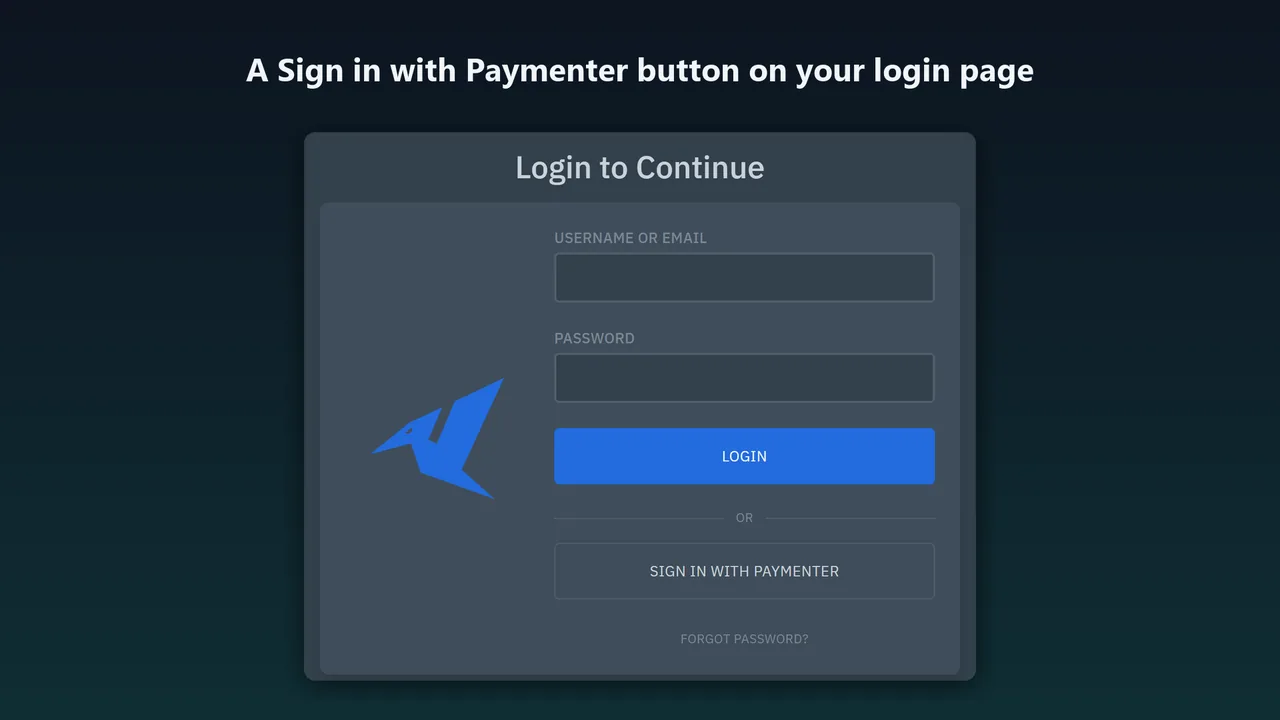
Hosting customers have one account in your Paymenter store and another in the panel, and the second password is the one they forget. Sign in with Paymenter adds a button below the Pterodactyl 2.0 login form.
Free on Gumroad. The SourceXchange listing is in review.
- Requires
- Pterodactyl 2.0 and Paymenter 1.x with its OAuth clients
- Tested with
- Pterodactyl 2.0.0-beta.2 and Paymenter 1.5.9
- Protocol
- OAuth 2.0 authorization code with state and PKCE (S256)
- License
- MIT, free
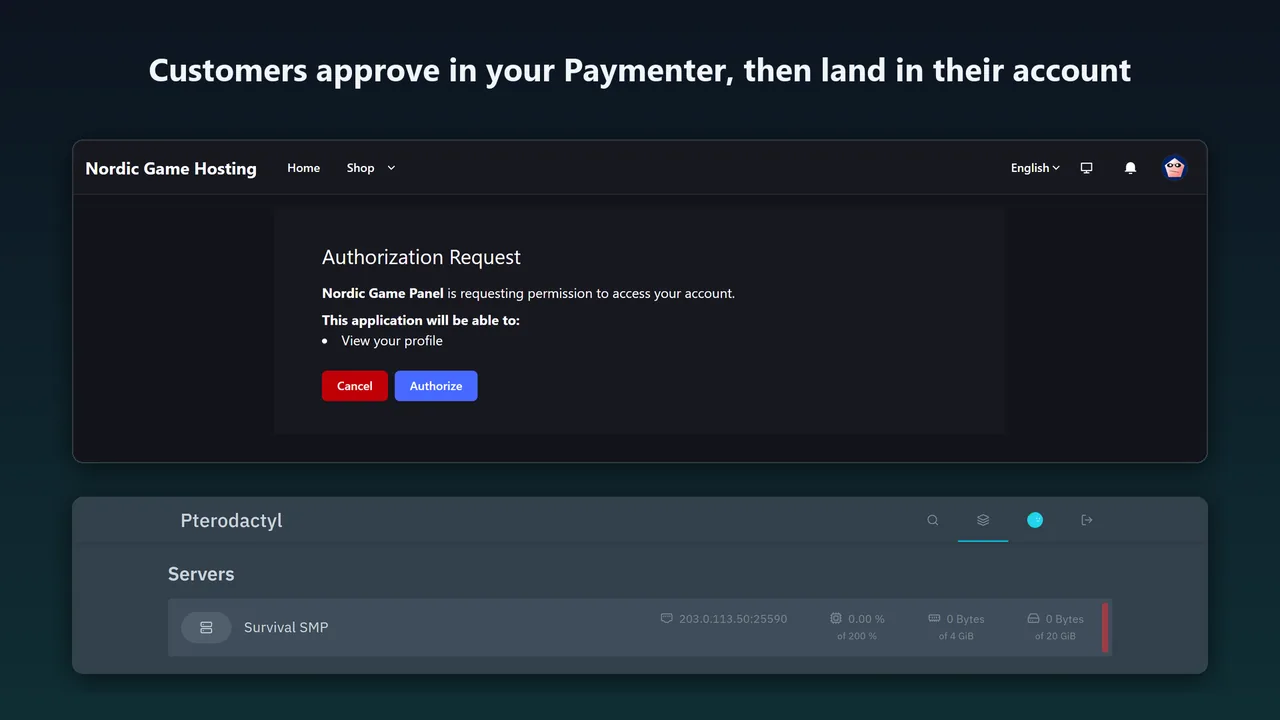
A customer clicks it, signs in to your Paymenter store if they are not signed in already, clicks Authorize on Paymenter's page, and is in their own panel account. It uses Paymenter's built-in OAuth server, so there is no Paymenter extension to install. Free and open source (MIT).
What Sign in with Paymenter for Pterodactyl 2.0 does
A button on the login page
With your own label if you like. It only appears once the extension is set up.
Finds the right account
The first time, the panel account with the same email address, only if Paymenter has verified it. After that, the Paymenter account itself, so a changed email does not lock anyone out.
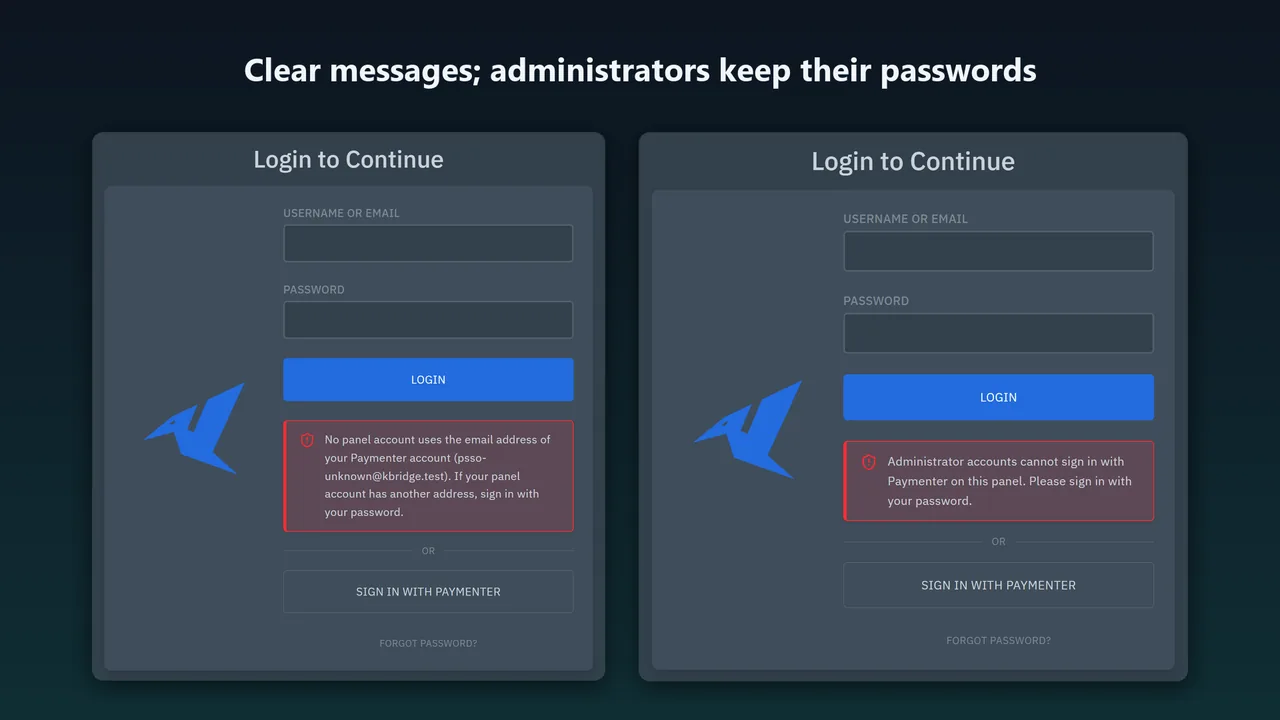
Refuses clearly
No panel account with that address, an unverified address or an administrator: the login page says why. It never creates accounts.
Keeps two-factor authentication
Accounts with 2FA get the panel's own checkpoint after Paymenter.
Administrators stay on passwords
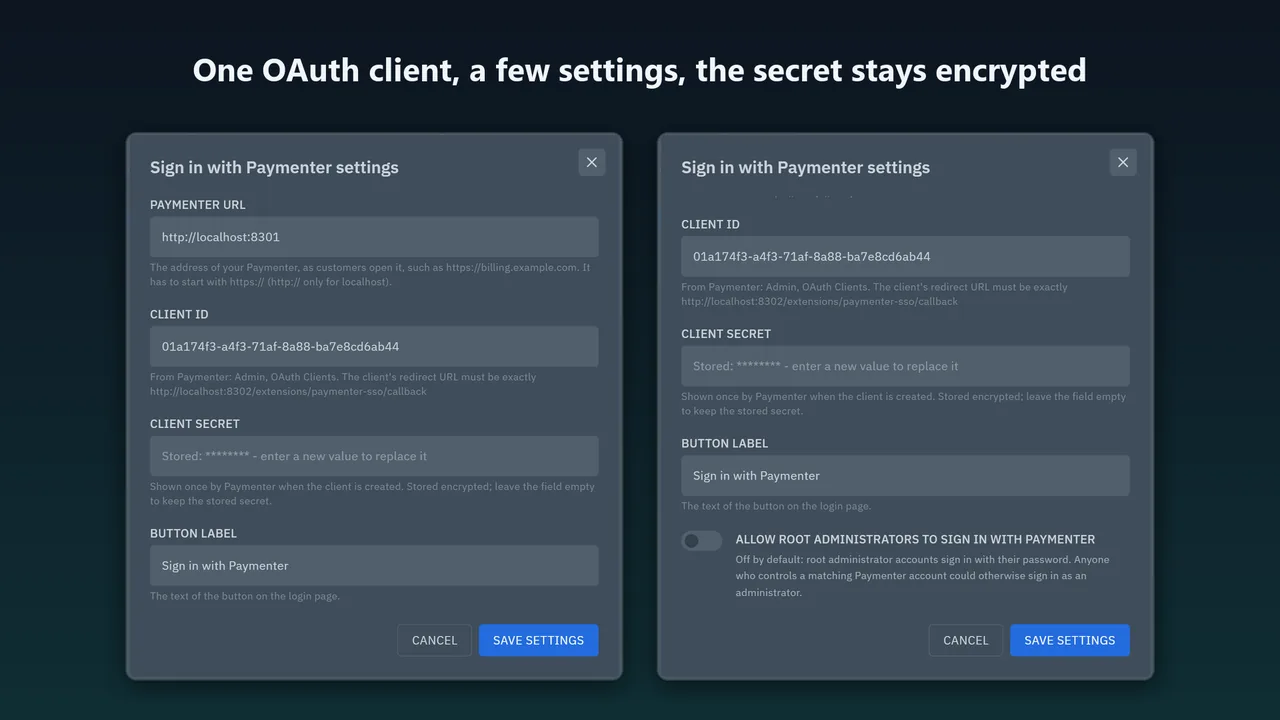
Unless you allow them; it is off by default.
Back where they were going
A customer sent to the login page from a server page lands on that server.
How it works
- Install.
php artisan p:extension:install paymenter-sso.pteroext --enable, thenchown -R www-data:www-data extensions public/assets/extensions(your web server's user). - Create the OAuth client. In Paymenter: Admin → Other → OAuth Clients → New, with the redirect
https://your-panel/extensions/paymenter-sso/callback. Copy the client ID and secret. - Enter the settings. In the panel: Admin → Extensions → Sign in with Paymenter → Settings: Paymenter URL, client ID and client secret.
Screenshots
Security
- OAuth 2.0 authorization code flow with state (single use, 10 minutes, bound to the browser's session) and PKCE (S256).
- The exact redirect URL is fixed by your panel's address and checked by Paymenter.
- Starting a sign-in needs the panel's CSRF token, and the steps share the panel's sign-in rate limit (10 per minute per IP).
- The session is made by the panel's own login code: a new session id, the usual activity entries and 2FA. Every sign-in and refusal is written to the panel's activity log.
- The client secret is stored encrypted, shown only as a mask and never sent to a browser. Paymenter's access token is used once and not stored.
- HTTPS to Paymenter is required (http only for localhost). Requests time out after 10 seconds and do not follow redirects.
Sign in with Paymenter or Karelia Bridge?
| Sign in with Paymenter | Karelia Bridge | |
|---|---|---|
| Where the customer starts | The panel's login page | The service page in Paymenter |
| How it signs in | OAuth 2.0 with Paymenter's OAuth server | A one-time link from Paymenter (60 seconds), straight to the server |
| Billing in the panel | No | Billing page, due-date banner and badges |
| Price | Free (MIT) | $24.99 |
The two work side by side: install both for the login button and the one-click links.
Good to know
- Paymenter has to be reachable from the panel server at the same address customers use, over HTTPS.
http://is accepted only for a Paymenter on the same machine. - Matching by email needs verified addresses in Paymenter: its verification email, or an admin's Email Verified switch.
- Paymenter shows its Authorize page on every sign-in. Without it, a customer who first had to sign in to Paymenter would be left on Paymenter's login page.
- Does not run on Pterodactyl 1.x.
FAQ
Do I need Karelia Bridge or another Paymenter extension?
No. It works with Paymenter's own OAuth clients and any way you create panel accounts. Paymenter's Pterodactyl server extension creates them with the customer's email.
Does it create panel accounts?
No. Customers without a panel account get a clear message.
Can it be used with Pterodactyl's official SSO extension?
Yes, both can be installed and both sets of buttons show. This is a separate extension because the official one has no administrator protection, rate limit or activity entries for providers.
Why does Paymenter show its Authorize page every time?
Without it, a customer who had to sign in to Paymenter first would be left on Paymenter's login page, because Paymenter 1.5.9 loads the next page with JavaScript, which browsers do not let follow the redirect back to the panel. One click keeps it reliable.
Is it free?
Yes, free and open source under the MIT license, on Gumroad and SourceXchange, where the listing is in review.
Related tools
Karelia Bridge
Customers open Pterodactyl 2.0 from Paymenter already signed in, and see due dates and unpaid invoices in the panel. Official 2.0 extension, no core edits.
Discord Notifications for Pterodactyl 2.0
Pterodactyl 2.0 panel events in Discord: power actions, sign-ins, file edits, backups and admin changes. 138 events, per-server webhooks, rate limits handled.
Cloudflare Subdomains for Pterodactyl 2.0
Customer subdomains like play.example.com for Pterodactyl 2.0 in Cloudflare DNS: SRV for Minecraft, A/AAAA for other games, records that follow the server.
Updated 2026-10-25