
PUB Lifeboat: convert whole folders of Publisher .pub files to PDF, PNG, SVG and ODG
Microsoft 365 no longer opens .pub files in Publisher, as of October 2026, and support for the one-time-purchase Publisher ended on 13 October 2026. Clubs, churches, schools and small offices are left with folders of old newsletters, flyers and programmes they cannot open.
Version 2.0.0. The first 10 files are free.
- Version
- 2.0.0
- Input
- Publisher .pub files
- Output
- PDF and PNG (96, 150 or 300 dpi); SVG and ODG in Pro
- Needs
- Windows 11 (tested) and LibreOffice, which the program can download
- Licence
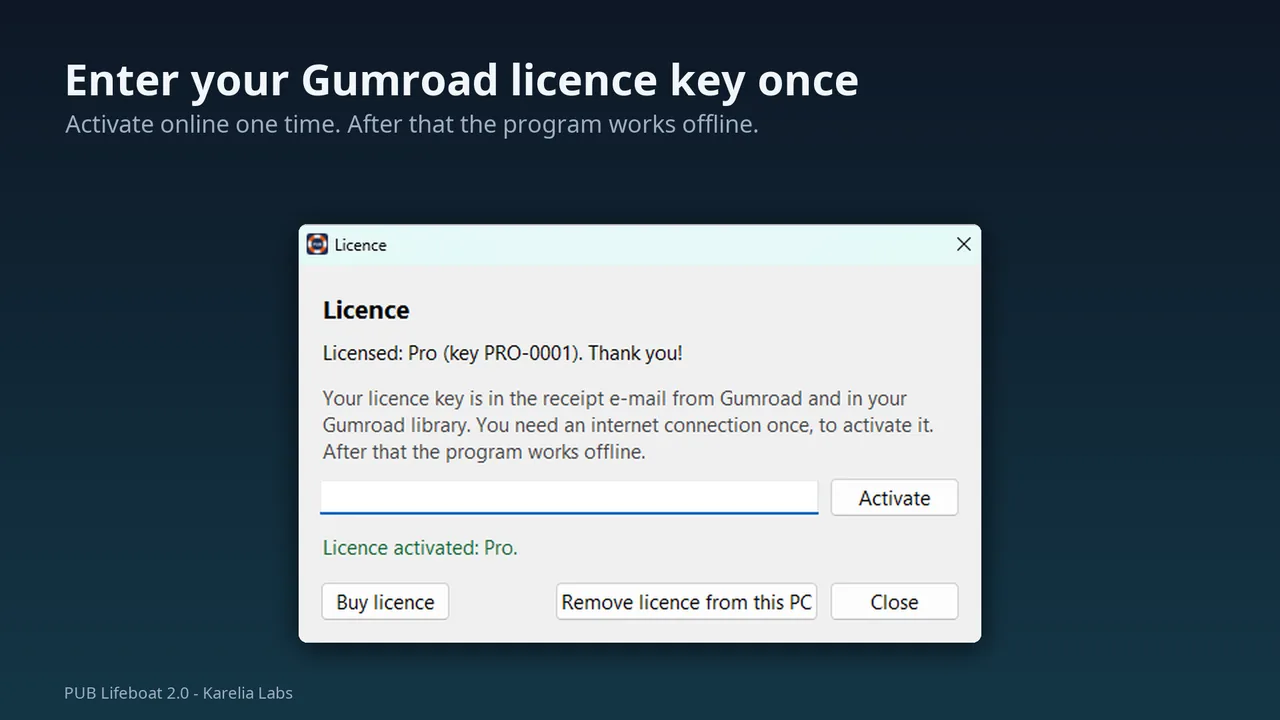
- A key from Gumroad, entered once. The internet is needed once, to activate.
- Speed
- 21 small sample files in 17 s to PDF (measured)
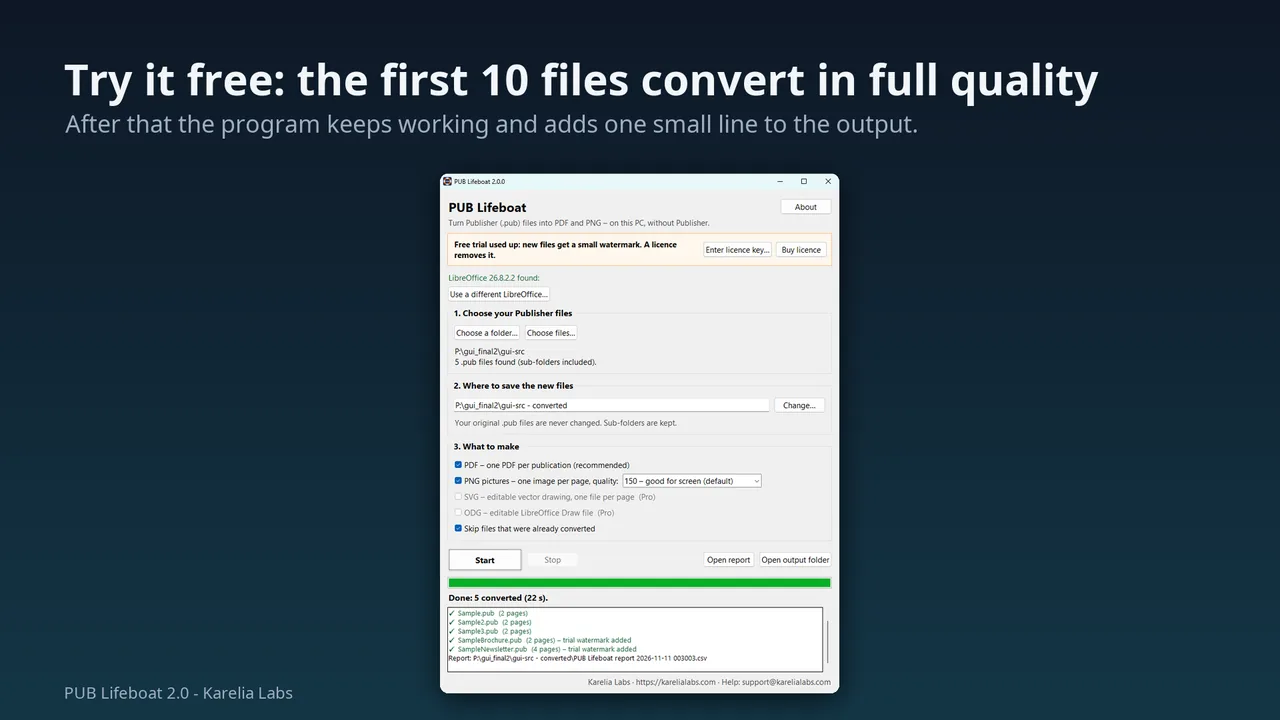
PUB Lifeboat converts those folders to PDF, and PNG pictures if you want them, on your own Windows PC. You do not need Publisher, and no file is uploaded. The free LibreOffice reads the .pub files in the background, and PUB Lifeboat can download it for you.
What PUB Lifeboat does
Try it free
Download the free trial: the first 10 files convert in full quality, with no licence key and no card. After that the program keeps working and adds one small line at the foot of every page until you enter a licence key.
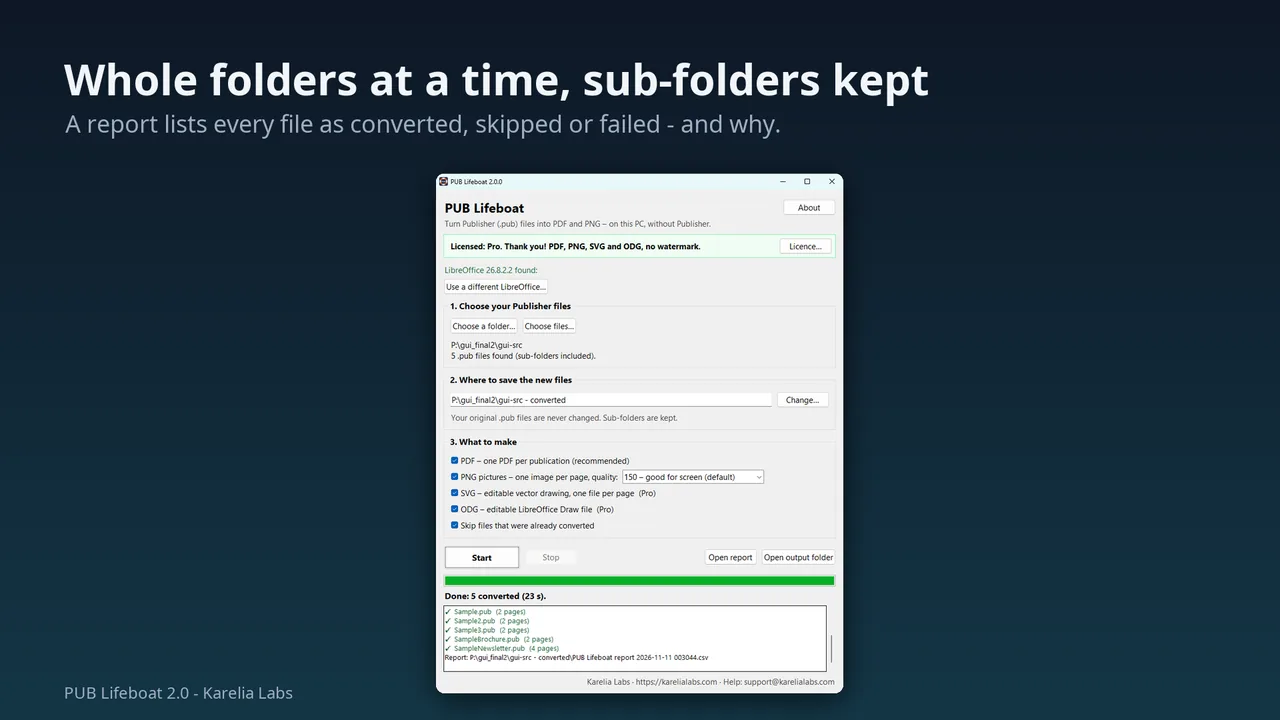
Whole folders
Pick one folder and every .pub file inside it is converted. Sub-folders are recreated in a new folder ending in "- converted".
PDF, PNG or both
One PDF per publication and one PNG per page at 96, 150 or 300 dpi.
Editable output in Pro
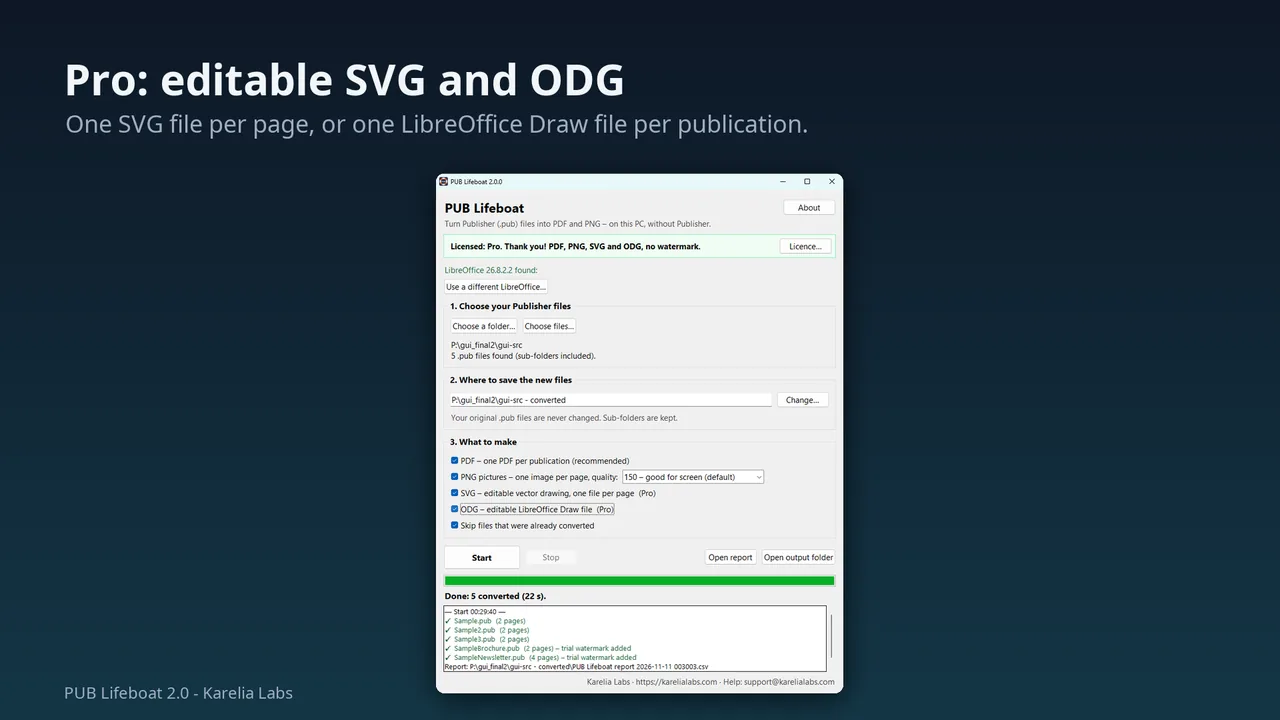
SVG, one vector file per page, and ODG, one LibreOffice Draw file per publication with all pages and editable text.
LibreOffice in one click
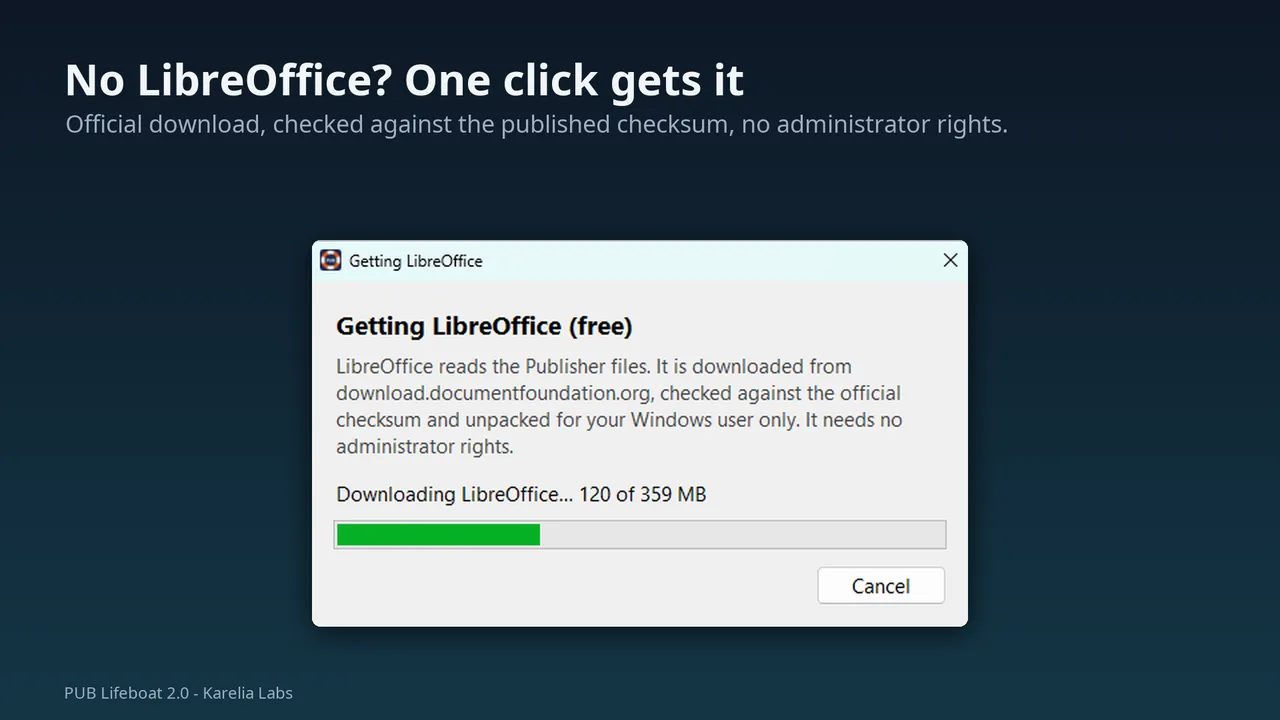
If you do not have LibreOffice, PUB Lifeboat downloads the official installer, checks it against the official checksum and unpacks it for your Windows user only, without administrator rights. A LibreOffice you installed yourself is used first.
Originals untouched
Each file is copied to a temporary folder and the copy is converted. Files already done are skipped, so a big archive can be done in several sittings.
A report of every file
A CSV list shows Converted, Skipped or Failed and why. Damaged files and files that only end in .pub are reported, and the batch carries on.
Screenshots
Pricing
PDF and PNG, no watermark. One-time purchase on Gumroad.
Everything in Standard, plus editable SVG and ODG. One-time purchase on Gumroad.
Good to know
- The result looks the way the file looks in LibreOffice Draw. Newsletters with long stories running through linked text boxes can show text printed over the next story.
- Pictures can sit on top of text, and missing fonts are replaced, so lines can wrap differently.
- Very old files (Publisher 98 and 2000) can lose a table or a font, and non-Latin text in very old files can come out as the wrong characters.
- In the Pro output, text that flowed through linked boxes in Publisher is not linked any more. There is no Word (DOCX) output.
- Windows only, 64-bit. Windows 10 should work but has not been tested. The program is not code-signed yet, so Windows shows a warning the first time.
Guides
FAQ
Can I try it before buying?
Yes. There is a free trial on Gumroad ($0): the first 10 files convert in full quality with no licence key. Gumroad only asks for an e-mail address to send the download link. You can also install the free LibreOffice and open one of your own .pub files in LibreOffice Draw: PUB Lifeboat uses the same engine, so that is the quality you get.
Is anything uploaded?
No file is uploaded. The files are converted on your own PC by LibreOffice running in the background. The program needs the internet once, to activate a licence key, and for the optional LibreOffice download.
Do I need to install LibreOffice first?
No. If it is missing, PUB Lifeboat can download and unpack the official LibreOffice for you, about 360 MB. A LibreOffice you installed yourself is used when there is one.
What do Standard and Pro give me?
Standard converts to PDF and PNG without a watermark. Pro adds editable SVG, one file per page, and ODG, one LibreOffice Draw file per publication.
Does it make editable Word files?
No. It makes PDF and PNG, and with Pro also SVG and ODG, but not DOCX.
Related tools
More from Karelia Labs
Updated