
PurePDF: remove author, dates, earlier versions and attachments from PDFs, offline
A PDF carries more than its pages: the author's name, the company, the program it was written in, and when it was created and changed. A PDF that was edited and saved often still holds its earlier version inside the file, with the old author, the old title and attachments that were deleted.
- Formats
- Runs in
- Chrome, Edge and Firefox on Windows (tested)
- Price
- $14.99 one-time
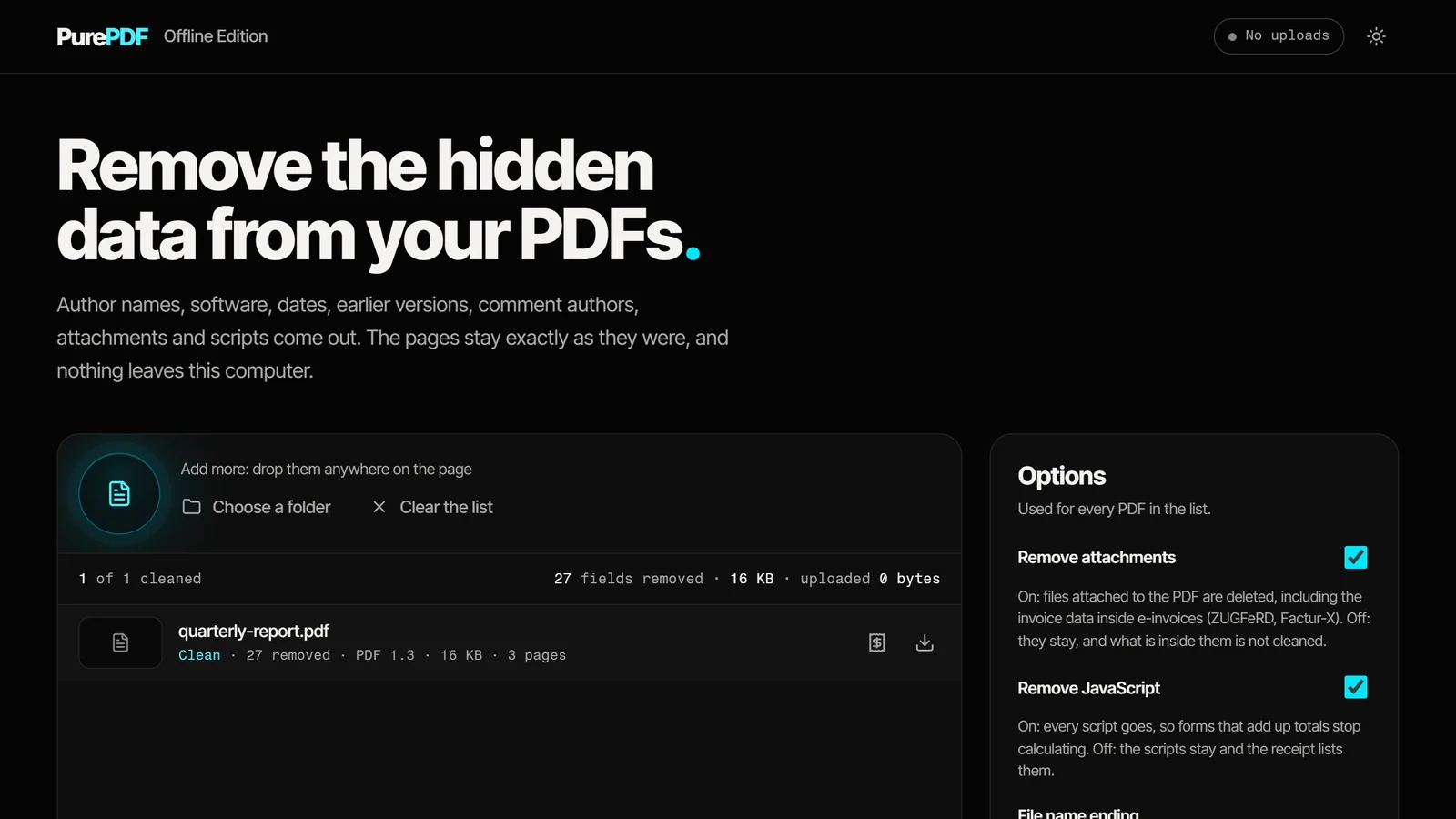
PurePDF is one HTML file you open in your browser. It writes a new file with only what the current pages use, copies text, fonts and images byte for byte, and prints a receipt of what it removed. The page is not allowed to use the network.
What PurePDF does
Document properties and XMP
Title, author, subject, keywords, program, PDF producer, dates, custom fields such as company, and XMP data with its document IDs.
Earlier versions
Old text, old properties and deleted attachments that incremental saves leave inside the file are not copied into the clean file.
Attachments and scripts
Attached files and JavaScript are removed by two switches that are on by default.
Comment authors and photo data
Who wrote each comment and when (the comment text stays), and GPS, camera and dates inside JPEG images, without re-compressing the picture.
A receipt for every PDF
What was found, what was removed, and a read-back of the cleaned copy. The original is never changed.
How it works
- Unzip and open. Download the ZIP, unzip it and double-click PurePDF.html. Nothing to install, no account, no licence key.
- Drop your PDFs. One file or a whole folder. Each gets a receipt.
- Save the clean copies. Download them, or in Chrome and Edge save them straight into a folder.
Pricing
One-time purchase on Gumroad. Updates to version 1 are included. No account or subscription.
Shows what a PDF carries, in your browser, on pureimage.online. It only reads and does not clean.
Good to know
- It removes data stored in the file, not what you can read on the pages. Text hidden on a page (white text, words under a black box) is page content; use a redaction tool for that.
- Password-protected PDFs are refused. PurePDF does not remove passwords.
- A digitally signed PDF loses its valid signature, because the clean copy is a new file. The receipt says so.
- Tested on Windows with pdf.js and PDFium as readers. Adobe Acrobat and macOS have not been tested yet.
Guides
How to remove the author and other metadata from a PDF
The author, the program and the dates sit in the PDF's document properties and in its XMP data, and a PDF that was saved over often still holds the old values as an earlier version. Clearing the fields in an editor is not always enough. Writing a new file with only the current pages is: that is what PurePDF does, on your own computer.
Read the guide →Hidden data in a PDF file: a field-by-field reference
Besides its pages, a PDF can carry names, software, dates, tracking IDs, earlier versions, attached files, scripts and photo data. The table lists each item, where it sits and what it can reveal.
Read the guide →FAQ
Is my PDF uploaded?
No. PurePDF is a file you open in your browser, and its security policy blocks every network request.
Does removing metadata change how the pages look?
No. Nothing is re-rendered: text, fonts and images are copied byte for byte into a new file, and the text stays selectable.
Why not just clear the properties in a PDF editor?
An editor that saves over a PDF often leaves the old values inside the file as an earlier version. PurePDF writes a new file with only what the current pages use.
Is it a subscription?
No. $14.99 once, with updates to version 1 included.
Can I use ExifTool instead?
ExifTool is free and very good with metadata. For PDFs its own documentation says its edits are reversible: the change is appended and the old values stay in the file until the file is rewritten, for example with qpdf. PurePDF does it in one step without a command line: it writes a new file with only what the current pages use and prints a receipt of what it removed.
Related tools
PureDoc
Removes author, company, template path, comment and change authors, document IDs and photo GPS from Word, Excel and PowerPoint files, offline. $14.99 once.
PureImage
Free browser tool that removes C2PA Content Credentials, EXIF, GPS and AI generator tags from JPG, PNG and WebP. Nothing is uploaded.
PureVideo
Removes GPS position, phone model, dates, C2PA and AI prompts from MP4 and MOV videos on your own computer. No upload and no re-encoding. $19.99 once.
More from Karelia Labs
Updated