
PureVideo: remove GPS, device data and AI metadata from videos, offline
Phone videos carry the GPS position of where they were filmed, the exact phone model and the time to the second. Action cameras and drones record the whole route in hidden data tracks, and AI video tools can save the prompt inside the file. PureVideo takes it out and prints a receipt of what it removed.
- Formats
- MP4, MOV, M4V, 3GP (also M4A audio)
- Runs in
- Chrome, Edge and Firefox on Windows (tested)
- Price
- $19.99 one-time
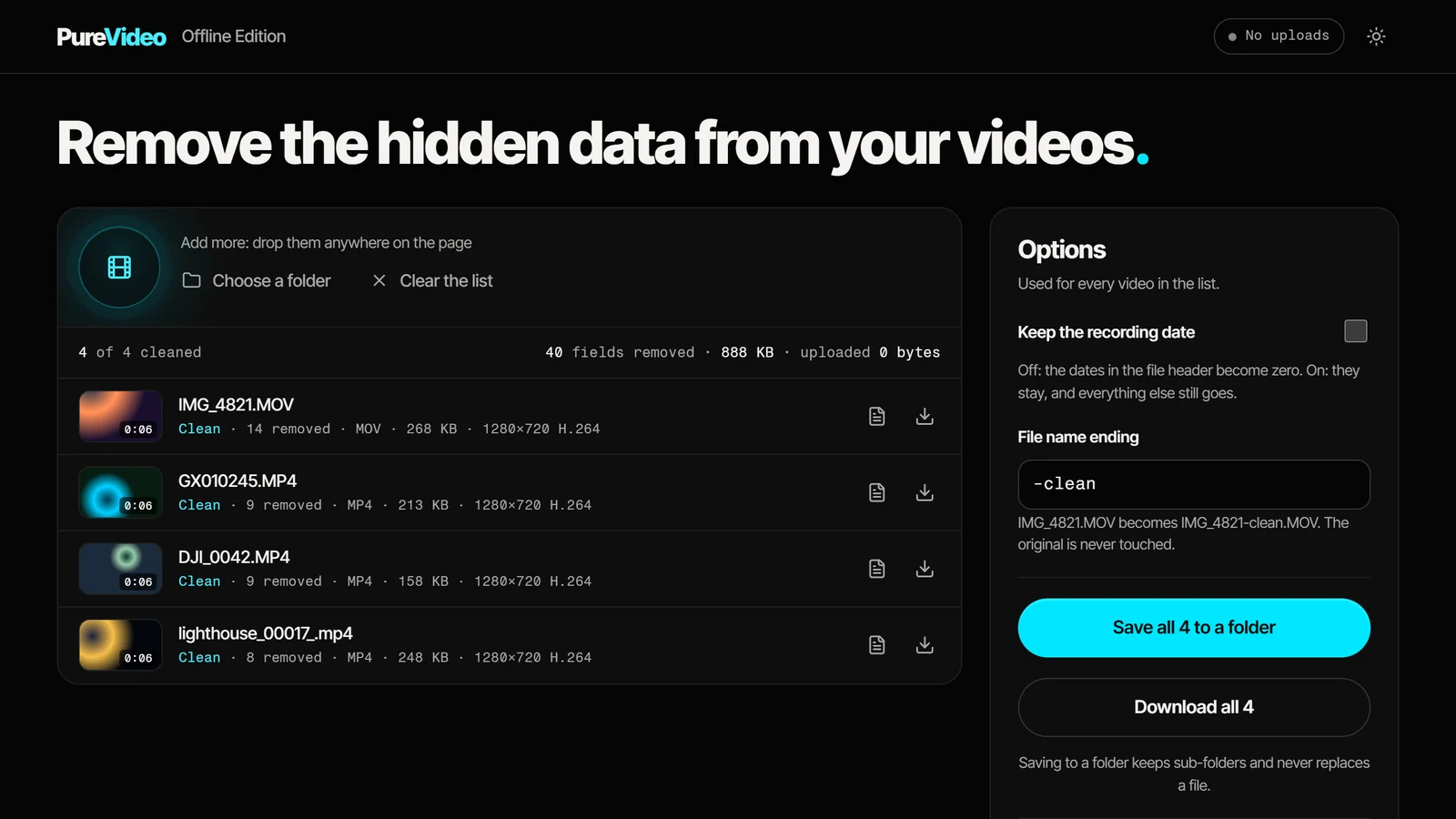
It is one HTML file you open in your browser. The page is not allowed to use the network, so it works with the internet unplugged, and nothing is re-encoded: the picture and the sound stay byte for byte the same.
What PureVideo does
Location and device data
GPS position and GPS tracks, make, model, serial numbers, lens, firmware and software names.
AI and editing data
C2PA Content Credentials, XMP editing history, and prompts or workflows stored in the file.
Hidden tracks
GPS and sensor tracks from action cameras, drone telemetry, face-position tracks and GPS written as subtitles.
No re-encoding
The metadata is overwritten where it lies, so there is no quality loss. A 1.2 GB video takes about half a second on a desktop PC.
A receipt for every video
What was found, what was removed, and a read-back of the cleaned copy. The original is never changed.
How it works
- Unzip and open. Download the ZIP, unzip it and double-click PureVideo.html. Nothing to install, no account, no licence key.
- Drop your videos. One video or a whole folder. Each gets a receipt.
- Save the clean copies. Download them, or in Chrome and Edge save them straight into a folder.
Pricing
One-time purchase on Gumroad. Updates to version 1 are included. No account or subscription.
One video per device, in your browser, on pureimage.online.
Good to know
- It does not change what you can see or hear: faces, voices, street signs or a visible watermark.
- It does not remove invisible watermarks woven into the pixels (for example Google SynthID) and is not a way to hide that a video was made with AI.
- Not supported: MKV/WebM, AVI, MTS/AVCHD and WMV.
- Tested on Windows. Mac, Linux and real files from every phone and camera model have not all been tested yet.
Guides
How to remove the GPS location and other hidden data from a video
A phone video stores the GPS position, the phone model and the time inside the file. On an iPhone you can switch the location off when you share. For files that are already on a computer, PureVideo removes the location, the device data and hidden data tracks without re-encoding, so the picture and the sound stay the same.
Read the guide →Hidden data in MP4 and MOV videos: a reference
MP4, MOV, M4V and 3GP files are trees of boxes, which QuickTime calls atoms. Boxes and extra tracks can hold the filming position, device, recording times, software, GPS routes, Content Credentials and AI prompts. The table lists each item and where it sits.
Read the guide →FAQ
Is my video uploaded?
No. PureVideo is a file you open in your browser, and its security policy blocks every network request.
Does removing metadata lower the video quality?
No. Nothing is re-encoded. The metadata is overwritten where it lies, so the picture and the sound stay byte for byte the same.
Can I try it before buying?
Yes. The free test on pureimage.online cleans one video on your device, with nothing uploaded.
Is it a subscription?
No. $19.99 once, with updates to version 1 included.
Can I do this with ffmpeg?
If you are at home on the command line, ffmpeg is free and can copy a video without its global metadata and without re-encoding (-map_metadata -1 -c copy). PureVideo is for doing it without a command line: it removes the GPS position, phone model, dates, C2PA and AI prompts from MP4 and MOV files on your own computer and prints a receipt of what it removed.
Related tools
PureImage
Free browser tool that removes C2PA Content Credentials, EXIF, GPS and AI generator tags from JPG, PNG and WebP. Nothing is uploaded.
PurePDF
Removes the author, company, software, dates, earlier versions, attachments and scripts from PDF files on your own computer. No upload. $14.99 once.
PureDoc
Removes author, company, template path, comment and change authors, document IDs and photo GPS from Word, Excel and PowerPoint files, offline. $14.99 once.
More from Karelia Labs
Updated