
Crashwright: find out in plain words why your PC crashed, from the blue screen dumps Windows saves
After a blue screen, Windows saves a crash dump (.dmp) and notes the crash in its event log. Reading them normally means a debugger and knowing what a stop code is.
For Windows 10 (version 2004 or later) and Windows 11, 64-bit. Works offline, with no account.
- Price
- $5.99 in the Microsoft Store
- Opens
- Blue screen dumps (small memory dumps) from Windows 8.1, 10 and 11, program crash dumps, and the crash history in the event log
- Reports
- PDF, web page (HTML) and text, or a short summary to copy
- Needs
- PDF reports use the Microsoft Edge WebView2 Runtime, included in Windows 11 and most Windows 10 PCs
- Windows
- Windows 10 version 2004 (build 19041) or later, or Windows 11, 64-bit (x64). About 200 MB of disk space.
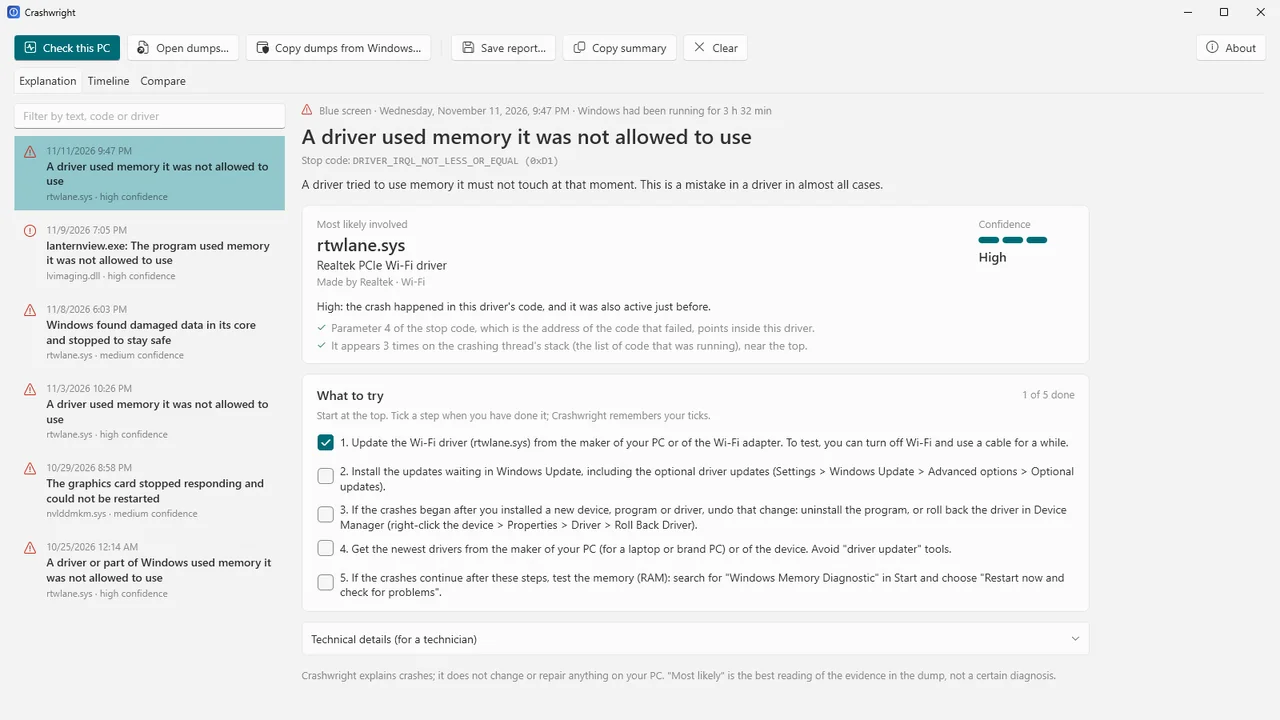
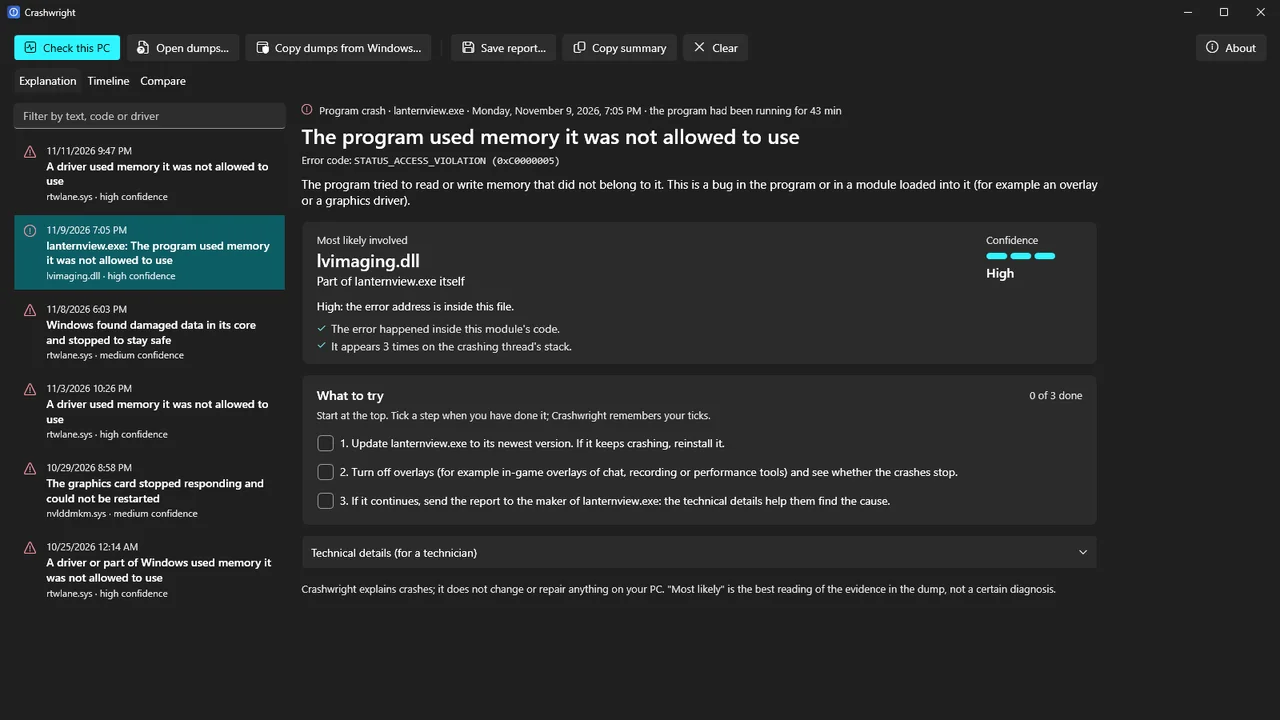
Crashwright reads them for you and says in plain words what most likely caused the crash, how sure that is (high, medium, low or not known) and why, and what you can try. When nothing in a dump points to one driver, it says so instead of guessing.
It explains; it does not repair. It never changes your PC, your drivers or your settings, and it works offline. It is made for home users and gamers who want an honest answer.
What Crashwright does
Plain words
What happened, the driver most likely involved and what that driver belongs to: graphics, Wi-Fi, sound, antivirus, game anti-cheat, RGB and monitoring tools and more.
How sure, and why
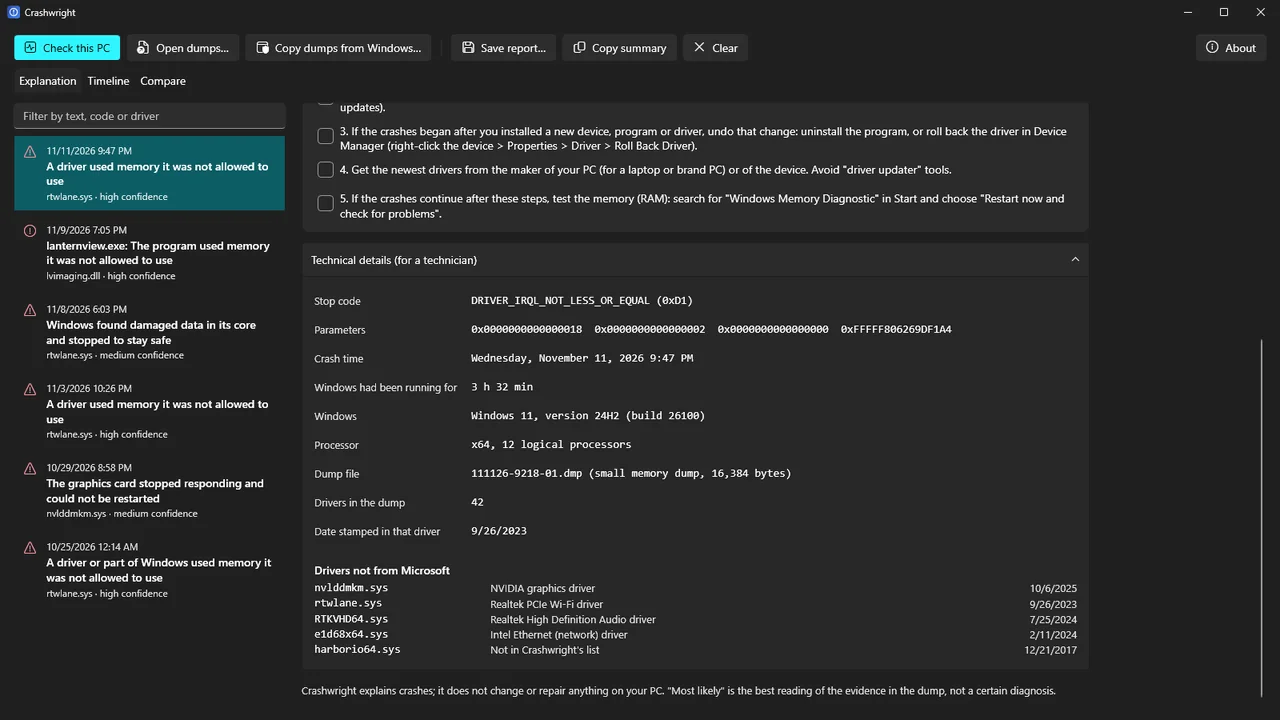
Every answer comes with a confidence level and the reasons behind it. Windows' own files are left out of the blame where another maker's driver is involved.
A knowledge base on your PC
Over 150 stop codes explained and over 500 driver files recognised, offline. An unknown stop code or driver is shown as unknown, never guessed.
Check this PC
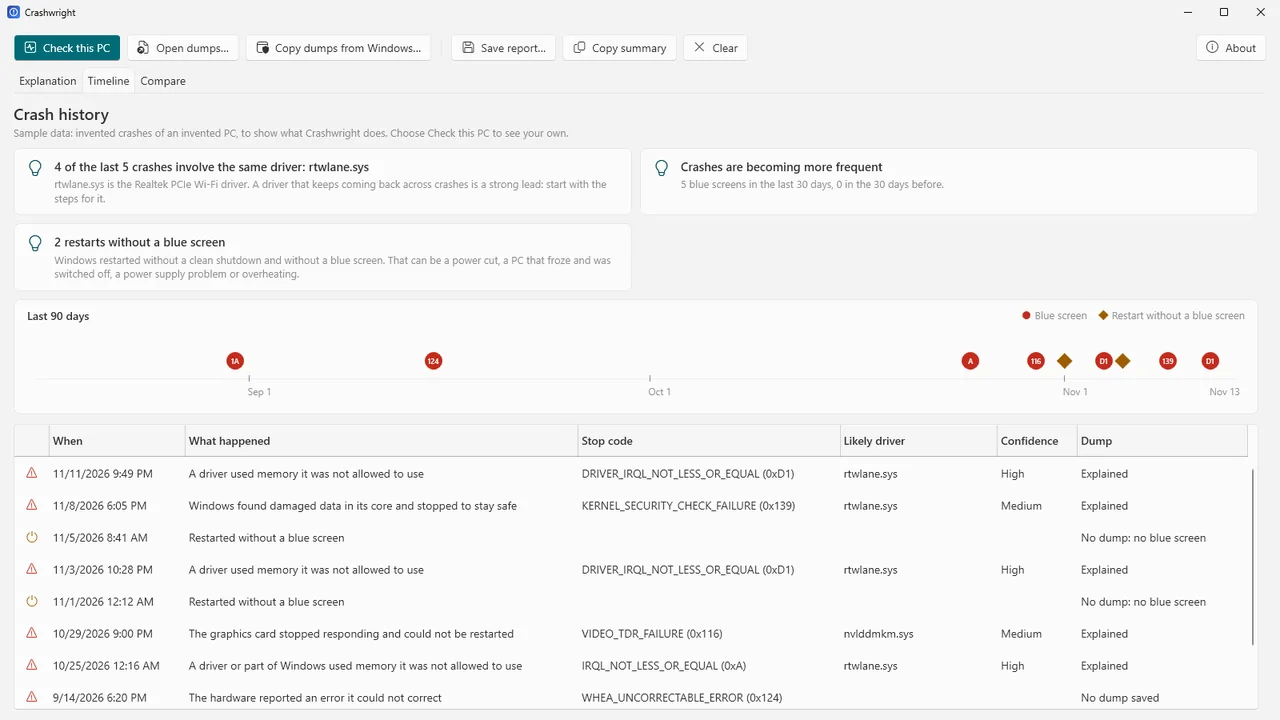
Reads the crash history from the Windows event log and shows a 90-day timeline with patterns, such as the same driver in four of the last five crashes, crashes that all look different (often memory or hardware), or restarts without a blue screen. Not yet verified with real crash data.
Gets the dumps for you
Windows keeps crash dumps in a folder that, on many PCs, only administrators can open. Crashwright tells you, and can copy the dumps to your Documents folder after one Windows permission prompt. Not yet verified with real crash data.
Steps to try
A checklist for each crash, starting with the step that fits the evidence. Crashwright remembers what you have ticked.
Compare and report
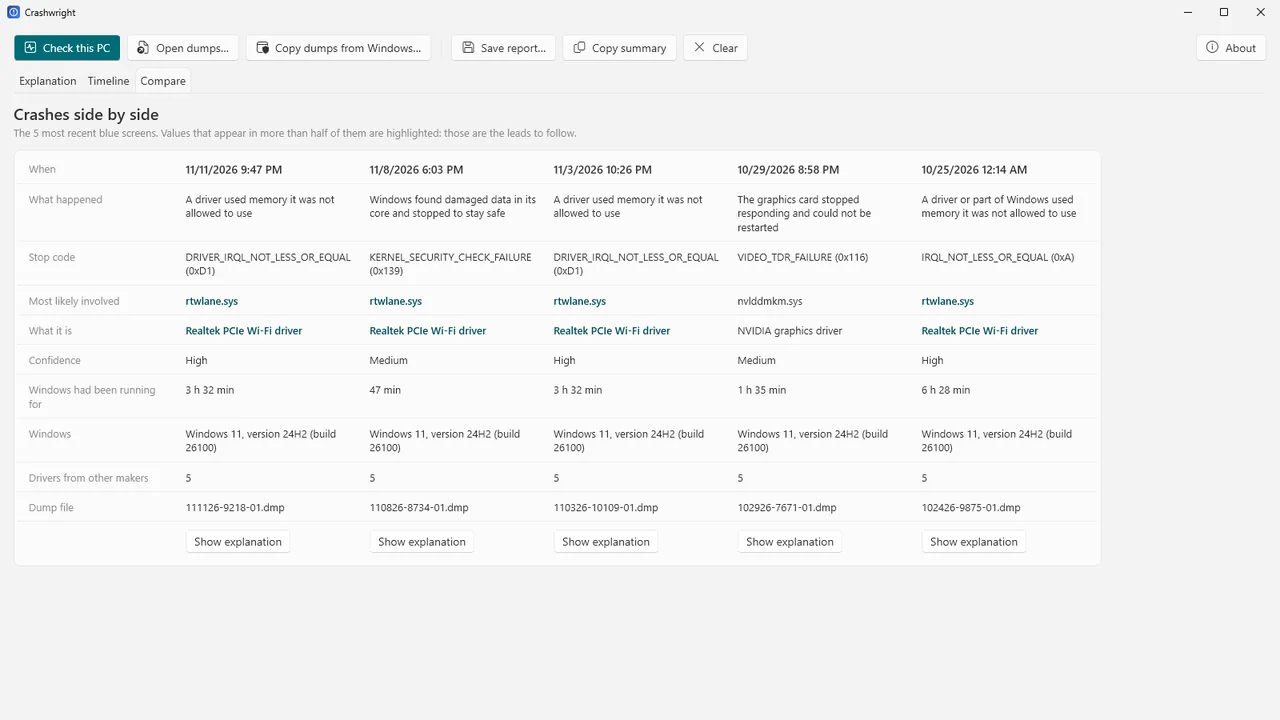
Compare several crashes side by side with the shared leads highlighted. Save a report as PDF, web page or text for a technician or a forum, or copy a short technical summary.
Program crashes too
Crash dumps of apps and games: the error, the module it happened in, modules and threads.
How it works
- Check this PC, or open a dump. Press Check this PC to read the crash history, or open .dmp files from File Explorer, by drag and drop or with Ctrl+O.
- Read the explanation. See the likely driver, the confidence level and its reasons, and the timeline of earlier crashes.
- Try the steps. Work through the checklist, or save a report for a technician.
Screenshots
Pricing
Crashwright for Windows 10 and 11, 64-bit.
Good to know
- Crashwright never promises a diagnosis. Stop codes that the hardware reports, such as 0x124, limit how sure it can be about a driver.
- The dump reader was tested on 13 real small memory dumps from Windows 8.1, 10 and 11 (stop codes 0x116, 0x3B, 0x9F, 0xEF and 0x50) and on 10 real program crash dumps. 32-bit kernel dumps, ARM64 dumps and dumps from Windows 7 and older have not been tried, nor have the copy from the admin-only folder, the PDF export and Check this PC on a real crashed PC.
- From large (kernel or complete) memory dumps it reads the stop code and time only.
- Windows saves dumps in a format that can change. A dump Crashwright cannot fully read says so.
Privacy
Crashwright works entirely on your PC. It does not connect to the internet, has no account, collects no data and sends nothing anywhere: no telemetry, no crash reports, no update check. It reads crash dump files and the crash records in the Windows event log, and never changes them. Reports are written only where you choose. When you use "Copy dumps from Windows", copies are written to Documents\Crashwright.
Settings (folders you used and the steps you ticked) and a small error log are stored on your PC in %LOCALAPPDATA%\Karelia Labs\Crashwright; the log contains file names but no dump contents. Questions: support@karelialabs.com.
Guides
FAQ
Will Crashwright fix my PC?
No. It explains and never changes your PC, drivers or settings. Each crash gets a checklist of steps you can try yourself, starting with the one that fits the evidence.
How sure is the answer?
Every answer says high, medium, low or not known, with the reasons. When nothing in a dump points to one driver, Crashwright says so instead of guessing.
Where are my crash dumps?
Press Check this PC: Crashwright reads the crash history and looks for the dumps Windows saved. On many PCs that folder is admin-only; Crashwright tells you and can copy the dumps to your Documents folder after one Windows permission prompt. Not yet verified with real crash data.
Can I send the result to a technician?
Yes. Save a report as PDF, web page or text, or copy a short technical summary for support staff.
Does it work for app and game crashes?
Yes. For crash dumps of apps and games it shows the error code, the module it happened in, the modules and the threads.
Related tools
Stepwright
A steps recorder for Windows: every click becomes a numbered step with a screenshot and a plain sentence. Tidy up, then export to Word, PDF, HTML or Markdown.
Tablewright
Open Parquet, CSV, TSV and JSON Lines files with millions of rows on Windows. Sort, filter, see column statistics, query with SQL and export. Offline.
More from Karelia Labs
Updated