
Dieline Fold: fold a PDF or SVG dieline into a rigged 3D box in Blender
Packaging designers get dielines as PDF or SVG files. Dieline Fold reads the file directly and builds the folded box in Blender, so you do not have to export DXF, fold it in a web tool or rig the box by hand.
Version 1.0.0, tested on Windows with Blender 4.5.16 LTS and 5.2.4 LTS.
- Version
- 1.0.0
- Blender
- 4.5 up to 5.2
- Tested on
- Windows 11, Blender 4.5.16 LTS and 5.2.4 LTS: 560 checks passed on each
- Input
- PDF and SVG
- Network
- None. The PDF and SVG libraries are bundled.
- License
- GPL-3.0-or-later
- Price
- $34, one-time
- Get it on
- Gumroad
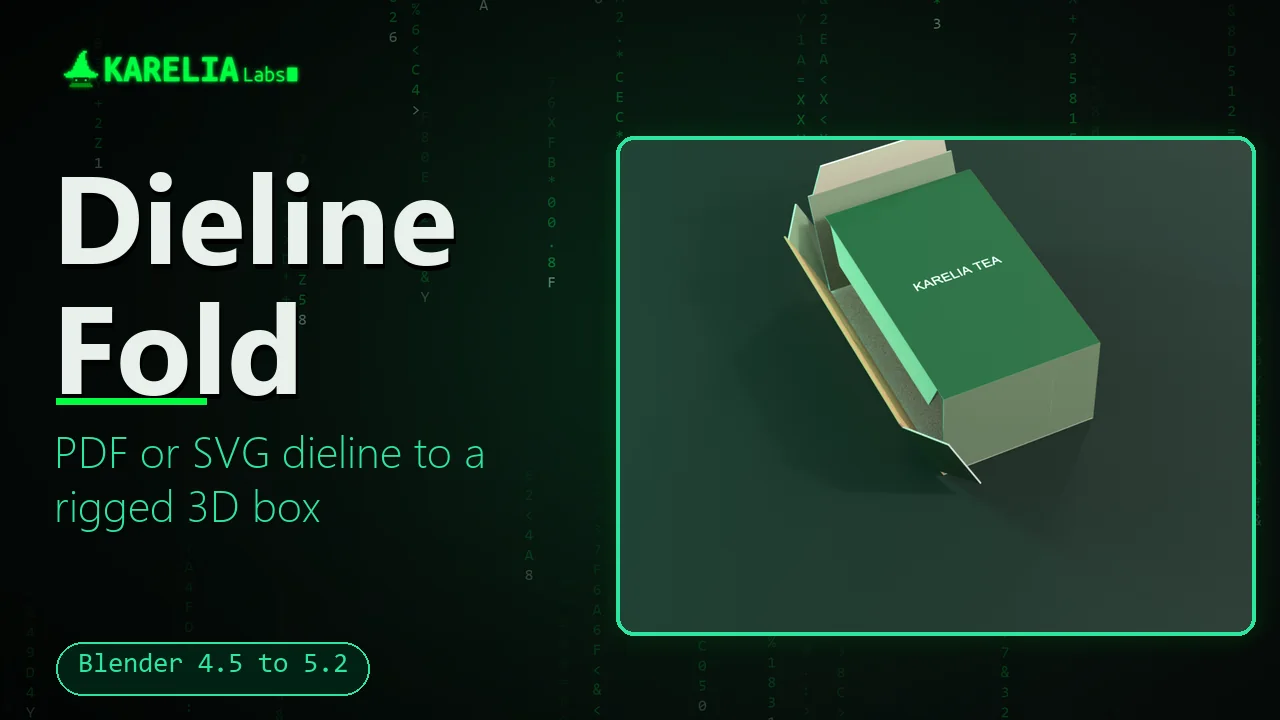
It finds the cut and crease lines, builds the panels, adds a fold rig with one control per crease and puts the printed artwork on the box.
What Dieline Fold does
Reads the file you were given
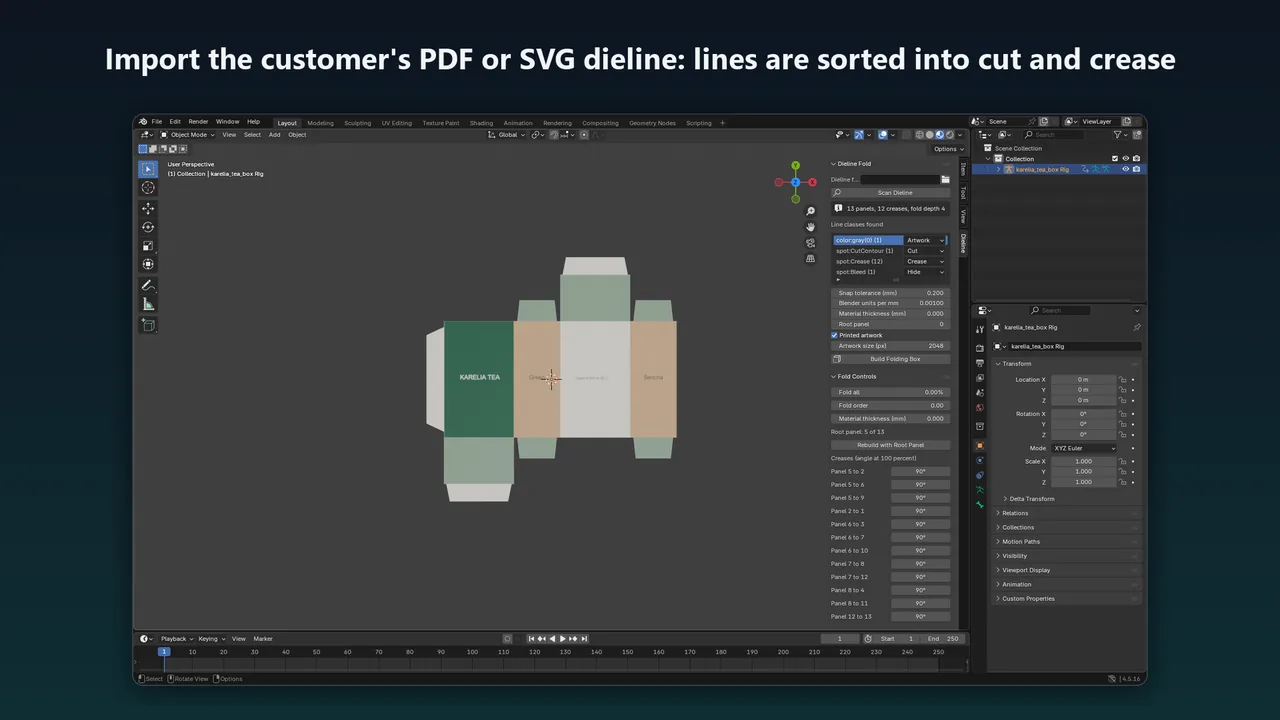
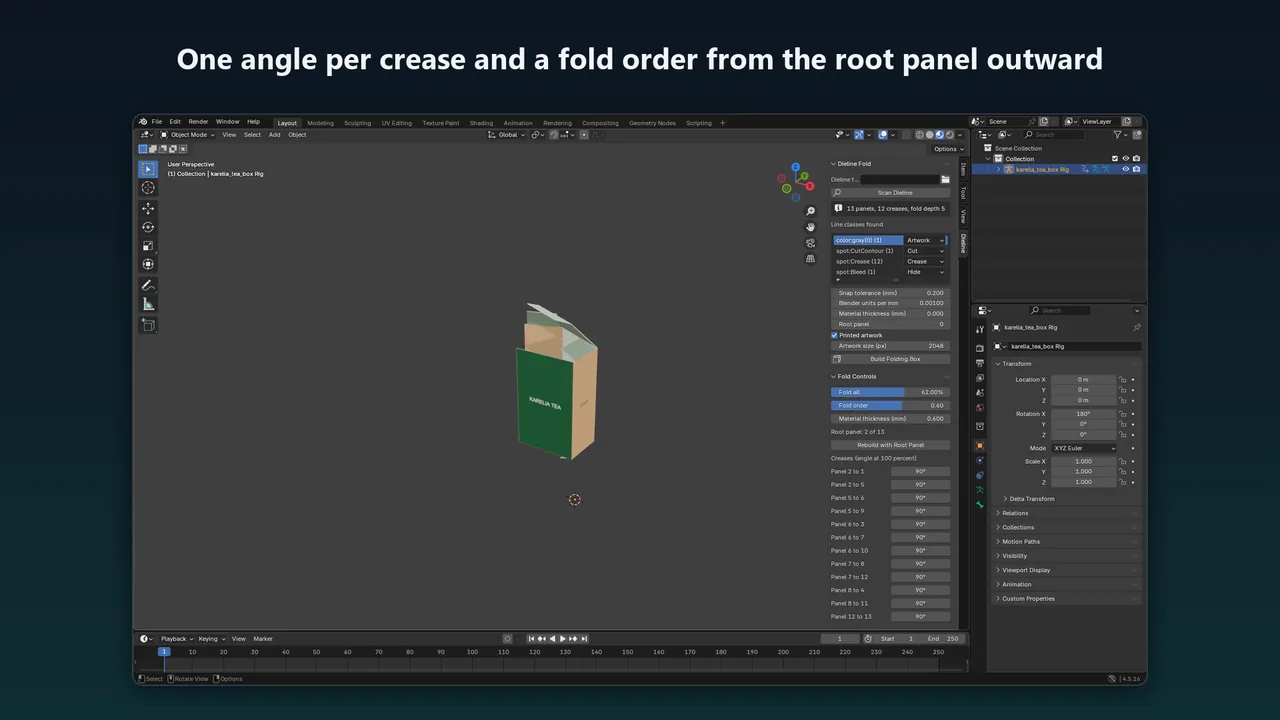
Import a PDF or an SVG. Cut and crease lines are recognised from PDF spot colour names such as CutContour and Crease, from layer or group names, or from plain stroke colours. A list shows what was found and you can set the role of each class before building.
Real panels
The lines are joined into one network. Small gaps are closed, duplicate lines are removed, holes are kept, and every closed region becomes a panel in one mesh.
A rig with one control per crease
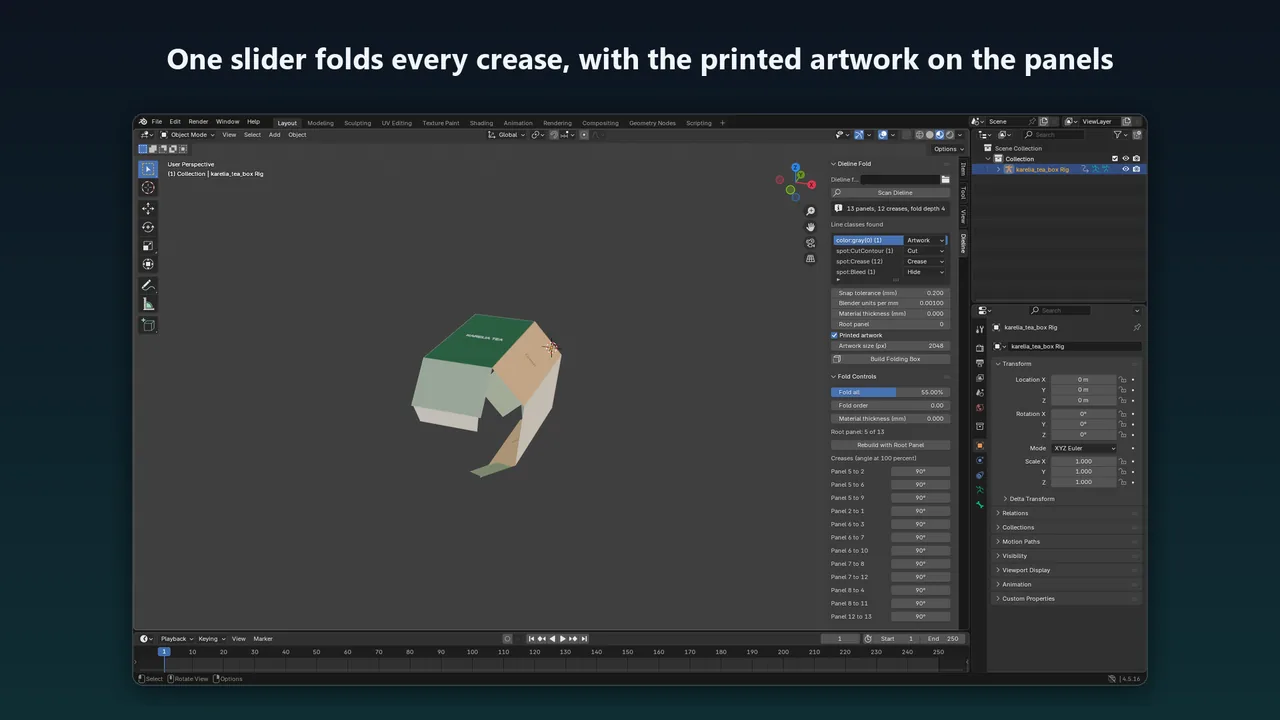
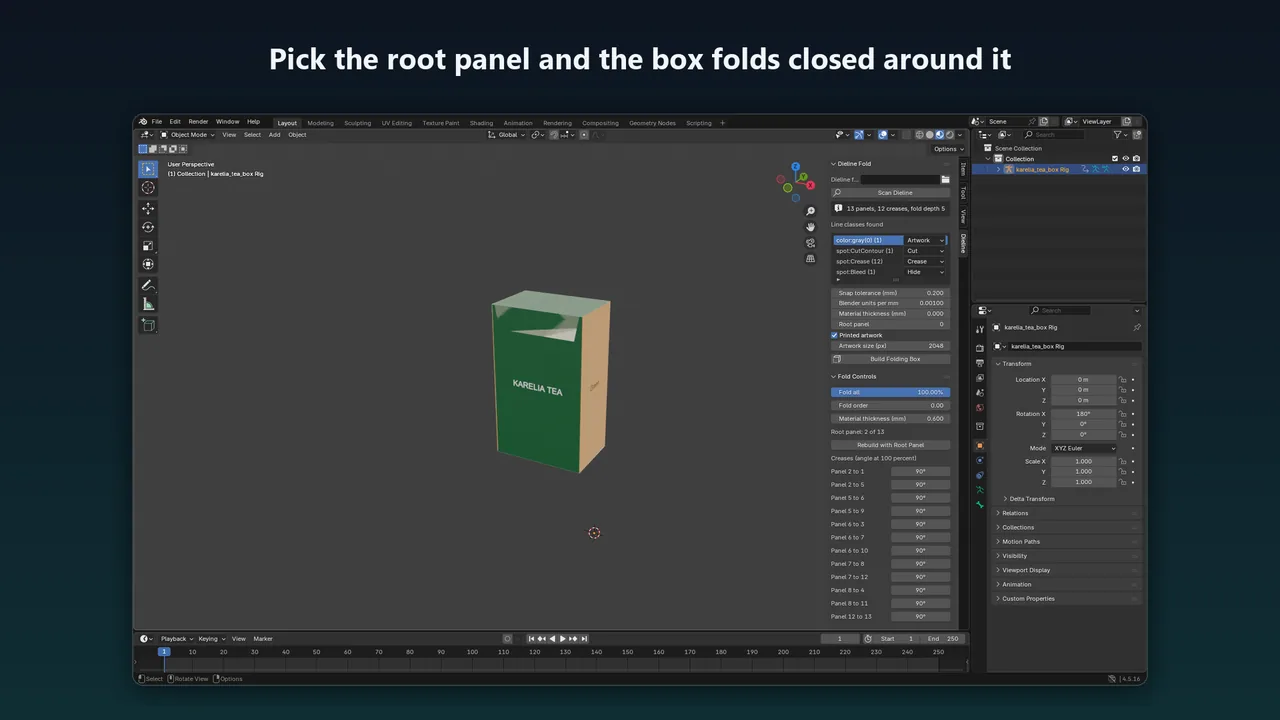
One bone per panel, one hinge per crease with the right axis and fold direction, a single Fold all slider from 0 to 100 percent, a fold angle for each crease and a fold order that works outward from a root panel you choose.
Your artwork on the box
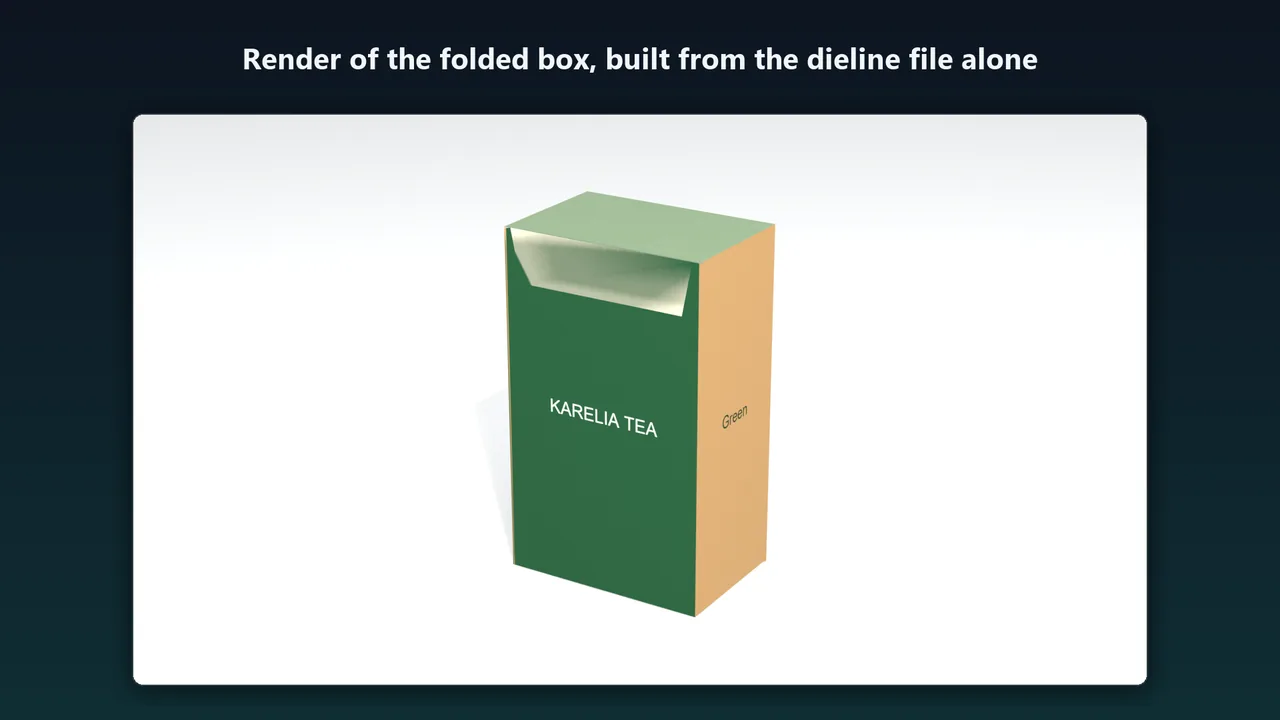
The page is rendered without the dieline lines and mapped onto the panels through a UV map that matches the flat sheet.
Real size
Page boxes, page rotation, UserUnit, Bezier curves and the units pt, mm, cm, in, pc and px are handled. Material thickness is optional.
Clear errors
An open outline, a missing crease class, a bent crease or a PDF that is only a raster image each stop the import with a message that says what to fix.
How it works
- Install. In Blender, Edit > Preferences > Get Extensions > Install from Disk, choose
dieline_fold-1.0.0.zipand enable it. - Import. File > Import > Dieline (.pdf, .svg), or use the Dieline tab in the 3D Viewport sidebar. Check the classes it found.
- Fold. Build, pick the root panel, and fold with one slider or set the angle of any crease.
Screenshots
Pricing
One-time purchase on Gumroad. No account or subscription needed to use it.
Good to know
- Straight creases only. Curved creases are not supported.
- Multi-crease folds such as crash-lock bottoms are not sequenced automatically: you set the angle of each crease.
- There is no crease radius and no hinge offset for board thickness.
- AES-encrypted PDFs must be saved without protection first.
- Tested on Windows only. The libraries for macOS and Linux are included but have not been run. Blender versions other than 4.5.16 and 5.2.4 are untested.
- The test dielines were generated, including files in the style of Illustrator exports. Files from real packaging software have not been tested.
- Dieline Fold is a visualisation tool. It does not replace a structural sample or your supplier's proof.
FAQ
Which dieline formats does it read?
PDF and SVG. Cut and crease lines are found by PDF spot colour name, PDF layer, SVG group name or plain stroke colour, and you can change the role of each class before building.
Does it put the printed artwork on the box?
Yes. The page is rendered without the cut and crease lines and mapped onto the panels, packed into the .blend file.
Does it need an internet connection or an account?
No. Nothing is sent anywhere, and the PDF and SVG libraries are in the zip.
Is it affiliated with Blender?
No. It is an independent add-on by Karelia Labs.
Related tools
Karelia Print Finishes
Blender add-on that turns named PDF spot plates into foil, spot UV and emboss previews on a registered card with approximate CMYK artwork. Beta for Blender 4.5.
Karelia Revision
Blender add-on that previews what changed in a revised FBX or OBJ, keeps your materials and modifiers and can restore the last revision. Beta, Blender 4.5 LTS.
More from Karelia Labs
Updated