
Expense Report Sheets for Odoo: expense reports are back in Odoo 19 and 20
Odoo 19 removed expense reports: every expense is submitted, approved, posted and paid on its own. Expense Report Sheets puts the report back around Odoo's own expense flow, so a month of receipts is approved once, posted as one journal entry and reimbursed in one payment, the way it worked up to Odoo 18.
Published to Odoo Apps on 2026-10-24. The store page appears once Odoo has processed it.
- Odoo versions
- 19.0 and 20.0
- Editions
- Community and Enterprise
- Depends on
- Expenses (hr_expense)
- Hosting
- Odoo.sh or your own server
- Licence
- OPL-1, one-time purchase per Odoo version
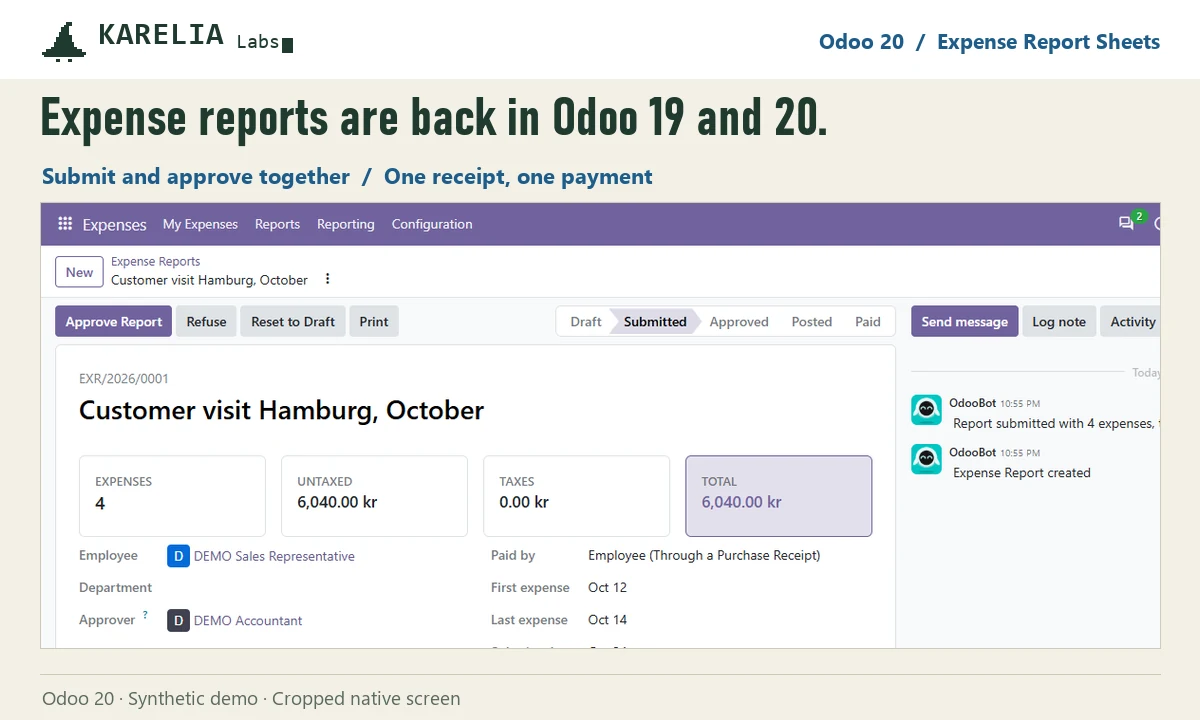
What Expense Report Sheets does
Create Report
Select draft expenses in My Expenses and click Create Report, or start a report and add expenses to it.
Approve or refuse together
Submit to Manager, Approve Report or Refuse with a reason. Odoo's approver rules and duplicate check run on every expense.
One entry, one payment
Posting the report creates one journal entry for all its expenses, and Register Payment reimburses the employee in one go.
Print and sign
A printable report with expenses, taxes, totals and signature lines for the employee and the approver.
Receipts first
Expenses without a receipt are flagged, and with Receipts required switched on nothing is submitted without one.
Reports from Odoo 18
After an upgrade, Rebuild former reports groups expenses back into the reports they belonged to.
Good to know
- A report holds one employee's expenses in one company, either paid by the employee or by the company.
- Multi-level approval chains, per diems and mileage rules are not added. The approver is the one Odoo sets on the expenses.
- Rebuilding former reports depends on what your upgrade kept. Try it on a copy of the database first.
- Odoo Online can't install custom Python add-ons, so it needs Odoo.sh or your own server.
Guides
FAQ
Does it change how expenses are booked?
No. Odoo creates the entries as it does for single expenses; the report groups them so they are posted together.
Can employees approve their own report?
No. Approval goes through Odoo's own check on each expense, which blocks self-approval unless your setup allows it.
Does it work on Community?
Yes. It depends only on Odoo's Expenses app, which is part of Community.
Related tools
Swedish PAXml Export
Turn Odoo attendance, approved absence and expenses into a PAXml 2.0 payroll file for Swedish payroll systems, with a locked review snapshot.
LateRate
Statutory late payment interest in Odoo: half-year reference rates, the fixed EU compensation once per invoice, and one draft interest invoice per customer.
Updated 2026-10-25