
Expense reports are gone in Odoo 19 and 20: how to group expenses again
Updated 2026-10-25
What changed in Odoo 19
Odoo removed the expense report (hr.expense.sheet) in version 19, arguing that most reports held a single expense. You can still select several expenses in the list and submit or approve them together, and employee-paid expenses submitted together become one bill per employee. What is gone is the report itself: one record per trip or month, approved as a whole, printed and paid in one go.
If you need to bill a client for the receipts
- Give the expense products the re-invoice policy At cost (or Sales price).
- Set the client's sales order on each expense.
- Submit, approve and post the expenses. Each one is added as a line on the sales order.
- Invoice the sales order once.
That is standard Odoo and needs no add-on.
If you need the report back
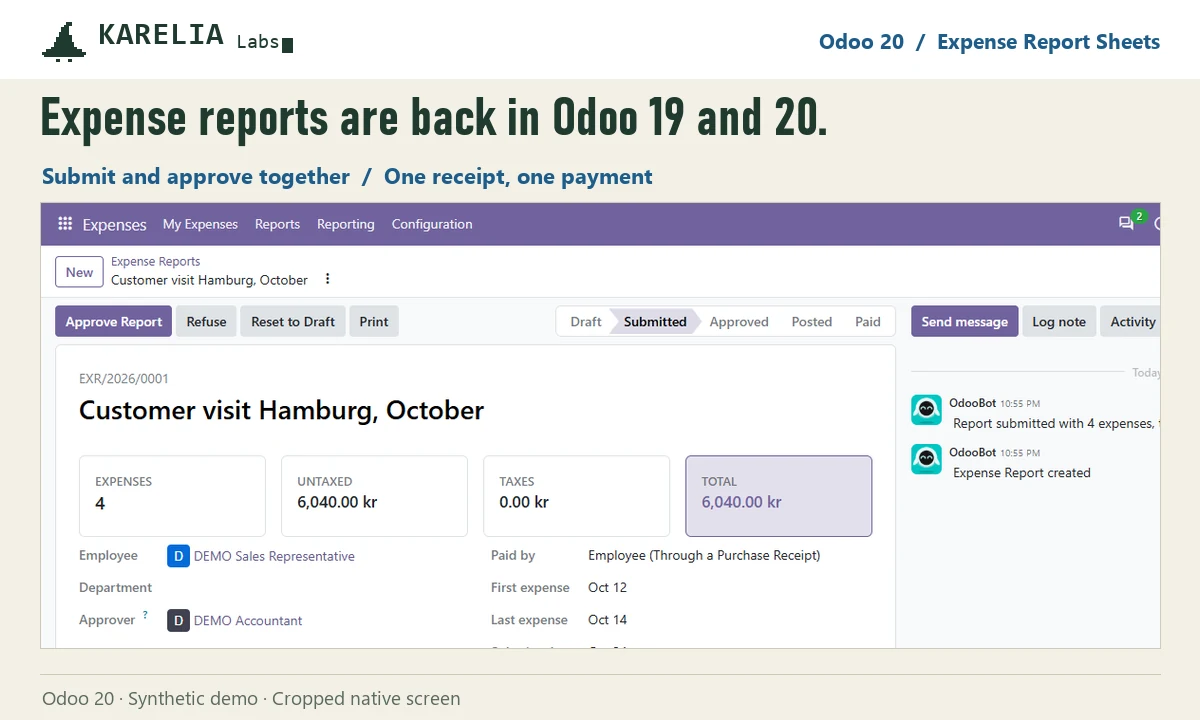
Expense Report Sheets puts the report on top of Odoo 19 and 20's own expense flow:
- Select draft expenses and click Create Report, or start a report and add expenses to it.
- Submit, approve or refuse the whole report. Odoo's own approver rules and duplicate checks run on every expense.
- Posting the report creates one journal entry, and Register Payment reimburses the employee in one go.
- Print the report with signature lines, and require receipts before submitting if you want.
- Upgraded from 18? Rebuild former reports groups expenses back into the reports they belonged to.
Odoo Online can't install custom Python add-ons; Expense Report Sheets needs Odoo.sh or your own server.
FAQ
Is there a setting to bring back expense reports in Odoo 19?
No. The report model was removed, so there is nothing to switch on. Standard Odoo only lets you act on several expenses at once from the list.
Where did the Create Report button go?
It was removed together with expense reports in Odoo 19 and is not in Odoo 20 either.
What happens to my reports from Odoo 18 after the upgrade?
Odoo keeps each expense's former report number. Expense Report Sheets can rebuild the reports from it, with their old names when the old table survived the upgrade.
More guides
Fix Paymenter after upgrading to Pterodactyl 2.0: "api/application/nests could not be found"
Pterodactyl 2.0 removed the nest endpoints that Paymenter's built-in extension calls. Switch to a 2.0-aware extension with one command; products and services stay.
Read the guide →Solar2D and Google Play's 16 KB page size rule: find the library that fails
Apps targeting Android 15+ must support 16 KB memory pages. Check every 64-bit library in your build, find the plugin that ships each 4 KB-aligned one, and update or remove it.
Read the guide →How to add captions to WordPress videos without per-minute fees
Generate captions for a Media Library video with Whisper in your own browser, check them next to a live preview, and they appear in the core Video block with a clickable transcript.
Read the guide →