
Formwright: read archived InfoPath forms through their own templates, and convert them to PDF, Word and Excel
Records managers, compliance teams and IT staff still have to open old InfoPath forms: the filled-in forms (.xml) and the form templates (.xsn) they were made from. Without InfoPath, a form is just raw XML.
For Windows 10 (version 2004 or later) and Windows 11, 64-bit. Works offline, with no account.
- Price
- $39.99 in the Microsoft Store
- Opens
- InfoPath forms (.xml) and form templates (.xsn)
- Saves
- PDF, Word (.docx), single-file HTML, Excel (.xlsx), attachments and a CSV report
- Needs
- The Microsoft Edge WebView2 Runtime for the form preview and PDF, included in Windows 11 and most Windows 10 PCs. No InfoPath, Office or SharePoint.
- Windows
- Windows 10 version 2004 (build 19041) or later, or Windows 11, 64-bit (x64)
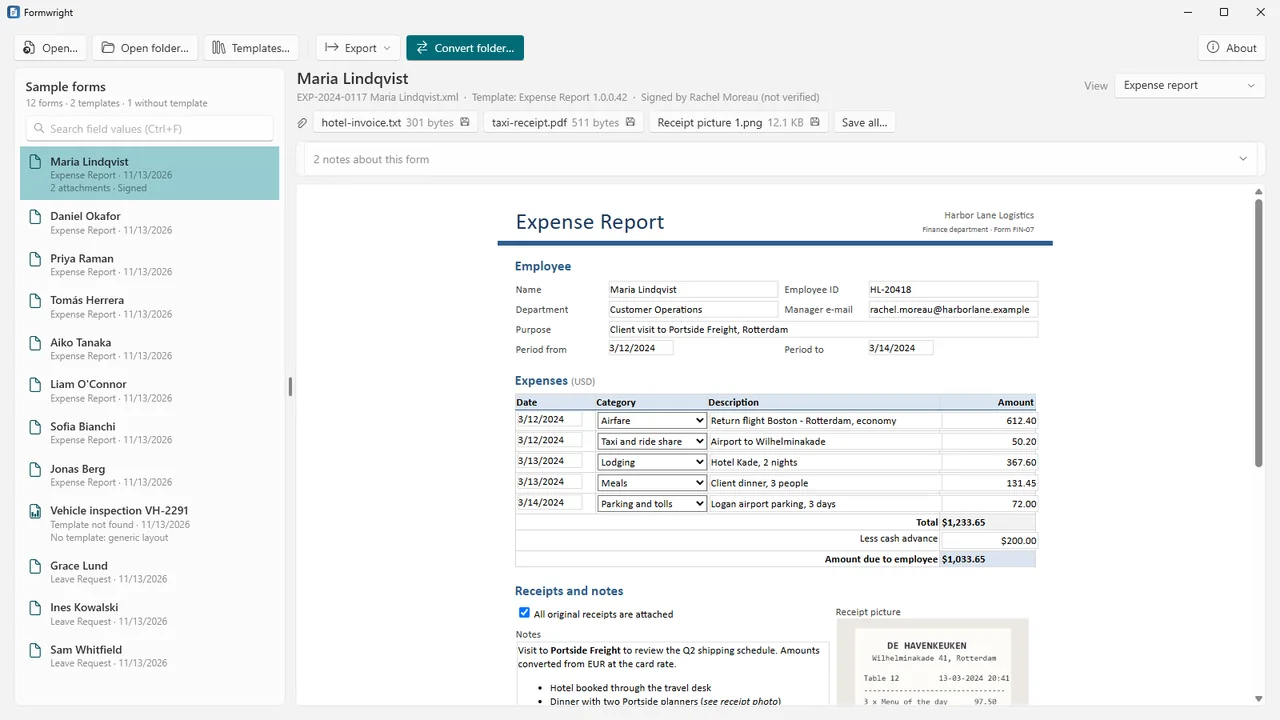
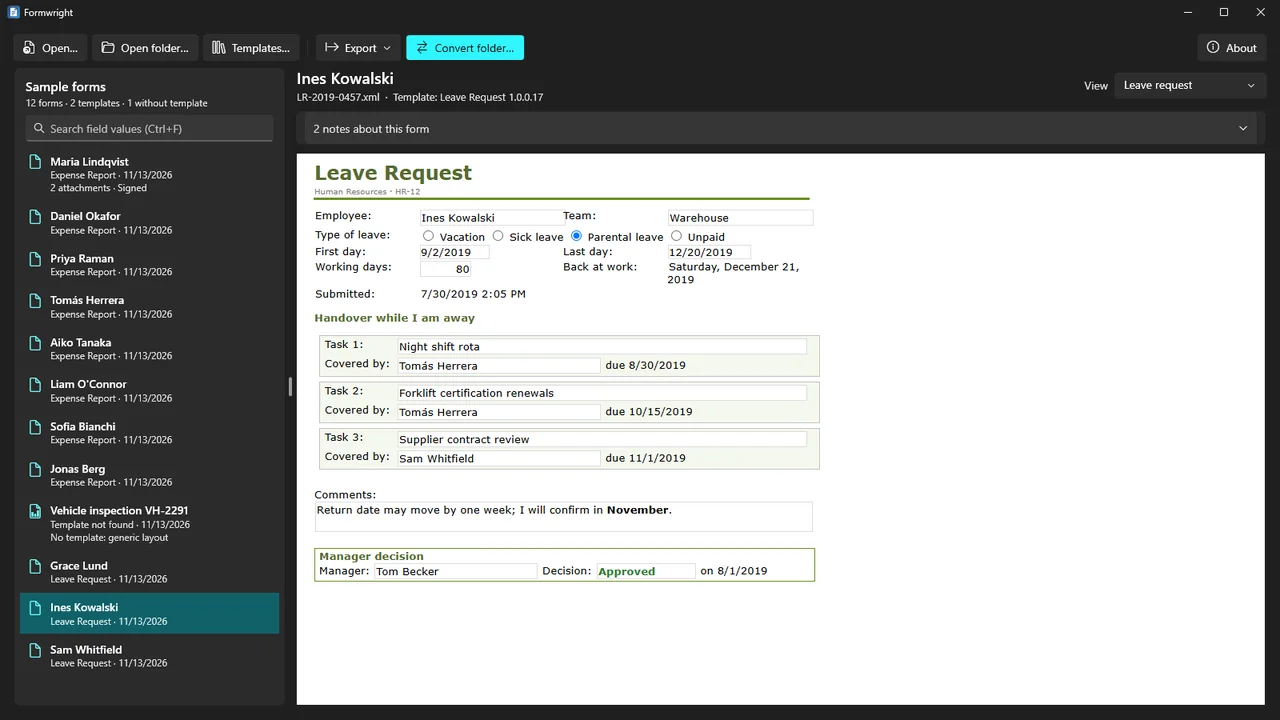
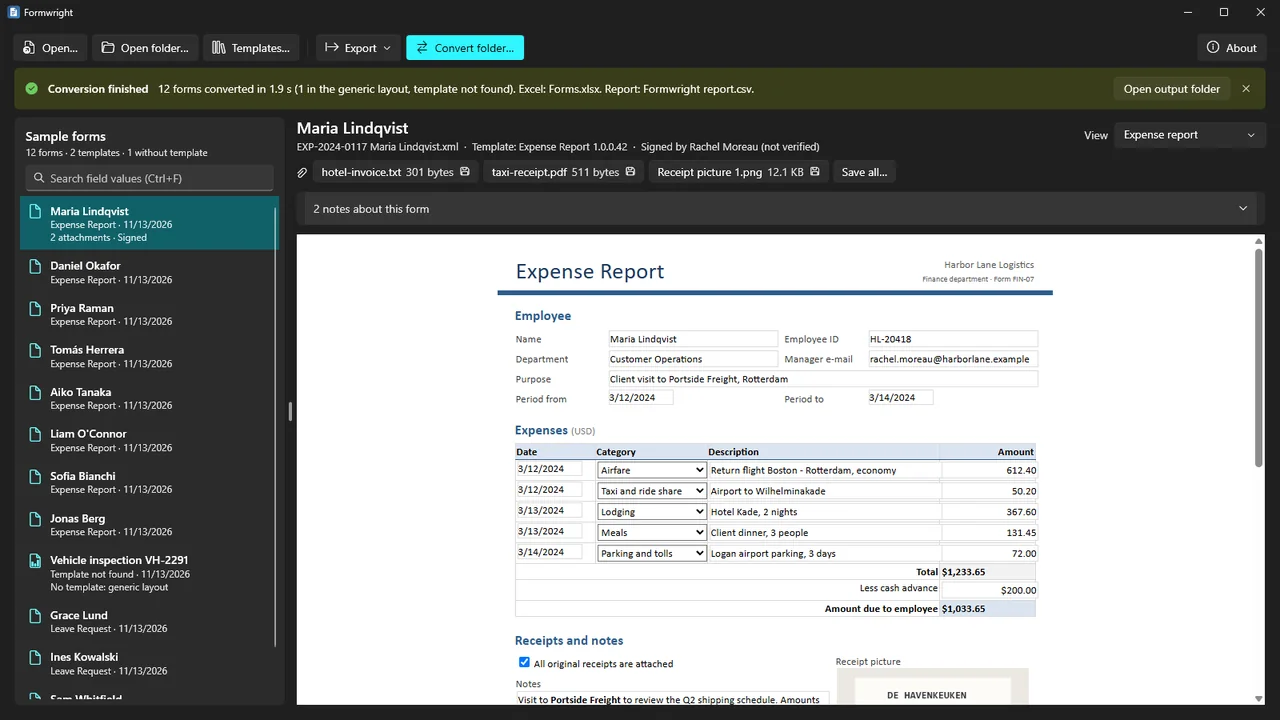
Formwright shows each form through its template's own view: the template's layout, labels, tables, check boxes, option buttons, drop-down values, pictures and formatted dates, numbers and currency. No template? A generic layout still shows every field.
Convert one form or a whole folder tree to PDF, Word and single-file HTML, plus one Excel workbook, with the attachments saved as files and a report of every file. You do not need InfoPath, Office or a SharePoint server.
What Formwright does
The template's own view
Formwright supplies the functions InfoPath views call (formatting, math, dates, secondary data and pictures), so a form can be shown with its template's layout. Switch between a template's views, such as an approval summary.
Templates found for you
Forms are matched to their templates automatically. Tell Formwright once where your templates are, and it remembers.
No template, no data lost
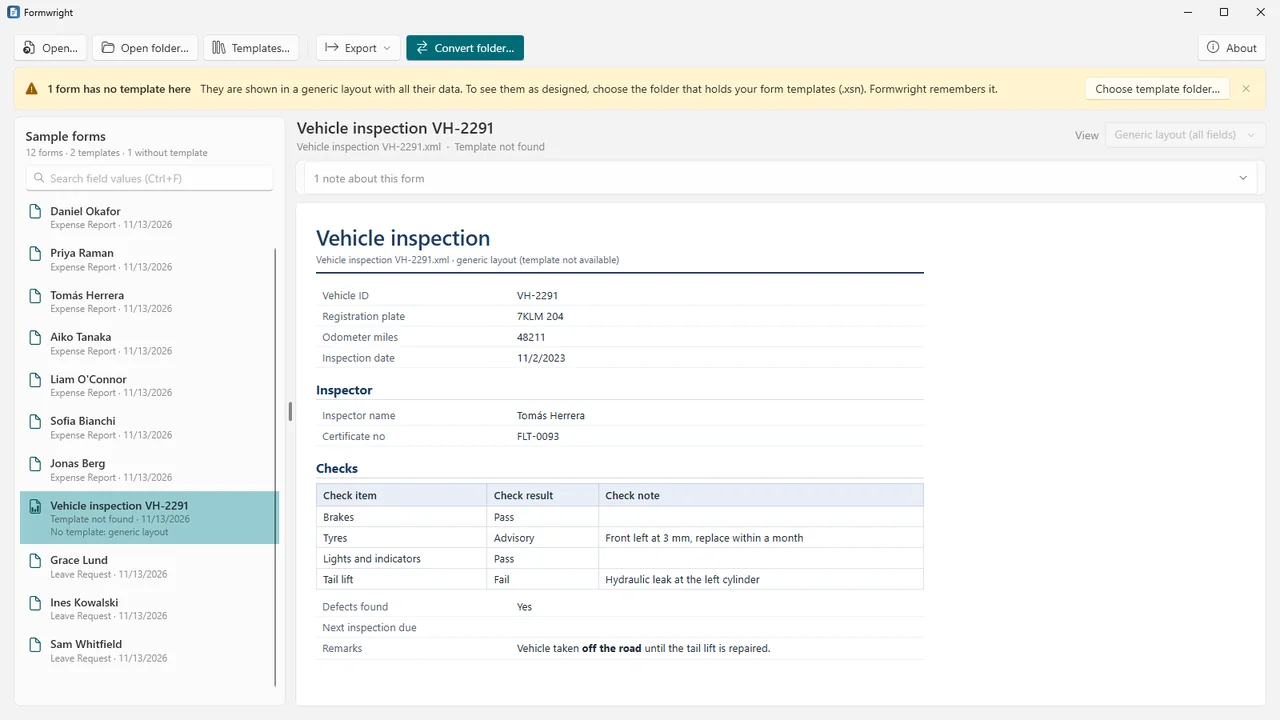
A generic layout shows every field with readable names, groups as sections and repeating groups as tables, so nothing is left out.
Attachments and pictures
Save the file attachments and pictures stored in a form, one by one or all at once.
PDF, Word, HTML and Excel
Each form as PDF, Word (.docx) or a single HTML file with its pictures inside. One Excel workbook with a row per form, and each repeating group (expense lines, tasks, attachments) on its own sheet.
Whole folder trees
Convert a folder tree with progress and Cancel. Outputs keep the subfolders, a CSV report lists every file with its template, view, result and the reason when something could not be done, and a stopped run continues where it stopped.
Search and data dictionary
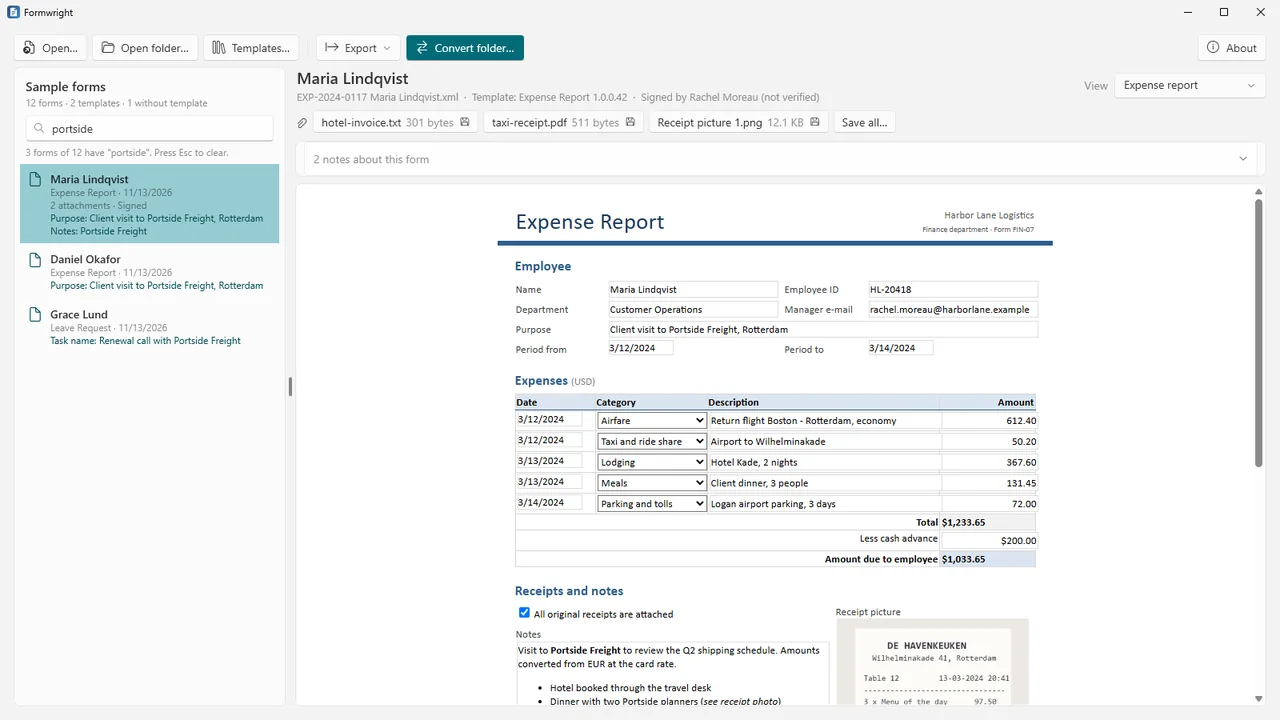
Search every form in a folder by field value, or within one field. Export a template's data dictionary (fields, types, required, repeating, control) to CSV or Excel.
Safe with old files
Formwright never runs template code or data connections and never changes your files. Form content is shown with scripts off and nothing loaded from the internet.
How it works
- Open forms or a folder. Open forms, a template or a whole folder, or drop them on the window. Tell Formwright once where your templates are.
- Read. Each form is shown through its template's view. Switch views, or switch to the generic layout.
- Convert. Convert one form, or a folder tree, to PDF, Word, HTML and Excel, with the attachments saved and a CSV report.
Screenshots
Pricing
Formwright for Windows 10 and 11, 64-bit.
Good to know
- Formwright was tested with forms and templates we made to the InfoPath file formats, because no InfoPath was available to make them. It was not tested with files saved by InfoPath itself.
- Real templates vary. When a view needs something that cannot work offline, such as template code or a data connection, Formwright says so next to the form, and you can always switch to the generic layout.
- Digital signature blocks are shown as "signed by" and "on", always marked as not verified: Formwright does not check signatures.
- The form preview and PDF need the Microsoft Edge WebView2 Runtime, included in Windows 11 and most Windows 10 PCs.
Privacy
Formwright works entirely on your PC. It does not collect, send or share any data, has no account and no telemetry, and makes no network connections. The forms and templates you open are only read; converted files are written only to the folder you choose.
The app keeps its settings (such as the template folder you chose) and a technical log of errors (file names, never file contents) in %LOCALAPPDATA%\Karelia Labs\Formwright on your PC. Uninstalling the app removes them.
Guides
FAQ
Do I need InfoPath, Office or SharePoint?
No. Formwright reads the forms and templates itself. The form preview and PDF use the Microsoft Edge WebView2 Runtime, which is included in Windows 11 and most Windows 10 PCs.
What if I do not have the template?
The form is still readable. A generic layout shows every field with readable names, groups as sections and repeating groups as tables, so no data is left out.
Can it convert a whole archive?
Yes. It converts whole folder trees with progress, Cancel and a CSV report of every file, and a stopped run continues where it stopped. Check a few of your own forms first, as templates vary.
Does Formwright run the code in my templates?
No. It never runs template code or data connections, shows form content with scripts off and loads nothing from the internet. When a view needs something that cannot work offline, it says so.
Are digital signatures checked?
No. Signature blocks are shown as signed by and on, clearly marked as not verified.
Related tools
Foliowright
See inside .pages, .numbers and .key files on Windows at once, and convert them to Word, Excel, PowerPoint or PDF with the free LibreOffice. Offline.
Inboxwright
Open Outlook .pst and .ost files without Outlook: read mail with remote content blocked, search, save attachments, export to EML, MBOX or PDF. Offline.
More from Karelia Labs
Updated