
Inboxwright: open Outlook .pst and .ost files without Outlook, read, search, save attachments and export
Old mail often sits in an Outlook data file: a .pst archive, or the .ost file Outlook kept for an account. Without Outlook you cannot read either.
For Windows 10 (version 2004 or later) and Windows 11, 64-bit. Works offline, with no account.
- Price
- $9.99 in the Microsoft Store
- Opens
- .pst files (Outlook 97–2002 and Outlook 2003 or later formats) and .ost files from Outlook 2013 and later, outlook.com accounts included
- Saves
- EML, MBOX, PDF and HTML; attachments; vCard and CSV for contacts; iCalendar (.ics) and CSV for calendars
- Needs
- No Outlook. Messages and PDF export use the Microsoft Edge WebView2 Runtime, included in Windows 11 and most Windows 10 PCs.
- Windows
- Windows 10 version 2004 (build 19041) or later, or Windows 11, 64-bit (x64). About 200 MB of disk space, plus room for exports.
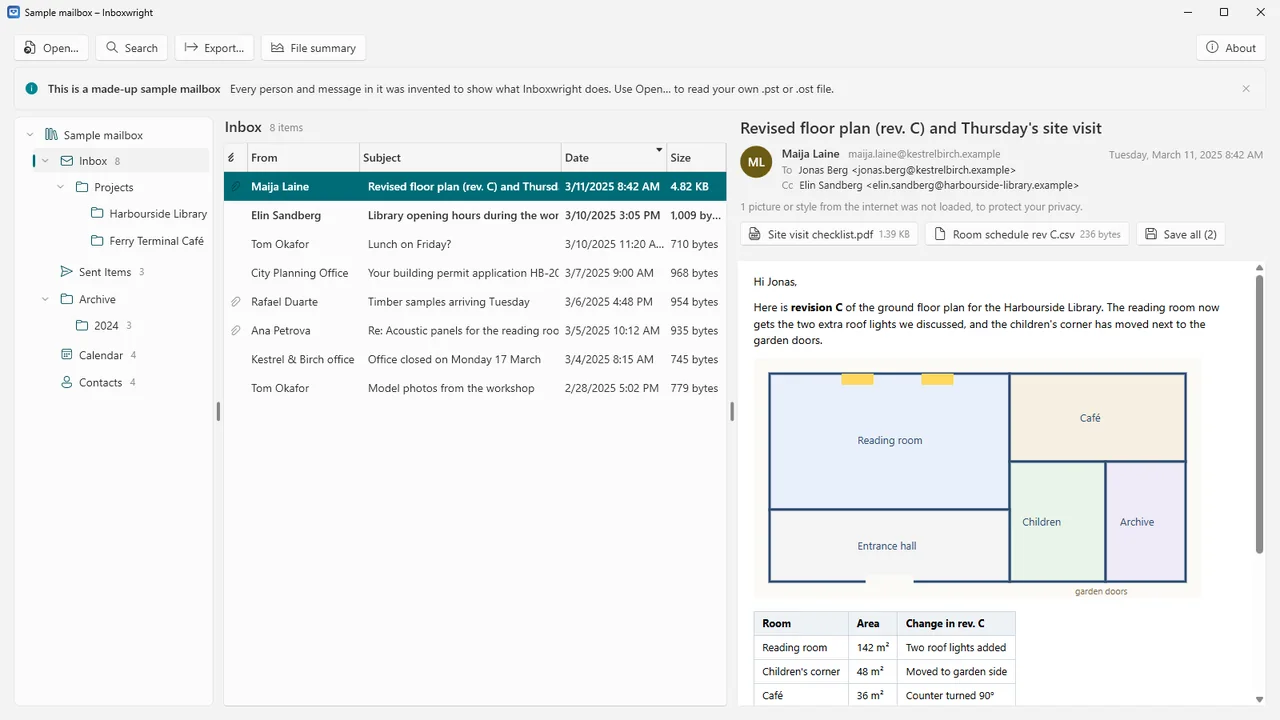
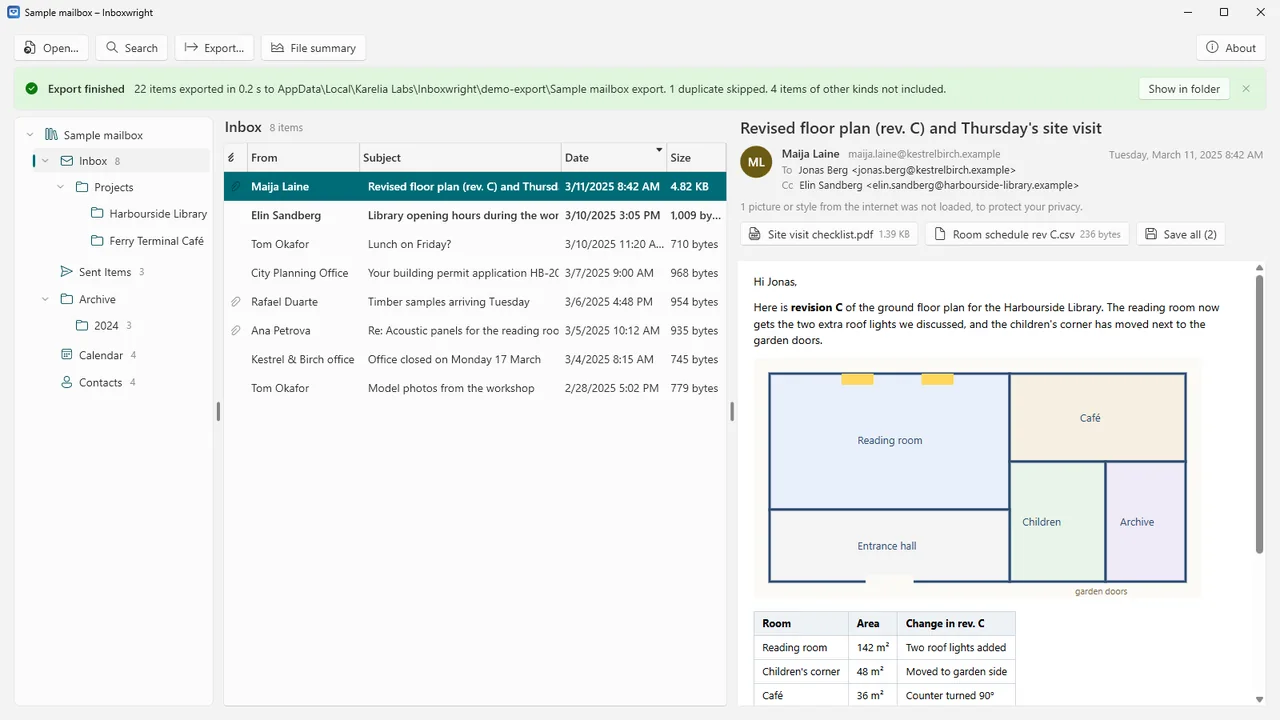
Inboxwright opens them on any Windows PC, offline: every folder with its item count, a message list and a reading pane that shows HTML, rich text and plain text messages as they were sent, with their pictures. It is made for people with an old mail archive, and for IT staff who need to recover a former employee's mail, contacts and calendar.
The data file is only read, never changed. Export messages, attachments, contacts and calendars to open formats that other programs read.
What Inboxwright does
Every folder, even lost items
Every folder with its item count, system folders included. Inboxwright also scans the file's index, so a message whose folder list is damaged still appears, marked as found by scanning.
Read it as it was sent
Folders, message list and reading pane. HTML, rich text and plain text messages, with the pictures that were sent inside them.
Remote content always blocked
Tracking pixels, remote pictures, styles and scripts are removed before a message is shown, and the viewer itself cannot reach the network. Inboxwright tells you when something was blocked.
Attachments
Open attachments, save them one by one or all at once. Attached messages open in their own window or save as .eml files. Programs and scripts attached to mail are never opened, only saved.
Search
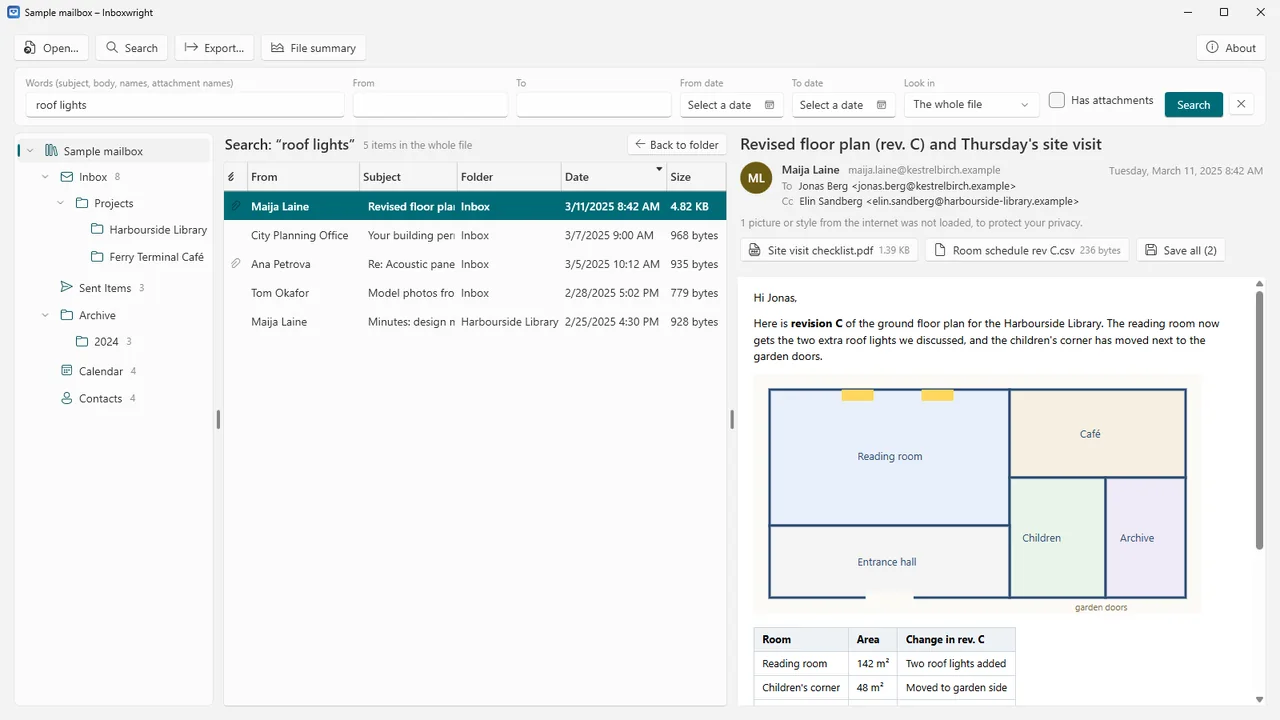
By words in the subject, text, names and attachment names, by sender, recipient and date range, and for messages with attachments: in one folder, a folder and its subfolders, or the whole file.
Export in open formats
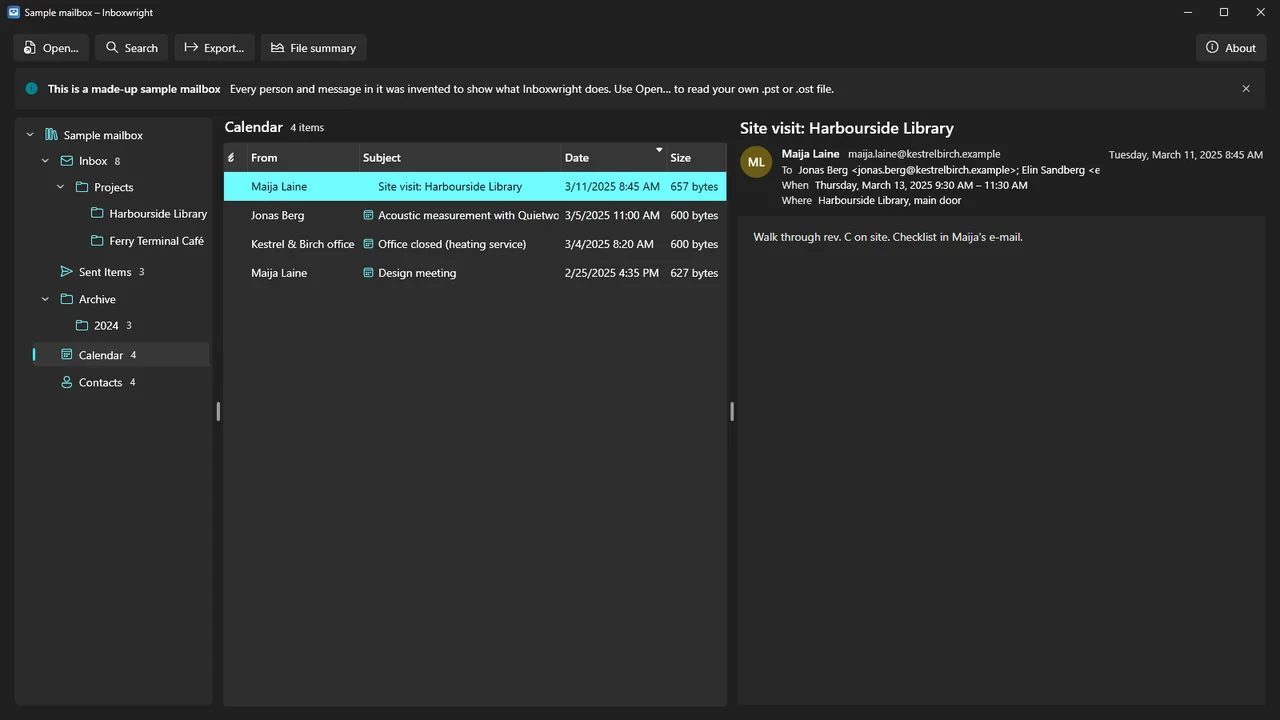
Messages as EML (with attachments and original internet headers), MBOX, PDF or HTML pages; attachments only; contacts as vCard or CSV; calendars as iCalendar (.ics) or CSV. The folder structure is kept, existing files are never overwritten, duplicates can be skipped, and every export ends with a report.
File summary
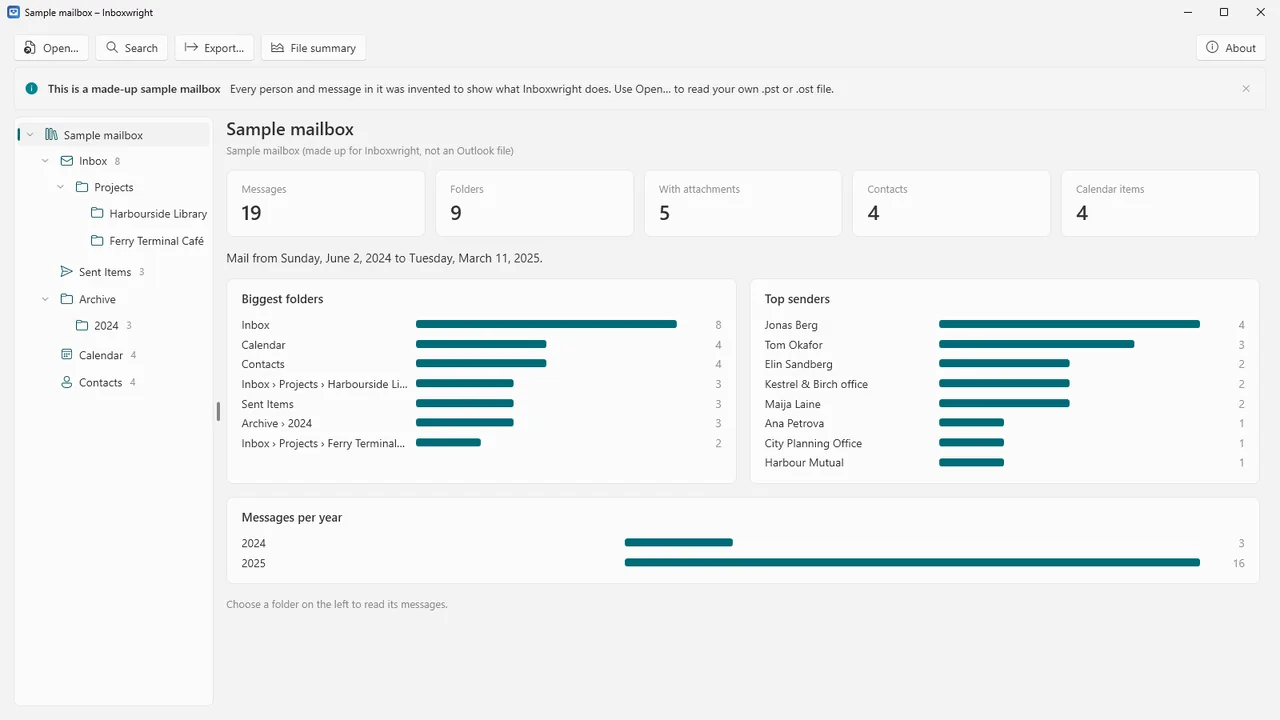
How many messages, folders, contacts and calendar items, the date range of the mail, the biggest folders, the top senders and the messages per year.
Read-only and offline
The data file is never changed, not even when another program has it open for reading. No account, no telemetry, no ads, no update check.
How it works
- Open the file. Open a .pst or .ost file, drop it on the window, or open it from the command line. Close Outlook first if Outlook is using the file.
- Read and search. Browse the folders, read messages and search the whole file.
- Export. Export the selected messages, a folder, the search results or everything, with progress, Cancel and a report.
Screenshots
Pricing
Inboxwright for Windows 10 and 11, 64-bit.
Good to know
- Tested file kinds: .pst files in the Outlook 97–2002 ("ANSI") and Outlook 2003 and later ("Unicode") formats, .ost files from Outlook 2013 and later (outlook.com accounts included), and .pst files with a password set in Outlook.
- Messages encrypted with S/MIME cannot be read without the recipient's certificate.
- Close Outlook before opening a file that Outlook is using.
- For .ost files every row of a folder's list is read from the message itself, which is slower for very large folders.
- Inboxwright reads .pst and .ost files but does not write them, so it does not turn an .ost into a .pst for Outlook.
- Messages and PDF export need the Microsoft Edge WebView2 Runtime, included in Windows 11 and most Windows 10 PCs.
Privacy
Inboxwright works entirely on your PC. It does not connect to the internet, has no account, collects no data, shows no ads and has no telemetry or update check. Mail files you open are only read; exports go only to the folder you choose.
Attachments you open are written to a temporary folder on your PC that Inboxwright empties when it closes or starts again. Inboxwright keeps a small local log of its own actions (file names and errors, never mail content) in %LOCALAPPDATA%\Karelia Labs\Inboxwright. Support e-mail: support@karelialabs.com.
Guides
FAQ
Do I need Outlook?
No. Inboxwright reads .pst and .ost files itself. Messages and PDF export use the Microsoft Edge WebView2 Runtime, included in Windows 11 and most Windows 10 PCs.
Can it open an .ost file from another PC?
Inboxwright opens .ost files from Outlook 2013 and later, outlook.com accounts included, without the account or the Outlook profile they belonged to.
Will opening the file change it?
No. The data file is only read, never changed, not even when another program has it open for reading.
Is it safe to open old mail?
Remote content is always blocked: tracking pixels, remote pictures, styles and scripts are removed before a message is shown. Programs and scripts attached to mail are never opened, only saved.
Which formats can I export to?
Messages to EML, MBOX, PDF or HTML, attachments as files, contacts to vCard or CSV, and calendars to iCalendar (.ics) or CSV, keeping the folder structure.
Related tools
Chatwright
Open the chat history you exported from Skype (.tar, messages.json or main.db) and read it like a chat, with photos. Search, statistics, PDF export. Offline.
Formwright
Open archived InfoPath forms (.xml) through their templates (.xsn) without InfoPath or SharePoint, and convert whole folders to PDF, Word and Excel. Offline.
More from Karelia Labs
Updated