
Ganttwright: open .mpp project plans without Microsoft Project, see the Gantt chart, print and export
Someone sent you a project plan made in Microsoft Project, and you do not have Project. Ganttwright opens it so you can read it: the Gantt chart, the task and resource tables and what is late.
For Windows 10 (version 2004 or later) and Windows 11, 64-bit. Works offline, with no account.
- Price
- $16.99 in the Microsoft Store
- Opens
- .mpp (Project 98 to 2019 tested), .mpx, Project XML and Primavera .xer
- Saves
- PDF, PNG, Excel workbook and CSV; prints on any printer
- Needs
- No Microsoft Project. Saving as PDF uses the Microsoft Edge WebView2 Runtime, included in Windows 11 and most Windows 10 PCs.
- Windows
- Windows 10 version 2004 (build 19041) or later, or Windows 11, 64-bit (x64). About 420 MB of disk space.
It opens .mpp files saved by Project 98, 2000–2003, 2007, 2010, 2013, 2016 and 2019 (the versions we tested), MPX files, Project XML files and Primavera XER exports. It only reads: the plan is never changed.
Save the chart as a PDF over as many pages as needed, print it, save it as a picture, or take the tables to Excel.
What Ganttwright does
The Gantt chart
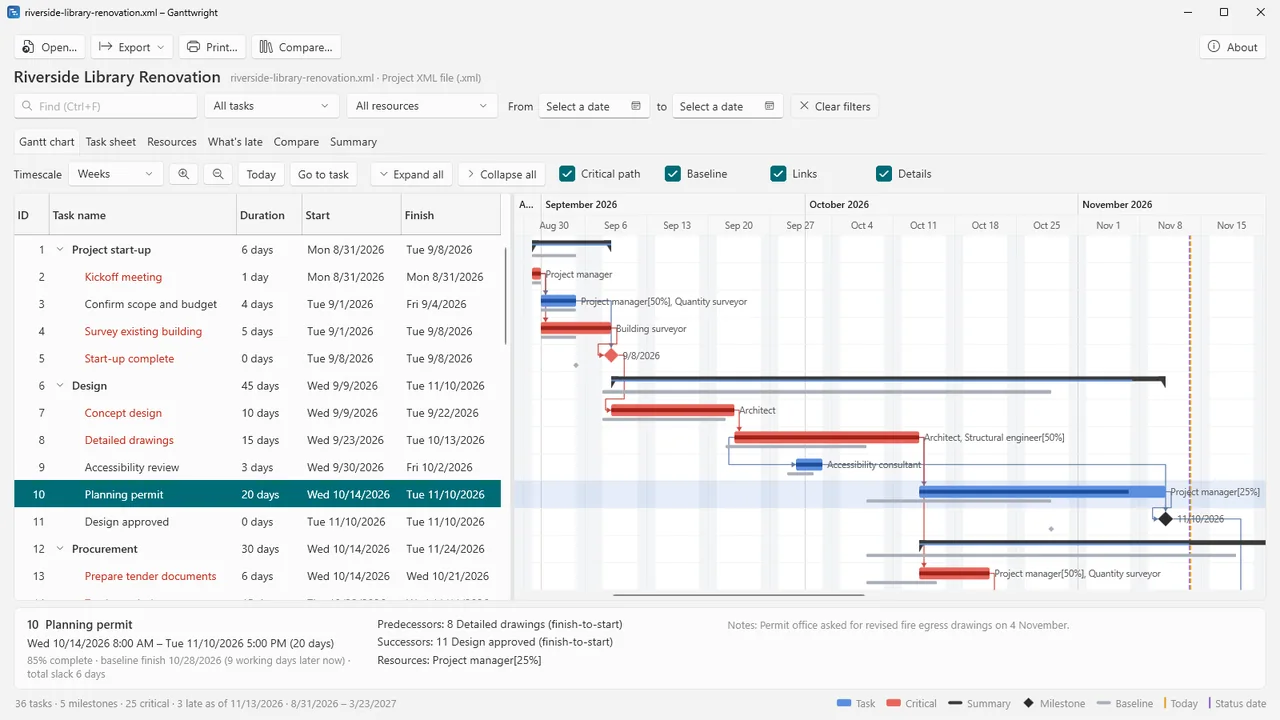
Task table and timeline side by side, with summary tasks you can expand and collapse. Summary bars, milestones, dependency arrows (finish-to-start, start-to-start, finish-to-finish, with lags), progress, baseline bars, the critical path in red, and lines for today and the plan's status date.
Large plans
A timescale from days to quarters, and smooth scrolling with large plans (checked with a generated Project XML plan of 5,000 tasks).
Every detail of a task
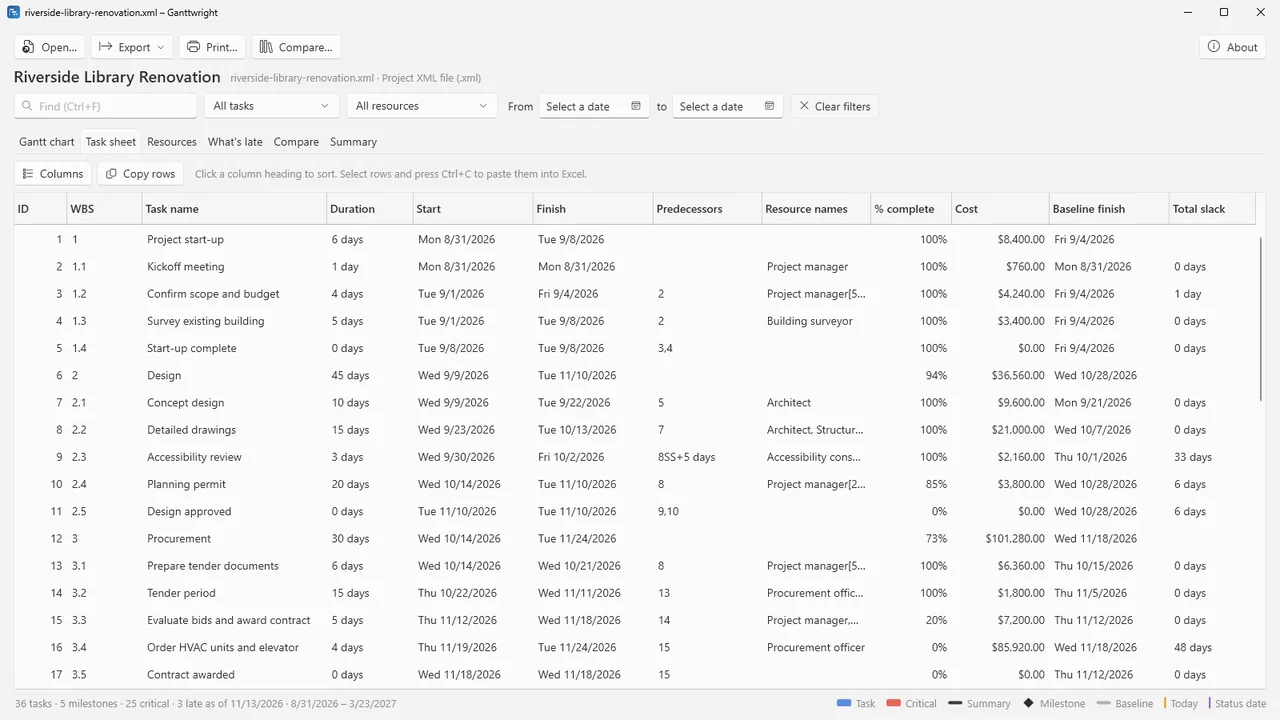
Click a task to see its dates, progress, baseline, slack, predecessors, successors, resources and notes. The task sheet has the columns you choose, sortable; the resource sheet shows type, group, rate, work and cost.
Find and filter
Find tasks by name, ID, WBS, resource or note. Show only critical, late or incomplete tasks, milestones, the tasks of one resource, or a date range.
What's late
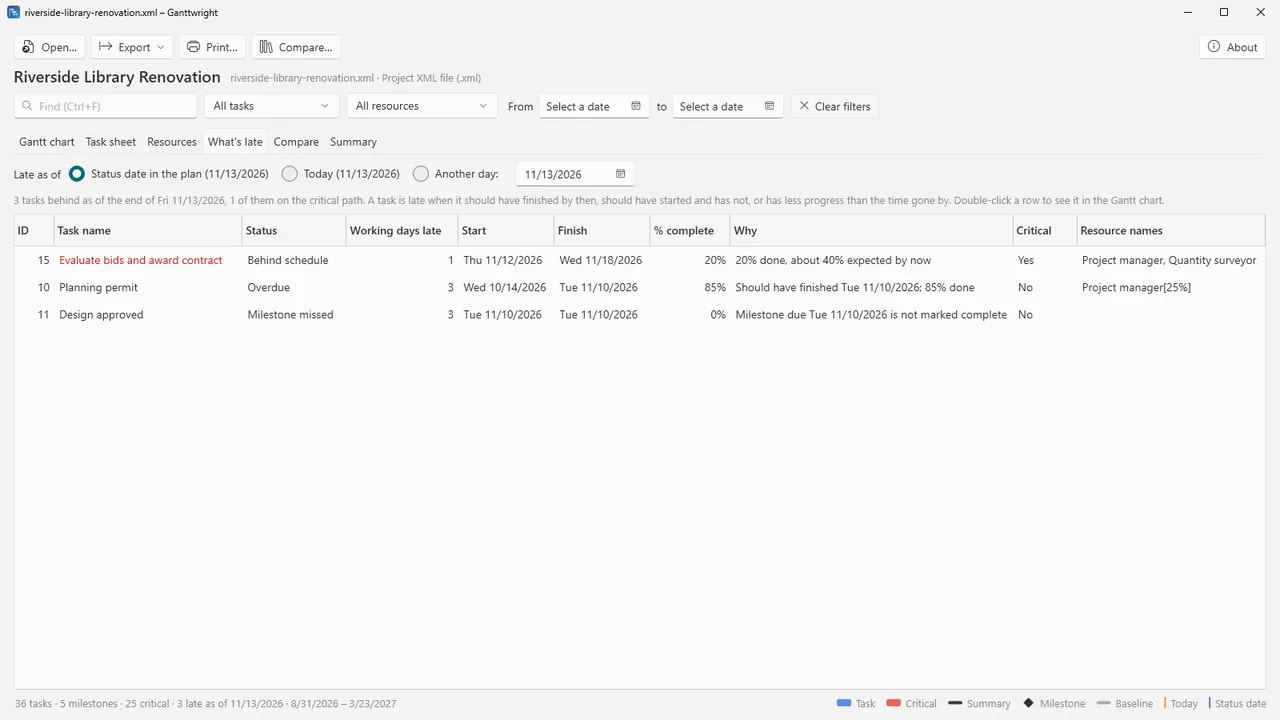
Tasks that should have finished or started by the status date, today or a day you pick, and tasks with less progress than the time gone by, each with the reason.
Compare two versions
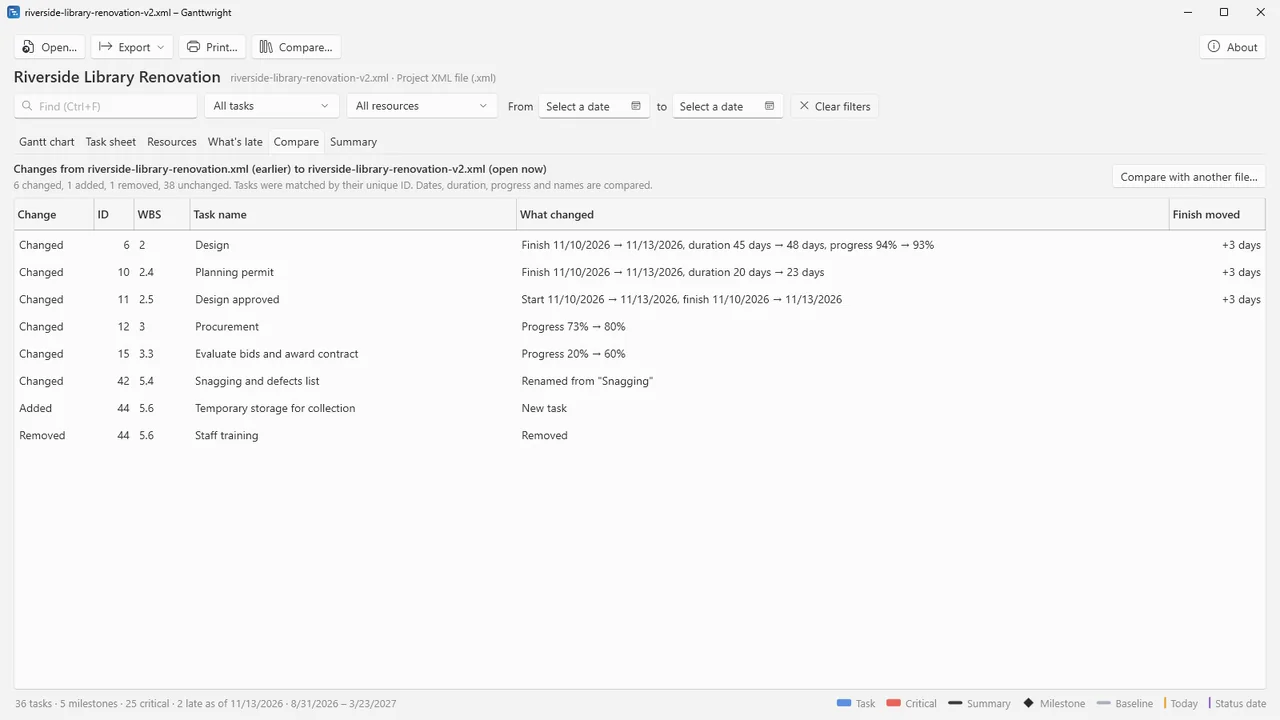
Tasks whose dates, duration, progress or name changed, and tasks added or removed.
Project summary
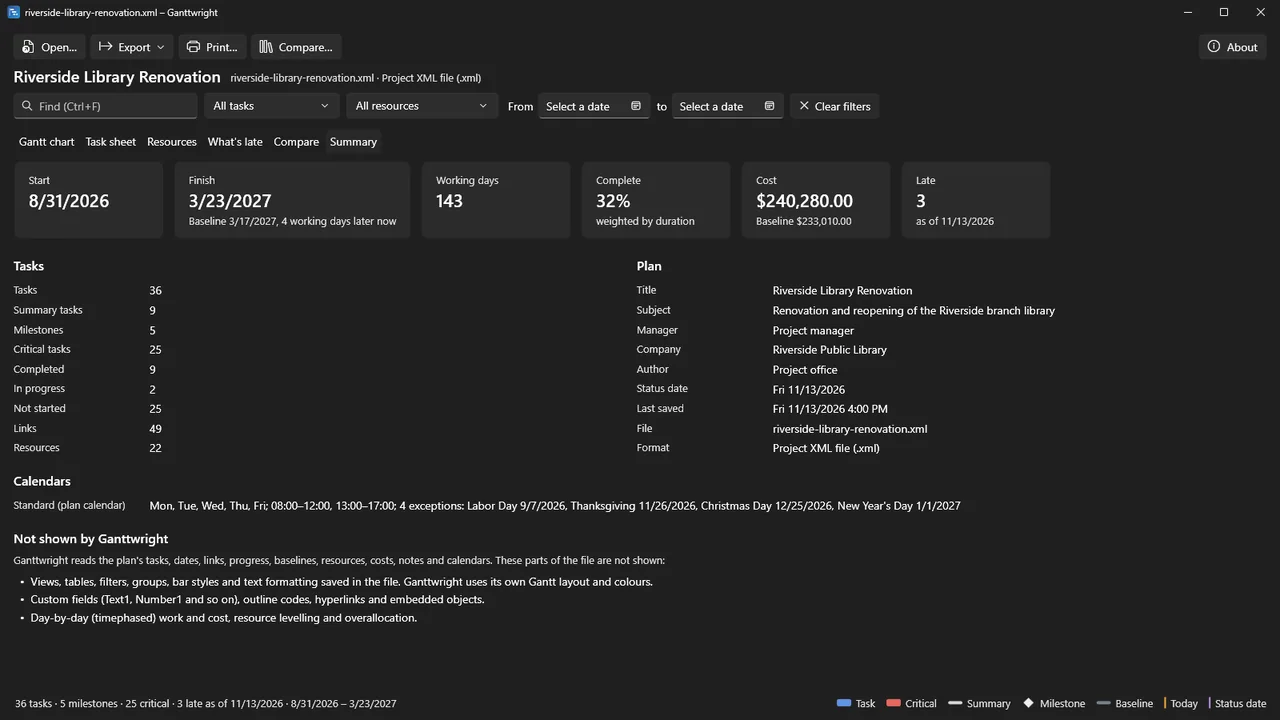
Start, finish, slip against the baseline, cost, counts, calendars and holidays.
Print and export
PDF of the Gantt chart over several pages with the title, headings, timescale and task names repeated, or fitted to the page width, on A3, A4, Letter, Legal or Tabloid. Print, save a PNG of the whole chart, or export the tasks and resources to Excel or CSV.
How it works
- Open the plan. Open an .mpp, .mpx, Project XML or .xer file, or drop it on the window.
- Read it. Expand the outline, click tasks for their details, filter by critical or late tasks, or compare two versions of the plan.
- Share it. Save the chart as PDF or PNG, print it, or export the tables to Excel or CSV.
Screenshots
Pricing
Ganttwright for Windows 10 and 11, 64-bit.
Good to know
- Ganttwright uses its own Gantt layout. It does not show the views, tables, filters, groups, bar styles and formatting saved in the file, custom fields, the gaps in split tasks, day-by-day work and cost, or the contents of inserted subprojects.
- Password-protected plans cannot be opened.
- Tested with .mpp files saved by Project 98, 2000–2003, 2007, 2010, 2013, 2016 and 2019. Files saved by Project 2021 or later, and .mpt templates, have not been tested.
- "What's late" uses the plan's default calendar, its weekly pattern and exceptions.
Privacy
Ganttwright does not collect, store or send any personal data. It makes no network connections: no telemetry, no update checks, no account. The plans you open are read on your PC and are never changed or uploaded.
Settings (such as the columns you chose) and a local error log are kept in your user profile under %LOCALAPPDATA%\Karelia Labs\Ganttwright and never leave your PC.
Guides
FAQ
Do I need Microsoft Project?
No. Ganttwright reads .mpp files itself. Saving as PDF uses the Microsoft Edge WebView2 Runtime, included in Windows 11 and most Windows 10 PCs.
Which Project versions does it open?
We tested .mpp files saved by Project 98, 2000–2003, 2007, 2010, 2013, 2016 and 2019. Files saved by Project 2021 or later have not been tested. It also opens MPX, Project XML and Primavera XER files.
Can I change the plan?
No. Ganttwright only reads; it never changes the plan.
Will it look the same as in Project?
The data is the same, but the look is Ganttwright's own Gantt layout: views, filters, groups, bar styles and formatting saved in the file are not shown.
Can I print a big Gantt chart?
Yes. The PDF spreads the chart over as many pages as needed, with the title, column headings, timescale and task names repeated on every page, or fits it to the page width.
Related tools
Tablewright
Open Parquet, CSV, TSV and JSON Lines files with millions of rows on Windows. Sort, filter, see column statistics, query with SQL and export. Offline.
Foliowright
See inside .pages, .numbers and .key files on Windows at once, and convert them to Word, Excel, PowerPoint or PDF with the free LibreOffice. Offline.
More from Karelia Labs
Updated