
Indexed Surcharges for Odoo: index-linked surcharge lines on sales quotations
Prices quoted on a diesel, electricity or steel price need a surcharge when the index moves. Indexed Surcharges keeps the index values in Odoo and adds the surcharge to the quotation as a separate line that says how it was computed.
- Odoo versions
- 16.0, 17.0, 18.0, 19.0 and 20.0
- Depends on
- Sales and Invoicing
- Tested
- Odoo Community, 26 automated tests per version and a browser walkthrough with synthetic data
- Licence
- OPL-1, one-time purchase per Odoo version
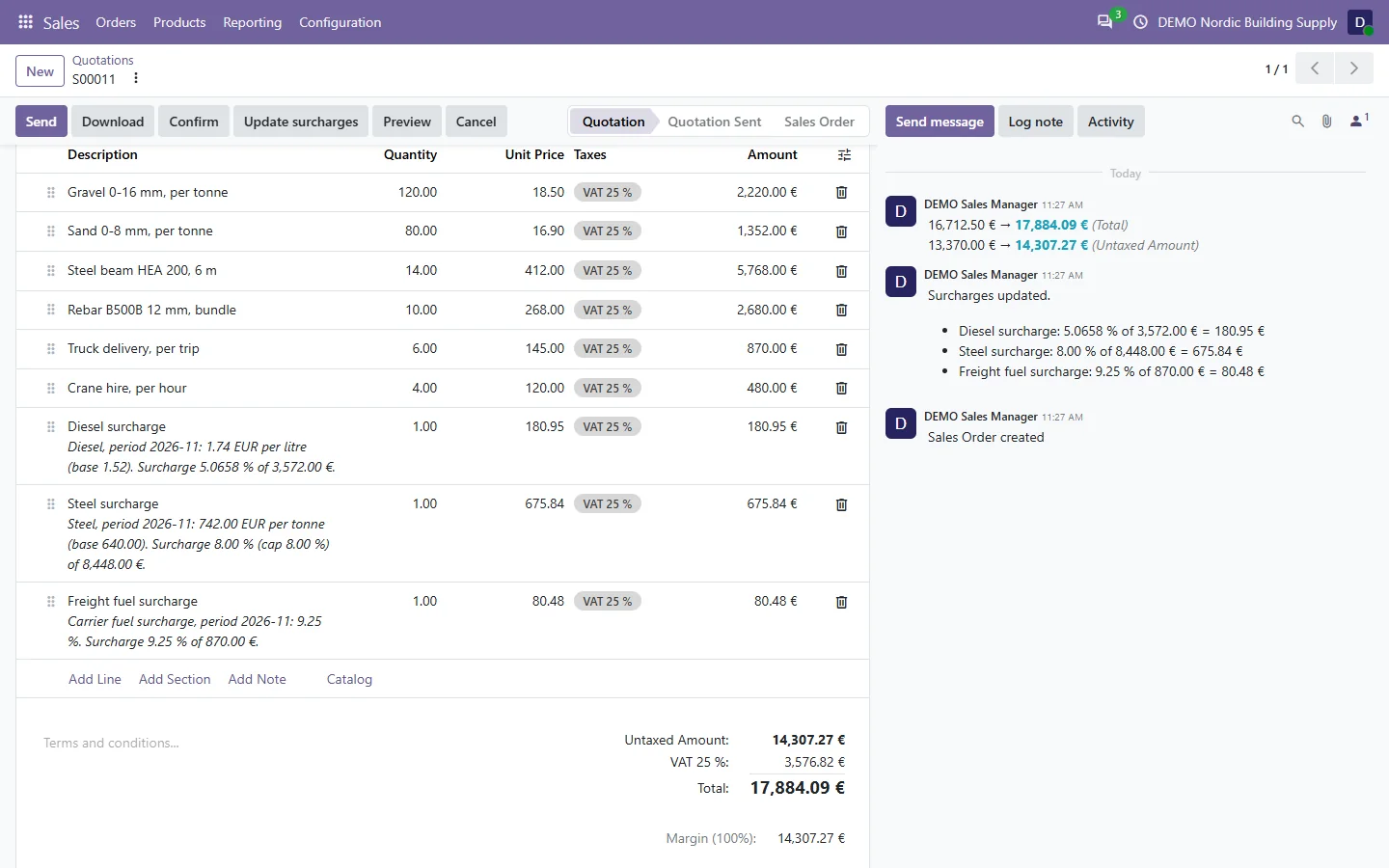
The customer sees the index, the period, the value and the percentage in the line description, so the surcharge can be explained and checked.
What Indexed Surcharges does
Indexes with dated values
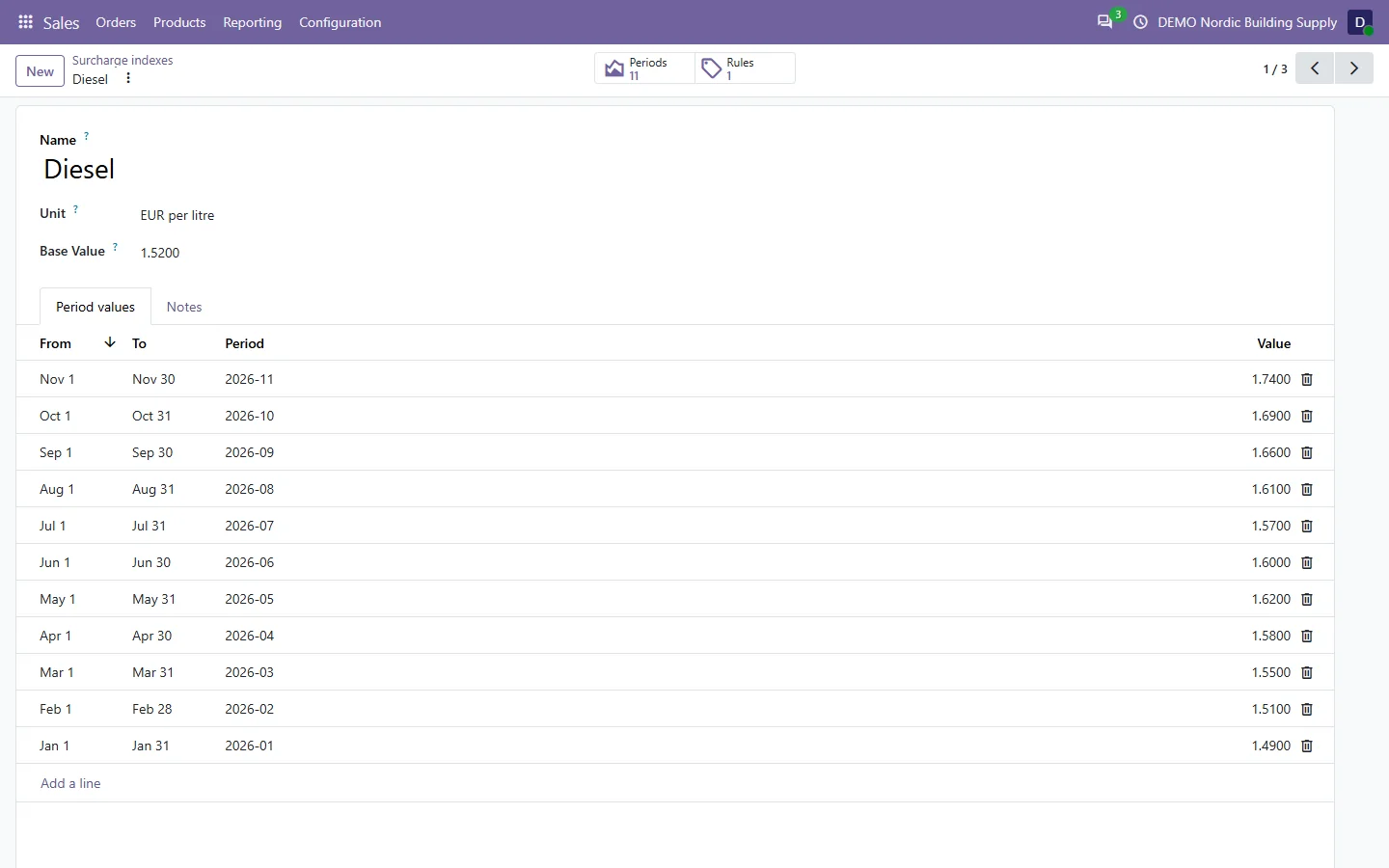
Each index has a base value and dated period values, entered by hand or with Odoo's standard import.
Rules by product, category and customer
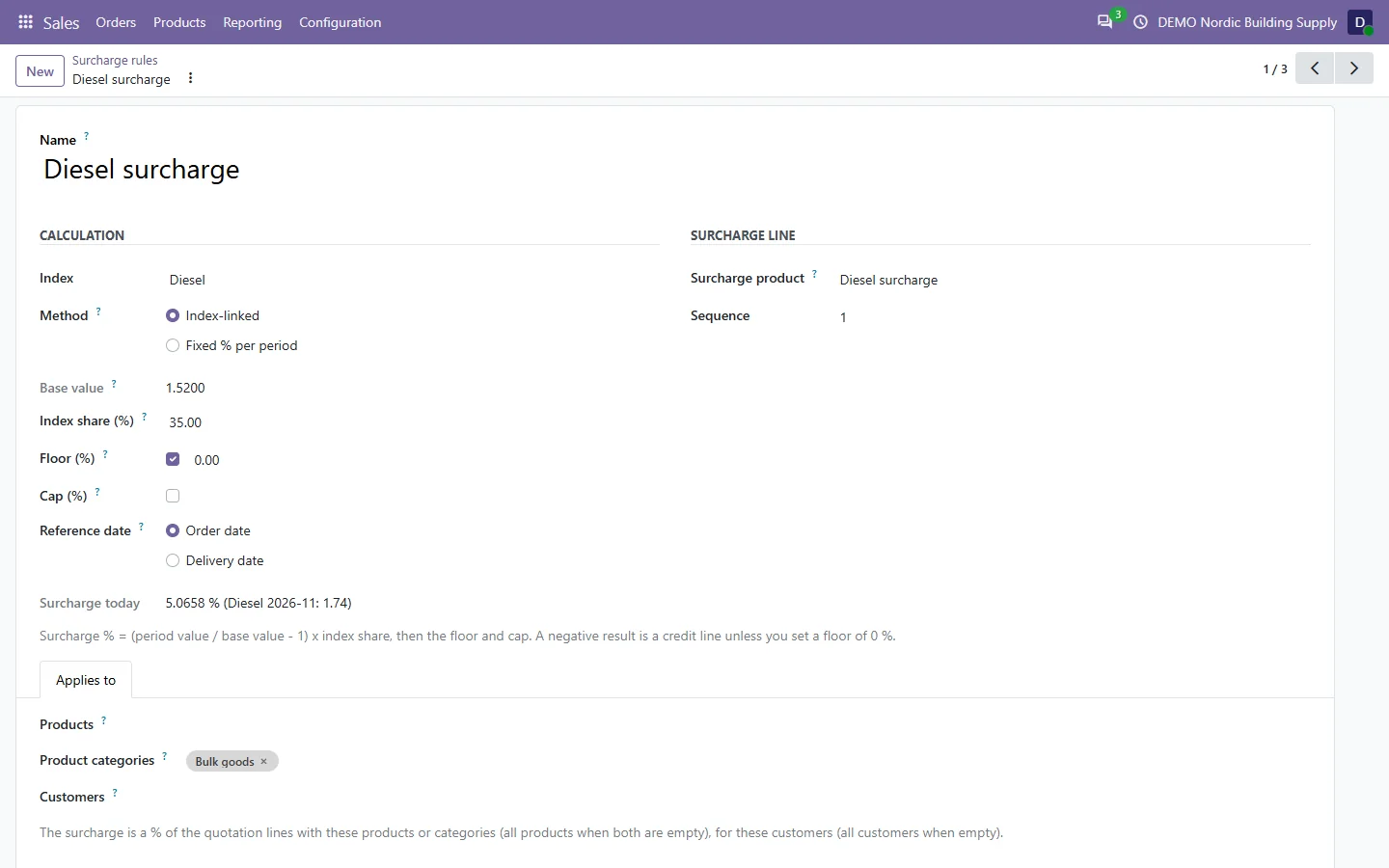
A rule names the index, the products or product category (with subcategories), the customer if it is customer-specific, and the surcharge product to use.
Index-linked or fixed per period
Surcharge % = (period value / base value - 1) x index share, or a fixed % per period taken from the index.
Floor and cap
Optional per rule. Below the base value the line is a credit, unless the floor is 0 %.
One line per rule
Update surcharges adds or updates one line per rule, in the order's currency and with the surcharge product's taxes. A missing period stops with a clear error.
Only on quotations
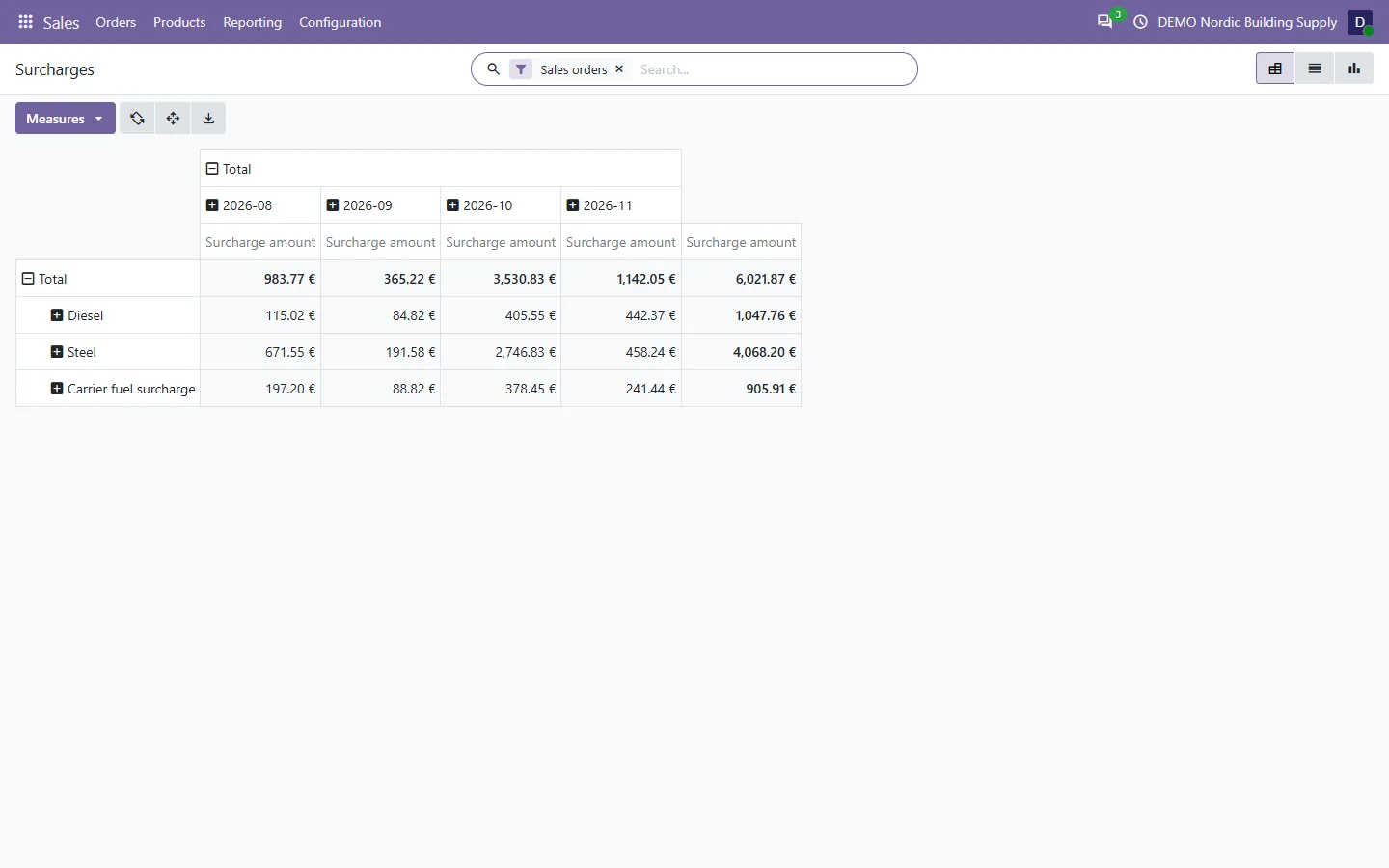
Confirmed orders are never recalculated, and invoices carry the line like any other. A report shows surcharge amounts per index and period.
How it works
- Enter the index. Create the index with its base value and add the period values as they are published.
- Add the rules. Say which products, categories and customers the index applies to, the index share, and an optional floor and cap.
- Update the quotation. Click Update surcharges on a quotation. The reference date is the order date or the delivery date, as you choose.
Screenshots
Pricing
One-time purchase per Odoo version, on Odoo Apps.
Good to know
- Not tested: Odoo Enterprise, Odoo.sh, multi-company with data in several companies, tax-included prices and partial invoicing.
- Index values are entered by hand or imported; the module does not fetch them from a statistics office.
- Confirmed orders are not recalculated when an index value changes.
FAQ
Where does the customer see how the surcharge was computed?
In the description of the surcharge line on the quotation: the index, the period, the value and the percentage.
What happens when the index falls below the base value?
The line becomes a credit, unless you set the floor to 0 %.
Does it change confirmed orders or invoices?
No. Surcharges are computed on quotations only. Invoices carry the line like any other order line.
What if a period value is missing?
Update surcharges stops with a clear error, so no quotation goes out with a wrong surcharge.
Which Odoo versions does it support?
Odoo 16, 17, 18, 19 and 20, Community. Each version is sold separately on Odoo Apps at €59 and was tested with the same 26 automated tests and a browser walkthrough.
Related tools
Pricelist by Product Tag
Odoo pricelist rules by product tag: one discount or fixed price for every tagged product in quotations, eCommerce and the Point of Sale. Odoo 16 to 20.
LateRate
Statutory late payment interest in Odoo: half-year reference rates, the fixed EU compensation once per invoice, and one draft interest invoice per customer.
More from Karelia Labs
Updated