
Karelia DateClaim for Odoo: short-dated stock claims from the original receipt
Stock that arrives with less shelf life than the supplier guaranteed can be claimed, but only with evidence and within the notice window. Karelia DateClaim builds the case from the original Odoo receipt and follows it to the supplier credit. It is built for pet-food and supplement buyers receiving lot-tracked stock under written shelf-life guarantees.
- Odoo versions
- 19.0 and 20.0
- Editions
- Community and Enterprise
- Hosting
- Odoo.sh or your own server
- Licence
- OPL-1, one-time purchase per Odoo version
What Karelia DateClaim does
Short-dated on arrival?
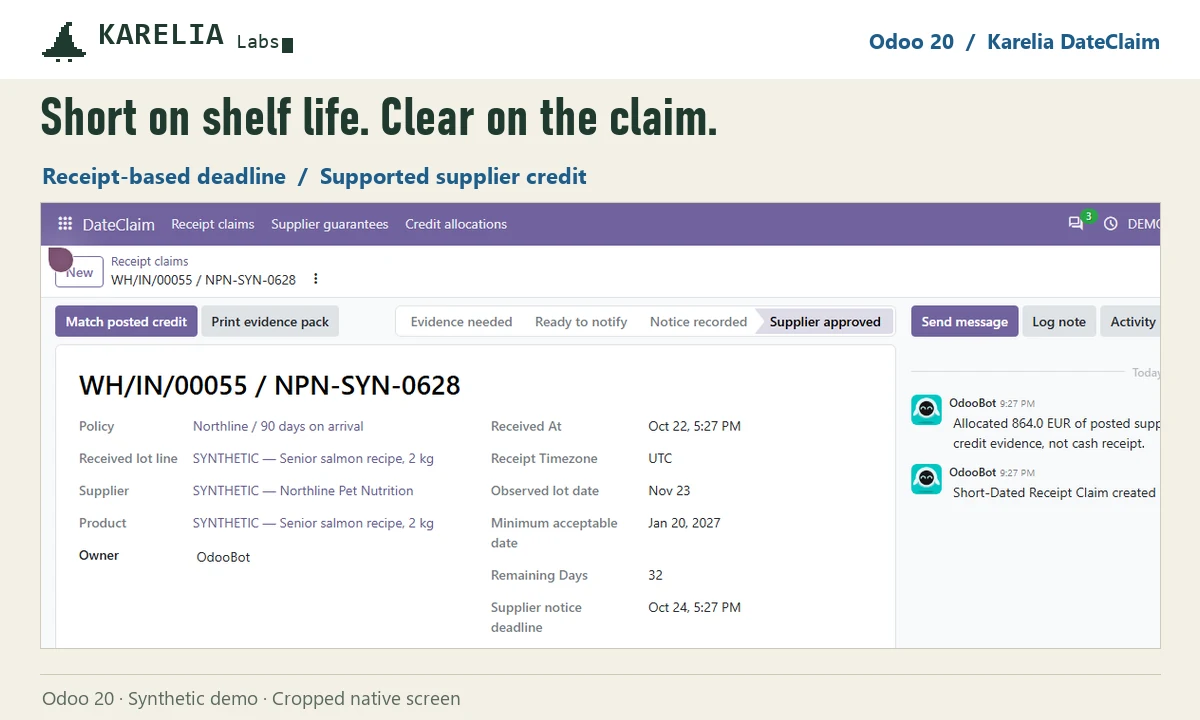
Compare the completed receipt with the lot's expiration or best-before date and the supplier's rule for that product, in calendar days or calendar months.
The right deadline
The notice window in elapsed hours starts at the receipt timestamp. Photos or documents, the supplier reference and the notice sent stay with the case.
Follow the credit
Record the supplier's decision and allocate matching posted vendor credit lines. Claimed, approved and credited amounts stay separate.
Evidence pack
Print an evidence pack for the supplier from the case.
Good to know
- It needs a completed purchase receipt, a dated lot and a matching posted vendor bill, plus a specific supplier and product shelf-life guarantee with a notice window.
- No automatic supplier email, OCR or food-safety assessment. Your team inspects the goods, sends the notice and records the decision.
- Odoo Online can't install custom Python add-ons, so it needs Odoo.sh or your own server.
FAQ
Does DateClaim replace FEFO or expiration dates?
No. Odoo keeps its normal stock and lot tracking. DateClaim handles the supplier claim when stock is already short-dated on receipt.
Are six months treated as 180 days?
No. Calendar-month and calendar-day rules are separate. Choose the one written in the supplier agreement.
Does it email the supplier or post credits?
No. Your team sends the notice through its usual process. The app matches posted credits; it doesn't post accounting entries.
Related tools
Karelia RotateGuard
Manage supplier stock rotation in Odoo: build the allowance from prior purchases, return eligible lots and track the credit for each return.
Karelia CylinderCheck
Audit monthly gas cylinder rental bills in Odoo: compare the charge with documented holdings, returns and exchanges, and track the supplier credit.
Updated 2026-10-23