
Karelia Spreadsheet: bulk edit Statamic entries in a spreadsheet, with paste from Excel and CSV
Updating a meta description on 200 pages, a price on 80 products or a tag on every post from last year means opening every entry, one at a time. Karelia Spreadsheet puts a whole collection in a spreadsheet inside the Control Panel.
- Version
- 1.0.0
- Statamic
- 6.20 or later, Core and Pro
- PHP
- 8.3 or later
- Storage
- Flat files or the Eloquent driver
- Rows per sheet
- Up to 2,000 by default (configurable)
- Price
- $49 per site, then $19 a year for updates
- Get it on
- Statamic Marketplace
Click a cell and type, paste a block from Excel or Google Sheets, drag to fill down, find and replace, or round-trip through CSV. Nothing is saved until you press Save, and then every entry is saved exactly like the publish form saves it.
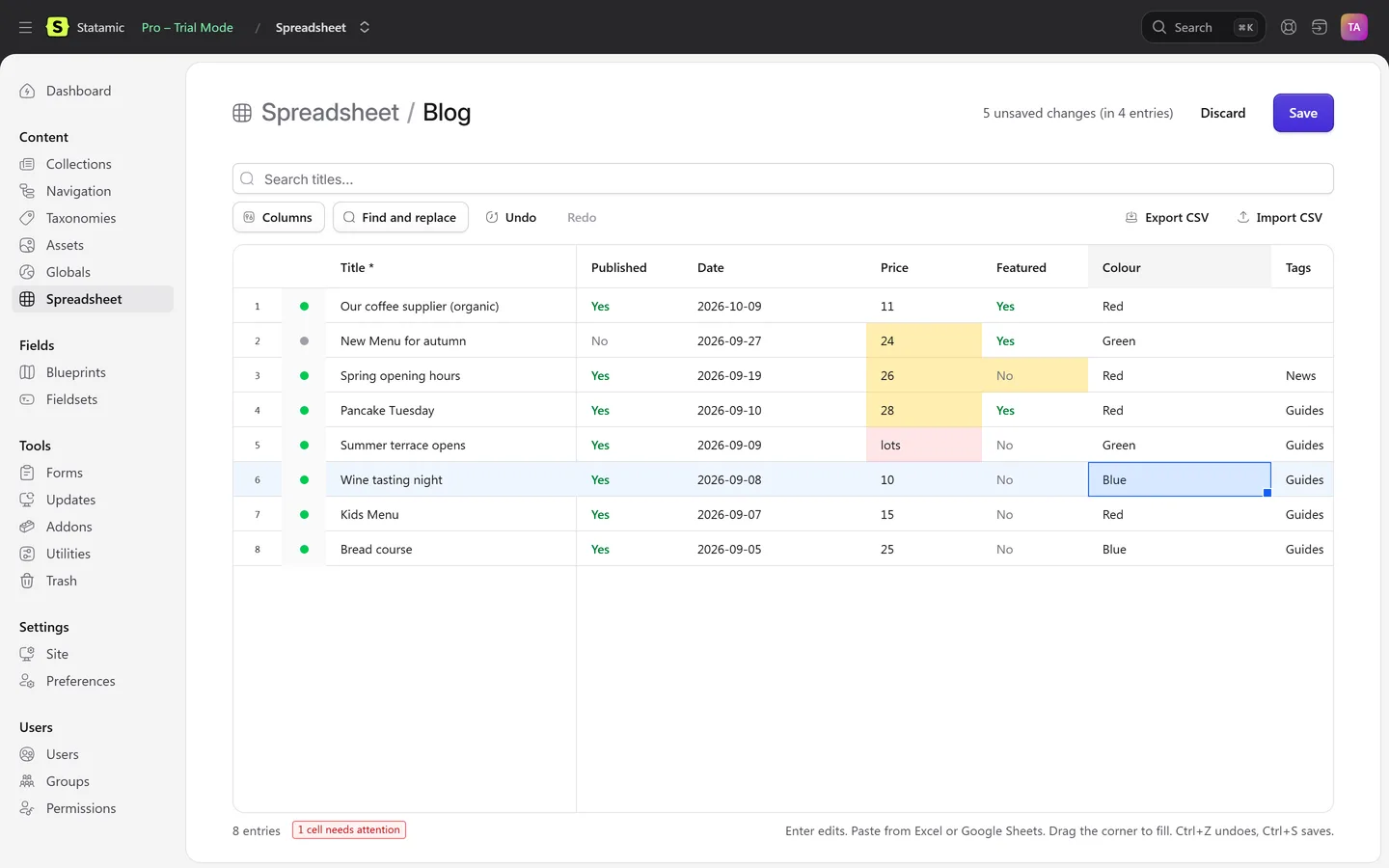
What Karelia Spreadsheet does
A real spreadsheet
Arrow keys, Enter to edit, Tab, range selection, copy and paste with Excel and Google Sheets, a fill handle, column resizing and a pinned title column.
The right editor for each field
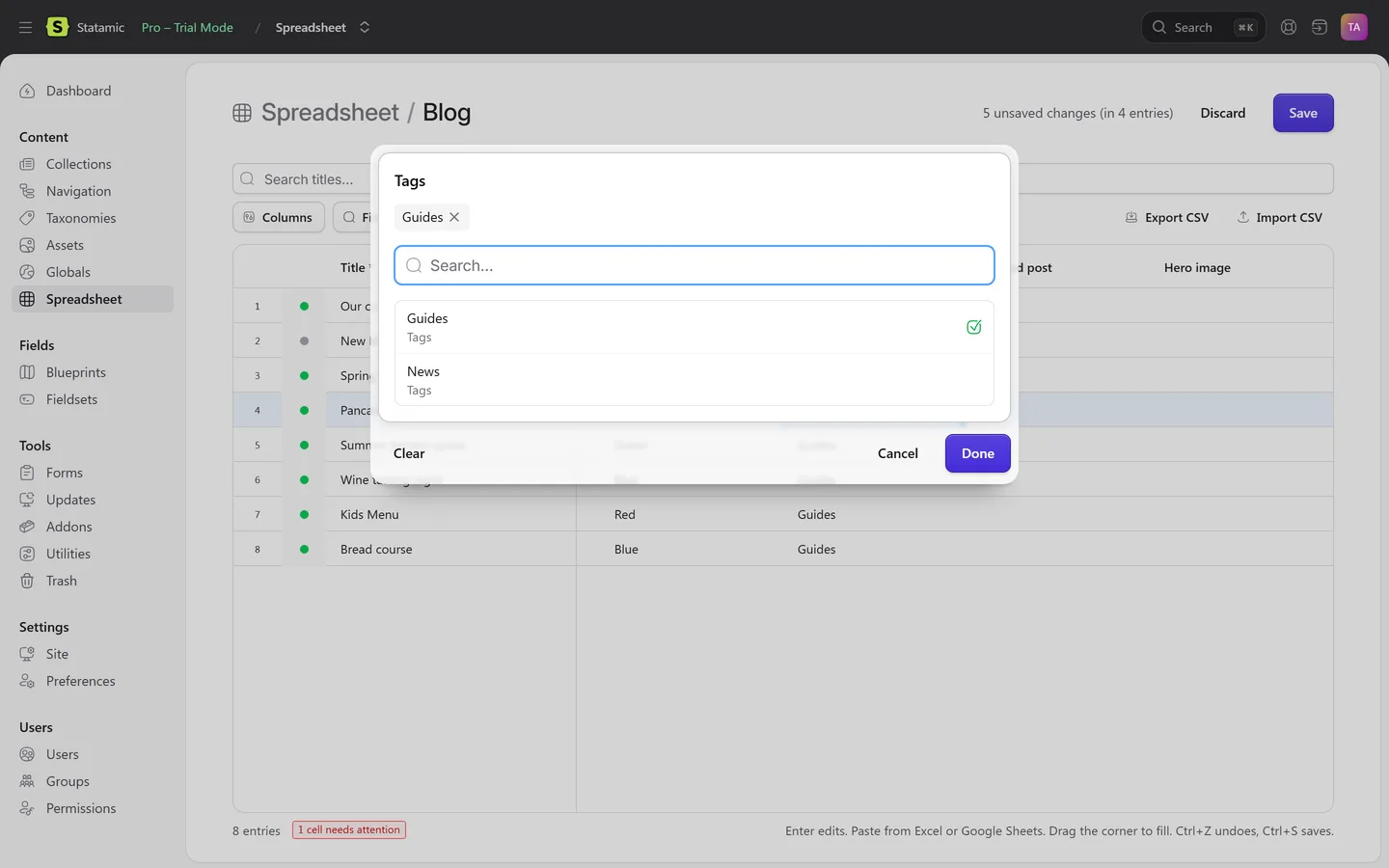
Text, textareas and Markdown, slugs, numbers, dates, toggles, select, radio, button group and checkboxes, and pickers with search for entries, terms, users and assets.
Saved the Statamic way
Each entry goes through its blueprint's validation rules, fieldtype processing, revisions (as a working copy where they are on) and last-modified tracking. Errors come back on the exact cell.
Nothing saved behind your back
Changed cells are highlighted. Values that cannot be right, like a word in a number field or an unknown tag, are marked red straight away and never sent.
Find and replace
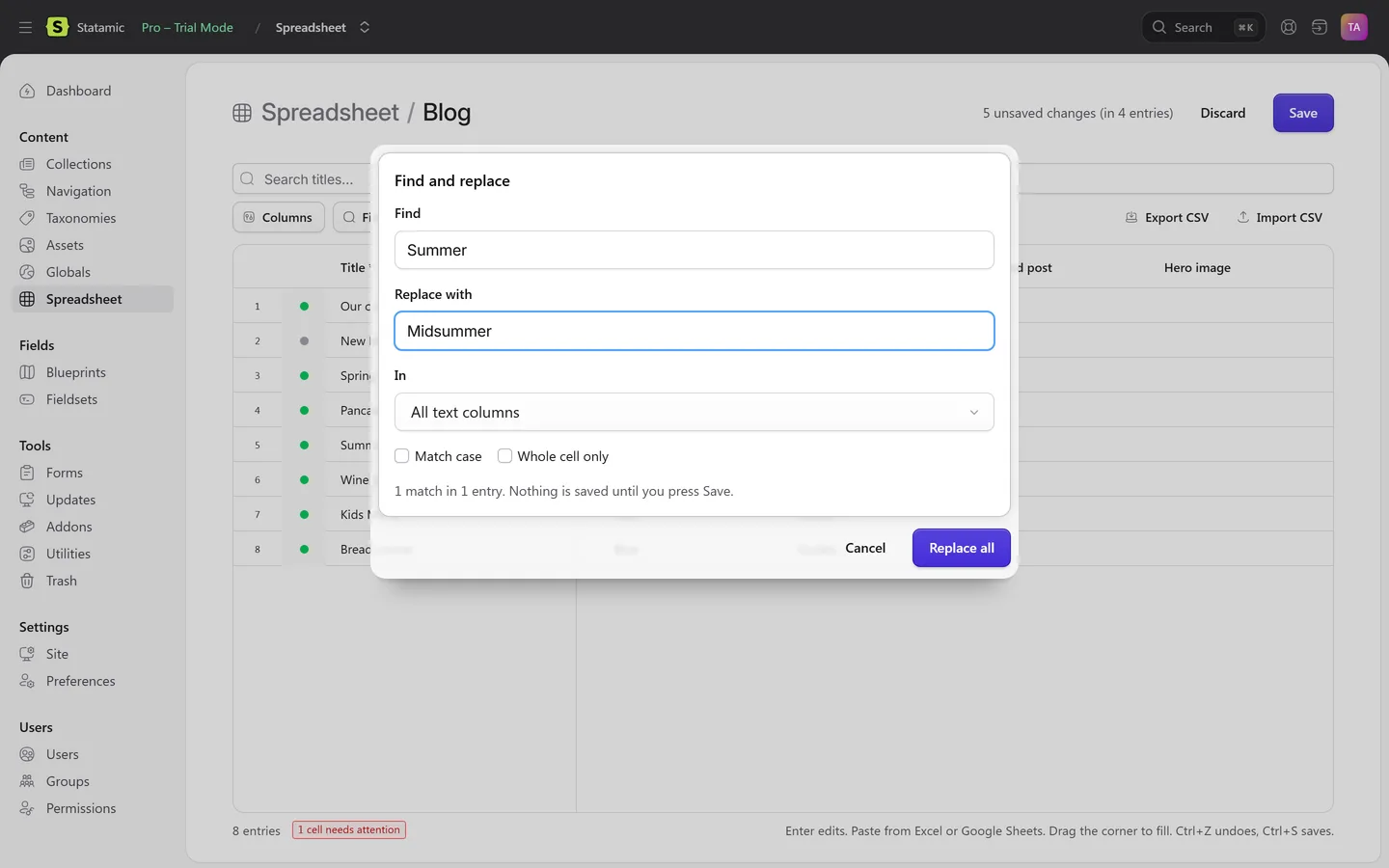
In one column or every text column, with match case, whole cell and a count first.
CSV out and in
Rows are matched by ID or slug, and imported values show up as unsaved changes you can check before saving. Cells that could run as formulas in Excel are written safely.
Undo and redo
For every edit, paste, fill, replace and import. Ctrl+S saves.
Respects permissions
A new Use the spreadsheet permission, plus Statamic's own: users only see entries they can view, change entries they can edit, and need publish rights to change the status.
Fits into Statamic
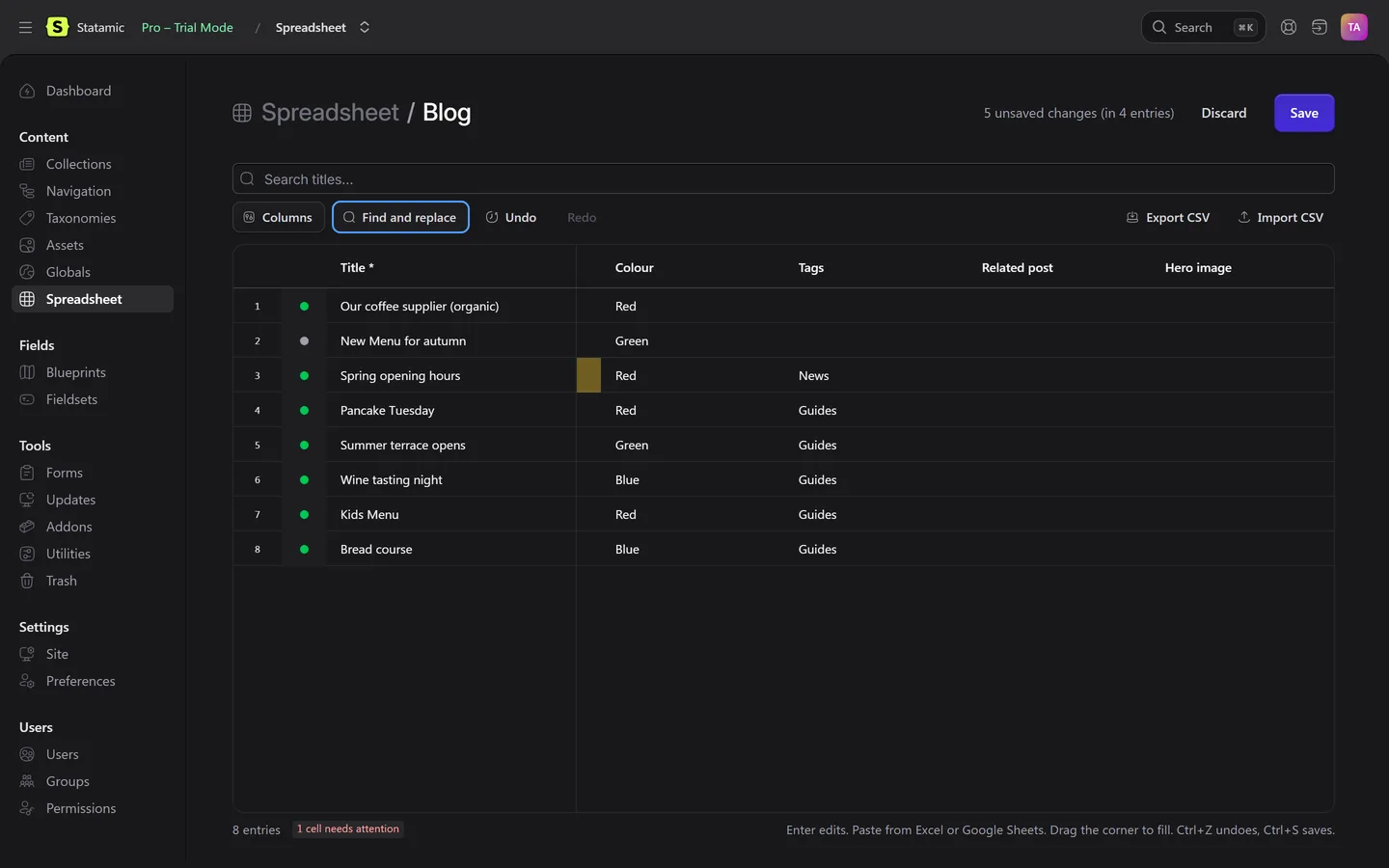
Multi-site aware, an Edit in Spreadsheet bulk action in every entry listing, dark mode, small screens and keyboard-only use.
How it works
- Install. Run
composer require karelialabs/statamic-spreadsheetin your site's folder and attach the licence to the site in your statamic.com account. - Open a sheet. Open Content → Spreadsheet and pick a collection, or select entries in any listing and choose Edit in Spreadsheet.
- Edit and save. Type, paste, fill or replace. Check the highlighted changes, then press Save.
Screenshots
Which fields you can edit in the sheet
| Field | In the spreadsheet |
|---|---|
| Text, textarea, Markdown, slug | Edit in the cell; paste and fill down |
| Integer, float, date | Checked as you type; invalid values are marked red and never sent |
| Toggle | Enter flips it |
| Select, radio, button group, checkboxes | Pick from the field's own options |
| Entries, terms, users, assets | Pickers with search |
| Bard, Replicator, Grid, Table and other nested fields | Shown read-only for reference; edit them on the entry page |
From the Karelia Spreadsheet 1.0 documentation.
Pricing
Includes a year of updates. After that, updates are $19 a year, and the addon keeps working without them. Local and staging copies of your site need no licence.
Good to know
- Bard, Replicator, Grid, Table and similar nested fields are shown read-only for reference. Edit them on the entry page.
- Field conditions are not applied in the grid; validation rules still are.
- Up to 2,000 entries per sheet by default (configurable). Search or open a selection for the rest.
- Works with Core and Pro. Roles are a Pro feature, so on Core only the super admin uses it.
Privacy
Karelia Spreadsheet runs entirely on your own server. It has no telemetry and never contacts Karelia Labs.
Edits are saved to your own content like any other save in the Control Panel. CSV export and import stay between your browser and your own site.
The grid is built on RevoGrid (MIT).
Guides
FAQ
How do I bulk edit entries in Statamic?
Statamic's bulk actions cover things like publishing and deleting, but changing a field means opening each entry. Karelia Spreadsheet opens a collection, or a selection, as a spreadsheet where you can type, paste from Excel, fill down and find and replace, then save every entry at once. The guide compares it with editing files and scripting.
Can I paste from Excel or Google Sheets?
Yes. Copy a block of cells and paste it into the sheet; values are checked against each field before anything is saved.
Does it skip my blueprint's validation?
No. Every entry is saved like the publish form saves it: validation rules, fieldtype processing, revisions and last-modified tracking. Errors come back on the exact cell.
Can I import a CSV?
Yes. Export a CSV, edit it anywhere, and import it again. Rows are matched by ID or slug and show up as unsaved changes you can check before saving.
Can editors use it, or only admins?
Super admins by default. Give other roles the Use the spreadsheet permission under Users → Roles (a Pro feature). Statamic's own view, edit and publish permissions still apply.
Does it work with multi-site and the Eloquent driver?
Yes. Switch site at the top of the sheet; fields that are not localizable are locked on translations. Flat files and the Eloquent driver both work.
Do I need a licence for local and staging sites?
No. A licence is per site; local and staging copies need none.
Is it affiliated with Statamic?
No. It is an independent addon by Karelia Labs, sold on the Statamic Marketplace.
Related tools
Updated 2026-10-20