
Karelia Trash: a trash bin for Statamic, so deleted content comes back with one click
Statamic deletes for good. An entry's revisions go with it, and on sites that keep content in a database there is no git history to fall back on. Until now, an editor who deleted the wrong page had to ask a developer to dig it out of a backup.
- Version
- 1.0.0
- Statamic
- 6.20 or later, Core and Pro
- PHP
- 8.3 or later
- Storage
- Flat files or the Eloquent driver; trash on any Laravel disk
- Price
- $39 per site, then $15 a year for updates
- Get it on
- Statamic Marketplace
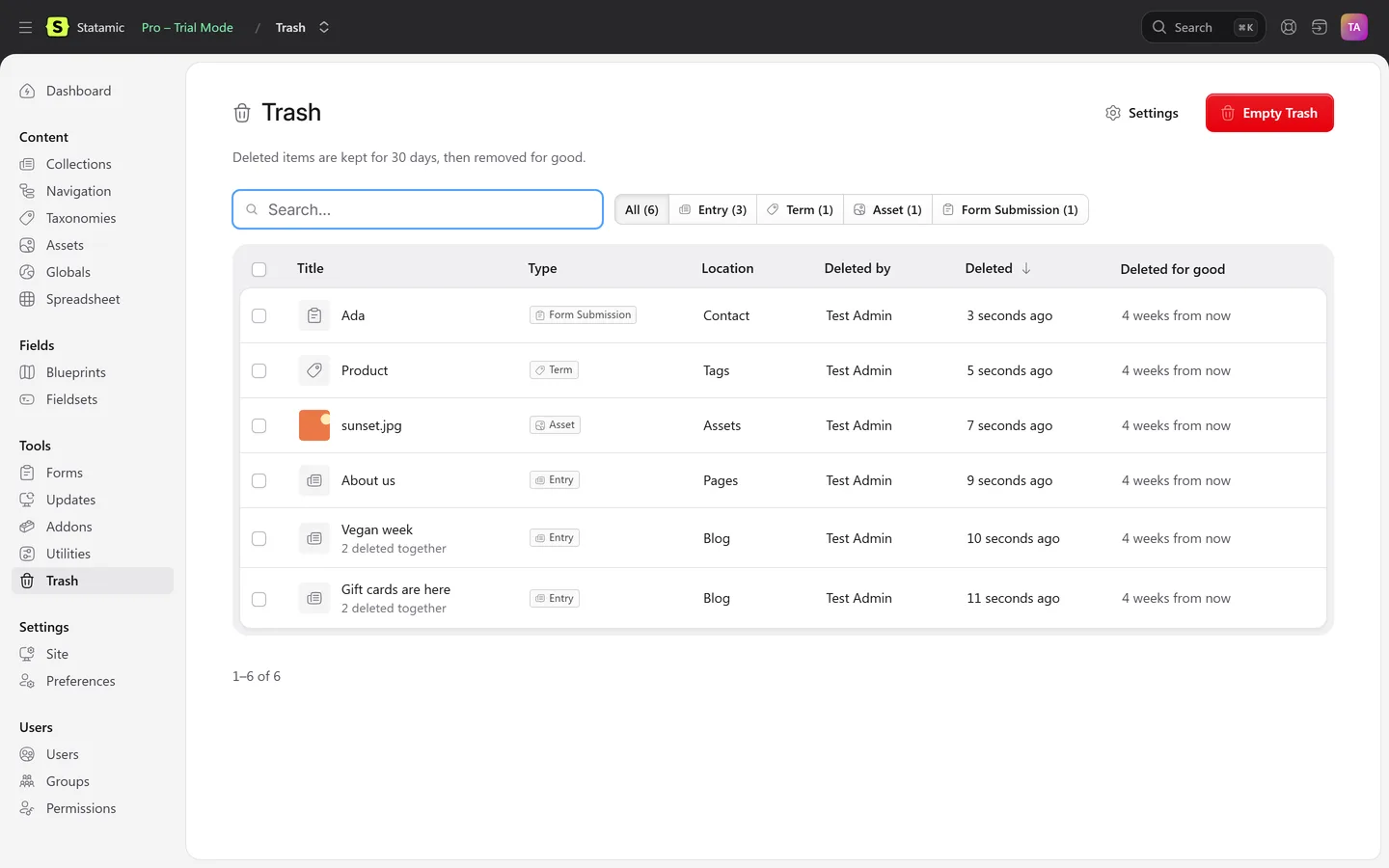
Karelia Trash keeps a copy of everything deleted in the Control Panel, in a trash under Tools. Preview it, and put it back with one click, in the same place it was.
What Karelia Trash does
Everything the Control Panel can delete
Entries with their localizations, taxonomy terms in every site, assets with the file itself, global sets, form submissions and, if you switch it on, users.
Back where it was
A page returns to the same place in the page tree, with the child pages Statamic moved up when it was deleted. Slug, date, publish state, blueprint and every field are kept.
Deleted together, restored together
An entry and its translations, or every asset in a deleted folder, come back in one go. Restoring a translation brings back its original first.
Preview before you restore
See the fields, the image or the submission, who deleted it and when.
Safe restores
Nothing is overwritten. A taken slug gets a number, a file name in use gets -restored, and you are told about both.
Statamic's own listing
Search, filter by type, sort, and bulk Restore and Delete Forever.
Keeps itself tidy
Items are removed for good after 30 days, or the period you choose. Empty Trash is there when you need it.
Permissions
Users only see items they could see before, and restoring needs the same right as creating that kind of item.
Settings, widget and commands
Settings in the Control Panel, a dashboard widget, and please trash:list, trash:restore and trash:purge.
Flat files or a database
Works with flat files and the Eloquent driver, and stores the trash on any Laravel filesystem disk, including S3 for sites with more than one server.
How it works
- Install. Run
composer require karelialabs/statamic-trashin your site's folder and attach the licence to the site in your statamic.com account. - Delete as usual. Nothing changes for editors: everything deleted in the Control Panel is kept in the trash.
- Restore. Open Tools → Trash, click an item to preview it, and choose Restore.
Screenshots
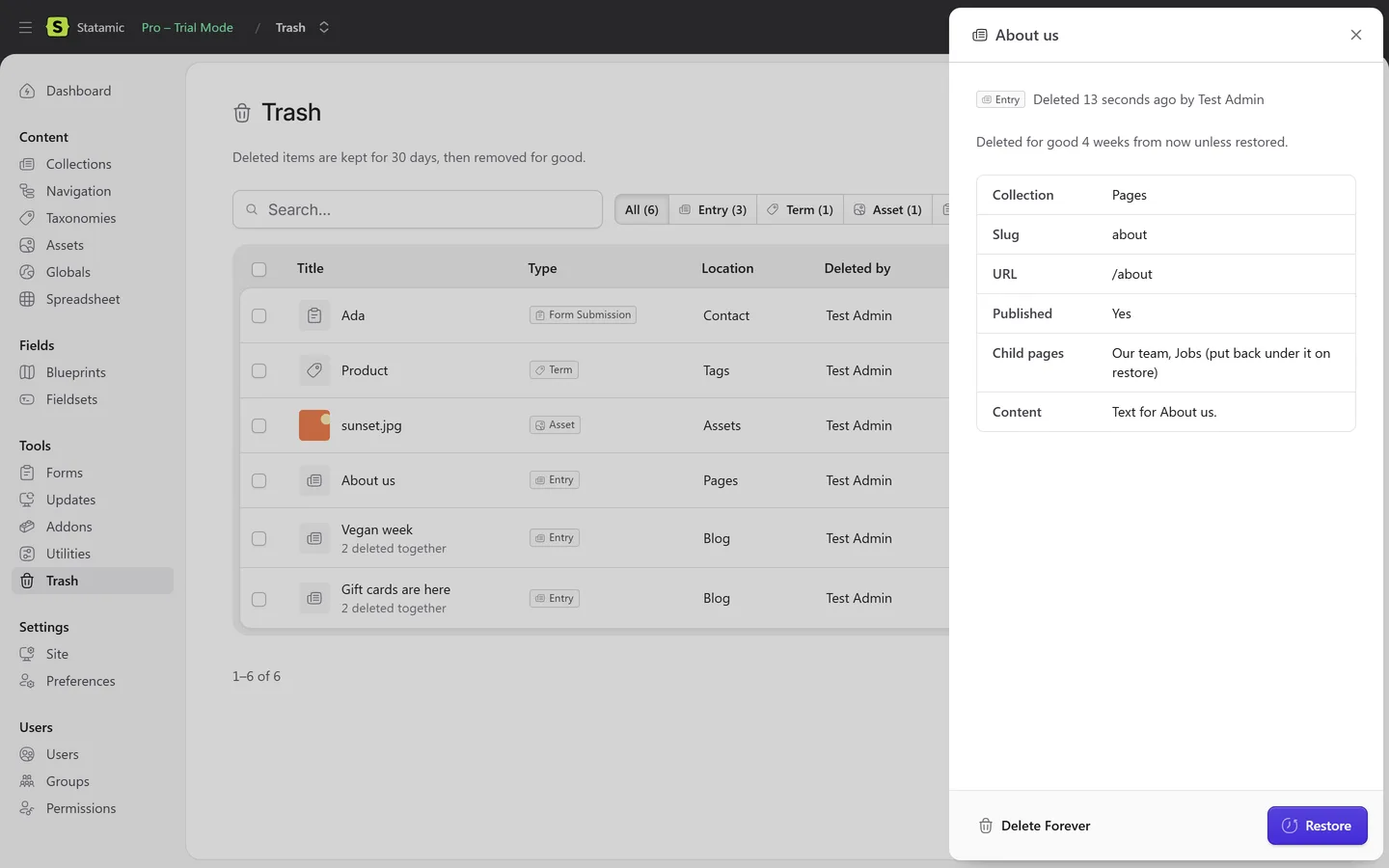
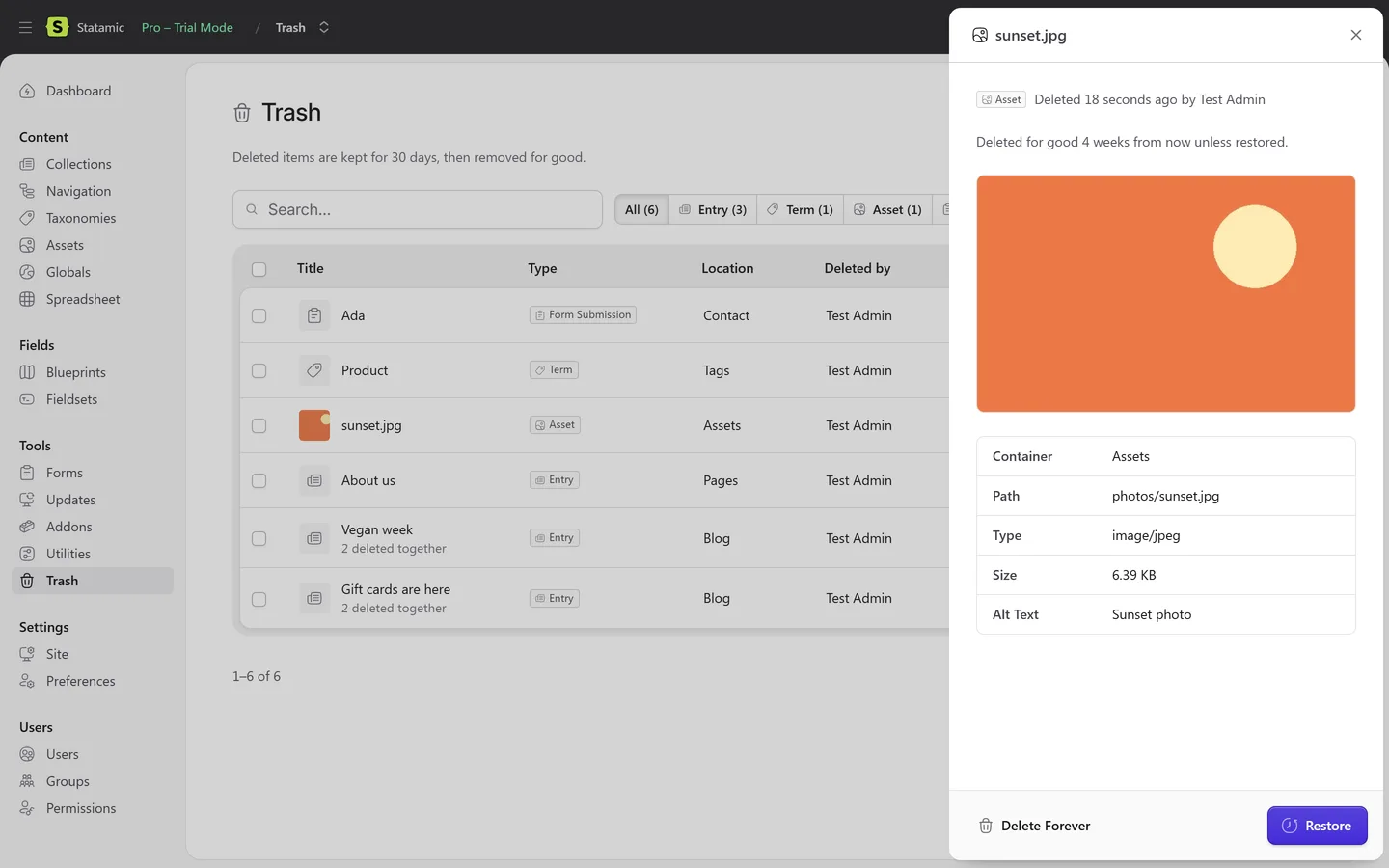
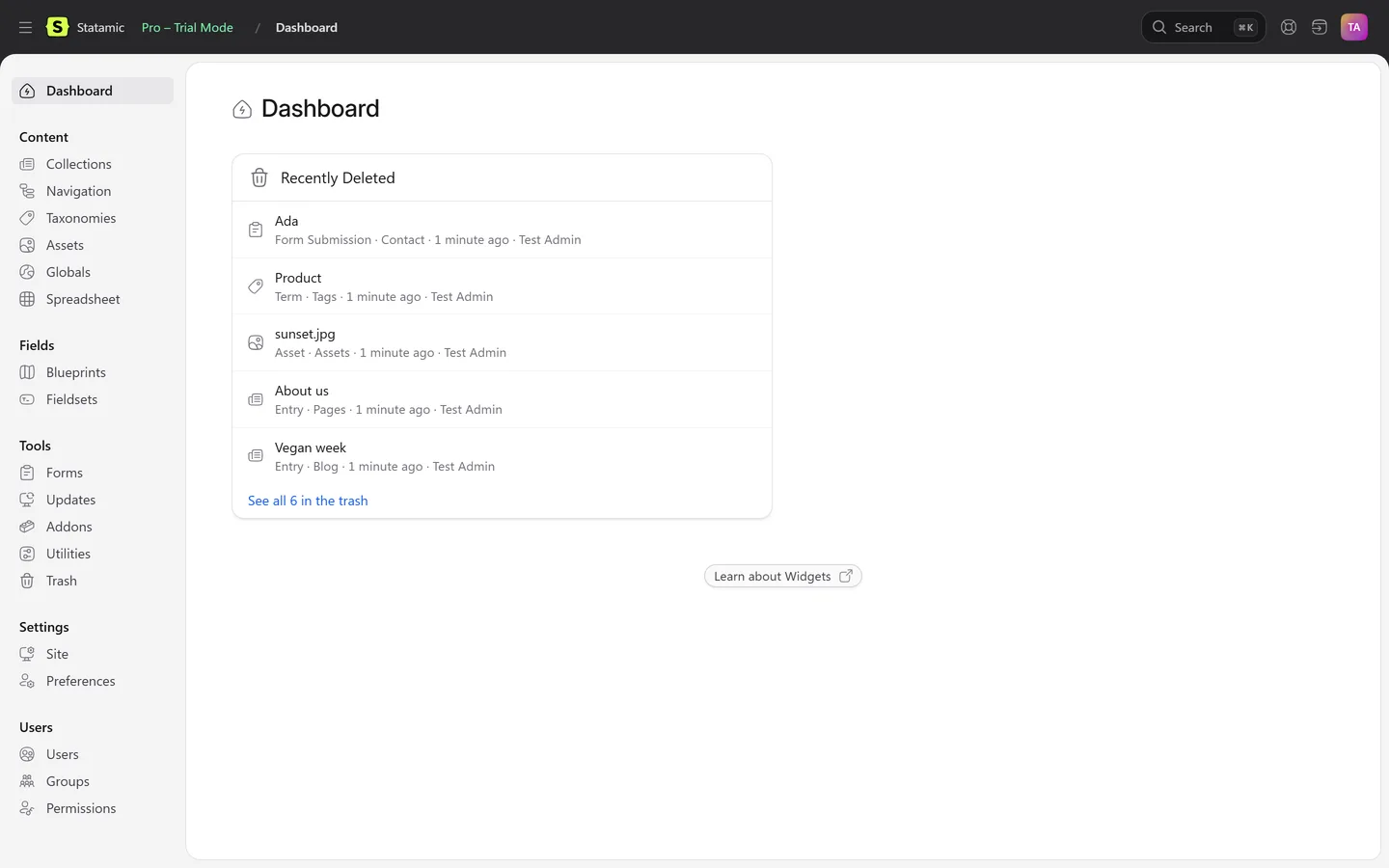
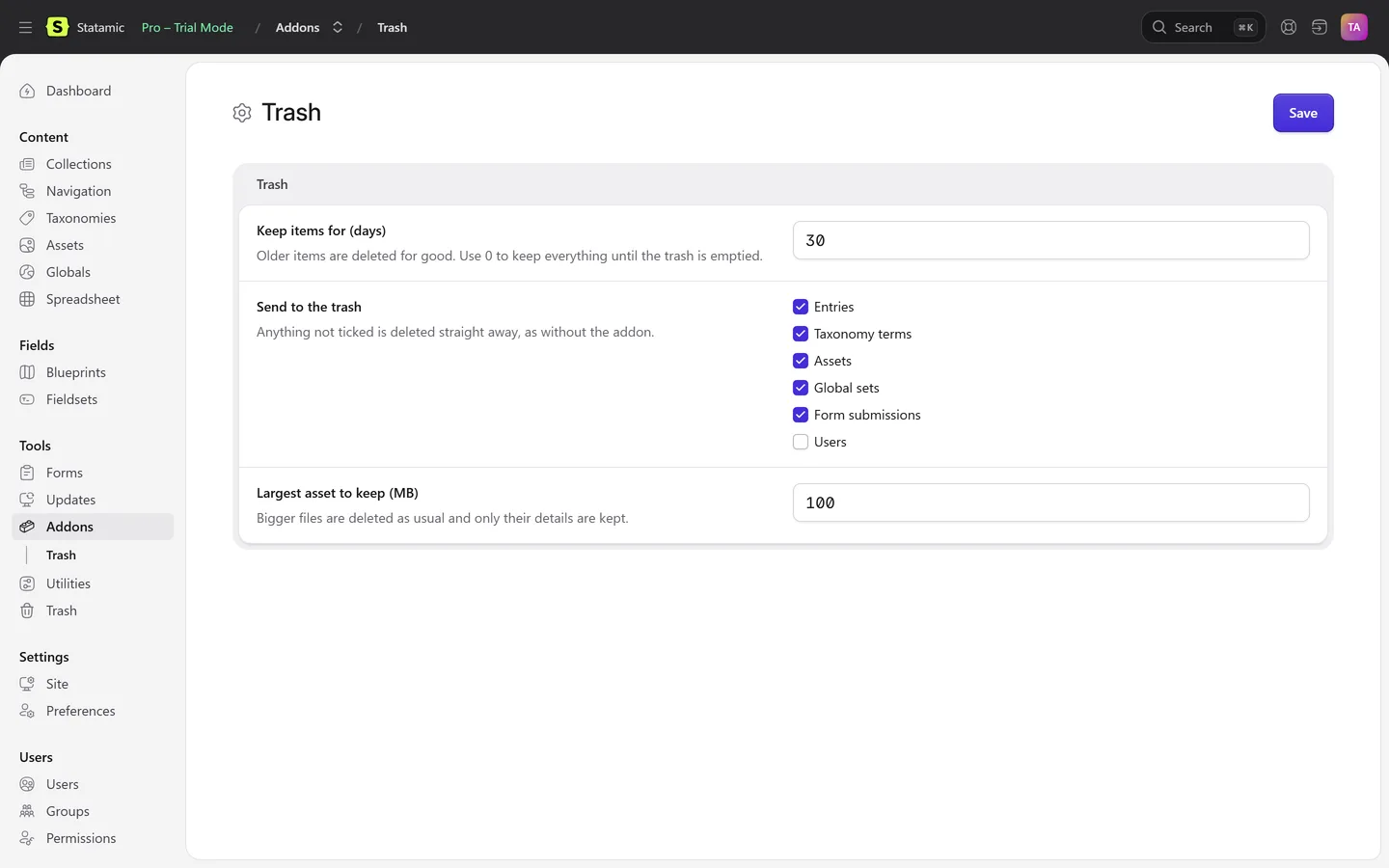
What goes to the trash, and how it comes back
| Type | What is kept | Restored |
|---|---|---|
| Entries | Every field, slug, date, publish state, blueprint, author, and the place in the page tree with its child pages | In the same place in the tree, with the child pages that moved up |
| Localizations | Each translation of an entry, grouped with the original | Restoring a translation brings back its original first |
| Taxonomy terms | The term in every site | With its data in every site |
| Assets | The file itself and its alt text and other fields, up to a size you set (100 MB by default) | In the same folder; a taken file name becomes name-restored.jpg |
| Global sets | The set and its values in every site | With all its values |
| Form submissions | Every value the visitor entered | In the same form, with its original date |
| Users (off by default) | Email, name, roles, groups and profile fields. Never passwords, passkeys or two-factor secrets | Without a password; send a reset from the user page |
From the Karelia Trash 1.0 documentation.
Pricing
Includes a year of updates. After that, updates are $15 a year, and the addon keeps working without them. Local and staging copies of your site need no licence.
Good to know
- Only deletions made through Statamic are kept. Files removed directly on disk or by git are not.
- It is not a revision history (that is Statamic Pro's job). It keeps the last saved version of what was deleted.
- Works with Core and Pro. Roles are a Pro feature, so on Core only the super admin uses the trash.
- Users are off by default.
Privacy
Karelia Trash runs entirely on your own server. It has no telemetry and never contacts Karelia Labs.
Deleted items are stored on the filesystem disk you choose in the settings (the local disk by default), in your own infrastructure, and removed for good after the period you set.
When the users option is on, deleted users are kept without passwords, passkeys or two-factor secrets.
Guides
FAQ
Can I undo a delete in Statamic?
Not out of the box: Statamic deletes for good. With Karelia Trash, everything deleted in the Control Panel goes to Tools → Trash, where you can preview it and restore it with one click. The guide also covers getting content back from git or a backup.
Does a restored page go back to the same place in the tree?
Yes. It returns to the same place in the page tree, and the child pages Statamic moved up when it was deleted go back under it.
What happens if the slug has been used again?
Nothing is overwritten. The restored entry gets a number (about-us-2) and you are told. A file name in use gets -restored.
Does it work with the Eloquent driver?
Yes, with flat files and with the Eloquent driver, and the trash can live on any Laravel filesystem disk, including S3.
Does it work with Statamic Core?
Yes, with Core and Pro. Roles are a Pro feature, so on Core only the super admin uses the trash.
How long are deleted items kept?
30 days by default, or the period you choose in the settings. Empty Trash removes everything at once.
Do I need a licence for local and staging sites?
No. A licence is per site; local and staging copies need none.
Is it affiliated with Statamic?
No. It is an independent addon by Karelia Labs, sold on the Statamic Marketplace.
Related tools
Updated 2026-10-20