
Light User Cost Review: see which employees Odoo 20 bills as Light Users, and cut the bill
From Odoo 20, every active employee record without an internal user account is billed as a Light User, even if the person never logs in. Departed employees, duplicates and portal-linked records all add up.
Odoo 20 only. There is also an online edition for Odoo Online plans that accept data modules.
- Odoo version
- 20.0 only
- Needs
- Employees (hr)
- Technical name
- light_user_cost_review
- Tested on
- Odoo 20.0 Community, official Docker image, 39 module tests and 20 browser checks
- Price
- €49 on Odoo Apps
- Online edition
- A data module without Python files, $55 on Gumroad
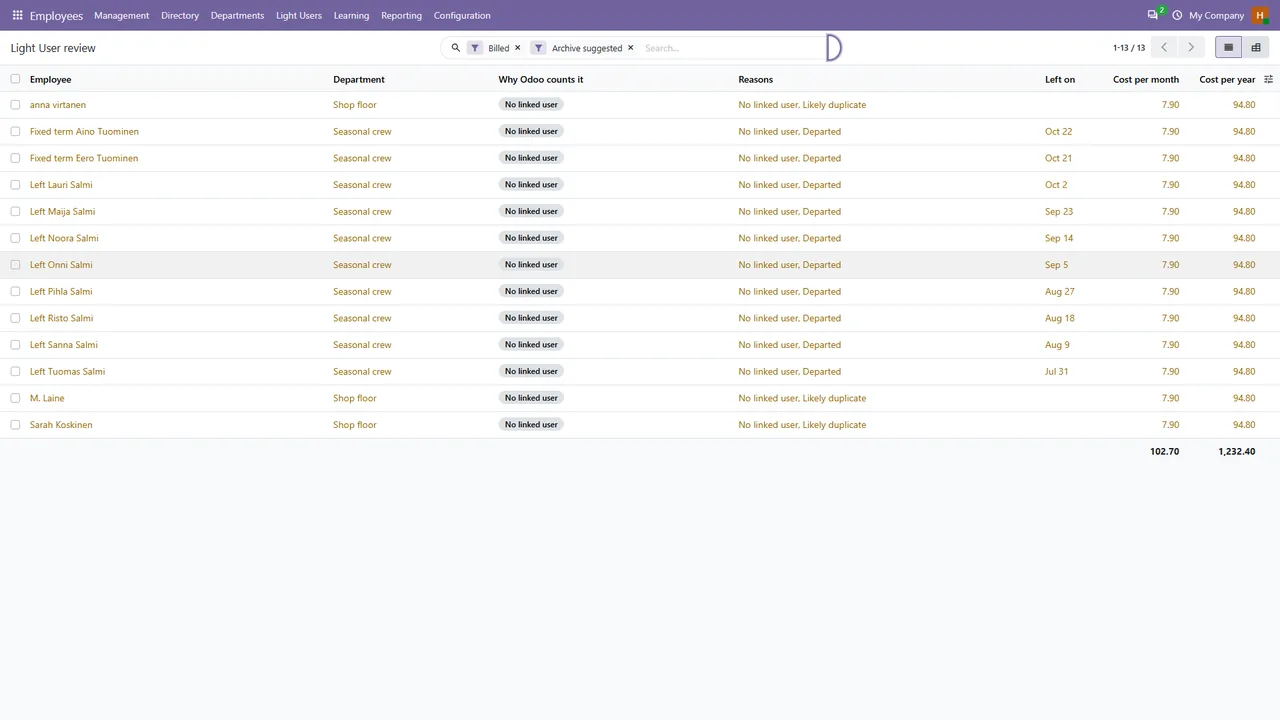
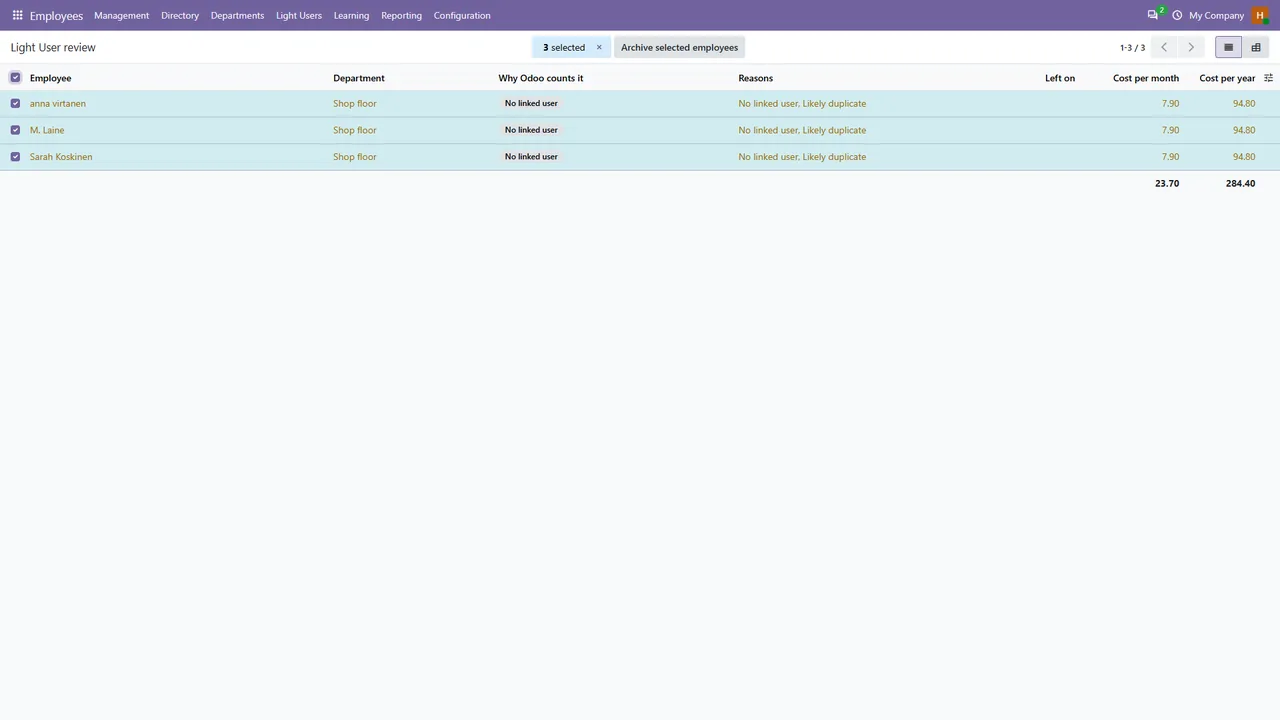
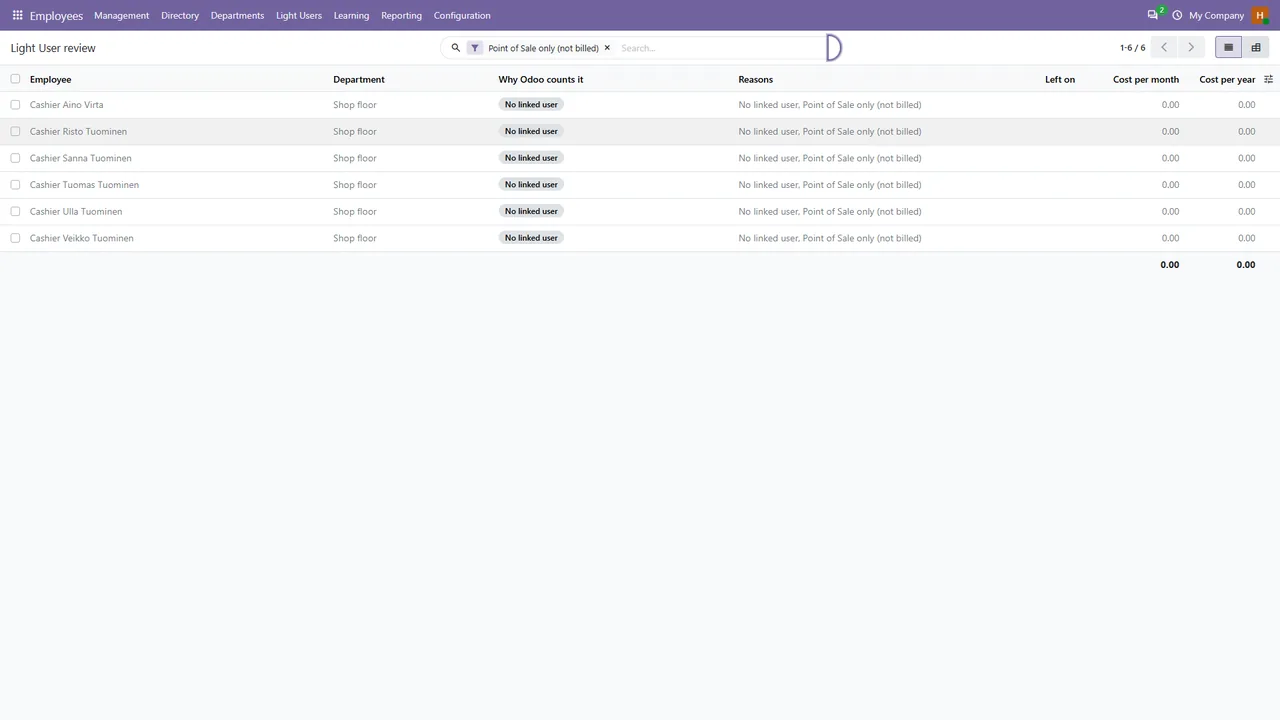
Light User Cost Review lists those employees with the reason for each one, adds up the cost per month and per year at the price you set, and lets an HR manager archive the records you no longer need in one step, with a log and an undo. It reports and tidies. It never touches a licence or the subscription.
What Light User Cost Review does
A reason for every record
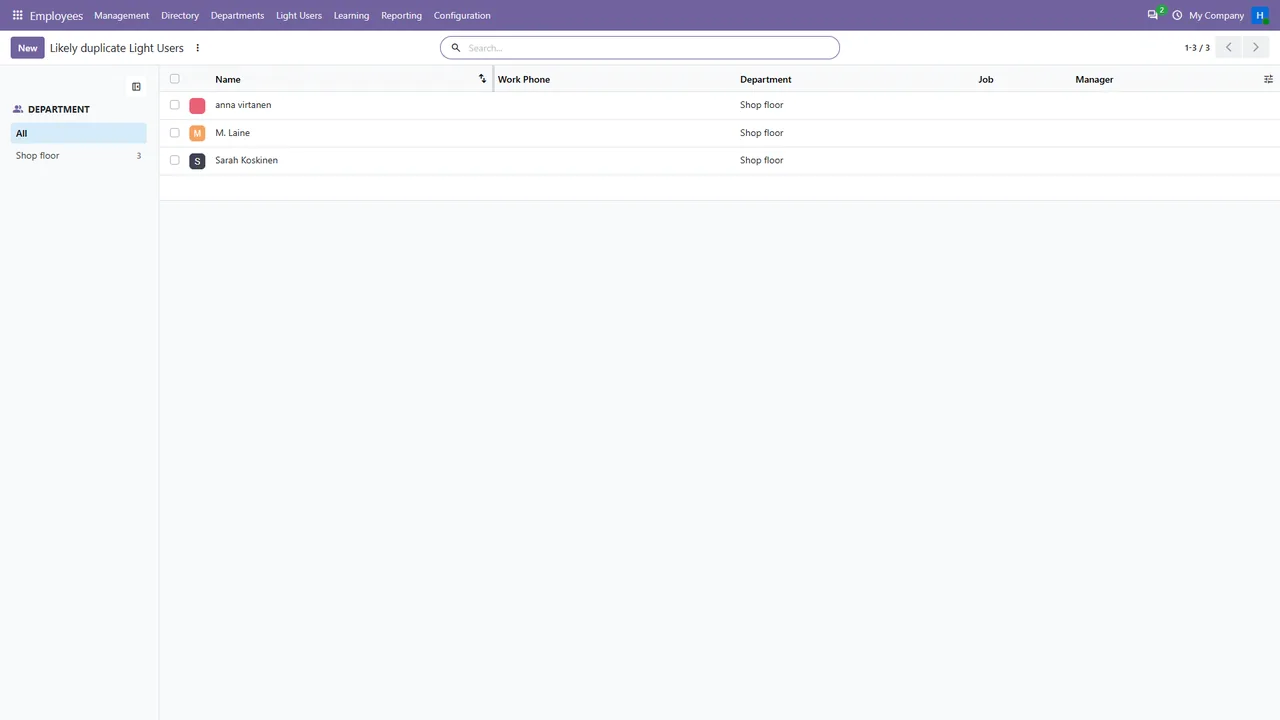
No linked user, linked user archived, portal-linked, departed, likely duplicate or Point of Sale only.
The cost
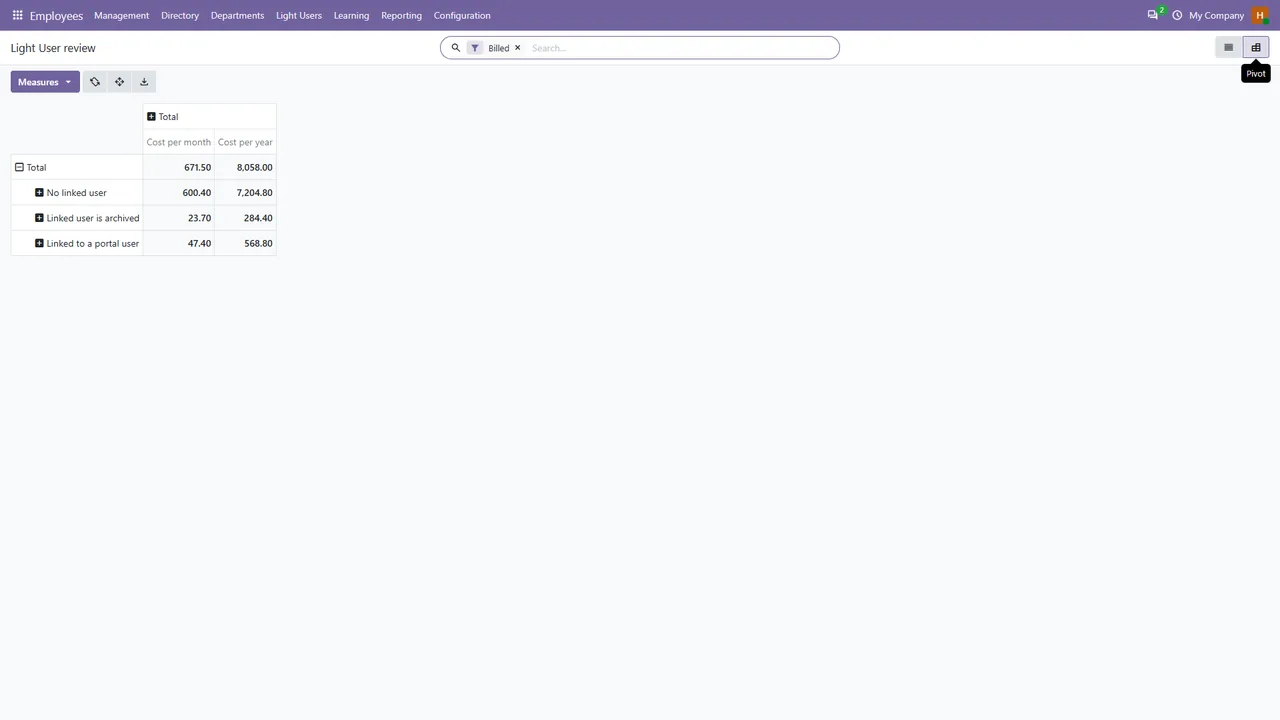
Cost per month and per year at a price and currency you set (7.90 EUR by default), with totals in the list and a pivot by cause.
Archive in one step
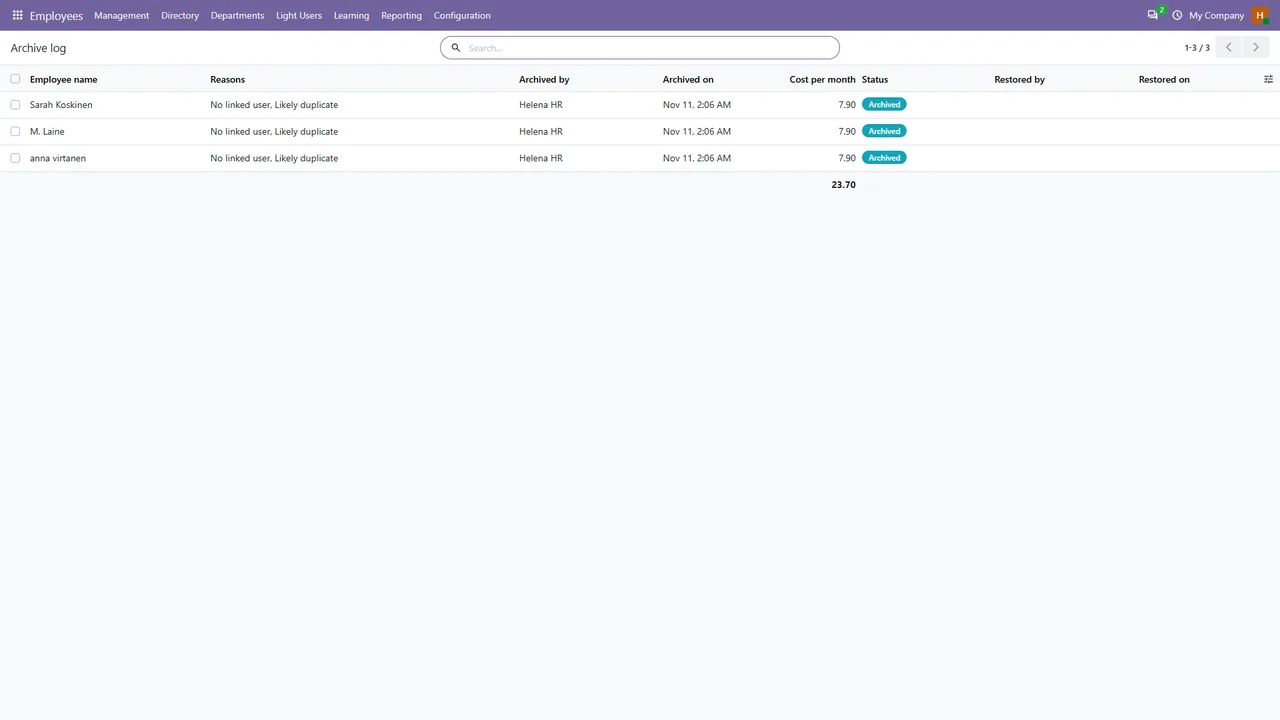
Archive the selected records at once. A log shows who archived what, when and why, and Restore brings records back from the log.
An adjustable Point of Sale rule
Odoo no longer counts employees who only use Point of Sale, but has not published how it recognises them. The rule is adjustable: assigned to a Point of Sale, a tag, both or neither.
Only for those who should see it
HR managers and administrators. Settings are for administrators only.
Checked against Odoo's own number
A test compares the list with the count that Odoo's own licence check reports.
Screenshots
The online edition
Third-party apps with Python code cannot be installed on Odoo Online. The online edition is a data module with XML files only and no Python files. It adds the employee list that Odoo counts as Light Users, a cost summary at your price, a likely-duplicates list, saved filters, and archive and restore actions with an archive log.
Import it in developer mode with Apps, Import Module. It was tested by importing the zip into a fresh Odoo 20 Community database (12 browser checks). Whether your Odoo Online plan accepts data modules, and the server actions in them, is decided by Odoo.
Pricing
One-time purchase on Odoo Apps. Licence: OPL-1.
One-time purchase on Gumroad. A data module without Python files, for Odoo Online plans that accept data modules.
Good to know
- Your contract with Odoo decides what you pay. The module does not know it.
- Odoo has not published how it recognises employees who only use Point of Sale. The default rule, an employee on a Point of Sale configuration's staff list, is an assumption that you can change.
- Users with the Light role are billed by Odoo too, but they are users, not employees, and are not covered.
- Tested on Odoo 20 Community with synthetic data. Odoo Enterprise, the subscription page, Odoo.sh, Odoo Online itself and the Odoo Apps store review are not covered by the tests.
- The module with Python code needs Odoo.sh or your own server.
Guides
FAQ
Does it change my Odoo licence or subscription?
No. It never touches licences or the subscription. It lists employees and archives the records you choose.
Can I undo an archive?
Yes. The archive log keeps who archived what, when and why, and its Restore button brings the selected employees back. Odoo clears links that point to an archived employee, such as manager and coach, and restoring does not bring those back.
Does it work on Odoo Online?
The module with Python code does not. The online edition is a data module without Python files; whether your plan accepts it is decided by Odoo.
How does Odoo count Light Users?
The guide explains the rule, what the Point of Sale change means and how to count the records yourself with a filter.
Related tools
Karelia Seatwise
Reconcile MSP supplier licence quantities with customer contracts in Odoo, find billing gaps and create draft quotations after a review.
Project Profit Panel
Project profitability for Odoo 20 Community: invoices against timesheets, vendor bills, expenses and materials, margin per project and a pivot of all projects.
More from Karelia Labs
Updated