
Membership Periods: memberships that start, expire and renew in Odoo 20
Odoo 19 removed the Membership app and replaced it with Partnership, which gives a contact a level and a pricelist but no dates, no status and no renewal. Membership Periods adds them on top of Partnership in Odoo 20.
Odoo 20 only. Needs Odoo.sh or your own server.
- Odoo version
- 20.0 only
- Needs
- Partnership (partnership, which brings CRM and Sales) and Invoicing (account)
- Technical name
- membership_period
- Hosting
- Odoo.sh or your own server; standard Odoo Online can't install it
- Tested on
- Odoo 20.0 Community, official Docker image with PostgreSQL 16: 24 module tests and a browser walkthrough with synthetic data
- Price
- €59 on Odoo Apps, one-time, per Odoo version. Licence: OPL-1
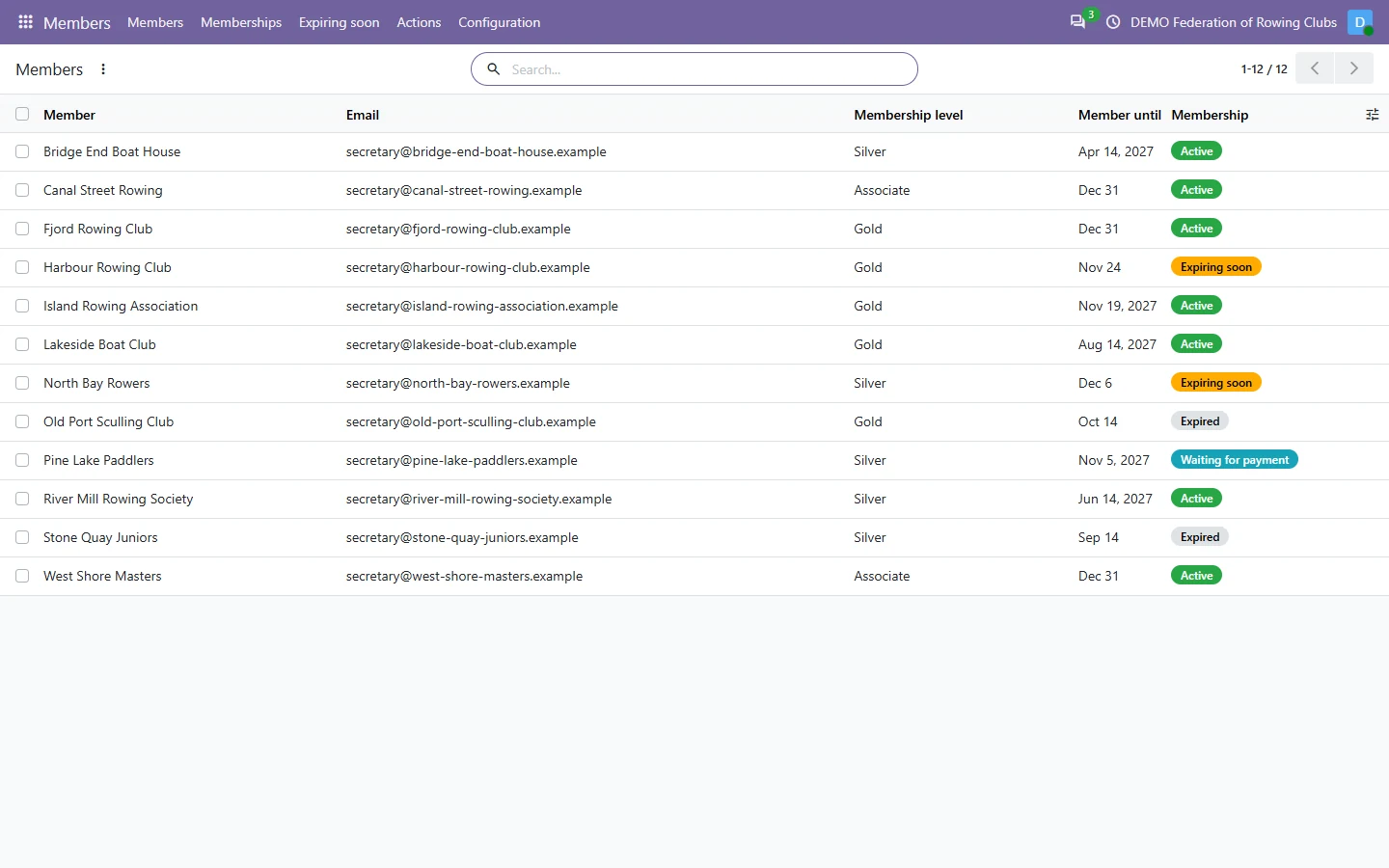
Every posted customer invoice for a membership product, also one made from a sales order, creates a membership period for the invoiced company or person. You see who is active, expiring soon or expired, renew with draft invoices, send reminders, and let the level, its pricelist and portal access end with the membership.
What Membership Periods does
Membership products with a period
A duration in days, months or years from the start date, or fixed dates such as a calendar year, plus a renewal product for next year. They are Partnership's own products with an assigned level.
A period for every posted invoice
One membership per membership line of a posted customer invoice, also from sales orders. It starts after the running membership of the same level, so renewals bought early do not overlap.
Active, expiring soon, expired
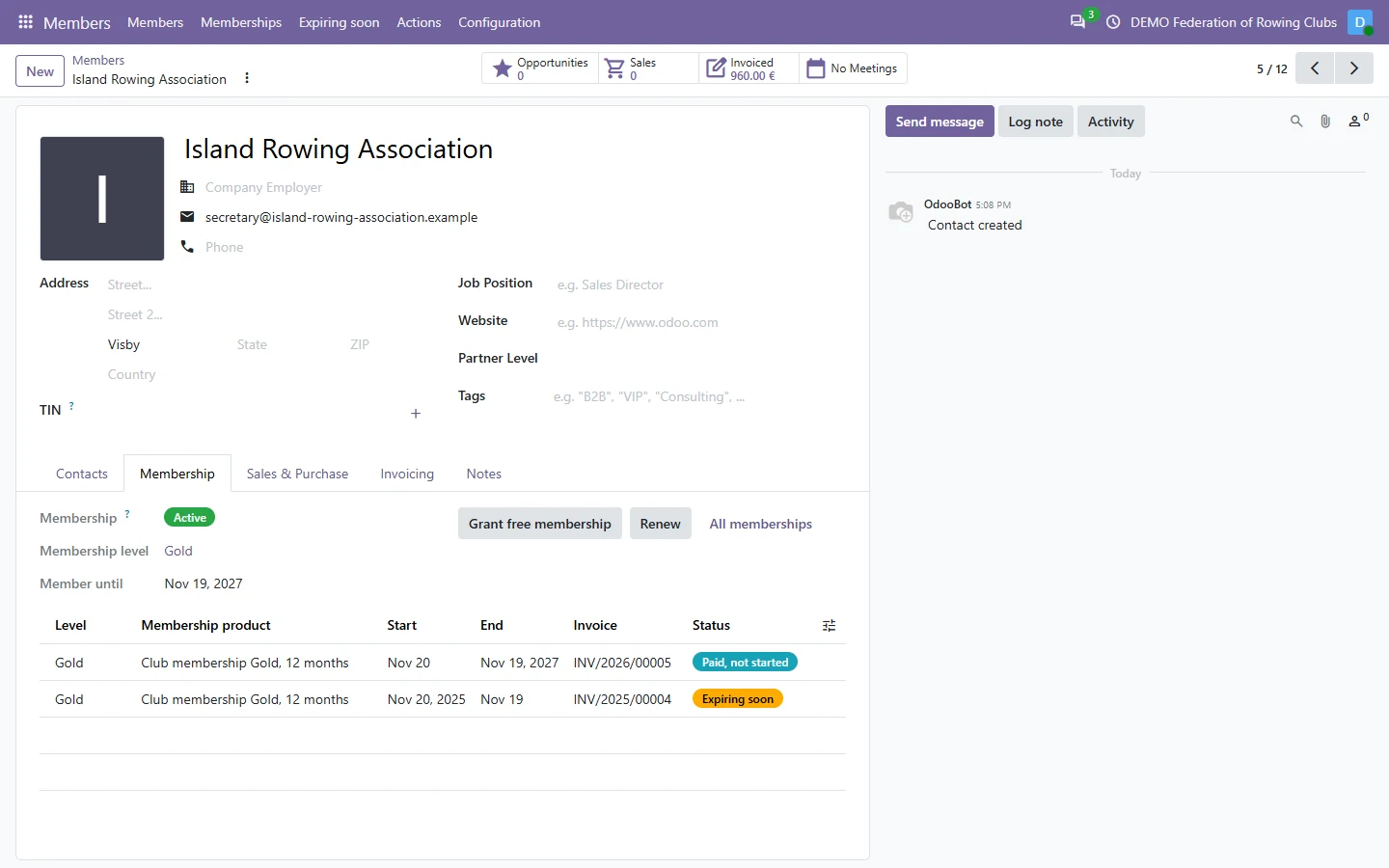
Waiting for payment, paid but not started, active, expiring soon, expired or cancelled, on every membership and member. Expiring soon leaves out members who already renewed. Contacts count through their company.
Renewal invoices in one go
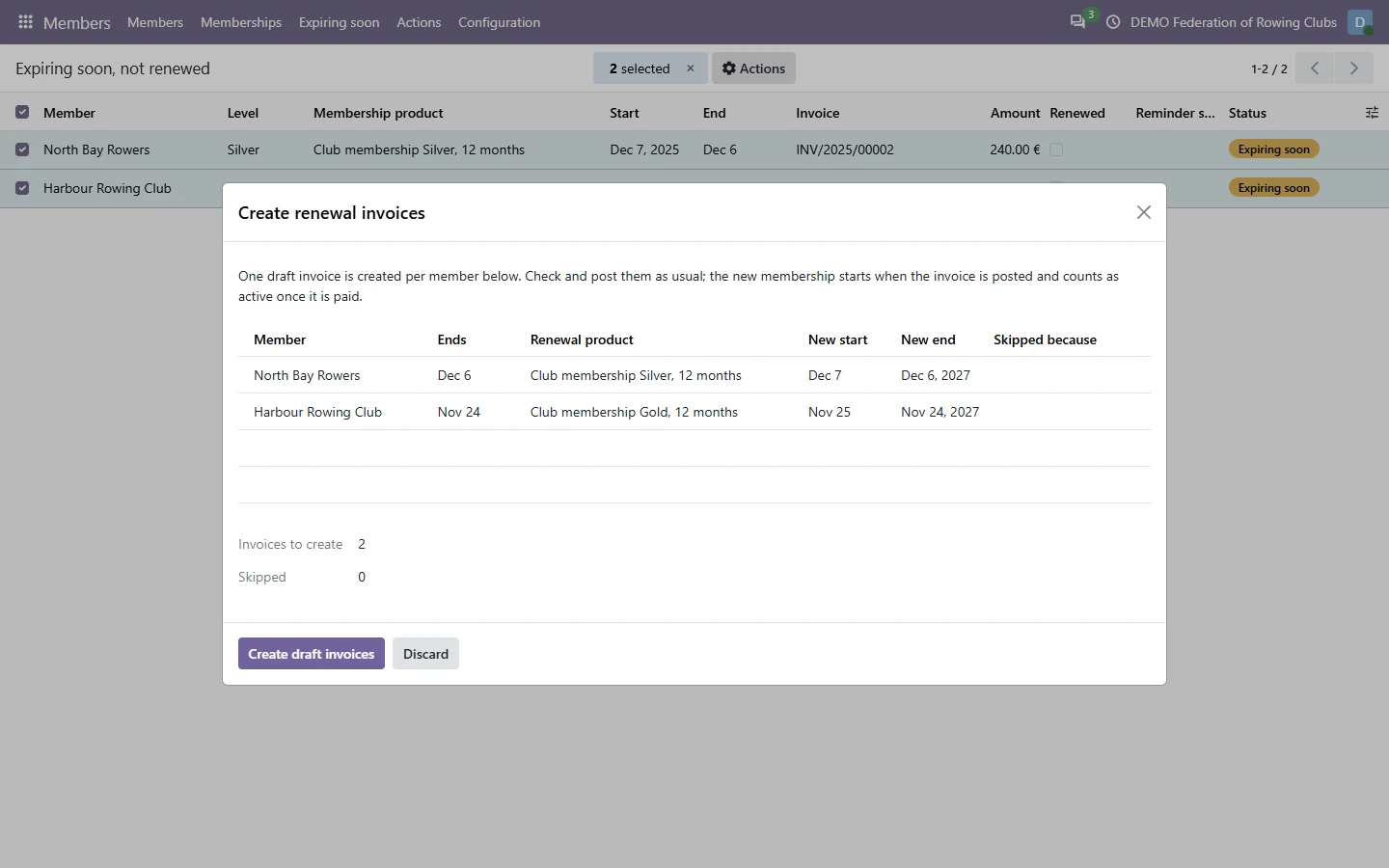
Select memberships or members and create one draft invoice each, with the new dates. The dialog lists the ones it skips and why: already renewed, not paid, or fixed dates already covered.
Reminders, once
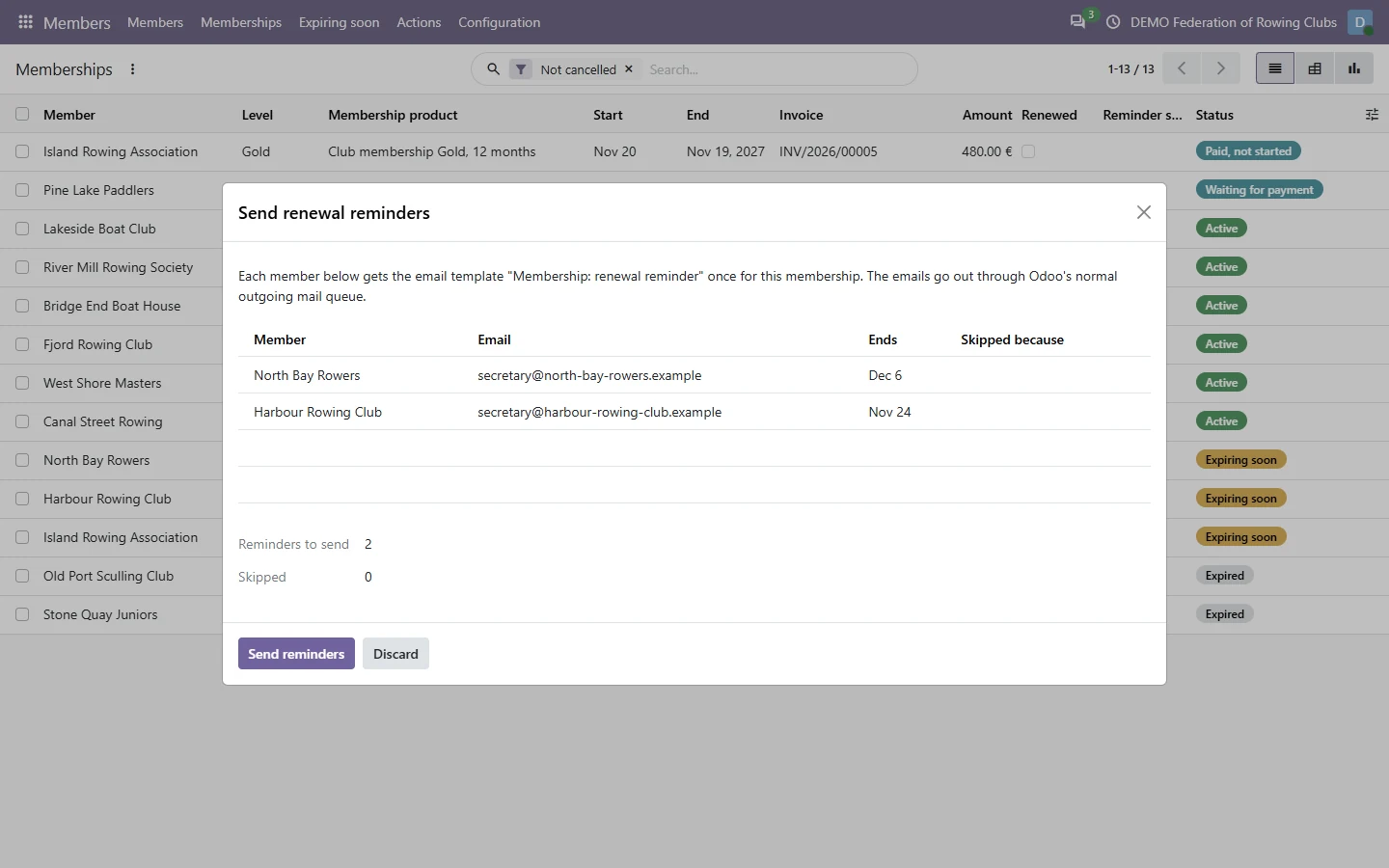
The renewal reminder email goes once per membership through Odoo's normal outgoing mail and is logged on the membership. Members who renewed or have no email address are skipped.
Levels, pricelists and access that end
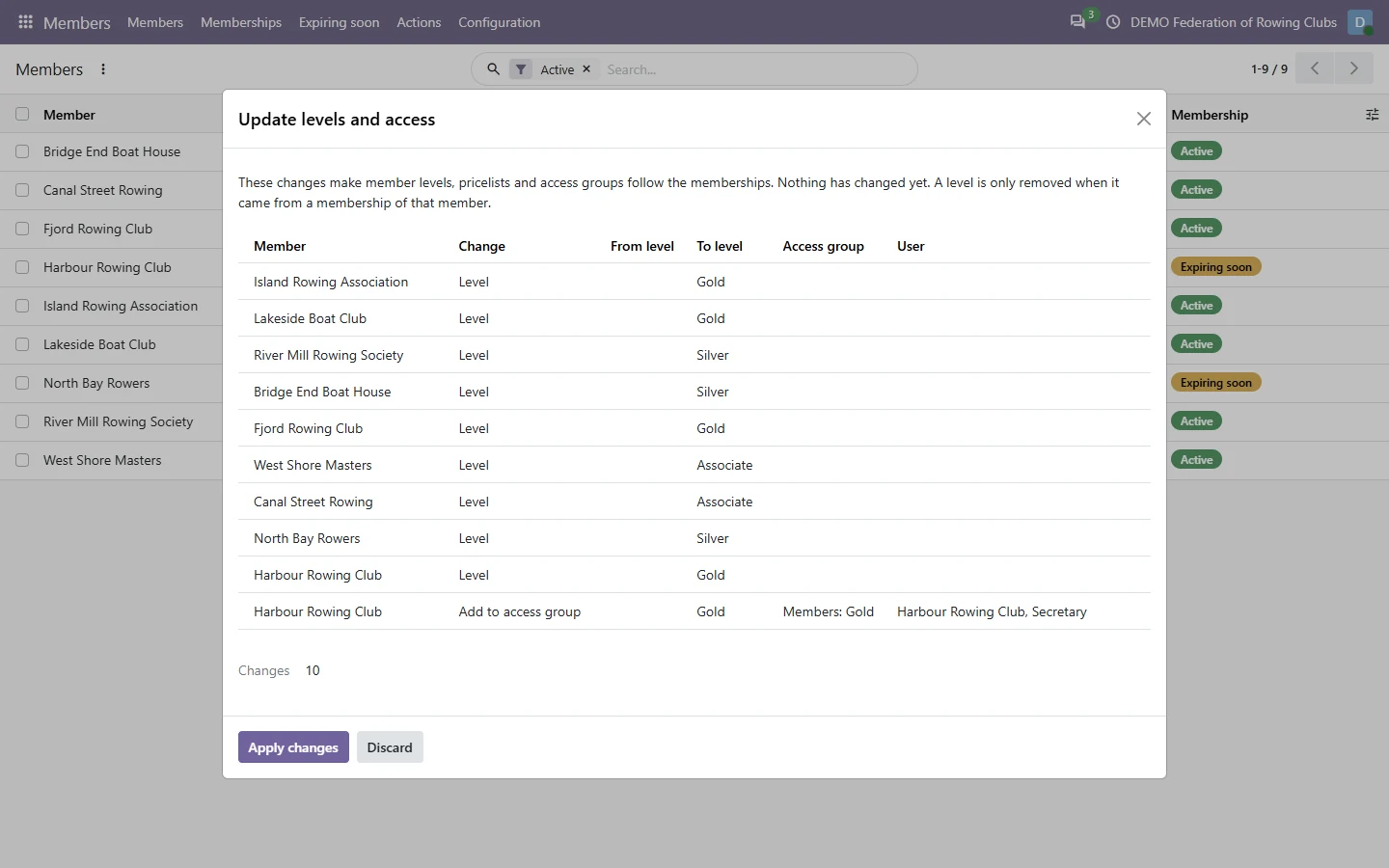
Preview, then apply: active members get their level and its pricelist, ended memberships lose them, and portal users join or leave the level's access group. Levels set by hand stay.
Screenshots
Built on Odoo's own Partnership
Levels, their pricelists and membership products are Odoo's own Partnership records, so Partnership keeps working as before. The app adds the dates around it, reads payment status from the invoices, and changes levels, pricelists and access groups only when you press Apply changes, or every night if you switch that on.
Nothing changes on its own after installation. In Members > Configuration > Settings an administrator can switch on the nightly update of levels and access and the nightly renewal reminders. Both are off by default.
Free memberships and the portal
Grant free membership on a contact creates memberships without an invoice, for honorary or board members, with a required reason. They can be cancelled from the membership form.
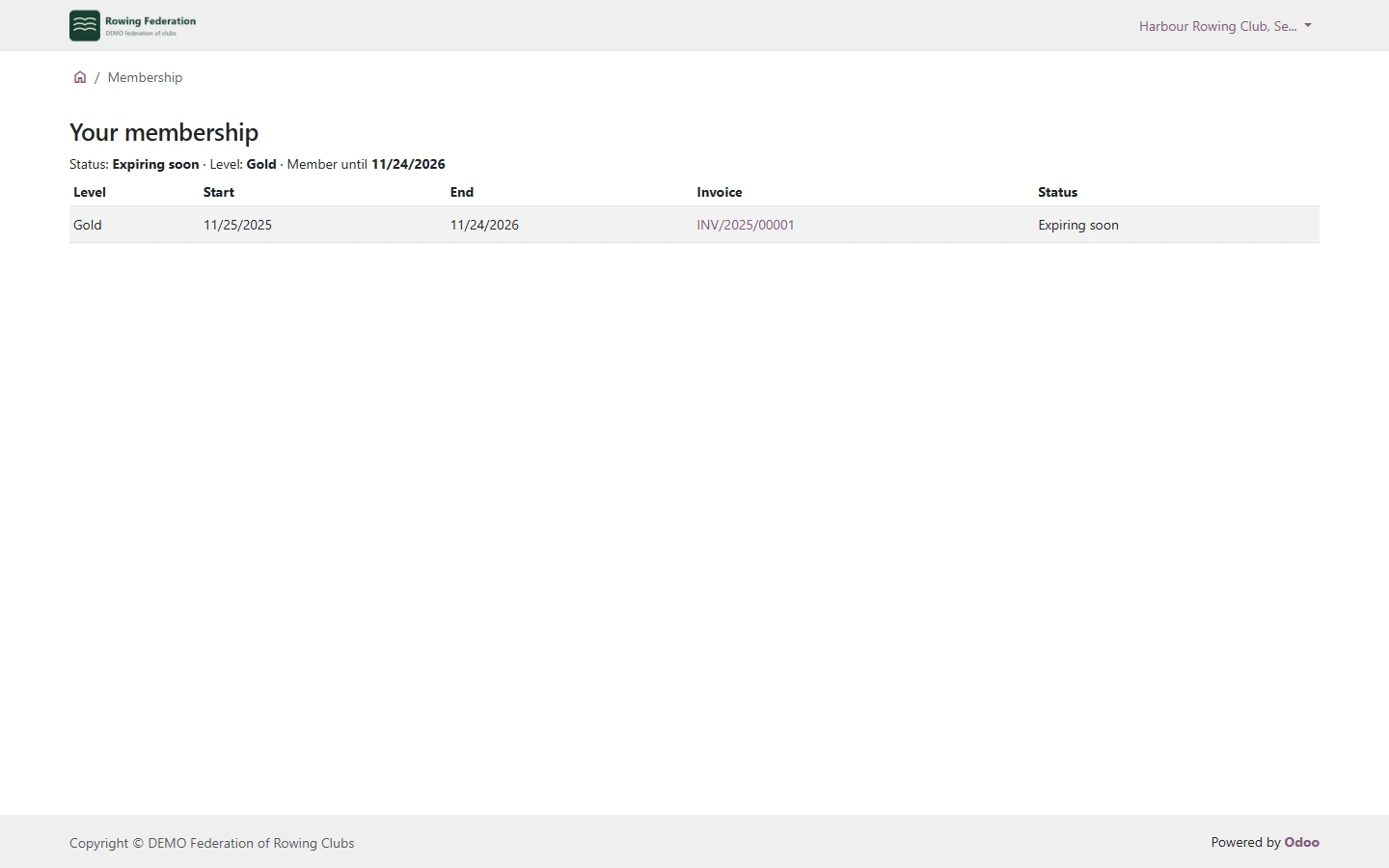
Members' portal users see Your Membership on their portal home: status, level, end date and every membership with its invoice. They see only their own company's memberships.
Start with one product
Install the module, open Members > Configuration > Membership products, give a product a level and 12 months, and invoice it to a customer. Register the payment and the customer is an active member until the end date.
Pricing
One-time purchase on Odoo Apps for Odoo 20. Licence: OPL-1. No subscription or external service.
Good to know
- Odoo 20.0 only. There is no version for Odoo 19 or older.
- Standard Odoo Online can't install custom modules. Use Odoo.sh or your own server.
- Tested on Odoo 20 Community. Odoo Enterprise, Odoo.sh, multi-company with real data in several companies and actual email delivery (the reminders were only queued) are not covered by the tests.
- One membership per invoice line, for the invoiced company or person. Family or associate members linked to another member, and more than one period per invoice line, are not covered.
- A membership is active once Odoo marks its invoice as paid. Online payment and recurring billing are not added; renewal invoices are drafts that you post and send.
- It does not read the old Membership app's data from Odoo 18 or older. Import past periods with Odoo's standard import if you need them.
- The access group can restrict anything Odoo restricts by group. Using it on website pages was not tested; the portal page Your Membership was.
Guides
FAQ
Does it work without the Sales app?
It depends on Odoo's Partnership module, which brings CRM and Sales. You can still sell memberships on plain customer invoices.
Does a member lose the level as soon as the membership ends?
Only when you apply Update levels and access, or every night if you switch the daily update on. Levels you set by hand, not from a membership, are never removed.
Are emails sent automatically?
Not unless you switch on the nightly reminders. Otherwise you send them from the reminders dialog, once per membership, through Odoo's normal outgoing mail.
Does it work on Community?
Yes. It depends only on Partnership and Invoicing, both part of Community, and was tested on Odoo 20 Community.
Does it work on Odoo Online?
No. Standard Odoo Online does not allow custom modules. Install it on Odoo.sh or your own Odoo server.
Related tools
Expense Report Sheets
Bring expense reports back to Odoo 19 and 20: group an employee's expenses, submit and approve them together, post one entry and pay in one go.
Light User Cost Review
Odoo 20 module that lists the active employees Odoo counts as Light Users, with the reason and the cost, and archives the records you no longer need.
More from Karelia Labs
Updated