
How to detect game server crashes in Pterodactyl and get alerts (Blueprint)
Updated 2026-10-25
Why crashes go unnoticed
A plugin breaks, a mod leaks memory or the server runs out of RAM. Wings starts the server again, nobody notices until a customer opens a ticket, and the console that showed the error has scrolled away or was cleared by the restart. Wings' own exit message never reaches the panel.
What a crash looks like from the panel
From the panel's side, a crash is a server that went offline, or was restarted, without anyone asking for it. To tell it apart from a normal stop, check what people and schedules did at that moment:
- Start, Stop, Restart and Kill from the panel, the API or the console page, which are in the server's activity log;
- the egg's stop command typed in the console;
- reinstalls and backup restores;
- scheduled power tasks.
Anything else that stopped or restarted the server is a likely crash. A stop typed inside the game, such as an operator typing /stop, looks the same as a crash, because the panel cannot see it.
Catch crashes with Crash Detector
Crash Detector for Blueprint runs this check for every server once a minute on Pterodactyl 1.x panels with Blueprint. It asks each node's Wings for the state of all its servers (one request per node, with the node's own token) and reads the console of running servers, so nothing is installed on your nodes.
- Put
crashdetector.blueprintin your Pterodactyl folder (usually/var/www/pterodactyl). - Run
blueprint -install crashdetector. With Blueprint in Docker, also runphp artisan migrate --forcein the panel container, or restart it. - Open Admin → Extensions → Crash Detector. Keep Email the server owner on, add a Discord webhook for your staff and send a test message.
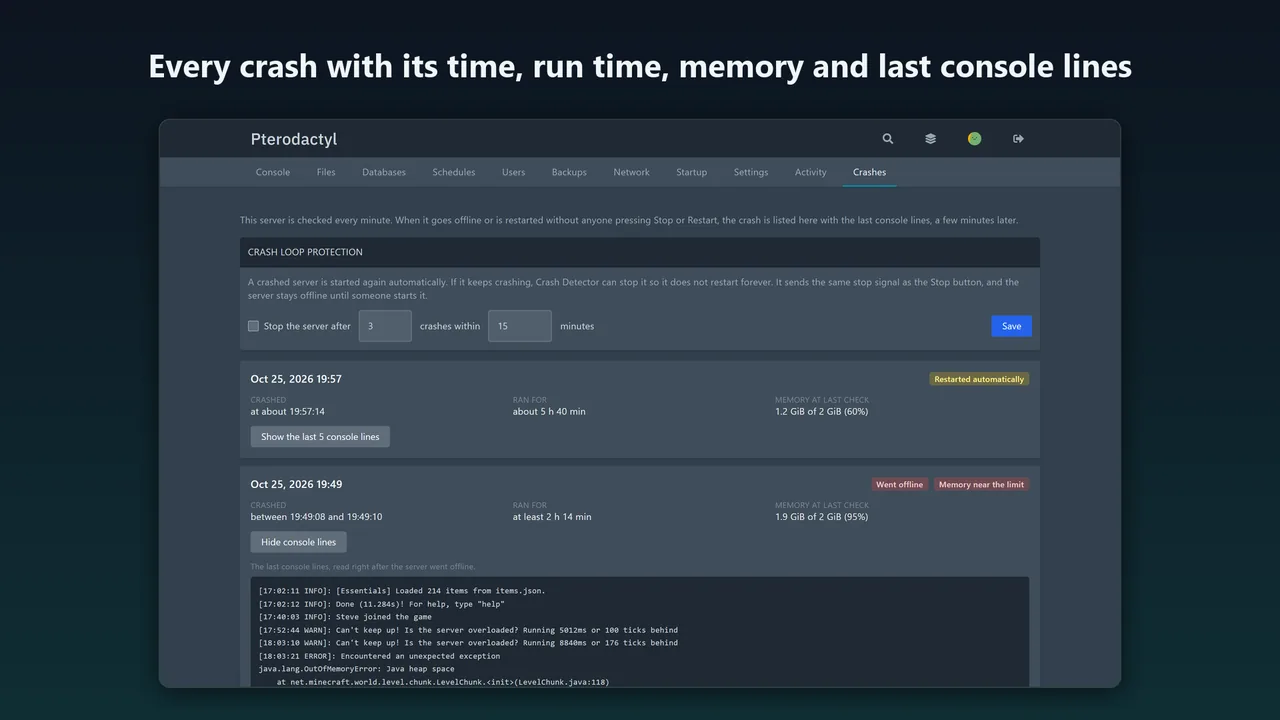
Each crash is listed on the server's Crashes tab with its time, whether the server went offline or was restarted, how long it had run, memory at the last check and the last console lines as plain text. The owner gets an email, at most one per server every 15 minutes.
Stop crash loops
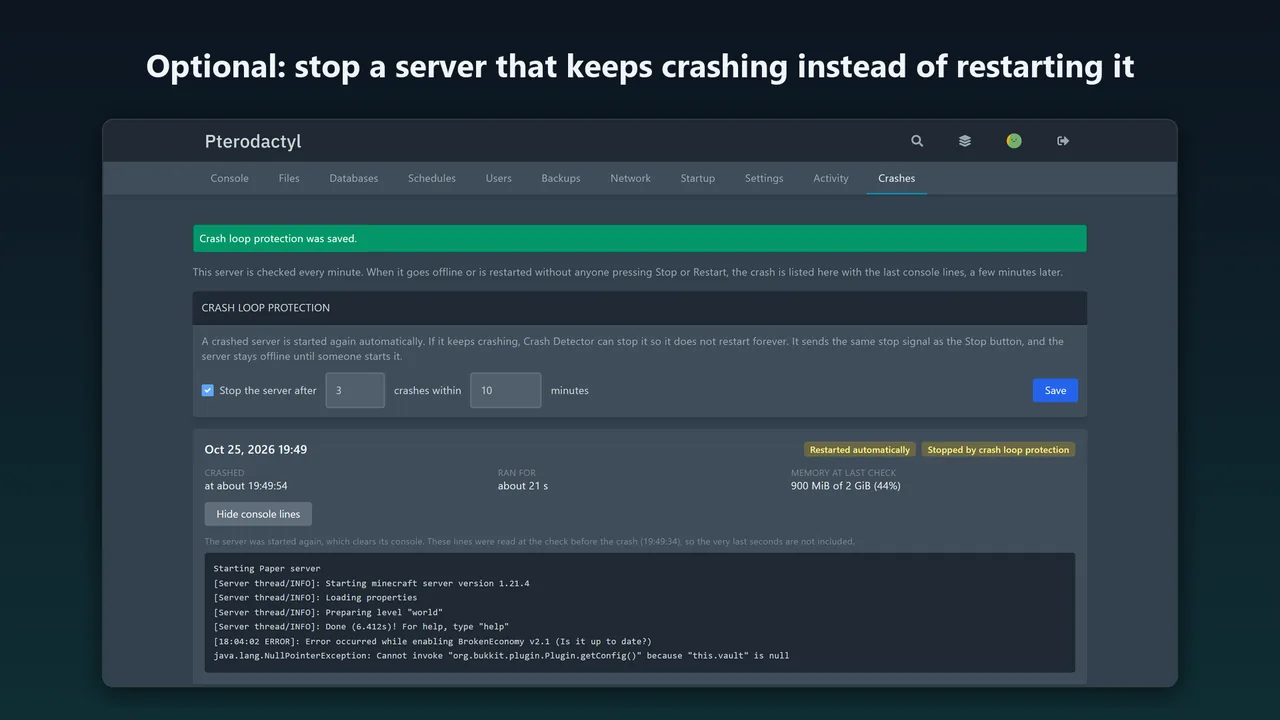
A server that crashes on start can restart forever. Crash loop protection, set per server on its Crashes tab, stops it after, say, 3 crashes within 15 minutes, with the same signal as the Stop button, and tells the owner why.
How fast, and the limits
- A suspected crash is confirmed two minutes later, once Wings has sent the panel any power actions from the console page, so alerts arrive about 2 to 4 minutes after a crash.
- When Wings restarts a crashed server, the saved lines are from the check up to a minute before the crash, because the restart clears the console.
- Several crashes between two checks count as one, and memory is the value of the last check.
- A node that cannot be reached is skipped and never produces crash reports, so a node outage does not flood you with alerts.
FAQ
Does Crash Detector need anything on my nodes?
No. It only uses Wings calls the panel is already allowed to make.
Who can see the crash history?
The owner, admins and subusers with console access, because it contains console output.
Does it work on Pterodactyl 2.0?
No. It is a Blueprint extension for Pterodactyl 1.x, tested on 1.15.1 with Blueprint beta-2026-08.
More guides
Fix Paymenter after upgrading to Pterodactyl 2.0: "api/application/nests could not be found"
Pterodactyl 2.0 removed the nest endpoints that Paymenter's built-in extension calls. Switch to a 2.0-aware extension with one command; products and services stay.
Read the guide →How to keep Paymenter stock in line with free Pterodactyl node capacity
Paymenter's stock only changes when you change it. Count what still fits on each node by the panel's own rule (memory, disk, overallocation and free ports), or let Auto Stock set every product's stock from it on Paymenter's scheduler.
Read the guide →How to offer free trial game servers in Paymenter, one per person
Paymenter 1.5.9 has no trials of its own. Make a separate trial product with a free plan, allow one trial per person at checkout, end it with Paymenter's own suspend and terminate, and let clients upgrade on the same server.
Read the guide →