
How to take exhibitor applications and assign booths for a Wix event
Updated 2026-10-19
From inbox to booth plan
Markets, fairs and conferences usually run exhibitor applications through email and spreadsheets, and the booth plan lives somewhere else. Exhibitor Desk keeps the applications, the decisions and the booths next to the Wix event.
Run the applications
- Add Karelia Exhibitor Desk from the Wix App Market. It needs Wix Events & Tickets and Members Area.
- Link the event, set the application deadline and add your own jury question.
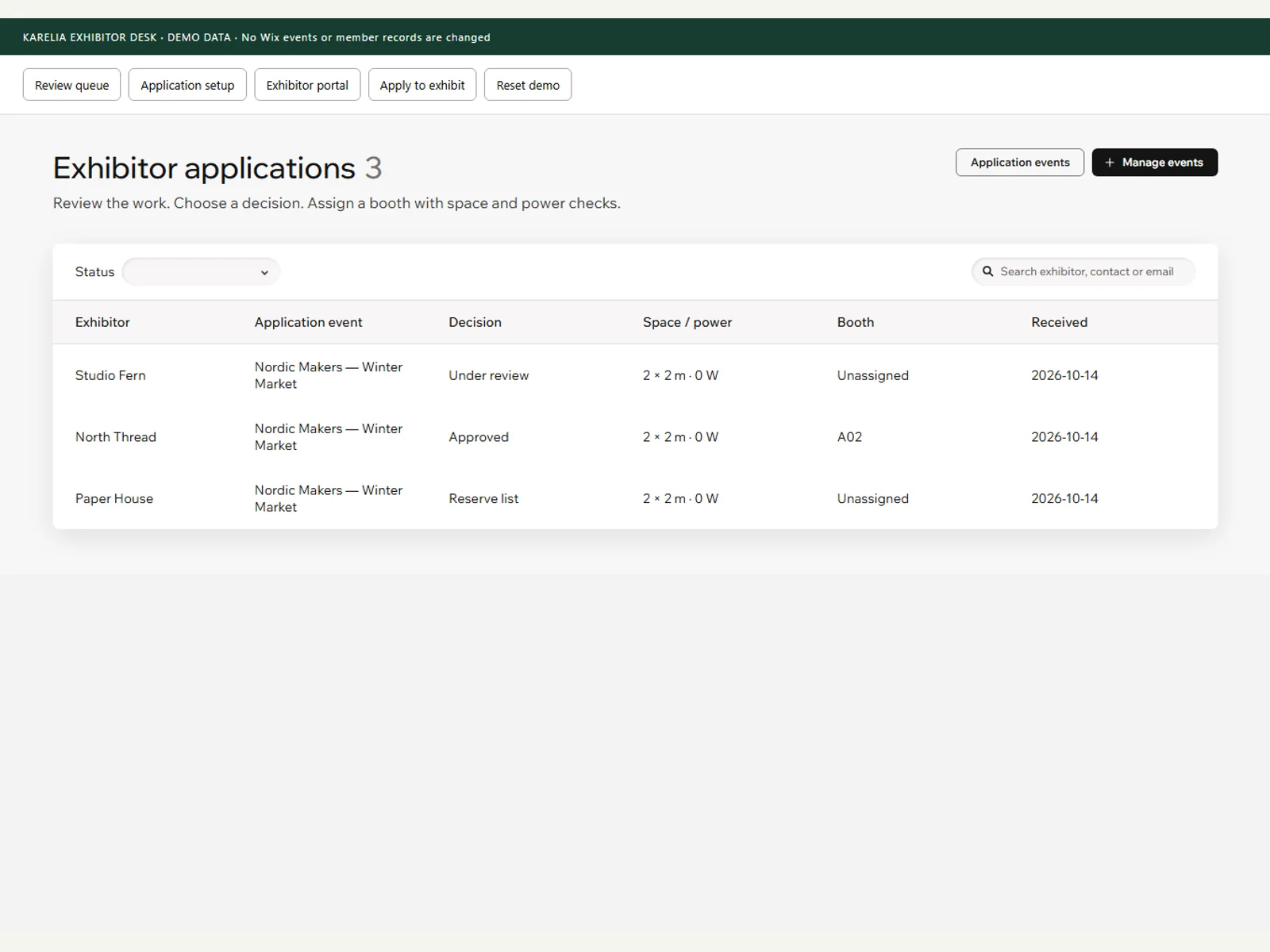
- Review the queue: search, filter, keep private jury notes, and decide approved, reserve or rejected.
- Assign booths. Dimension and power checks stop a booth that doesn't fit, and no booth can be assigned twice.
What exhibitors see
Each exhibitor gets a private portal page with the decision, the booth and the arrival instructions.
Payments and automatic emails are not included.
FAQ
Can exhibitors pay for a booth in the app?
No. Exhibitor Desk handles applications, decisions and booths; payments are not included.
Is it free?
Yes, Exhibitor Desk is free on the Wix App Market.
More guides
Fix Paymenter after upgrading to Pterodactyl 2.0: "api/application/nests could not be found"
Pterodactyl 2.0 removed the nest endpoints that Paymenter's built-in extension calls. Switch to a 2.0-aware extension with one command; products and services stay.
Read the guide →Solar2D and Google Play's 16 KB page size rule: find the library that fails
Apps targeting Android 15+ must support 16 KB memory pages. Check every 64-bit library in your build, find the plugin that ships each 4 KB-aligned one, and update or remove it.
Read the guide →How to add captions to WordPress videos without per-minute fees
Generate captions for a Media Library video with Whisper in your own browser, check them next to a live preview, and they appear in the core Video block with a clickable transcript.
Read the guide →