
How to add a podcast player to a Wix site from your RSS feed
Updated
The problem
Your podcast lives with a hosting service, but your listeners also come to your website. A pasted embed has to be redone for every episode. A player fed by your RSS feed does not.
Add the player
- Add Karelia Podcast Player from the Wix App Market.
- In the editor, choose Add, then Apps and place Podcast Player on a page. Until you add your own feed, a sample show shows how it will look.
- In the settings, paste your show's feed address or a link from a podcast directory.
- Choose a layout: latest episode with a list, a simple list, a grid of cards or one single episode.
- Set colors, fonts and the subscribe buttons, then publish.
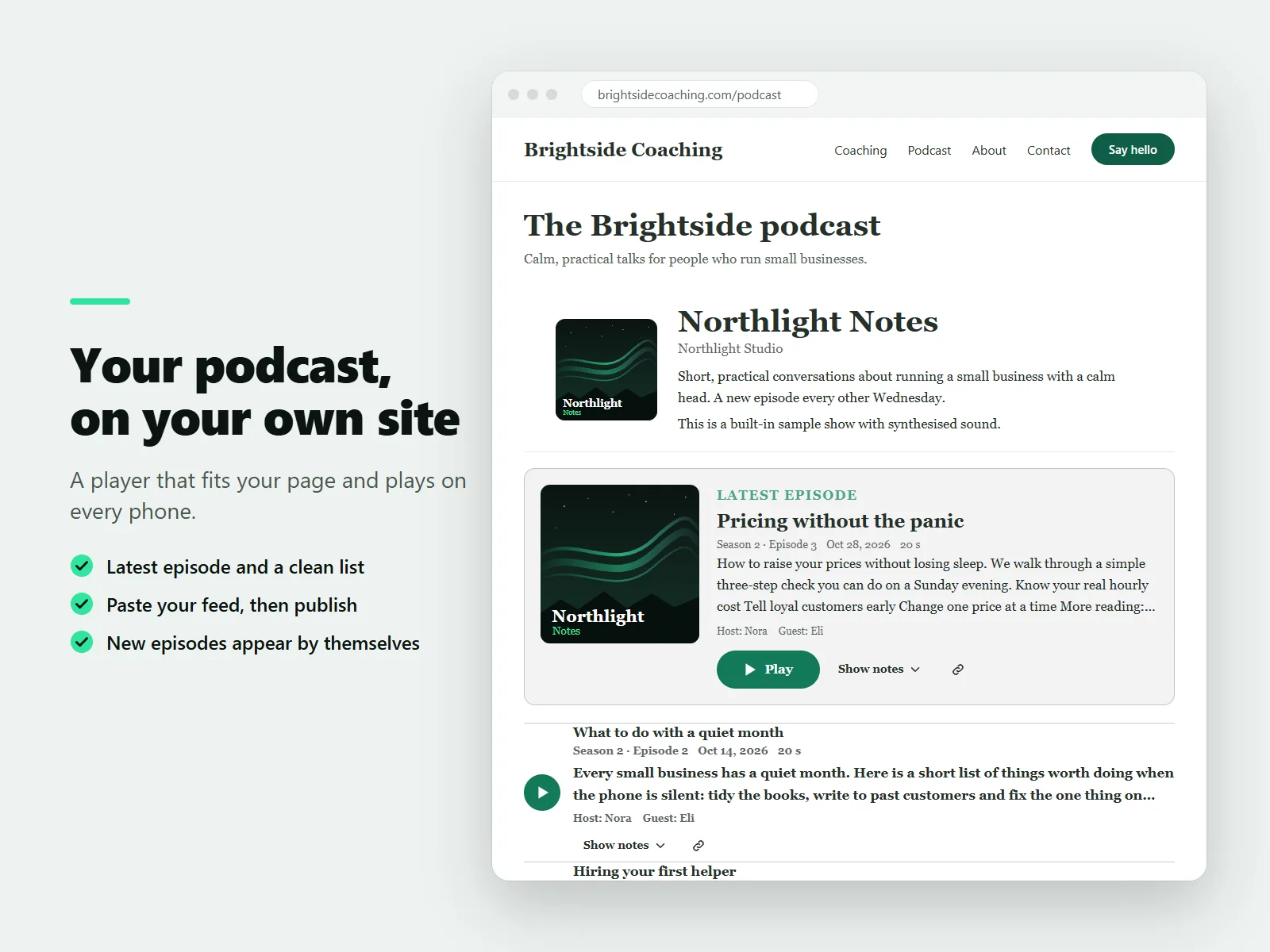
Check the feed first
The dashboard has a feed checker. It tells you in plain words about problems such as a missing cover image or an audio file that will not play, so you can fix them before visitors see them.
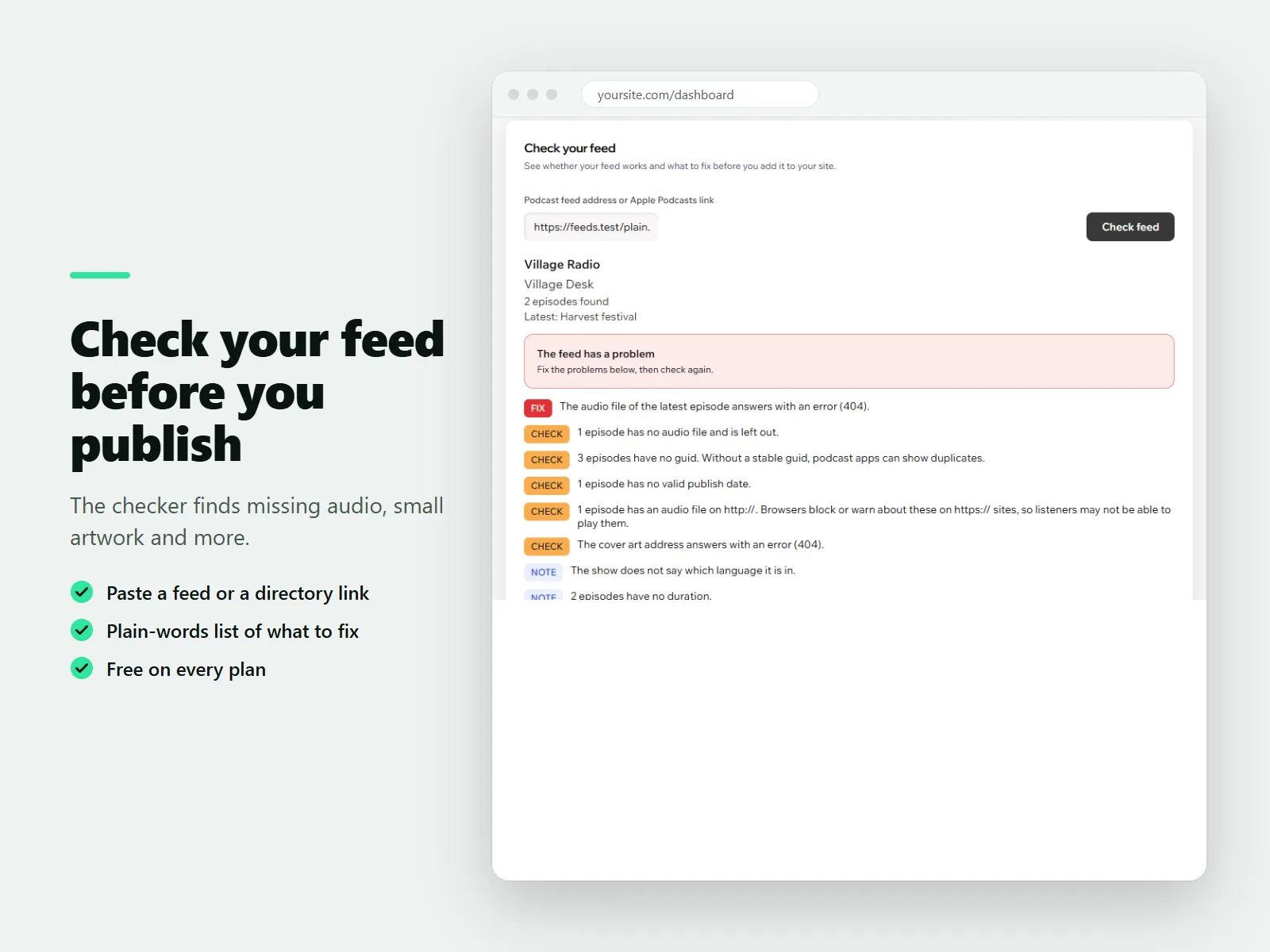
One episode in a blog post
Every episode has its own link, and the single episode layout puts one episode inside a blog post or page. Listeners can skip, change speed, resume where they stopped and subscribe in their podcast app.
The Free plan shows your latest 10 episodes. Pro adds the full archive with search and seasons, chapters, transcripts, search markup and several shows in one player.
FAQ
Do I need to update the page for each episode?
No. New episodes appear by themselves.
Does it start playing by itself?
No. The player never starts playing by itself.
More guides
How to add a PDF menu, brochure or flipbook to a Wix site
Add Karelia PDF from the Wix App Market, choose the PDF, pick a reader theme and colours, and decide whether visitors may download or print it. Pro adds the page-turn flipbook.
Read the guide →How to show a Google Sheet or Excel file as a searchable table on Wix
Add SheetTable, import an Excel or CSV file or a public Google Sheet, tidy the rows, choose a theme and a phone layout, and publish a table visitors can search and sort.
Read the guide →How to add site search to a Wix Harmony site
Wix Harmony does not include Wix Search. Install Karelia Site Search, publish the site, open the app once to build the index, and visitors get a search button on every page; add the Site Search Bar to the header if you want a search field there.
Read the guide →