
Camtwright: turn camt.053 and MT940 bank statement files into Excel and CSV, checked to the cent
Banks deliver statements as files: ISO 20022 camt.053 statements, camt.052 account reports, camt.054 notifications, and MT940 and MT942 files, sometimes packed in a ZIP file. Open one in a text editor and you see XML or lines of tagged fields, not a table you can work with.
For Windows 10 (version 2004 or later) and Windows 11, 64-bit. Works offline, with no account.
- Price
- $19.99 in the Microsoft Store
- Opens
- camt.052, camt.053 and camt.054; MT940 and MT942; ZIP files with statements inside
- Saves
- Excel workbook (.xlsx) and CSV
- Text encodings
- UTF-8, UTF-16, ISO-8859-1 and Windows-1252, German umlauts included
- Windows
- Windows 10 version 2004 (build 19041) or later, or Windows 11, 64-bit (x64). About 200 MB of disk space.
- Needs
- No other software
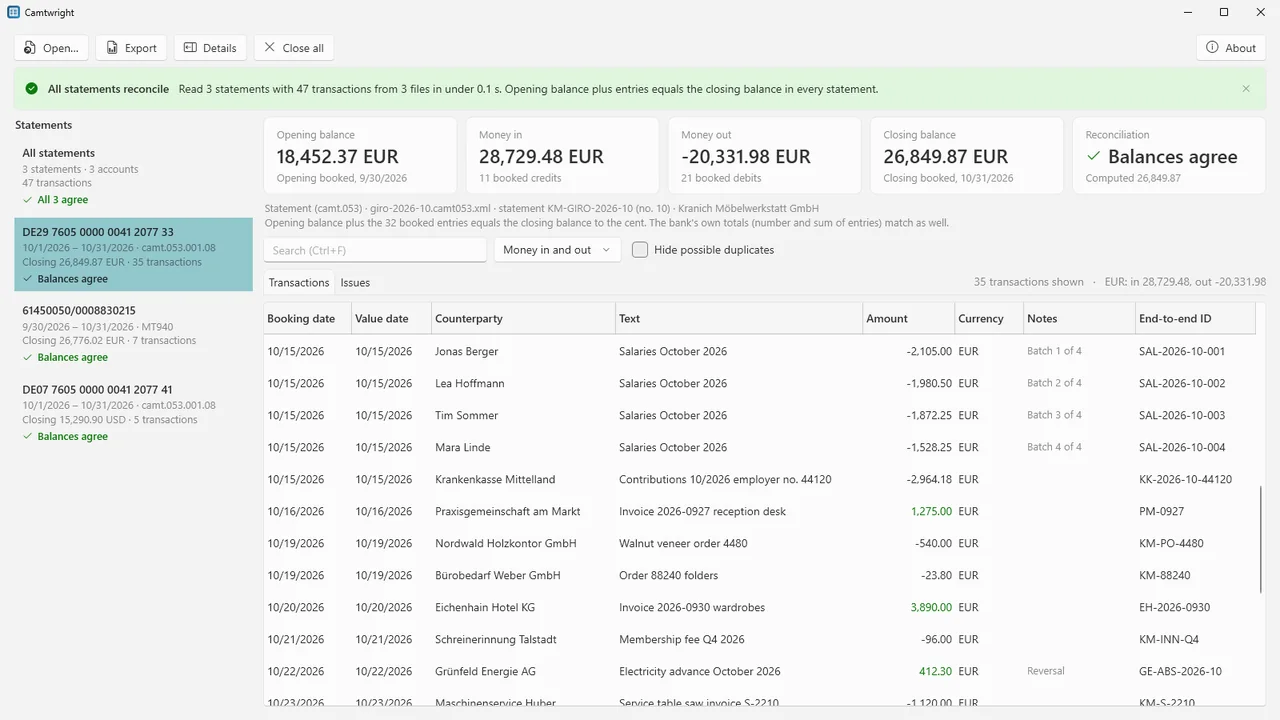
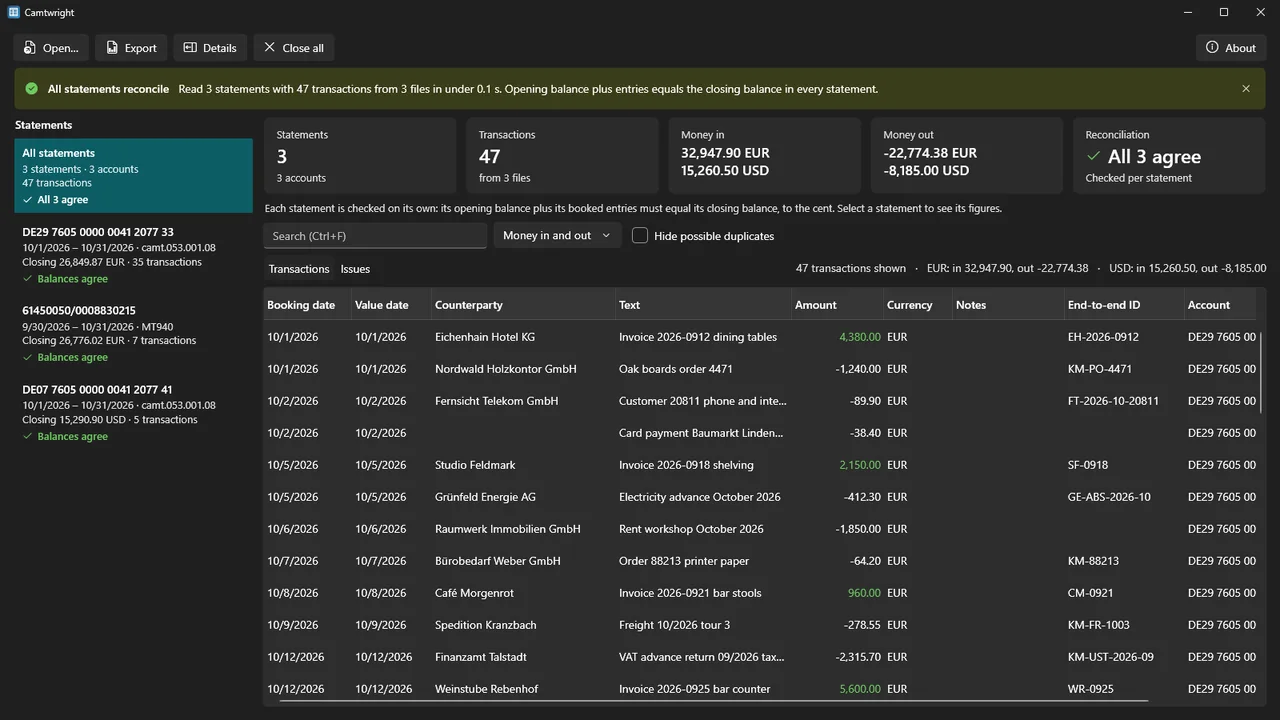
Camtwright turns them into one clean table of transactions on your own PC and exports it to an Excel workbook (.xlsx) or CSV. Before you use the numbers, it checks every statement: the opening balance plus the booked entries must equal the closing balance in the file, to the cent.
It is made for accountants, bookkeepers and finance teams who receive these files from banks or clients. It needs no other software, does not connect to your bank and never changes your files.
What Camtwright does
camt and MT in one table
Reads camt.053 statements, camt.052 account reports and camt.054 notifications, and MT940 statements and MT942 interim reports, with or without SWIFT block headers and with many messages per file. ZIP files are opened too, sub-folders included, and files that are not statements are skipped.
Checked to the cent
The opening balance plus the booked entries must equal the closing balance, in exact decimal arithmetic. Where the bank states its own totals (the camt transaction summary, MT942 :90D: and :90C:), those are compared too. Each statement says "Balances agree", how far off it is, or that there is nothing to check against.
Batches split into payments
A salary run becomes one row per payment when the single amounts add up to the booked amount, with the batch total in its own column. If they do not add up, the batch stays one row and the Issues list says why, so the table always adds up to what was booked.
Every field, nothing dropped
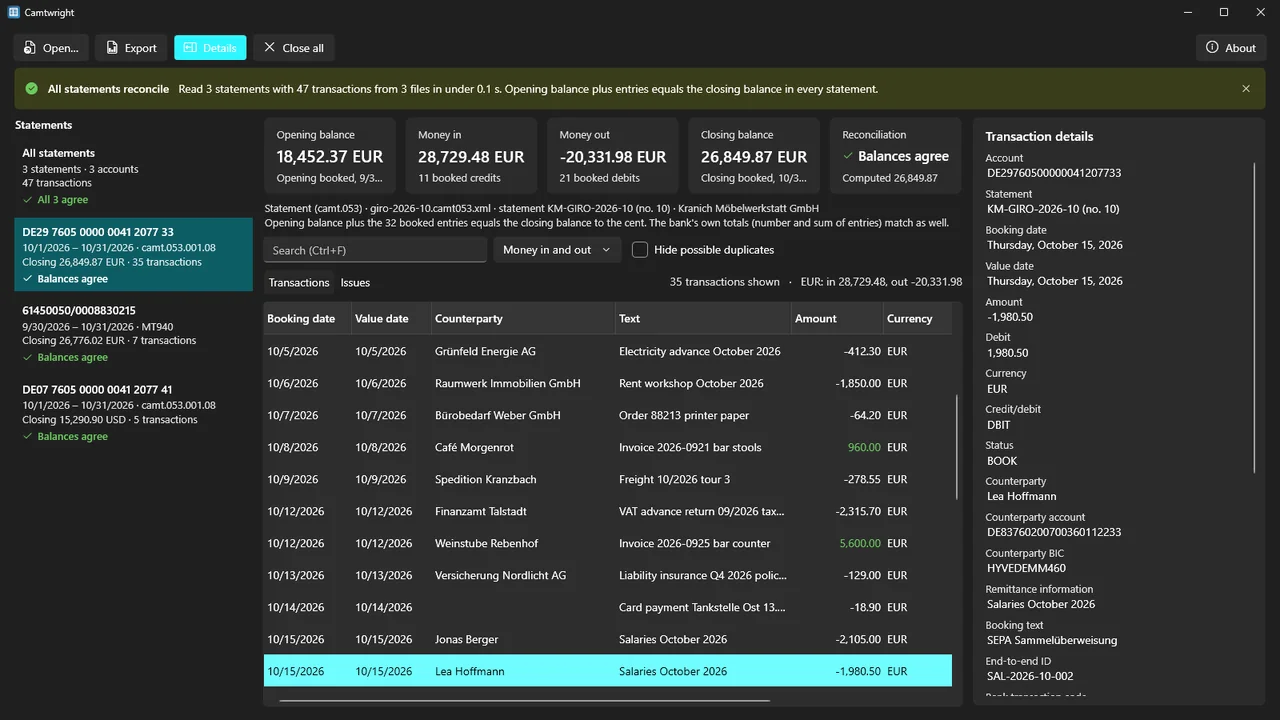
Account, booking and value date, signed amount, currency, counterparty name, IBAN and BIC, remittance text, structured reference, end-to-end ID, mandate ID, creditor ID, bank transaction codes and more. Anything without a column of its own is kept in "Other details".
MT940 field 86, read properly
The German-style subfield format with SEPA keywords such as EREF+ and SVWZ+, the slash-keyword format (/NAME/, /REMI/, /EREF/) and free text. The original field is always kept in its own column.
Issues, with the place in the file
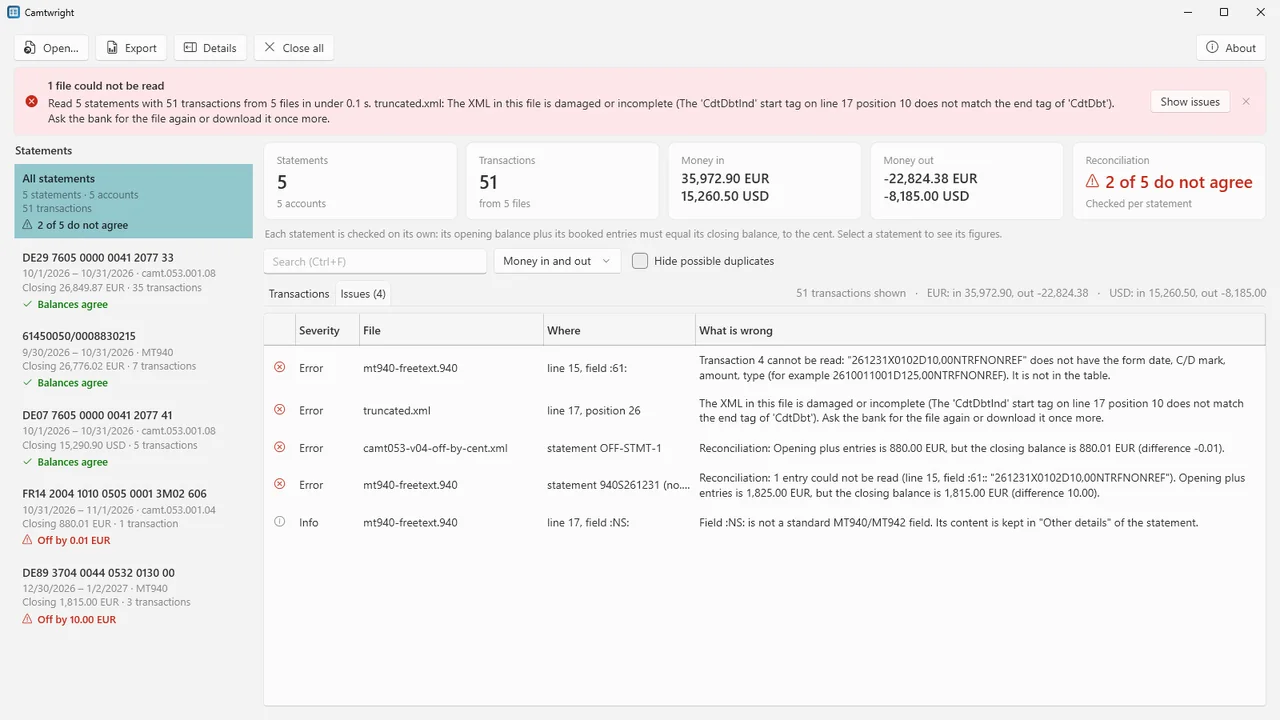
The Issues tab lists every problem and the line or position where it was found: an unreadable entry, a statement that is off, a damaged file. Possible duplicates and gaps between an account's statements are marked too.
Excel and CSV your way
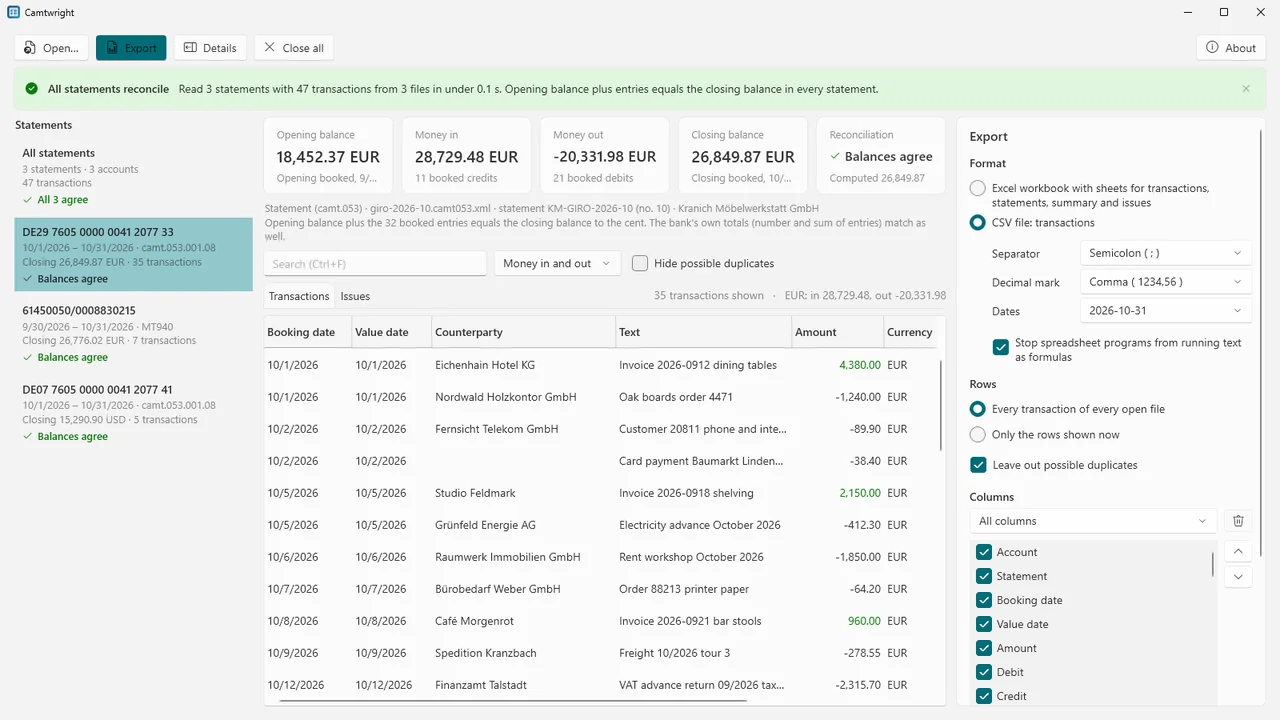
An Excel workbook with sheets for the transactions, the statements with their balances and check result, a summary and the issues. CSV with your separator, decimal mark and date format. Choose and order the columns and save them as named layouts for your accounting import.
Offline and read-only
No account, no internet connection, no telemetry. The statement files are only read; exports go to the folder you choose.
How it works
- Open your files. Press Open (Ctrl+O) and pick camt, MT940 or ZIP files, as many as you like, or drop them on the window. The format is read from the content, not the file name.
- Look at the check. Each statement shows whether its balances agree. The Issues tab lists anything that needs a look, with the place in the file.
- Export. Save the table as an Excel workbook or CSV, with every row or only the rows shown, and leave possible duplicates out if you like.
Screenshots
Pricing
Camtwright for Windows 10 and 11, 64-bit.
Good to know
- Banks write these formats in their own ways. Camtwright was tested with statement files we wrote ourselves to the published formats, not with files from every bank. That is why every statement is reconciled and every problem is listed: look at the check result before you rely on the numbers.
- camt.054 notifications usually carry no balances, and an MT942 without totals has none either. Such statements are marked "Nothing to check against", never "agrees".
- Pending and information-only entries are shown, but not counted in the balance check.
- Camtwright does not connect to your bank and does not read PDF or CSV statements. For PDF statements, see Ledgerwright.
Privacy
Camtwright works entirely on your PC. It does not connect to the internet, has no account, collects no data and sends nothing anywhere: no telemetry, no crash reports, no update check. The statement files you open are only read, never changed. Exports are written only to the folder you choose.
Settings (export options and saved column layouts) and a small error log are stored on your PC in %LOCALAPPDATA%\Karelia Labs\Camtwright; the log contains file names but no statement contents. Questions: support@karelialabs.com.
Guides
FAQ
Which files does Camtwright open?
camt.053 statements, camt.052 account reports and camt.054 notifications, MT940 statements and MT942 interim reports, and ZIP files with any of them inside. The format is read from the content, so the file name does not matter.
How does the balance check work?
For each statement, Camtwright adds the booked entries to the opening balance and compares the result with the closing balance in the file, to the cent. Where the bank states its own number and sum of entries, those are compared too. Pending and information-only entries are not counted.
Can I import the result into my accounting program?
Camtwright makes an Excel workbook or a CSV file with the separator, decimal mark, date format and columns you choose, and saves the column choice as a named layout. Whether your program imports that file, and how, depends on the program.
Does it read PDF statements?
No. Camtwright reads the statement files banks deliver, camt and MT940/MT942. For PDF statements, Ledgerwright turns them into checked transactions.
Does Camtwright connect to my bank or send my data anywhere?
No. It works offline, has no account and sends nothing. It only reads the files you open.
Related tools
Ledgerwright
Convert PDF bank and card statements, scanned ones too, to Excel, CSV, QBO, OFX, QFX or QIF on your own PC. Every statement's balances are checked.
Tablewright
Open Parquet, CSV, TSV and JSON Lines files with millions of rows on Windows. Sort, filter, see column statistics, query with SQL and export. Offline.
More from Karelia Labs
Updated