Discord Notifications for Blueprint: Pterodactyl panel events in your Discord channels
See what happens on your Pterodactyl panel without watching it: a server started or killed, a failed sign-in, a console command, a file changed over SFTP, a backup that finished, a subuser added.
On sale on Gumroad since 2026-11-22. The SourceXchange listing is in review there.
- Requires
- Pterodactyl 1.15.x with Blueprint, the panel's cron entry and queue worker, outgoing HTTPS to discord.com
- Tested with
- Pterodactyl 1.15.1 and Blueprint beta-2026-08
- Delivery
- Activity log read about every 10 seconds; Wings' own events arrive in batches, about once a minute
- Price
- $4.99, one panel
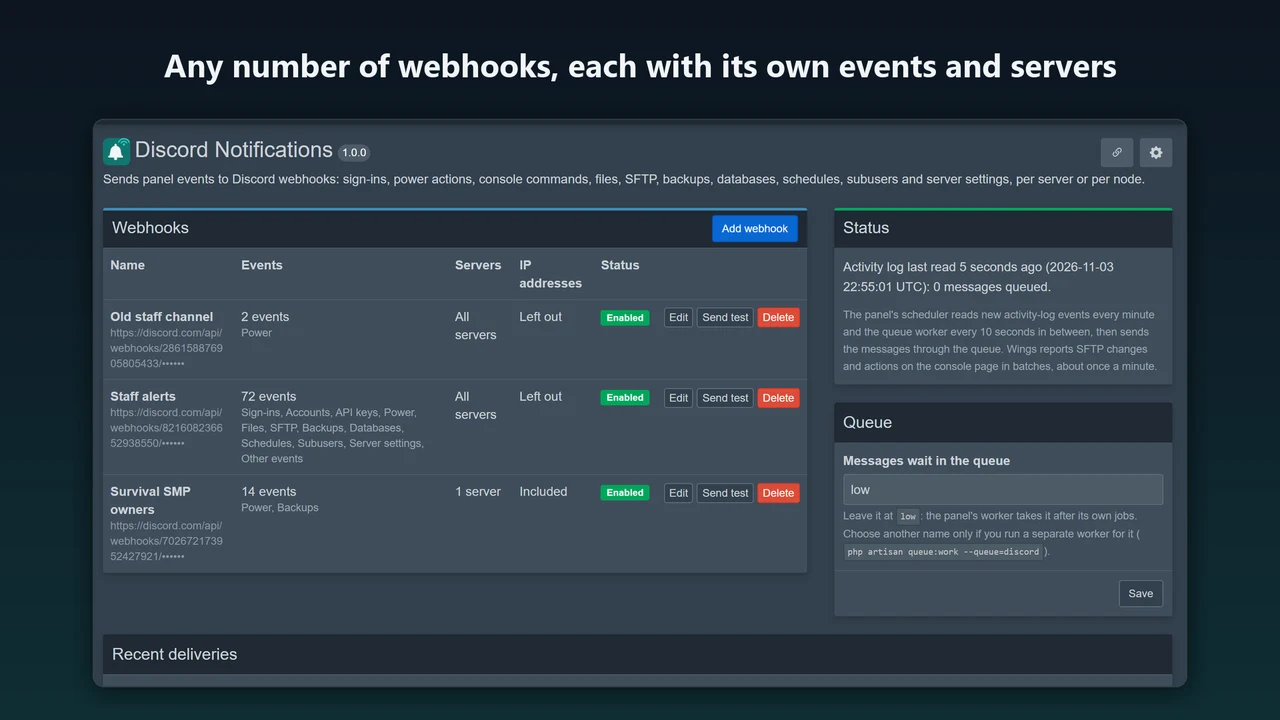
Discord Notifications sends those panel events to Discord channels, as embeds that say who did what, where and when. It is a Blueprint extension for Pterodactyl 1.x: no panel files changed, and nothing added to the requests that cause the events.
What Discord Notifications for Blueprint does
Any number of webhooks
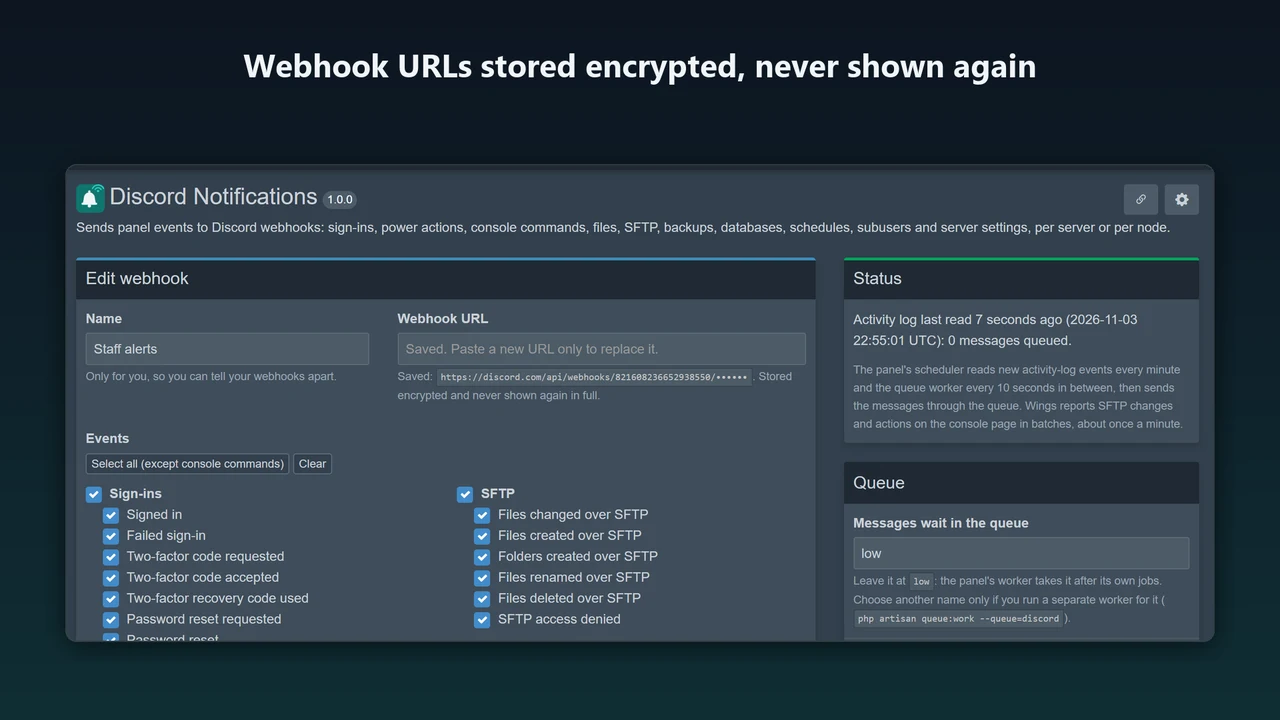
Each with its own events and servers: one staff channel with everything, one per customer with the power events and backups of their servers.
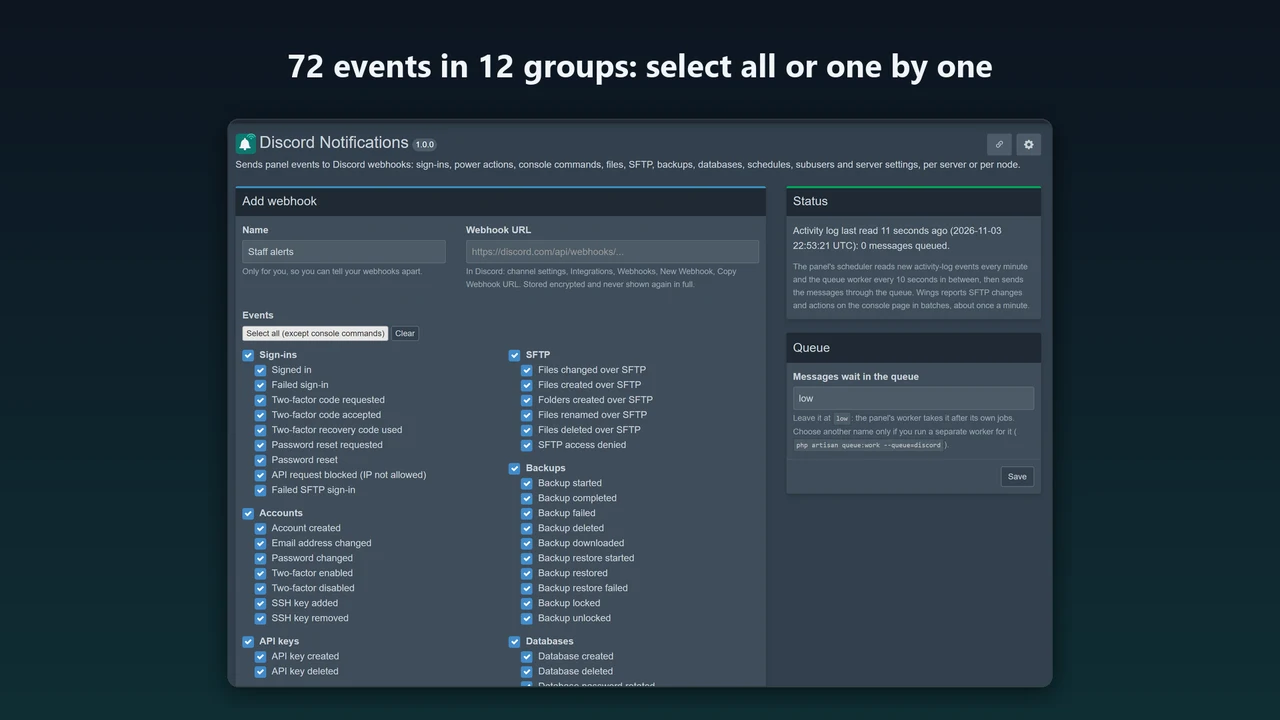
72 events in 12 groups
Sign-ins, accounts, API keys, power, console, files, SFTP, backups, databases, schedules, subusers and server settings. Other events catches what other Blueprint extensions write to the activity log.
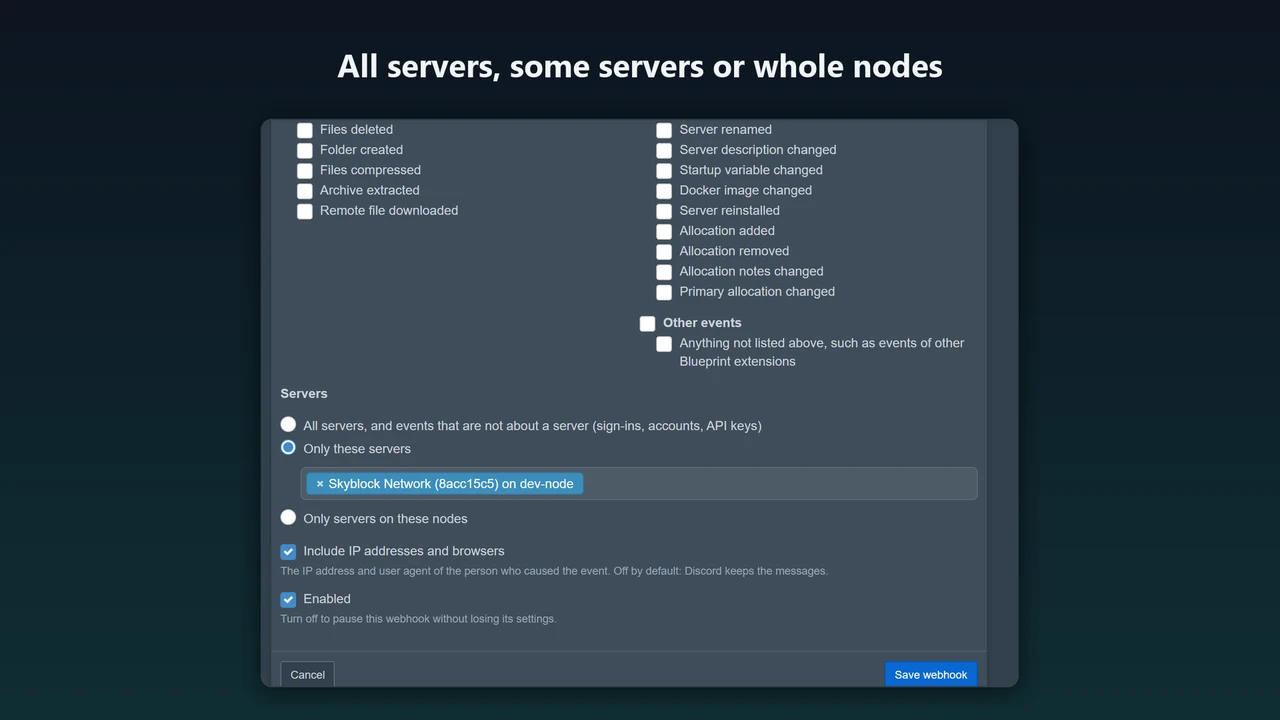
All servers, some servers or whole nodes
Per webhook, so a customer's channel only gets events about their servers.
Messages with context
The event, the user (linked to their admin page), the server (linked to its console and admin page), the node, the time and details such as the file path or the old and new value.
Safe by default
Console commands are opt-in and IP addresses are off until you turn them on. Passwords, API key secrets, tokens and file contents are never sent, and names are escaped so nobody can slip in an @everyone.
Status, Send test and delivery log
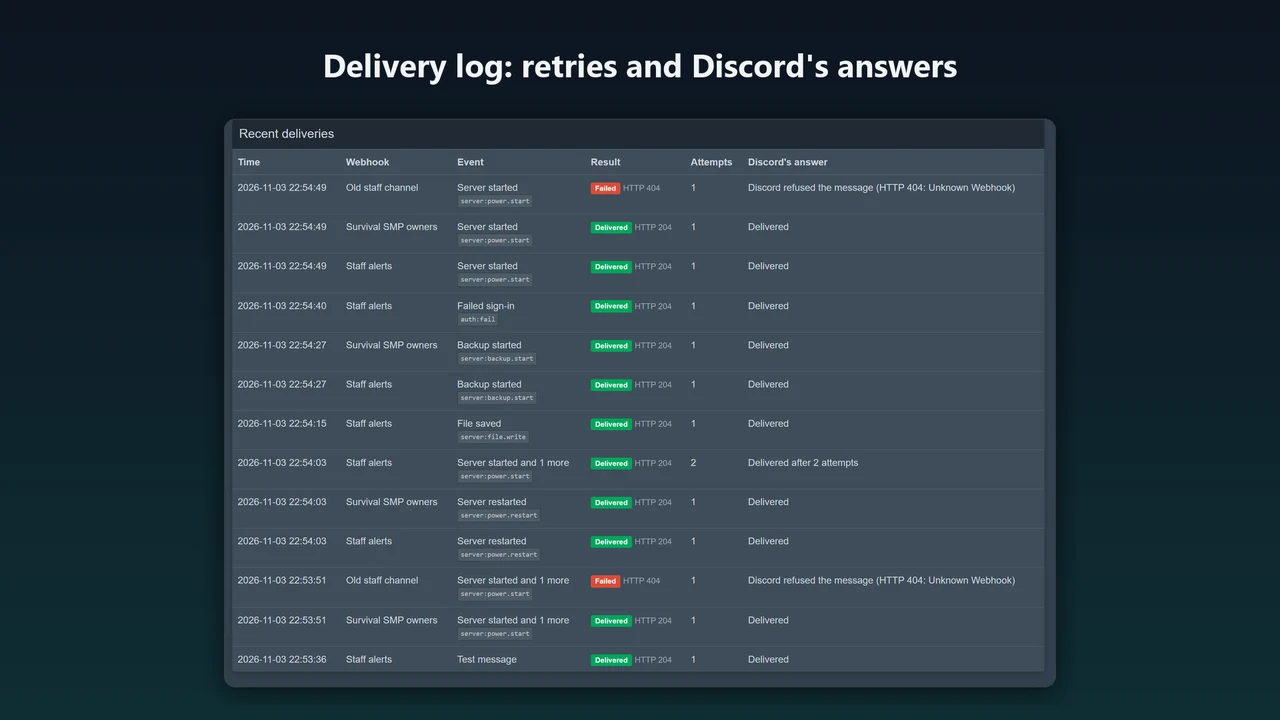
The Status box shows when the activity log was last read, Send test checks a webhook, and the delivery log keeps the last 50 results with Discord's answer.
How it works
- Install. Put
discordnotifications.blueprintin your Pterodactyl folder (usually/var/www/pterodactyl) and runblueprint -install discordnotifications. With Blueprint in Docker, also runphp artisan migrate --forcein the panel container. - Add a webhook. Open Admin → Extensions → Discord Notifications → Add webhook and paste the URL from Discord (channel settings → Integrations → Webhooks).
- Choose and test. Pick the events and servers, save, then click Send test.
Screenshots
It never slows the panel down
Blueprint extensions cannot hook into the panel's code, so Discord Notifications reads the panel's activity log in the background: the scheduler every minute and the queue worker about every 10 seconds in between. Nothing runs inside the request that caused the event, and the queue worker talks to Discord.
In our tests a power action took 25 to 31 ms (median of 20) with webhooks enabled and Discord up, down or not answering, and 29 ms with no webhook enabled. Messages reached Discord about 10 seconds after the event (median 9.5 s).
Events found together share messages (up to 10 per message, up to 3 messages per webhook every 10 seconds), and a flood beyond that becomes one message that counts the rest. Discord's rate limits are followed (bucket headers, 429 with retry_after, global limits, one request per webhook at a time). When Discord does not answer or returns a 5xx, the webhook pauses and the message is retried after 10 s, 1 min and 5 min.
Security
- Only Discord webhook URLs are accepted (discord.com, discordapp.com, canary and ptb), so the panel cannot be made to call any other address. Redirects are not followed.
- The URL holds Discord's token. It is stored encrypted with your APP_KEY, never sent back to the browser (the page shows the webhook id only), and never written to the queue or the log.
- Root administrators only, in Blueprint's admin area, with the panel's CSRF protection on every form.
Pricing
One Pterodactyl panel installation; a test or staging copy is included. Updates within 1.x, full source.
Good to know
- Pterodactyl 1.x does not write changes made in its admin area (servers suspended or deleted there, nodes, eggs) to its activity log, so they cannot be sent. Accounts created by an admin are sent.
- SFTP changes and actions on the console page reach the panel from Wings in batches, once a minute by default, so they arrive up to a minute later than other events.
- A message that still cannot be delivered after 15 minutes is given up and shown as failed in the delivery log.
- Webhooks are set up by root administrators; customers cannot add their own.
- Tested against a local stand-in that answers as Discord's API documentation describes, not against Discord itself.
Guides
FAQ
Does it send console commands?
Only to webhooks where you tick Console. Commands can contain passwords, so Select all leaves them out.
What if Discord is down?
The panel works as usual. Messages wait and are retried; after 15 minutes they are given up and shown as failed in the delivery log.
Can customers set up their own webhooks?
No, webhooks are set up by root administrators. You can give a customer a channel that only gets events about their servers.
Do I need to edit panel files?
No. It only uses Blueprint's extension features: an admin page, a scheduled command and two database tables.
Does it work on Pterodactyl 2.0?
No. Pterodactyl 2.0 has its own extension system and its own version, Discord Notifications for Pterodactyl 2.0.
Related tools
Crash Detector for Blueprint
Notices when a Pterodactyl game server crashes, keeps the last console lines, emails the owner and posts to Discord. Optional crash loop stop. Blueprint.
Staff Access for Blueprint
Staff request access to a customer's Pterodactyl server, the owner approves the permissions, and access ends on its own. Logged. Blueprint, no core edits.
Discord Notifications for Pterodactyl 2.0
Pterodactyl 2.0 panel events in Discord: power actions, sign-ins, file edits, backups and admin changes. 138 events, per-server webhooks, rate limits handled.
Cloudflare Subdomains for Blueprint
Subdomains like play.example.com for Pterodactyl 1.x with Blueprint, in Cloudflare DNS: SRV for Minecraft, A/AAAA for others, records follow the server.
More from Karelia Labs
Updated