
GoBD Z3 Export for Odoo: the German tax audit data package in one click
In a German tax audit the auditor can ask for the accounting data on a data carrier (Z3, Datenträgerüberlassung): CSV tables described by an index.xml in the GDPdU description standard. Odoo exports CSV and Excel, but not this package. GoBD Z3 Export builds it from your posted accounting and keeps every package with its checksum as a record of what was handed over.
Published to Odoo Apps on 2026-10-24. The store page appears once Odoo has processed it.
- Odoo versions
- 19.0 and 20.0
- Editions
- Community and Enterprise
- Format
- GDPdU description standard (index.xml and DTD), UTF-8 CSV
- Hosting
- Odoo.sh or your own server
- Licence
- OPL-1, one-time purchase per Odoo version
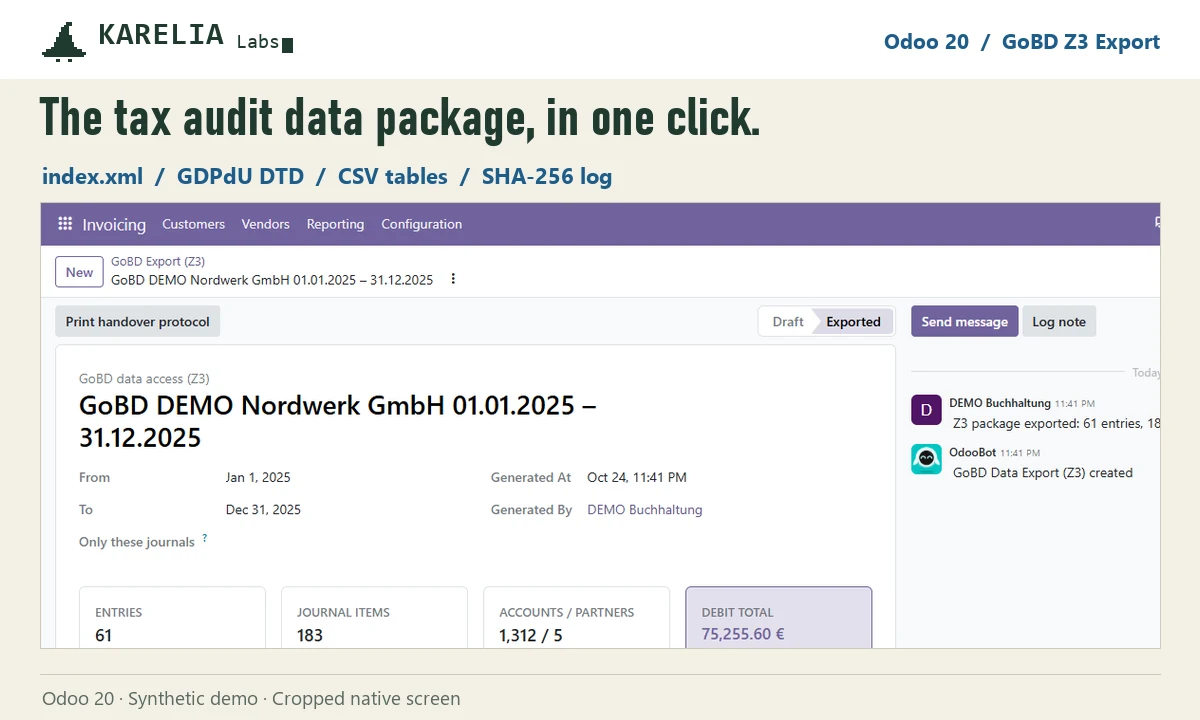
What GoBD Z3 Export does
What's inside
index.xml with columns, types, keys and validity period, the GDPdU DTD, and tables for journal items, entries, trial balance, accounts, journals, taxes and partners.
Keys that resolve
Every account, journal, tax, partner and entry a journal item refers to is in the package, and index.xml is validated against the DTD in the tests.
Every package kept
An exported package can't be edited or deleted. Period, exporter, record counts and a SHA-256 checksum per file stay with it, and it prints as a handover protocol.
Branches included
Posted entries of the company and its branches, archived branches too. Drafts and other companies never reach the package.
Text that survives
Umlauts, semicolons, quotes and line breaks stay intact, with decimal comma and DD.MM.YYYY dates.
Good to know
- It covers the financial accounting data of the period. Cash register data (DSFinV-K), payroll and document archives are separate obligations.
- GoBD compliance depends on your whole process, including your procedure documentation. The app produces the data package; it doesn't certify compliance.
- One company per export, with its branches.
- Odoo Online can't install custom Python add-ons, so it needs Odoo.sh or your own server.
Guides
FAQ
Doesn't Odoo do this already?
Odoo's German documentation describes CSV and Excel exports. The Z3 package with index.xml and the description standard is what this app adds.
Can I export again?
Yes, as a new export. Earlier packages stay as they were, so the history shows every handover.
Who can export?
Accounting administrators create exports. Read-only accounting users, for example your tax advisor, can open and download them.
Related tools
LateRate
Statutory late payment interest in Odoo: half-year reference rates, the fixed EU compensation once per invoice, and one draft interest invoice per customer.
TSE for TakePOS
Dolibarr module that signs every TakePOS sale with fiskaly's certified cloud TSE, prints the QR code on the receipt and exports DSFinV-K. Dolibarr 20 to 24.
Updated 2026-10-25