
Karelia Audio Player: add a music and audio player with playlists to your Wix site
Wix lists the audio player among the elements it has not yet brought into its Harmony editor, so songs, mixes, meditations or sermons end up as links to other sites. Karelia Audio Player puts a player with a playlist on any page.
- Requires
- Nothing else
- Works in
- Wix Harmony, Wix Studio and the classic Wix Editor
- Price
- Free plan; Pro $4.99/month or $49/year, billed by Wix
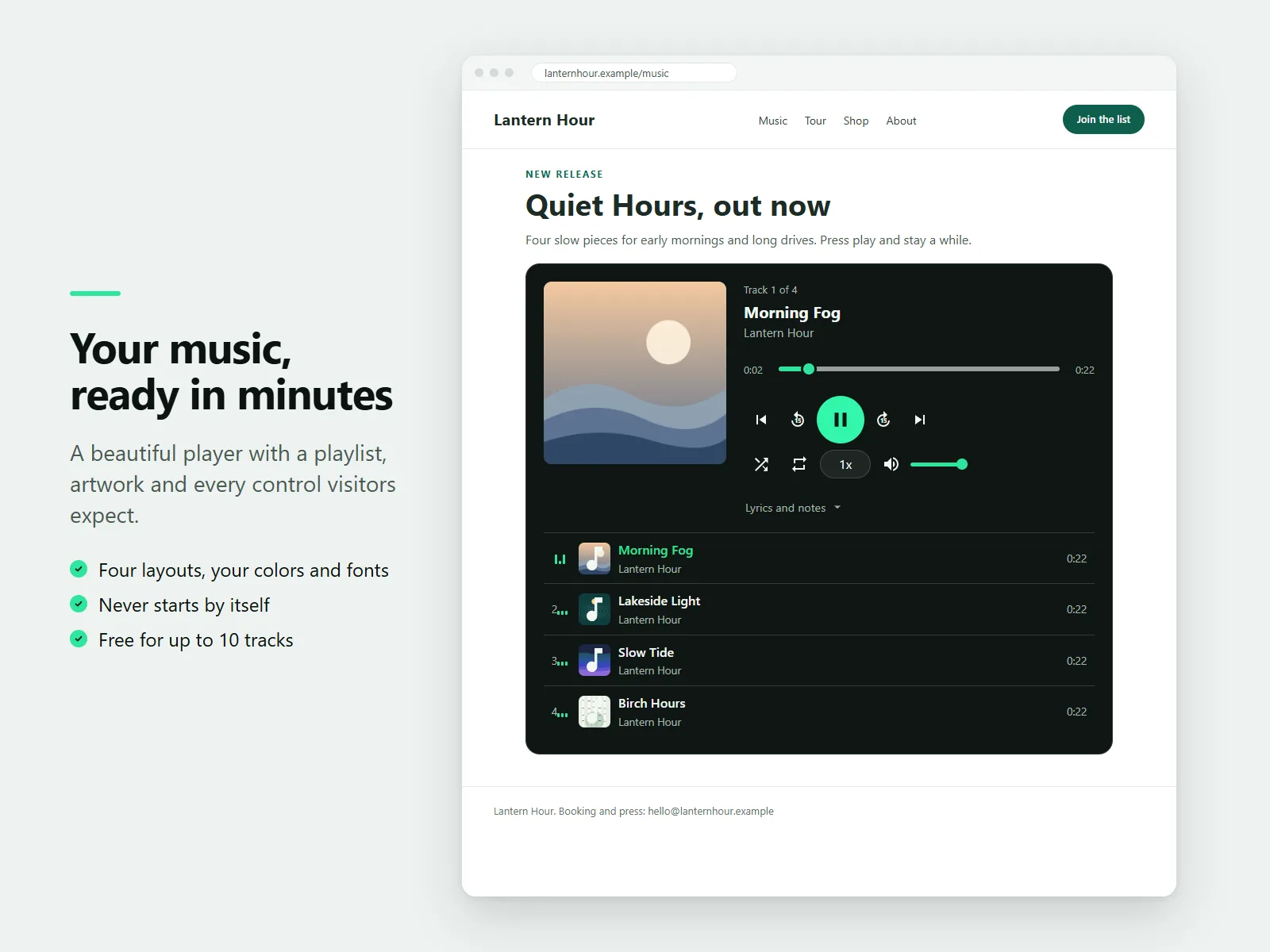
Choose a classic player with artwork and track list, a slim compact bar, a card grid for albums or a minimal single-track player, then set your own colors, font and corner radius.
What Karelia Audio Player does
Four layouts
Classic, compact bar, card grid and minimal single track, with your colors, fonts and corners.
Playlist and track details
Title, artist, artwork and lyrics or notes for each track. Paste a whole list at once.
Your own files
Add tracks from your site media or from any https link to an MP3, M4A, OGG or WAV file.
Controls visitors expect
Seek bar, volume, previous and next, shuffle, repeat, speed from 0.5x to 2x and a 15 second skip.
Never autoplays
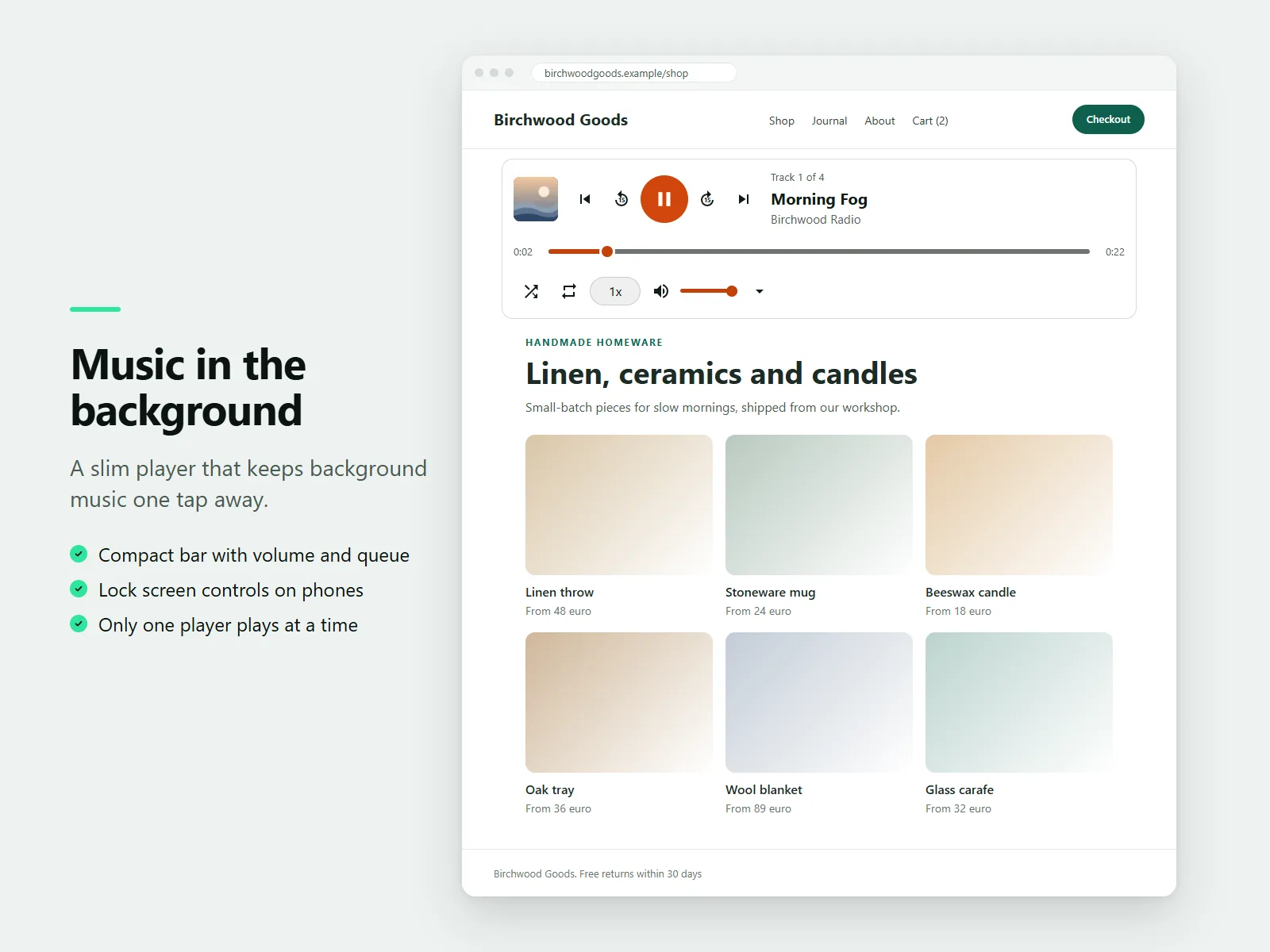
The player never starts by itself, and only one player on a page plays at a time.
Pro extras
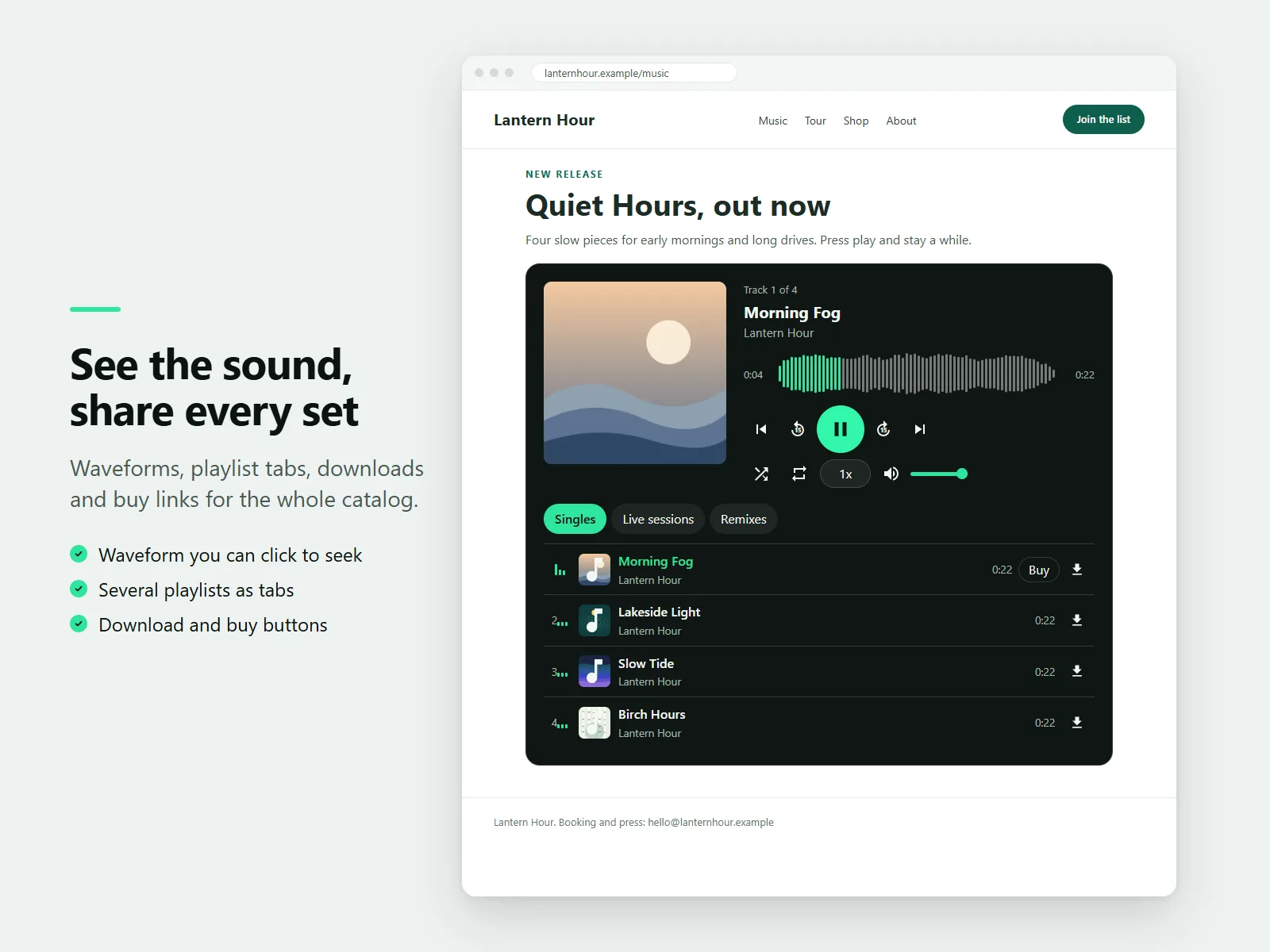
Unlimited tracks, several playlists as tabs, a clickable waveform, and download and Buy or Stream links next to each track.
How it works
- Add the player. Install the app and open the editor. In Harmony, choose Add, then Apps and drag Audio Player onto your page.
- Add your tracks. Select the player, choose Settings and add tracks, or paste a list of titles and links.
- Pick a look and publish. Choose a layout, colors and font, then publish.
Screenshots
Pricing
Every layout, color and playback control, as many players as you like, up to 10 tracks in each.
Or $49/year, billed by Wix. Unlimited tracks, playlist tabs, waveform, download buttons and links next to each track.
Good to know
- The Free plan allows up to 10 tracks per player and one playlist per player. If the plan cannot be checked, the player behaves as on Free.
- Audio files must come from your site media or an https link.
Privacy
Karelia Labs ("we") makes the Karelia Audio Player app. This policy explains what the app stores and where. Contact: karelialabs@outlook.com. Website: https://karelialabs.com.
What the app is. The app adds an audio player to a site. The site owner adds tracks, artwork and settings in the site editor. Visitors of the site play the audio.
What we store about site owners. We do not run a database and we do not store the owner's tracks, links, artwork, lyrics or settings ourselves. They are saved by Wix as properties of the player on the owner's own site. We do not receive your name, email address or payment details from the app. Payments and plans are handled by Wix.
What the app reads. To show the right features, the app asks Wix which plan the site is on (Free or Pro) and the app's instance identifier. The live site receives only the plan name. This answer may be kept for up to ten minutes on our server and in the visitor's browser. We keep no log of which visitor or which site asked.
What happens on a visitor's device. The player stores small items in the visitor's browser so it works quickly: the plan answer, the length of audio files and, for Pro waveforms, a short row of numbers that describes each file. This is stored in the browser only, is not sent to us, and can be cleared at any time in the browser settings. The app sets no cookies, includes no advertising and does no tracking or analytics of visitors.
Audio and images. Audio files and artwork are loaded directly from the address the owner entered, which is usually the owner's own Wix media or another host. That host receives the visitor's request, including the visitor's IP address, as with any file on a web page. For waveforms and downloads, the file may be fetched by the visitor's browser a second time.
AI assistant tools. When a site owner asks the Wix AI assistant for help, the app's tools can tidy a pasted track list, give advice about audio files, report the plan, and check that a public link points to an audio file. A link check sends one request from our server to the address the owner provided. We do not store the result.
Sharing. We do not sell or share personal data. The app runs on Wix infrastructure, which processes requests under Wix's own terms and privacy policy.
Children. The app is a tool for site owners and is not directed to children.
Your rights. Because we do not hold personal data about owners or visitors, there is normally nothing to delete or export. If you believe we hold data about you, write to karelialabs@outlook.com and we will respond within 30 days.
Changes. If we change this policy, the new version is published at https://karelialabs.com with a new date.
Last updated: 8 November 2026
Terms of service
These terms apply to the Karelia Audio Player app from Karelia Labs ("we"). By installing the app you agree to them. Contact: karelialabs@outlook.com. Website: https://karelialabs.com.
The service. The app adds an audio player to your site. It plays audio files that you provide. We do not host, store or supply your audio files, artwork or text, apart from a few short demo pieces that are included so the player looks complete before you add your own.
Your content. You are responsible for everything you play and show with the app. You must have the right to publish and, if you enable downloads, to distribute each recording, text and image. Do not use the app for content that is unlawful, infringes the rights of others, or is harmful. We may disable the app on a site that does.
Plans and payment. The app has a Free plan and a paid Pro plan. What each plan includes is described in the app listing and in the app dashboard. Prices, billing, trials, renewals and refunds are handled by Wix under Wix's own terms. You can change or end your plan at any time through Wix. If the plan cannot be confirmed, the app behaves as on the Free plan until it can.
Availability. We work to keep the app reliable but provide it "as is". Audio playback depends on the visitor's browser and on the host of your audio files, so we cannot promise that every file will play for every visitor. We may update or change the app, and we will try to avoid removing features from the Free plan.
Liability. To the extent the law allows, we are not liable for indirect or consequential loss, lost income, or lost data, and our total liability for any claim is limited to the amount you paid for the app in the three months before the claim. Nothing in these terms limits liability that cannot be limited by law.
Ending. You can stop using the app by uninstalling it. We may end access for a serious breach of these terms.
Privacy. How the app handles data is described in the Privacy Policy.
Changes and law. We may update these terms and will publish the new version at https://karelialabs.com. Continued use after a change means you accept it. These terms are governed by the laws of Finland.
Last updated: 8 November 2026
Guides
How to add an audio or music player in Wix Harmony
Wix lists the audio player as not yet available in Harmony. Karelia Audio Player adds a player with playlists, artwork and your colors to any page, free for up to 10 tracks per player.
Read the guide →What Wix Harmony can't do yet, and how to add it
A list of the apps, elements and effects Wix says are not yet available in Harmony, with a note on which Karelia Labs apps add them.
Read the guide →FAQ
How do I add an audio player to Wix Harmony?
Install Karelia Audio Player, then in the Harmony editor choose Add, then Apps and drag Audio Player onto the page. Add your tracks in the settings and publish.
Can I add background music to a Wix page?
The player has a compact bar layout for music on a page. It never starts by itself: visitors press play, and only one player on a page plays at a time.
What audio formats work?
Links to MP3, M4A, OGG and WAV files, or files from your own site media.
Does it work on phones?
Yes. It works at narrow widths, and phones show lock screen controls with the artwork.
Is it free?
Every layout and playback control is free, on as many players as you like, with up to 10 tracks in each. Pro removes the track limit.
Related tools
Karelia Podcast Player
Add a podcast player to Wix from your RSS feed or a directory link. New episodes appear by themselves. Free for 10 episodes, Pro $4.99/month.
Karelia Image Hotspots
Add clickable hotspots to any image on Wix: shop the look, floor plans and labelled diagrams. Free for 6 hotspots per picture, Pro $4.99/month.
Karelia RSS Feed
Show posts from any blog, newsletter or YouTube channel on your Wix site. Paste a page address, the feed is found for you. Free plan, Pro $3.99/month.
Karelia Portfolio
Add a project portfolio to your Wix site: filterable grid, project view with gallery and lightbox. Free for 9 projects, Pro $5.99/month.
More from Karelia Labs
Updated