
Karelia Portfolio: a filterable project portfolio and case studies for your Wix site
A portfolio should let people see your best work in seconds and read the story behind it when they want to. Karelia Portfolio adds a project portfolio to any page of your Wix site: a grid of covers with category filters and a full project view that opens right on the page.
- Requires
- Nothing else
- Works in
- Wix Harmony, Wix Studio and the classic Wix Editor
- Price
- Free plan; Pro $5.99/month or $59/year, billed by Wix
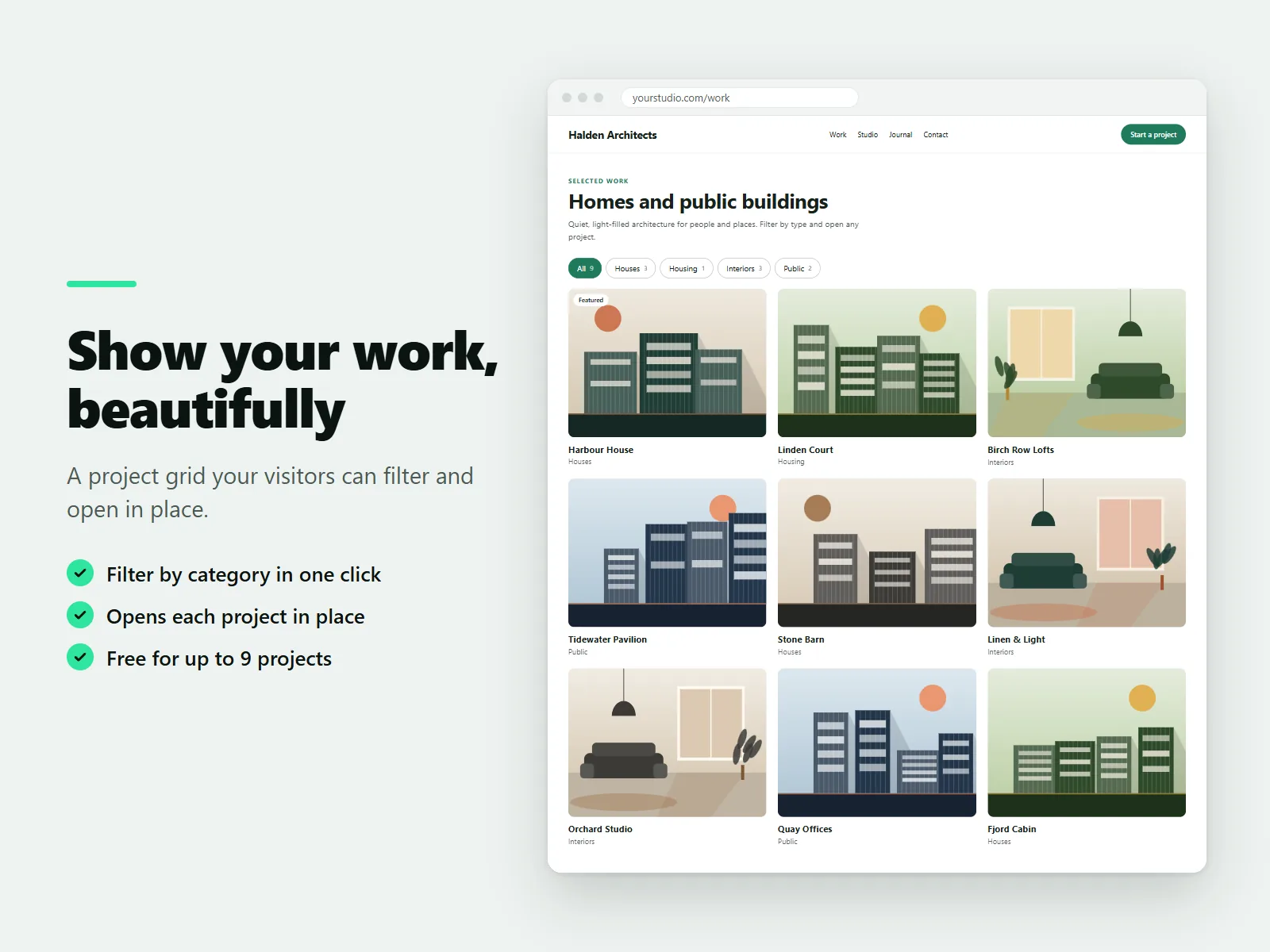
Each project has a cover image, a gallery, a short story, the client, the year, your role, categories and an optional link. Six example projects are included so you can see how it looks before you add your own.
What Karelia Portfolio does
Filterable grid
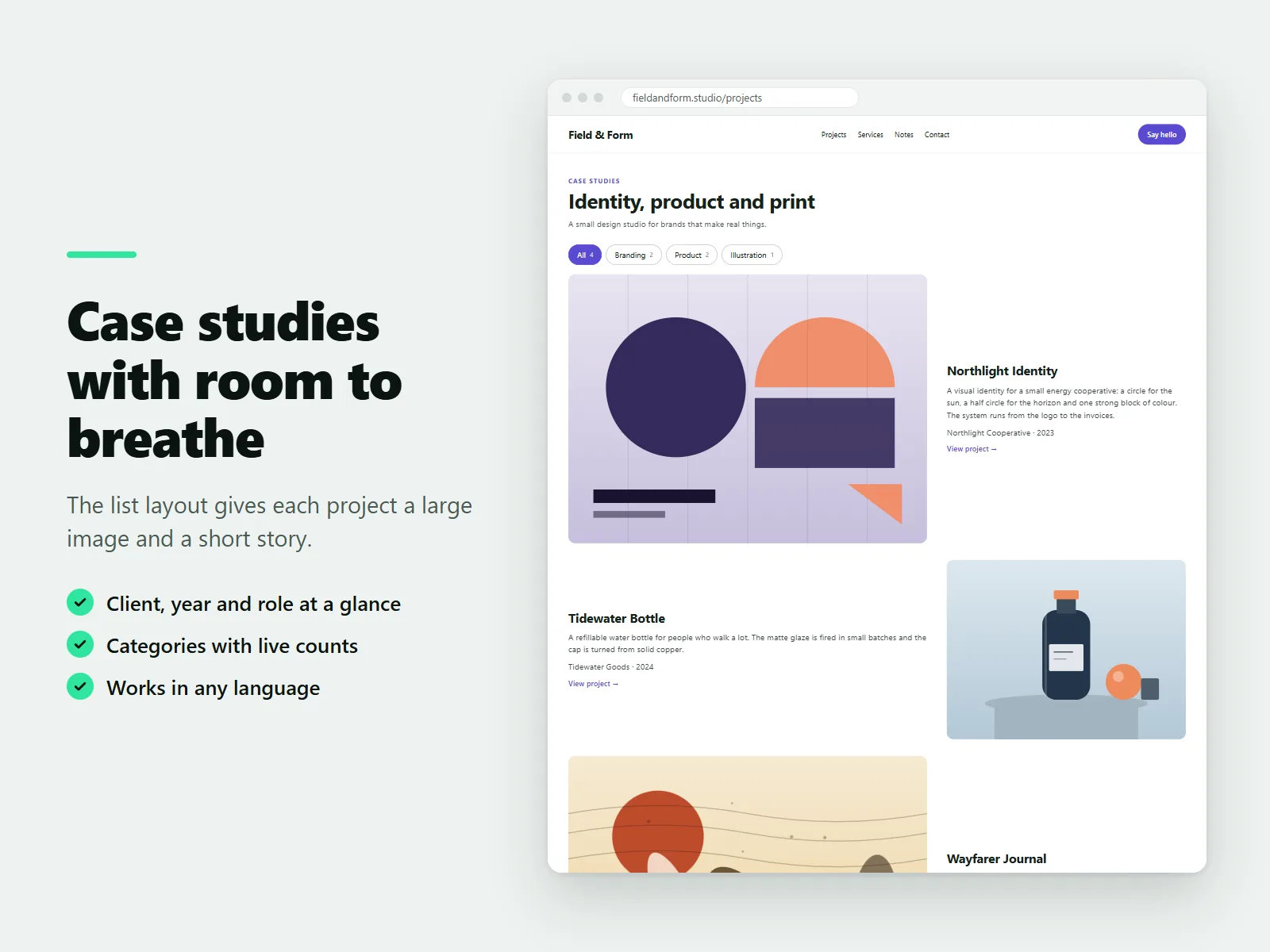
Visitors filter by category with one click, with live counts on the filters.
Projects open in place
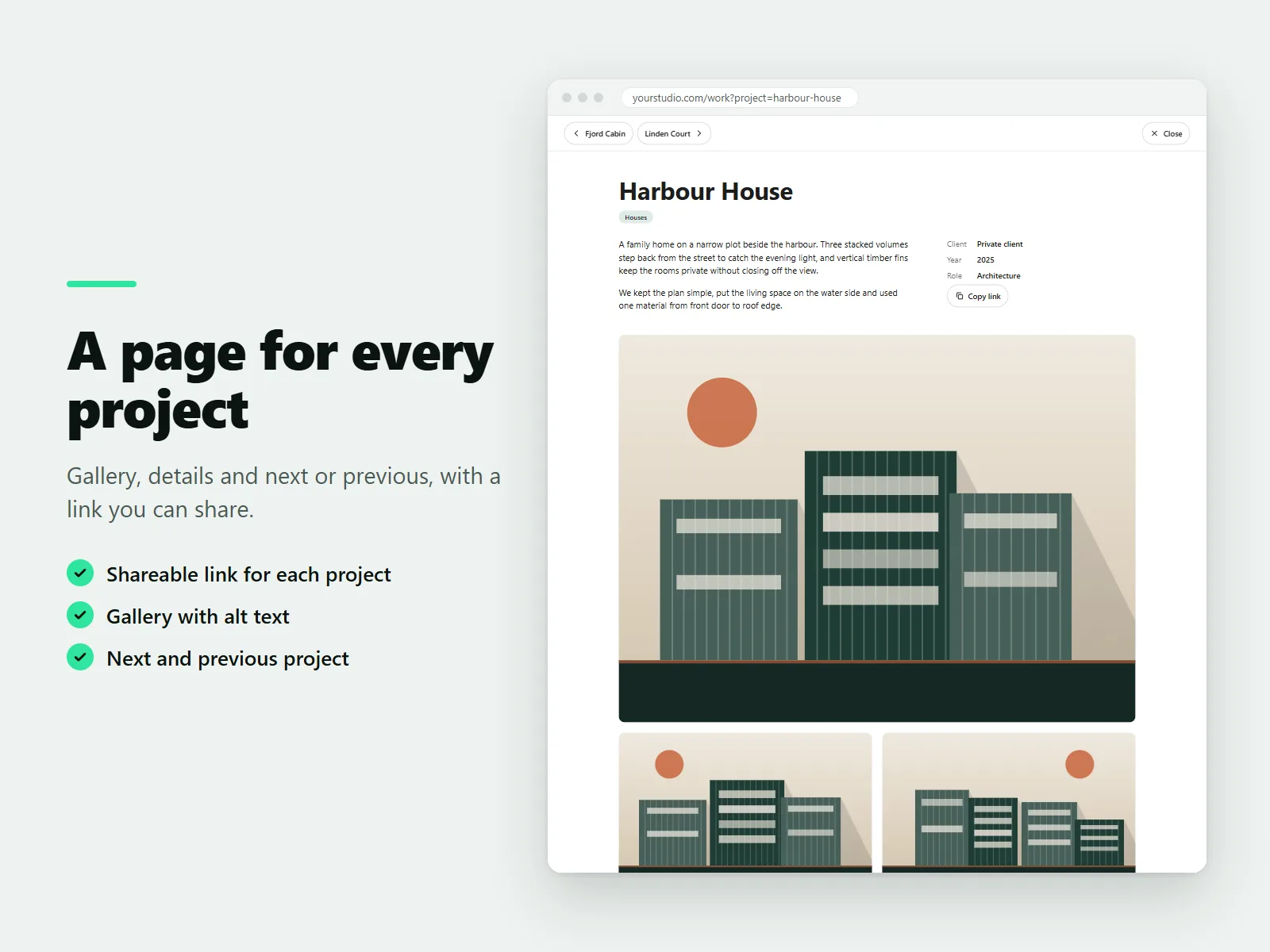
A project view with gallery, details, and next and previous project, without leaving the page.
Lightbox gallery
Full-screen images that work with the keyboard and by swiping.
Your look
Columns, spacing, image shape, rounded corners, colors, font and a hover effect.
Drag to reorder
Add projects in the settings panel, drag to change the order and mark favorites as featured.
Pro layouts and links (Pro)
Unlimited projects, masonry and list layouts, video in projects, a shareable link per project and structured data for each project.
How it works
- Add the widget. Install the app. In the Wix editor choose Add, then Apps and place Portfolio on a page.
- Add your projects. In the settings panel, add projects with a cover, gallery, story and categories. Drag to reorder.
- Choose the look and publish. Pick columns, spacing, colors and hover style, then publish.
Screenshots
Pricing
Up to 9 projects, any number of portfolios, grid layout with category filters, project view with gallery and lightbox, all colors, fonts and hover styles.
Or $59/year, billed by Wix. Unlimited projects, masonry and list layouts, video in projects, a link for each project and structured data for search engines.
Good to know
- The Free plan has up to nine projects and the grid layout.
- The app does not show ads, add a watermark or track your visitors.
Privacy
Last updated: 8 November 2026
Karelia Portfolio ("the app") is provided by Karelia Labs ("we", "us"). This policy explains what the app stores and where. Contact: karelialabs@outlook.com. Website: https://karelialabs.com.
What the app is. The app adds a portfolio widget to your website. You add projects, images and texts in the widget's settings panel in the site editor.
What the app stores, and where. Your portfolio content. Projects, titles, descriptions, image links, alt texts, categories and the design settings are stored in the settings of the widget on your own site. They are saved and published by your website platform together with the rest of your site. We do not receive a copy and we do not keep it on our own servers.
Your plan. To know whether your site is on the Free or the Pro plan, the app's backend reads the app installation record for your site from your website platform. It uses the installation identifier and the plan name only. We do not store this information. The answer ("free" or "pro") is returned to the widget.
In the visitor's browser. The widget keeps one small entry in the browser's local storage (the plan answer and the time it was fetched) so that the plan does not have to be checked on every page view. It contains no personal data, is not used to recognise or follow visitors, and is deleted automatically when it expires or when the visitor clears site data. It is needed to make the widget work, so it does not require consent under common privacy rules.
In your dashboard. The dashboard page keeps a visit counter and a "review prompt dismissed" flag in the browser's local storage of the site owner, so that the review reminder appears once.
What the app does not do. The app does not use cookies, does not run analytics, does not profile or track visitors, does not show advertising and does not sell or share data.
Videos. If you add a video link to a project, the video is not loaded when the page opens. It is loaded only when a visitor presses play. Then the video provider (YouTube or Vimeo) receives the visitor's request, including the IP address, under the provider's own privacy policy. The app uses the providers' privacy-enhanced embed addresses.
Images. Images are loaded from the address you provide (normally your own media library). The visitor's browser requests them directly from that address.
AI assistant tools. If you use the website platform's AI assistant with the app, the facts you type about a project are processed to produce a text and alt-text suggestions. The app does not keep them.
Service providers. The app runs on the website platform's hosting. Your site's data is handled by the platform under its own terms and privacy policy.
Your rights. You control your content in the widget settings and can delete it at any time. Removing the app removes the widget. If you have questions or want to exercise your rights under applicable data protection law, write to karelialabs@outlook.com.
Changes. If we change this policy, we will update the date above. Material changes will be announced in the app's dashboard.
Terms of service
Last updated: 8 November 2026
These terms apply when you install or use Karelia Portfolio ("the app"), provided by Karelia Labs ("we", "us"). Contact: karelialabs@outlook.com. Website: https://karelialabs.com.
1. The service. The app adds a portfolio widget to your website and a dashboard page with setup help. It is offered on a Free plan and a paid Pro plan. What each plan includes is described on the app's listing and in the app dashboard.
2. Your account and plan. You use the app through your website account. Billing for the Pro plan is handled by the website platform at the price and billing period shown when you upgrade. You can cancel at any time through the platform. Refunds follow the platform's policy.
3. Your content. You own your content: projects, texts, images and videos. You give us no license to it, because the app does not receive or store it (see the Privacy Policy). You are responsible for having the right to publish everything you add, for the accuracy of your texts and for alt texts and descriptions you choose to use, including those suggested by the AI assistant tools. Check suggestions before you publish them.
4. Acceptable use. Do not use the app to publish unlawful, infringing, hateful, deceptive or harmful content, or to try to disrupt or gain unauthorised access to the app or its backend.
5. Free and Pro features. Features that belong to the Pro plan show on your published site only while your site is on a paid plan or in a free trial. If the plan cannot be confirmed, the app behaves as the Free plan so that your site keeps working. Content you added beyond the Free plan's limit is kept in your settings and shows again when you are on Pro.
6. Availability and changes. We work to keep the app available and free of errors, but we do not guarantee uninterrupted service. We may improve, change or retire features, and we will give reasonable notice of changes that remove paid features.
7. Third-party services. Videos load from third-party video providers only when a visitor presses play, under those providers' terms. The app runs on a third-party website platform and depends on it.
8. Warranty and liability. The app is provided "as is". To the extent the law allows, we are not liable for indirect or consequential loss, lost profit or lost data, and our total liability for any claim is limited to the amount you paid for the app in the twelve months before the claim. Nothing here limits rights that cannot be limited by law, including consumer rights.
9. Ending. You can stop using the app at any time by uninstalling it. We may suspend use that breaks these terms.
10. Changes to these terms. We may update these terms. The date above shows the latest version. Continued use after an update means you accept it.
11. Contact. karelialabs@outlook.com, https://karelialabs.com.
Guides
FAQ
How do I add a portfolio to my Wix site?
Install Karelia Portfolio, place it on a page from Add, then Apps, and add your projects in the settings panel. Choose a look and publish.
Can visitors filter projects by category?
Yes. The grid has category filters with counts. Visitors open a project without leaving the page.
Can I share a link to one project?
Yes, on the Pro plan every project gets a link that opens it directly and can be shared.
Who is it for?
Photographers, designers, architects, interior designers, illustrators, agencies, makers and students, or anyone who wants to show projects and case studies.
Is it free?
Yes for up to nine projects, with the grid, filters, project view, gallery and all colors and fonts. Pro removes the project limit and adds more layouts.
Related tools
Karelia Countdown Timer & Sale Bar
Add a countdown timer to any Wix page, with Black Friday and other presets, or a sale bar on every page. Free plan, Pro $3.99/month.
Karelia Timeline
Add a timeline to your Wix site for a company story, event schedule or roadmap. Vertical and list layouts. Free for 10 events, Pro $3.99/month.
Karelia Cancel Subscription
Add a cancel form and a cancel link to your Wix site. Members and visitors cancel Pricing Plans online with a reference number. Free plan, Pro $9.99/month.
Karelia Accordion & FAQ
Add collapsible questions and answers to Wix Harmony, in your fonts and colors. Four layouts, links to any question. Free plan, Pro $3.99/month.
More from Karelia Labs
Updated