
Karelia Timeline: a timeline for stories, schedules and roadmaps on your Wix site
Show your story, a schedule or your plans as a clean, easy-to-follow timeline. Karelia Timeline adds milestones, dates, pictures and links to a Wix page in a layout visitors can follow from the first event to the last. A ready-made company story you can edit shows how it looks from the first minute.
- Requires
- Nothing else
- Works in
- Wix Harmony, Wix Studio and the classic Wix Editor
- Price
- Free plan; Pro $3.99/month or $39/year, billed by Wix
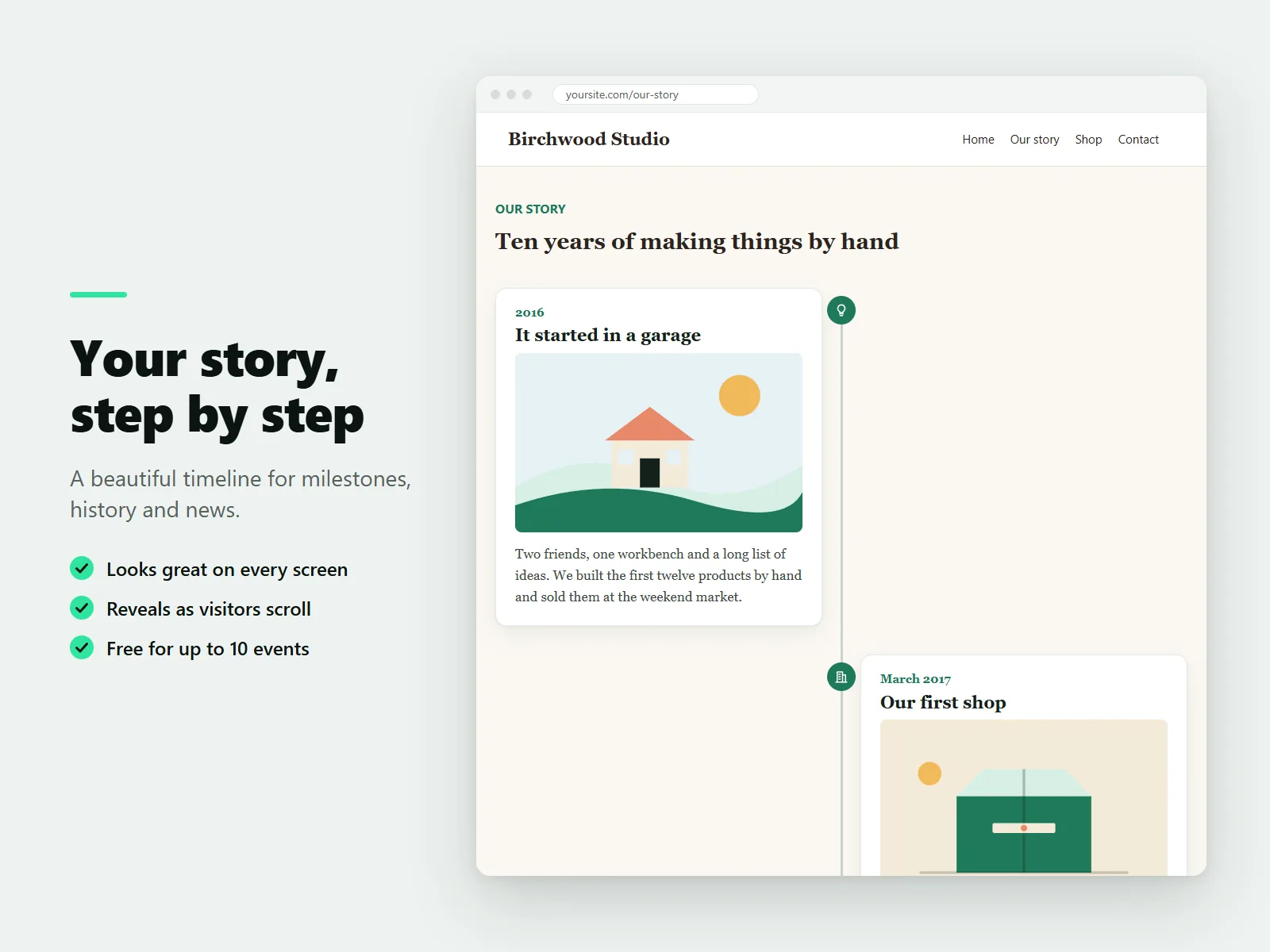
It suits company stories and About pages, wedding and event schedules, product roadmaps, museums and associations, course outlines and résumés.
What Karelia Timeline does
Layouts
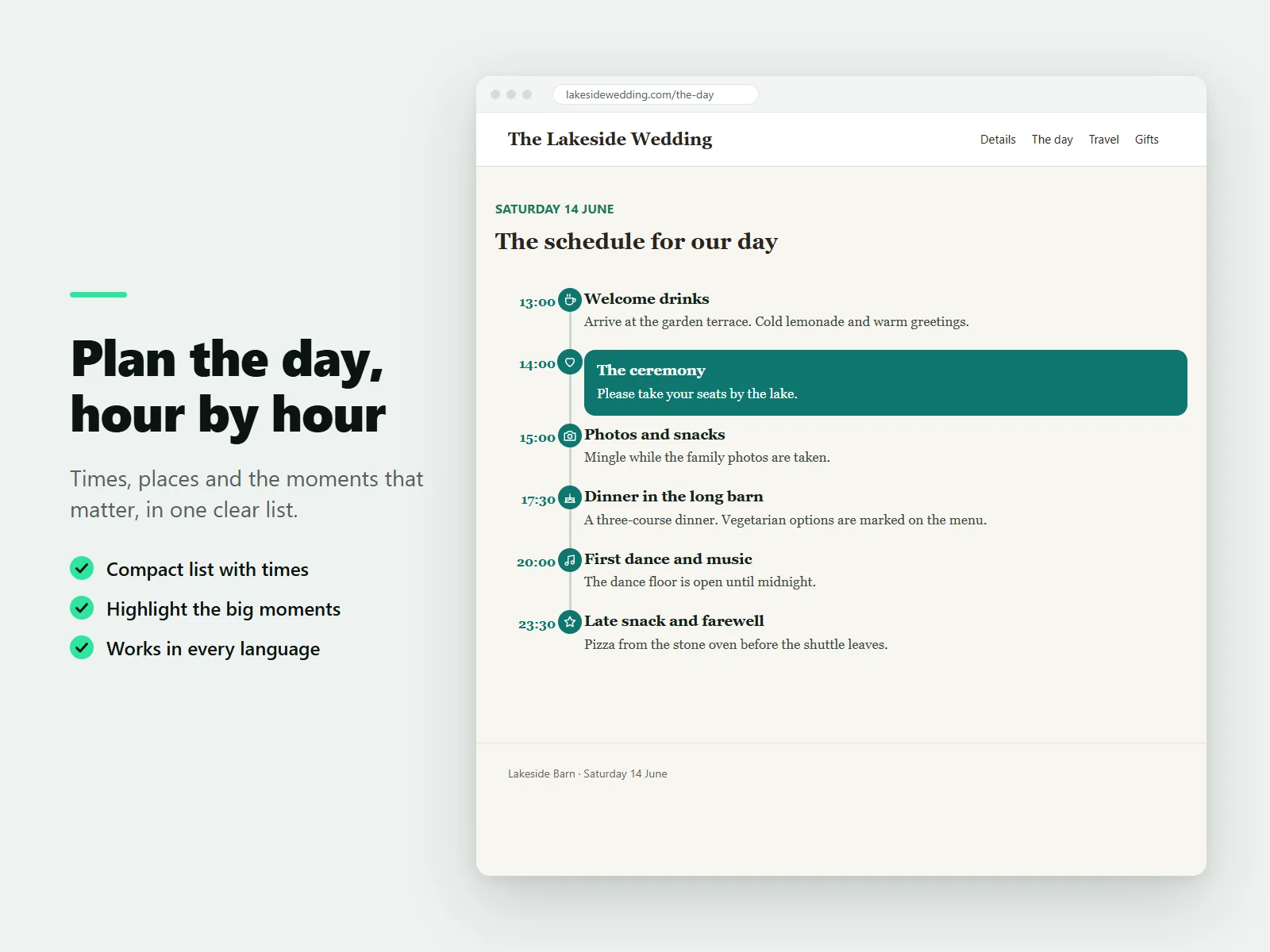
Events on alternating sides, a single line on the left or right, or a compact list that works like an agenda with times.
Your style
Colors, fonts, line and dot styles, and a small icon for each event.
Real dates or any label
Use a date or a label such as Spring 2024 or 14:30. Real dates are marked up for search engines and shown in the visitor's language.
Fast to fill
Drag events into order, sort by date, or paste a list of lines and they turn into events.
Made for everyone
Works with a keyboard and screen readers, collapses to one column on phones, mirrors for right-to-left languages and respects reduced motion.
More with Pro
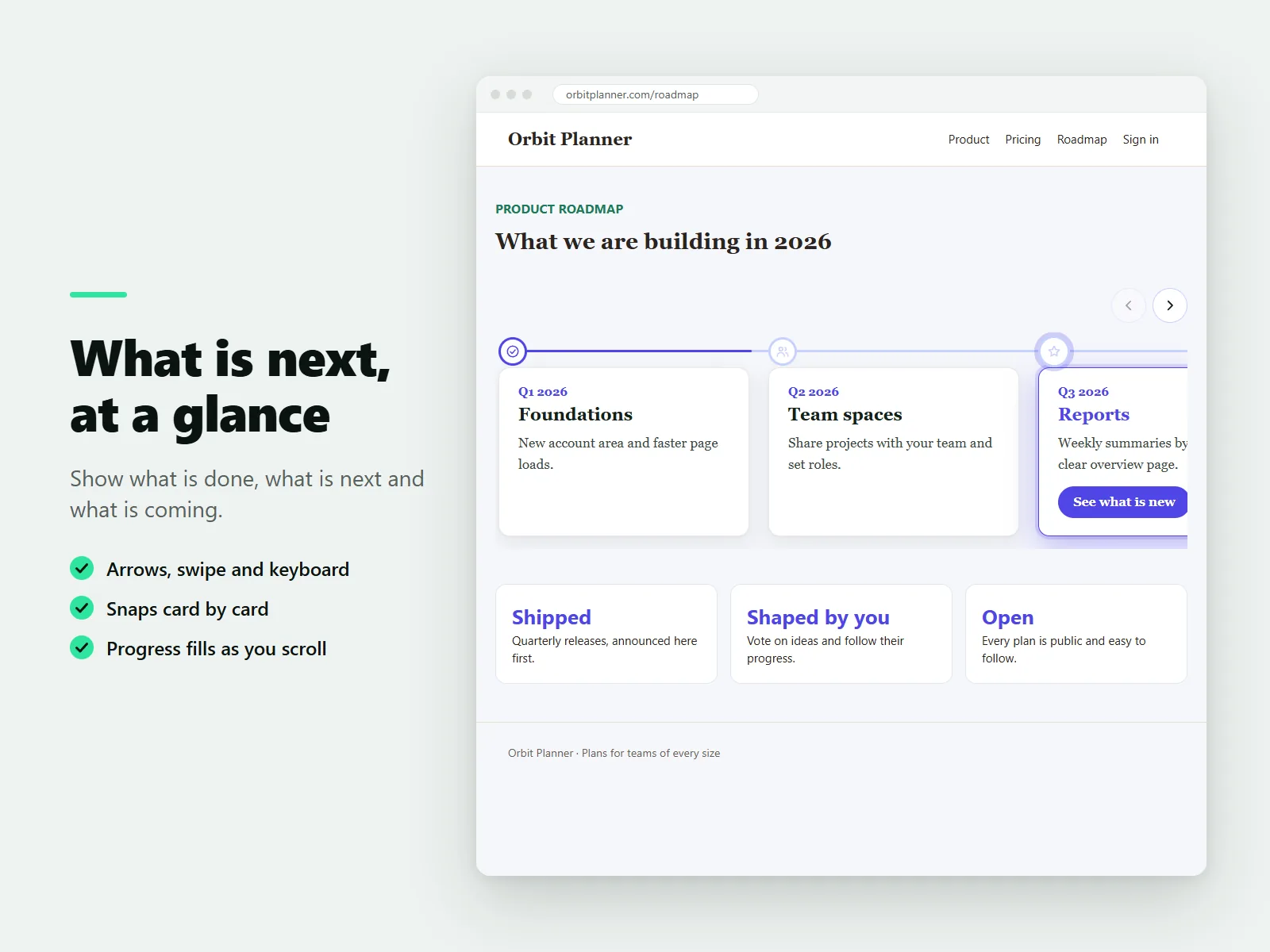
Unlimited events, a horizontal scroller with arrows and snapping, images and buttons in events, highlight styles and a progress line.
How it works
- Add the timeline. Install the app. In the Wix editor choose Add, then Apps and place Timeline on a page.
- Add your events. Replace the example events, or paste a list of lines to start. Drag to reorder or sort by date.
- Choose a layout and publish. Pick a layout, colors and fonts, then publish.
Screenshots
Pricing
Up to 10 events per timeline, unlimited timelines, vertical, left, right and compact list layouts, colors, fonts, line and dot styles, and icons.
Or $39/year, billed by Wix. Unlimited events, the horizontal scroller, images and buttons in events, highlight styles and the progress line.
Good to know
- The Free plan has up to 10 events per timeline.
- The text is real page content, so visitors see it even if animations are off.
Privacy
Last updated: 8 November 2026
Karelia Labs ("we", "us") makes the Karelia Timeline app for websites. This policy explains what the app stores, where, and why. Contact: karelialabs@outlook.com. Website: https://karelialabs.com.
Summary. Karelia Timeline does not collect personal data from your site visitors. It does not use cookies, advertising or analytics, and it does not keep a database of its own. The content of your timelines stays in your own site.
Who this applies to.
• Site owners who install the app and edit timelines.
• Site visitors who view a page with a timeline.
What the app stores and where. Timeline content and settings. The events you type (dates, titles, texts, image addresses, button links, icons) and the settings you choose (layout, colors, fonts) are stored inside the timeline component on your own site, as part of your site's content. We do not receive or keep a copy on our servers.
Plan information. To know whether your site is on the Free or the Pro plan, the app reads the plan of your app installation from the platform that hosts your site. Only the plan name and whether a free trial is running are used. The answer is not stored on our servers. We keep it in memory for about one minute to avoid repeated requests.
In the browser of a visitor or owner. The timeline saves one small item named kt:plan in the browser's local storage: the plan (Free or Pro) and the time it was checked. It is used for up to one hour so that the plan does not have to be asked for again on every page view. It contains no personal data and is not sent anywhere except in the plan check itself.
In the dashboard. The dashboard page saves two small items in your browser's local storage: a counter of how many times you opened the page (kt:visits) and whether you closed the review reminder (kt:review-dismissed). They stay on your device.
What visitors send. When a page with a timeline that uses a paid feature is opened, the visitor's browser asks the app's backend which plan the site is on. This is a normal web request, so the hosting platform may process technical data such as the IP address and browser type to deliver it. The app does not read, store or use that data. Pages whose timeline uses only free features do not make this request.
AI assistant tools. If you use the AI assistant in your site dashboard with our tools, the text you or the assistant provide (for example notes to turn into timeline events) is processed to produce the result and is returned to the assistant. We do not store it.
Cookies and tracking. The app sets no cookies and does not track visitors. It does not sell or share data.
Images and links. Images and links in your events point to the addresses you enter. Visitors' browsers load those images from their source. You are responsible for the content you add.
Retention and deletion. We keep no personal data. Timeline content is part of your site; removing the timeline from the site or uninstalling the app removes it from your pages. Items saved in browser storage can be cleared in the browser's settings.
Children. The app is not directed at children and does not knowingly process children's data.
Security. All requests use HTTPS. Content you enter is escaped before it is shown, and only safe link and image addresses are used.
Your rights. Because we do not hold personal data about you or your visitors, there is usually nothing to access or delete. If you have a question or a request, write to karelialabs@outlook.com and we will answer.
Changes. If this policy changes, we will update the date above and describe the change in the app's release notes.
Terms of service
Last updated: 8 November 2026
These terms apply to your use of the Karelia Timeline app, provided by Karelia Labs ("we", "us"). By installing or using the app you agree to them. Contact: karelialabs@outlook.com. Website: https://karelialabs.com.
1. The service. Karelia Timeline lets you add timelines to your website and edit their content and appearance. The app has a Free plan and a paid Pro plan. What each plan includes is described in the app and in its listing.
2. Your account and site. You are responsible for your site, for the content you add to your timelines, and for keeping access to your account secure. You must have the right to use the texts, images and links you add.
3. Plans, billing and cancellation. The Free plan has no charge. The Pro plan is billed monthly or yearly through the billing system of the platform that hosts your site, at the price shown when you upgrade. Billing, taxes, trials, refunds and cancellation are handled there and follow its terms. If your Pro plan ends, your timelines keep working on the Free plan: the first 10 events of each timeline stay visible, and Pro features stop being shown. Your content is not deleted.
4. Acceptable use. You agree not to use the app to show unlawful, harmful, misleading or infringing content, to attempt to break or overload the service, or to bypass the limits of your plan.
5. Your content. You keep all rights to your content. It is stored in your own site. You give us no license to it, except what is technically needed to show it on your pages.
6. Our rights. The app, its design, code and illustrations belong to Karelia Labs. You may use the app as long as you follow these terms. You may not copy, resell or reverse engineer it, except as the law allows.
7. Availability and changes. We work to keep the app available and correct, but we do not promise it will always be uninterrupted or free of errors. We may improve, change or retire features. If we make a material change to a paid feature, we will say so in the release notes.
8. Disclaimer. The app is provided "as is" and "as available", without warranties of any kind to the extent the law allows.
9. Limit of liability. To the extent the law allows, Karelia Labs is not liable for indirect or consequential damages, lost profits or lost data. Our total liability for any claim relating to the app is limited to the amount you paid for the app in the twelve months before the claim.
10. Ending. You may stop using the app and uninstall it at any time. We may suspend access if these terms are broken. Sections that by their nature should continue, such as sections 6, 8 and 9, continue after the service ends.
11. Privacy. How the app handles data is described in the Privacy Policy.
12. Changes to these terms. We may update these terms. We will change the date above, and continued use after an update means you accept it.
13. Contact. Questions about these terms: karelialabs@outlook.com.
Guides
FAQ
How do I add a timeline to my Wix site?
Install Karelia Timeline, place it on a page from Add, then Apps, and edit the example events. Choose a layout and publish.
Can I make a schedule or agenda with times?
Yes. The compact list layout works like an agenda, and each event can have a time or any label you like.
Can I show a horizontal timeline?
Yes, on the Pro plan. The horizontal scroller has arrows, swiping and snapping.
Is it good for SEO?
The text is real page content, and real dates are marked up for search engines.
Is it free?
Yes for up to 10 events per timeline, with as many timelines as you want and all colors, fonts and styles. Pro removes the event limit.
Related tools
Karelia Cancel Subscription
Add a cancel form and a cancel link to your Wix site. Members and visitors cancel Pricing Plans online with a reference number. Free plan, Pro $9.99/month.
Karelia Accordion & FAQ
Add collapsible questions and answers to Wix Harmony, in your fonts and colors. Four layouts, links to any question. Free plan, Pro $3.99/month.
Karelia Text Mask
Fill Wix Harmony headline letters with a photo, a gradient or a looping video. Real text for search engines. Free plan, Pro $3.99/month.
Karelia Audio Player
Add an audio or music player to Wix Harmony with a playlist, artwork and your colors. It never autoplays. Free for 10 tracks, Pro $4.99/month.
More from Karelia Labs
Updated