
Karelia Text Mask: fill headline letters with a photo or video in Wix Harmony
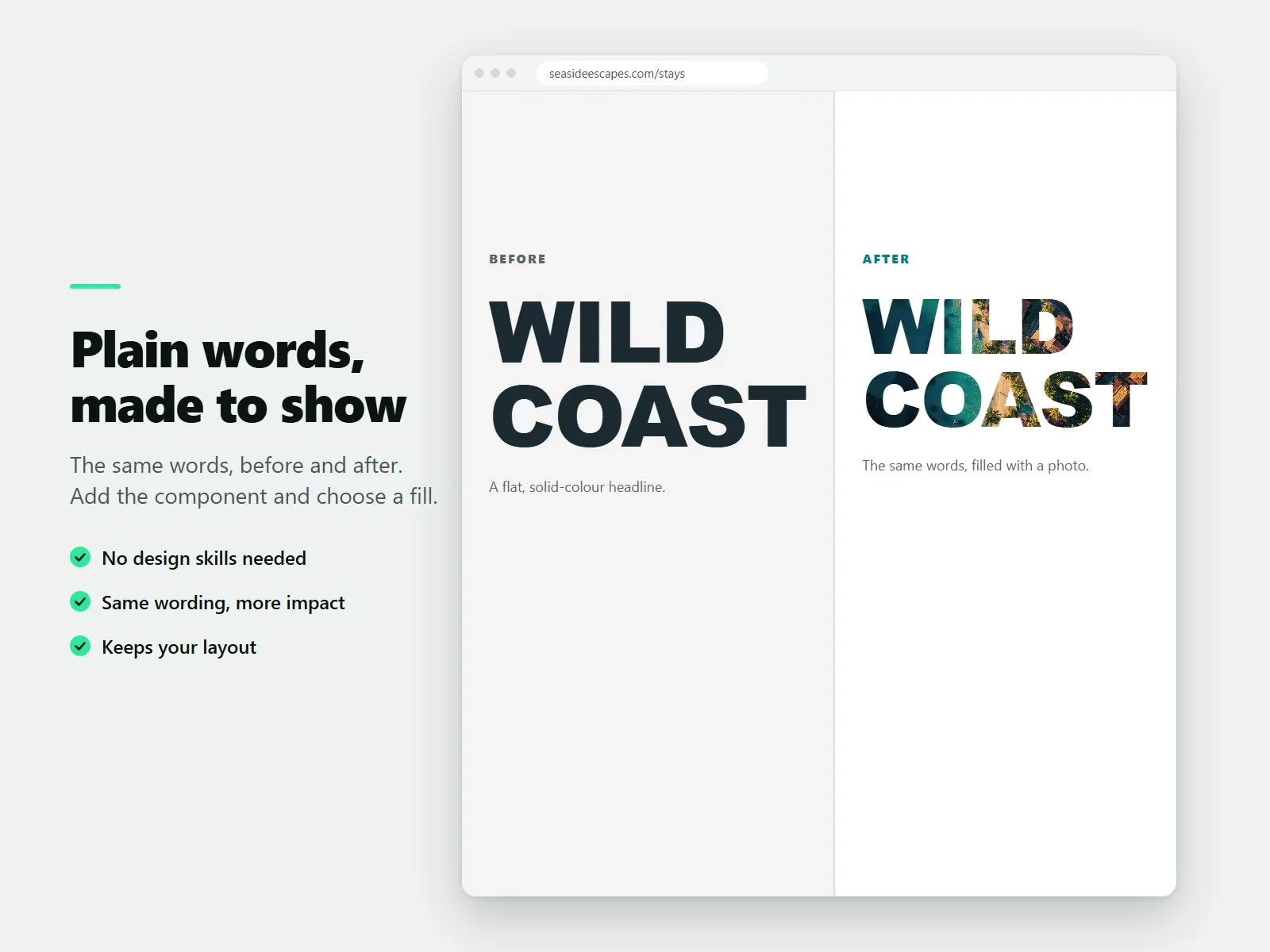
Wix lists the text mask among the effects it has not yet brought into its Harmony editor, so a headline filled with a photo or a video needs a workaround such as a flat image. Karelia Text Mask is a headline component whose letters are filled with a photo, a color gradient or, on Pro, a short looping video.
- Requires
- Nothing else
- Works in
- Wix Harmony
- Price
- Free plan; Pro $3.99/month or $39/year, billed by Wix
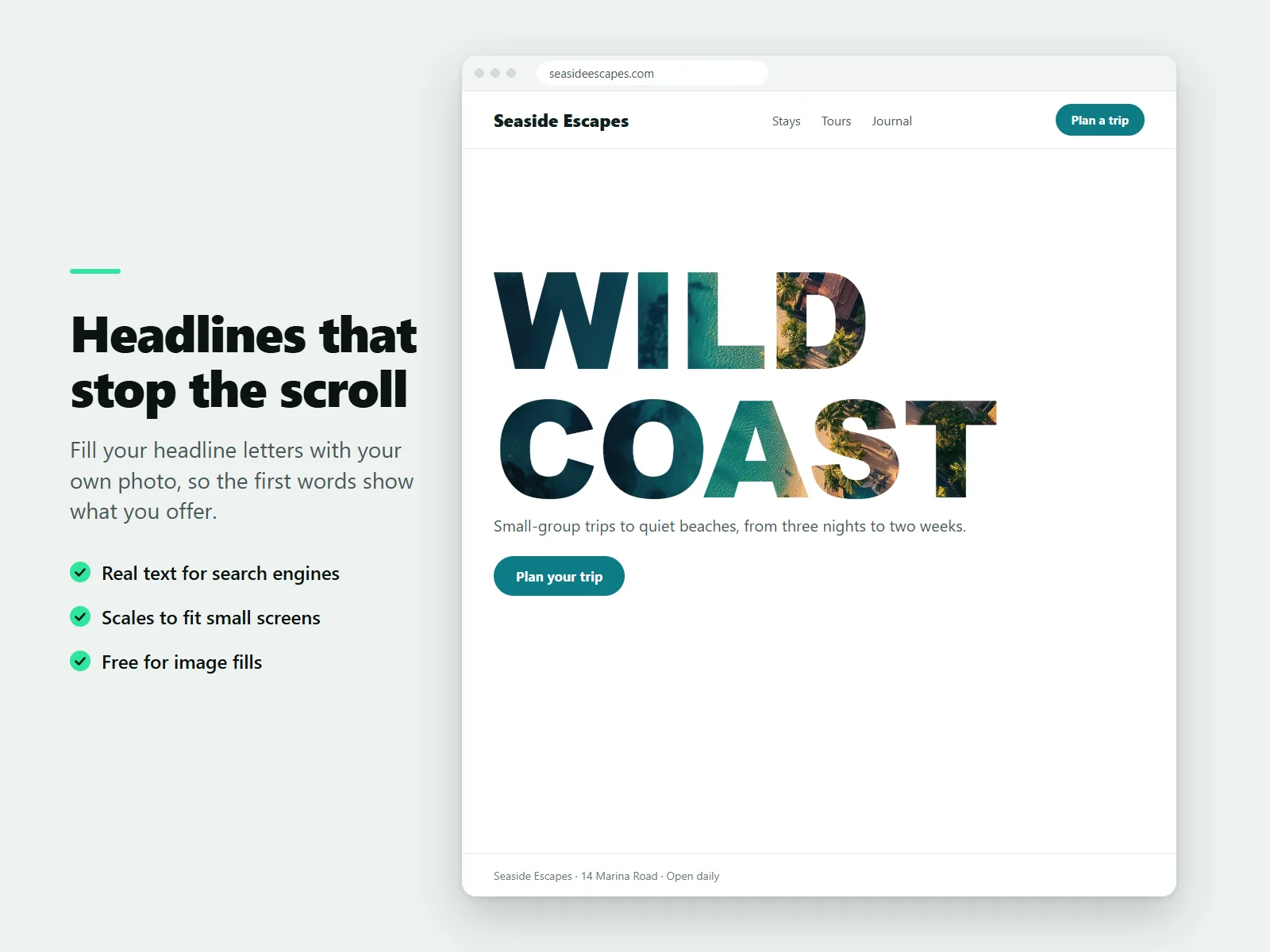
The headline stays real text. Search engines and screen readers read it like any other heading, and you choose whether it is a main heading, a smaller heading or a paragraph.
What Karelia Text Mask does
Photo fill
Pick a photo from your media and move the focal point to the part you want to show.
Gradients
Eight ready-made gradients, or set three colors of your own.
Looping video fill (Pro)
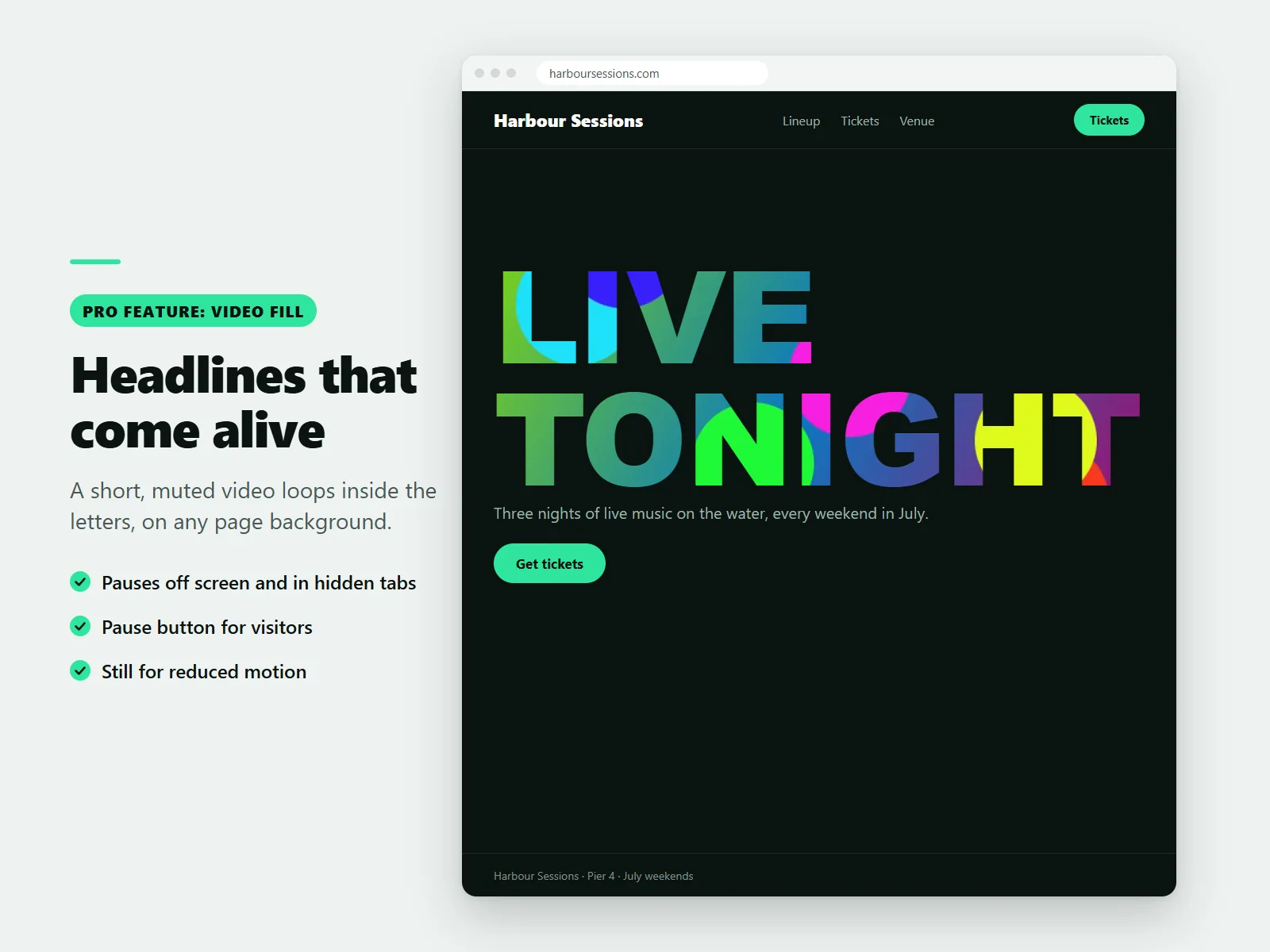
A short, muted clip plays inside the letters, pauses when off screen or in a hidden tab, and has a pause button.
Fill motion (Pro)
Slow pan and zoom for pictures, and a flowing animated gradient. Motion switches off for visitors who ask for reduced motion.
Real, readable text
Font, weight, size, spacing and alignment use the normal design controls. The decorative fill is hidden from assistive technology.
Scales to phones
Text scales down on small screens so long words never run off the edge.
How it works
- Add the component. Open your site in the Harmony editor and add Text Mask from Add elements, then Apps.
- Type your words. Type the headline and choose a fill: a photo, a gradient or, on Pro, a video.
- Fine-tune and publish. Adjust font, size and the heading tag, add an optional outline and a fallback color, then publish.
Screenshots
Pricing
Image fill, eight gradients, a custom gradient, all typography controls and unlimited headlines.
Or $39/year, billed by Wix. Looping video fill, fill motion (slow pan and zoom) and a flowing animated gradient.
Good to know
- Video fill and fill motion need the Pro plan. The Free plan has image and gradient fills and no limit on headlines.
- Check that the headline is easy to read before you publish. Aria can help with that check.
Privacy
Last updated: 8 November 2026
Text Mask is an app by Karelia Labs ("we", "us"). This policy explains what the app stores and where. Contact: karelialabs@outlook.com, https://karelialabs.com.
Who this covers.
• Site owners who install the app and use its dashboard page and the Text Mask component.
• Visitors of sites that use the Text Mask component.
What the app stores. Your headline settings. The text, fill choice, images, video, colours and other settings of each Text Mask component are saved by the editor as part of your site, in the same way as any other element on your page. We do not receive or keep a copy of them.
In the dashboard (your browser only). The dashboard page keeps two small values in your browser's local storage: how many times you opened the dashboard, and whether you dismissed the review reminder. They never leave your browser.
In a visitor's browser. To know whether the site is on the Free or Pro plan, the component keeps the plan name ("free" or "pro") in the browser's session storage for up to ten minutes. It contains no personal data and is deleted when the browser tab closes.
What the app reads. When a page with a Text Mask component loads, or when you open the dashboard, our app backend asks the platform which plan your site is on and answers with the plan name only. The answer contains no personal information about you or your visitors. The backend does not store it and does not log it.
When you use Aria, the AI assistant, with our tools, the tools receive the details Aria passes on for that request (for example the kind of business you run, or the size and colours of a headline) and return suggestions. We do not store these requests.
What the app does not do.
• It does not use cookies.
• It does not track visitors, run analytics or load advertising.
• It does not send personal data to third parties.
• It does not collect names, email addresses or payment details. Payments for the Pro plan are handled by the platform's billing system, not by us.
• Video fills are muted and play only the files you chose; the app loads no outside media on its own.
Third parties. The app runs on the platform where you installed it. The platform processes your data under its own terms and privacy policy. We use no other service providers.
Your choices and rights. You can change or delete any headline settings in the editor at any time. Removing the app from your site removes the component; the small browser values described above can be cleared in your browser settings. To ask about your data, or to exercise rights you have under the law where you live, write to karelialabs@outlook.com and we will reply within 30 days.
Changes. If we change this policy we will update the date above. Material changes will also be announced in the app listing.
Contact. Karelia Labs, karelialabs@outlook.com, https://karelialabs.com
Terms of service
Last updated: 8 November 2026
These terms apply when you install or use Text Mask, an app by Karelia Labs ("we", "us"). By installing the app you agree to them. Contact: karelialabs@outlook.com, https://karelialabs.com.
The service. Text Mask lets you add a headline to your site whose letters are filled with an image, a colour gradient or, on the Pro plan, a looping muted video. It includes a dashboard page and tools for the Aria assistant.
Plans and billing.
• The Free plan includes image and gradient fills and all typography and layout controls, with no limit on the number of headlines.
• The Pro plan adds video fill, fill motion and the animated gradient. Its price and billing period are shown on the upgrade page before you buy.
• Billing, renewals, trials and refunds for Pro are handled by the platform's billing system under its own terms. You can cancel at any time from your site's app settings; Pro features then return to the Free fallback (image or gradient) at the end of the paid period.
• If we cannot confirm your plan, the app treats the site as being on the Free plan so that nothing breaks.
Your content. You keep all rights to the text, images and videos you use. You promise that you own them or have the right to use them, and that they do not break the law or anyone else's rights. We do not review, copy or store your content; it stays with your site.
Acceptable use. Do not use the app to display unlawful, hateful or deceptive content, to harm visitors, or to interfere with the service. Choose fills and sizes that keep your headline readable; you are responsible for the accessibility of your own pages.
Availability and changes. We work to keep the app available and working, but we do not promise it will be uninterrupted or free of errors. We may improve, change or retire features and will give notice of material changes in the app listing.
Warranty and liability. The app is provided "as is". To the extent the law allows, we are not liable for indirect or consequential losses, lost profits or lost data, and our total liability for any claim is limited to the amount you paid for the app in the twelve months before the claim. Nothing in these terms limits liability that cannot be limited by law.
Ending. You can stop using the app at any time by removing it from your site. We may suspend access if these terms are broken.
Privacy. How the app handles data is described in the Privacy Policy.
Contact. Karelia Labs, karelialabs@outlook.com, https://karelialabs.com
Guides
How to make a text mask (image or video inside text) in Wix Harmony
Wix lists the text mask as not yet available in Harmony. Karelia Text Mask fills headline letters with a photo or gradient, and with a looping video on Pro, while the headline stays real text.
Read the guide →What Wix Harmony can't do yet, and how to add it
A list of the apps, elements and effects Wix says are not yet available in Harmony, with a note on which Karelia Labs apps add them.
Read the guide →FAQ
How do I add a text mask in Wix Harmony?
Add Karelia Text Mask from Add elements, then Apps. Type your headline, choose a photo or gradient fill and publish.
Can I put a video inside text on Wix?
Yes, on the Pro plan. A short, muted, looping clip plays inside the letters and pauses when the headline is off screen. Visitors get a pause button.
Is the headline still real text for SEO?
Yes. Search engines and screen readers read it like any other heading, and the decorative fill is hidden from assistive technology.
Does it respect reduced motion settings?
Every moving effect switches off for visitors who ask their device for reduced motion.
Is it free?
Image and gradient fills with all typography controls are free, on as many headlines as you like.
Related tools
Karelia Audio Player
Add an audio or music player to Wix Harmony with a playlist, artwork and your colors. It never autoplays. Free for 10 tracks, Pro $4.99/month.
Karelia Podcast Player
Add a podcast player to Wix from your RSS feed or a directory link. New episodes appear by themselves. Free for 10 episodes, Pro $4.99/month.
Karelia Image Hotspots
Add clickable hotspots to any image on Wix: shop the look, floor plans and labelled diagrams. Free for 6 hotspots per picture, Pro $4.99/month.
Karelia RSS Feed
Show posts from any blog, newsletter or YouTube channel on your Wix site. Paste a page address, the feed is found for you. Free plan, Pro $3.99/month.
More from Karelia Labs
Updated