
How to make a text mask (image or video inside text) in Wix Harmony
Updated
The problem
A headline whose letters show a photo or a short video grabs attention. Wix's help center lists the text mask among the effects it is still bringing into Harmony (checked November 2026), and the usual workaround, a flat picture of text, cannot be read by search engines or screen readers.
Make a masked headline
- Add Karelia Text Mask from the Wix App Market and open your site in the Harmony editor.
- Add Text Mask from Add elements, then Apps, and type your headline.
- Choose a fill: a photo from your media (move the focal point to the part you want to show), one of eight gradients, or three colors of your own.
- Set font, weight, size, spacing and alignment with the normal design controls. Add an optional outline and a fallback color that shows while the picture loads.
- Choose whether the headline is a main heading, a smaller heading or a paragraph, then publish.

Video inside the letters
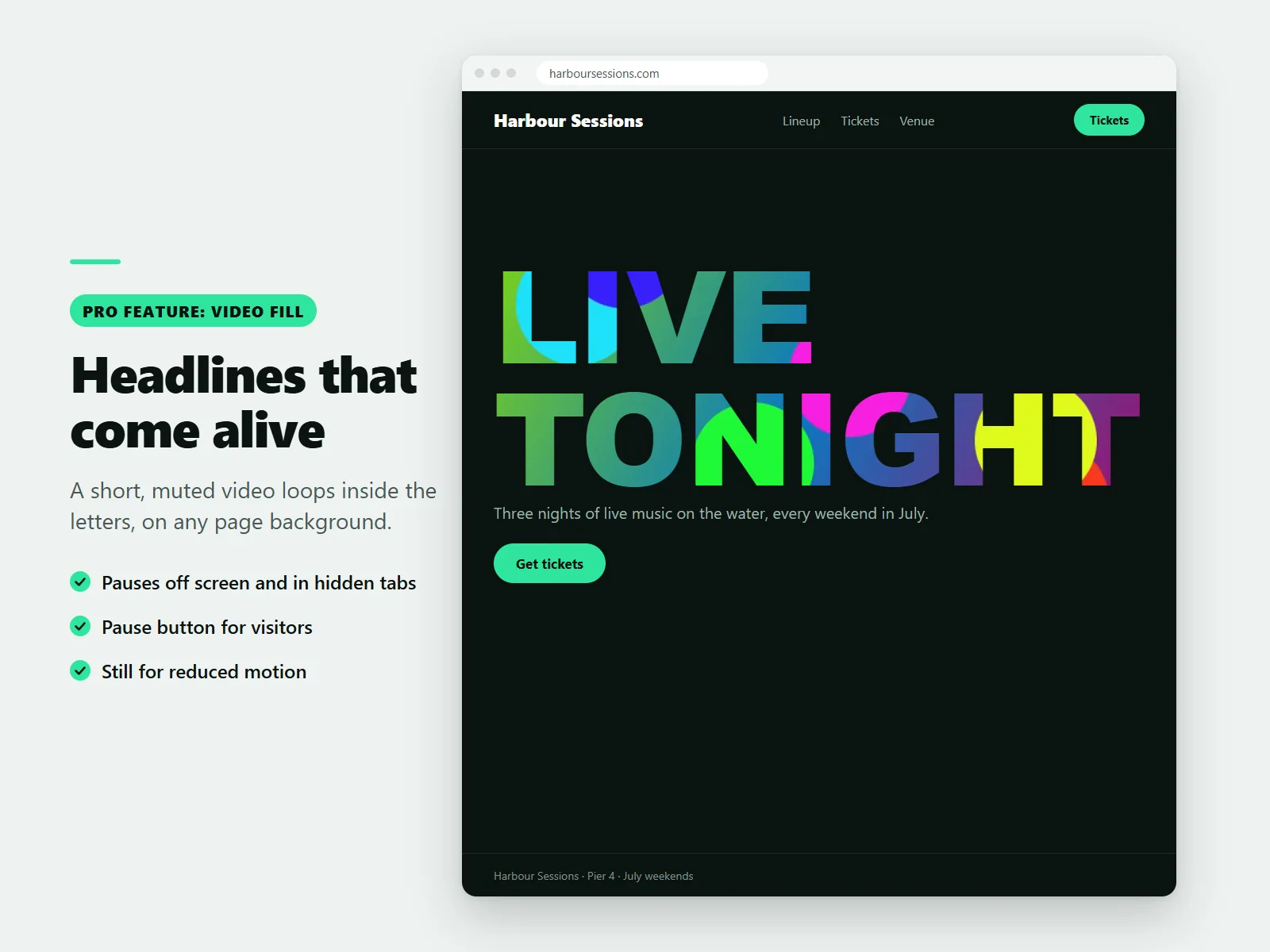
On the Pro plan, a short, muted clip loops inside the letters. It pauses when the headline is off screen or the tab is hidden, has a pause button for visitors and switches off for visitors who ask their device for reduced motion. Pro also adds slow pan and zoom and a flowing animated gradient.
Still real text
The headline stays real text that search engines and screen readers read like any other heading. The decorative fill is hidden from assistive technology, and long words scale down on small screens.
Image and gradient fills are free, with no limit on headlines. Check that your headline is easy to read before you publish.
FAQ
Does it work in the classic Wix Editor?
It is a Harmony component and is added in the Harmony editor.
Can I use my own gradient?
Yes. Choose one of eight ready-made gradients or set three colors of your own.
More guides
How to add a PDF menu, brochure or flipbook to a Wix site
Add Karelia PDF from the Wix App Market, choose the PDF, pick a reader theme and colours, and decide whether visitors may download or print it. Pro adds the page-turn flipbook.
Read the guide →How to show a Google Sheet or Excel file as a searchable table on Wix
Add SheetTable, import an Excel or CSV file or a public Google Sheet, tidy the rows, choose a theme and a phone layout, and publish a table visitors can search and sort.
Read the guide →How to add site search to a Wix Harmony site
Wix Harmony does not include Wix Search. Install Karelia Site Search, publish the site, open the app once to build the index, and visitors get a search button on every page; add the Site Search Bar to the header if you want a search field there.
Read the guide →