
How to add an audio or music player in Wix Harmony
Updated
The problem
Songs, mixes, guided meditations, sermons or lessons are easier to enjoy when visitors can press play on your own page. Wix's help center lists the audio player among the elements it is still bringing into Harmony (checked November 2026), so there is no built-in player.
Add the player
- Add Karelia Audio Player from the Wix App Market.
- In the editor, choose Add, then Apps and drag Audio Player onto your page.
- Select the player, choose Settings and add tracks: pick files from your site media or use an https link to an MP3, M4A, OGG or WAV file. You can also paste a whole list at once.
- Give each track a title, artist, artwork and optional lyrics or notes.
- Choose a layout (classic, compact bar, card grid or minimal), colors, font and corner radius, then publish.
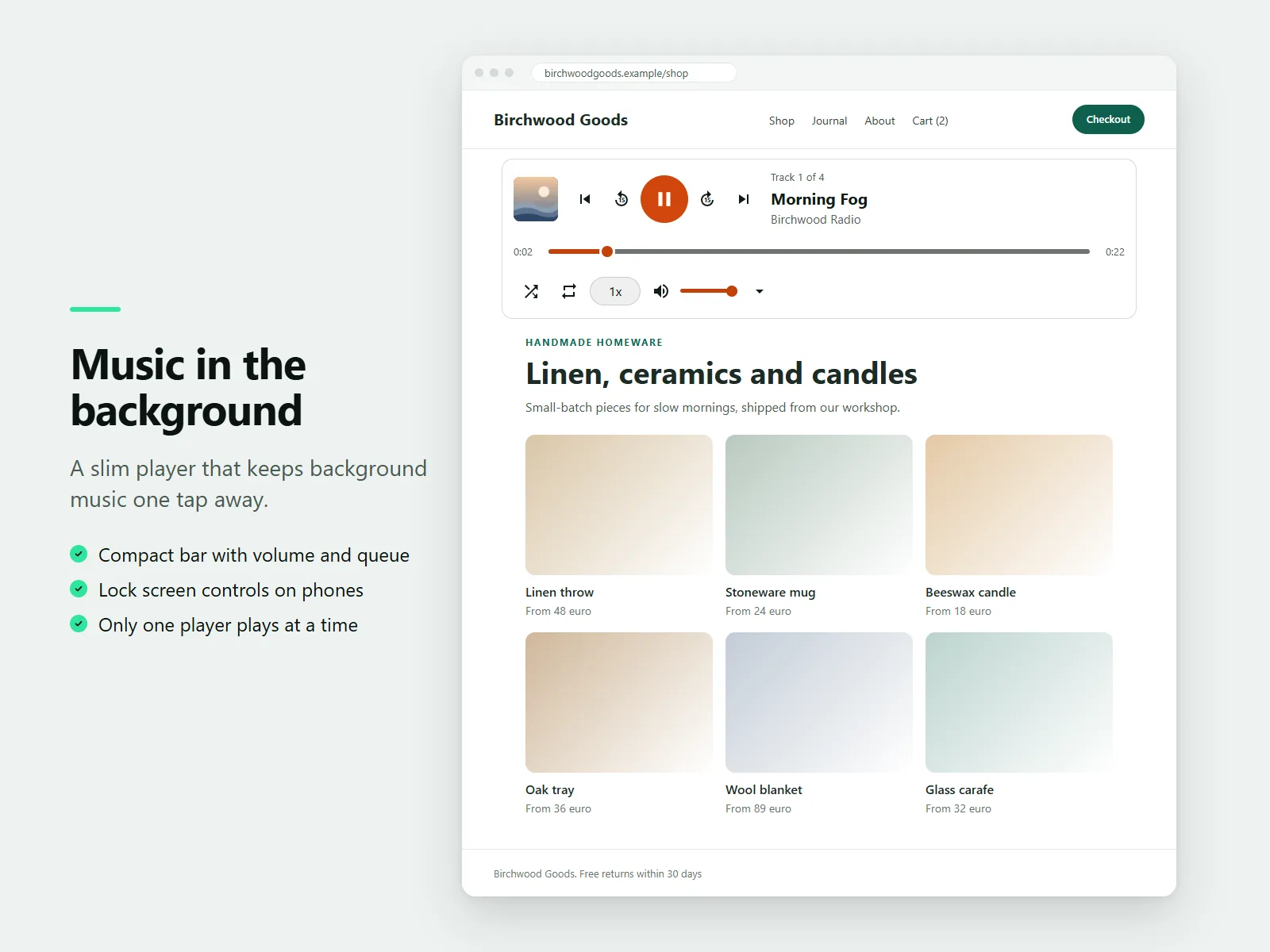
Background music and a compact bar
The compact bar layout is a slim player with volume and queue. The player never starts by itself, and only one player on a page plays at a time, so visitors stay in control.
What visitors get
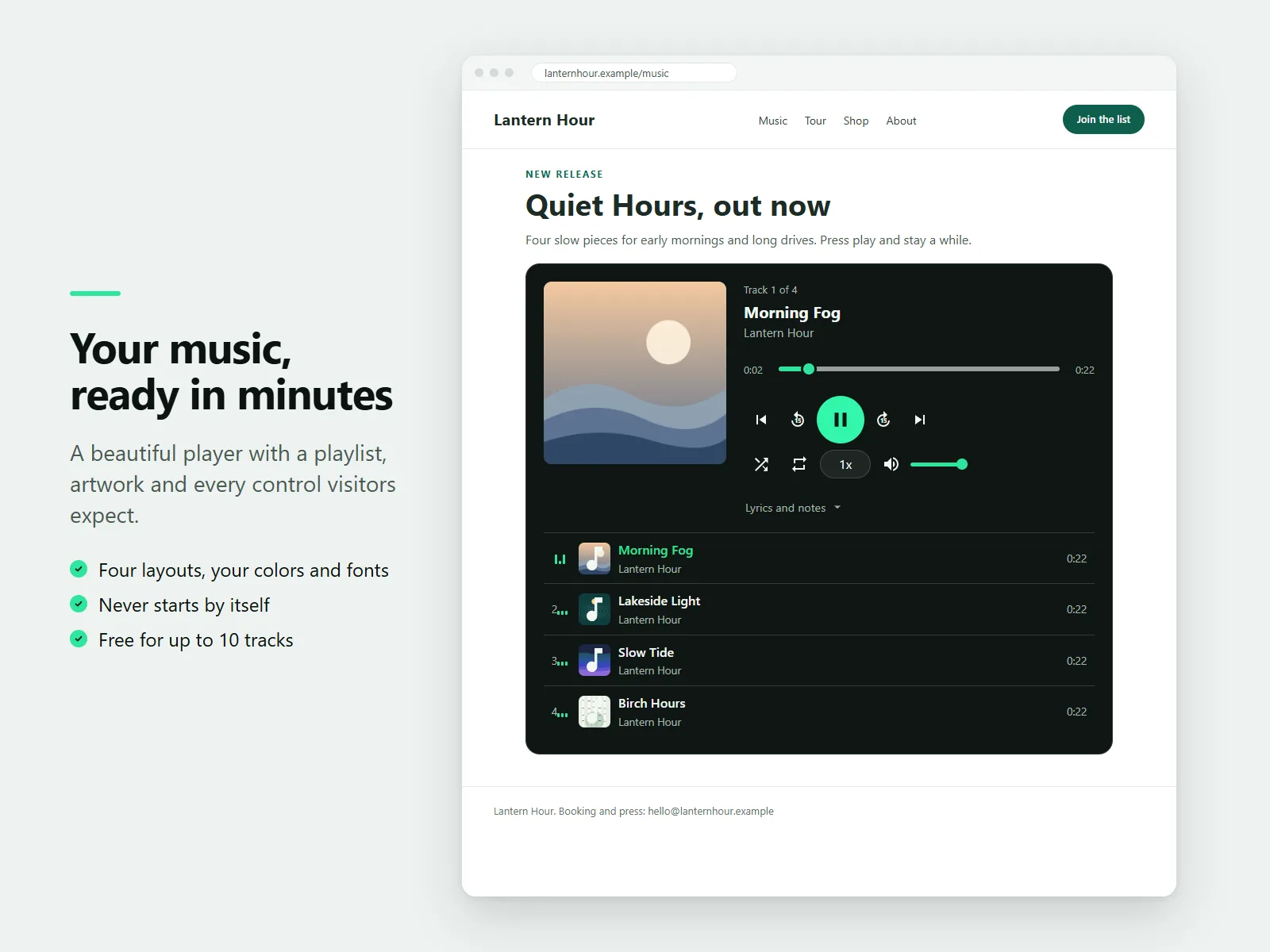
Play and pause, a seek bar, volume, previous and next, shuffle, repeat, speed from 0.5x to 2x and a 15 second skip. Keyboard shortcuts work while the player has focus, and phones show lock screen controls with the artwork.
The Free plan allows up to 10 tracks per player. Pro adds unlimited tracks, playlists as tabs, a clickable waveform and download or Buy links.
FAQ
Does the music start by itself?
No. The player never autoplays.
Can I have several playlists?
Several playlists shown as tabs in one player are part of the Pro plan.
More guides
How to add a PDF menu, brochure or flipbook to a Wix site
Add Karelia PDF from the Wix App Market, choose the PDF, pick a reader theme and colours, and decide whether visitors may download or print it. Pro adds the page-turn flipbook.
Read the guide →How to show a Google Sheet or Excel file as a searchable table on Wix
Add SheetTable, import an Excel or CSV file or a public Google Sheet, tidy the rows, choose a theme and a phone layout, and publish a table visitors can search and sort.
Read the guide →How to add site search to a Wix Harmony site
Wix Harmony does not include Wix Search. Install Karelia Site Search, publish the site, open the app once to build the index, and visitors get a search button on every page; add the Site Search Bar to the header if you want a search field there.
Read the guide →