
Karelia Conversions: server-side conversion tracking for Statamic, sent to Meta, Google Analytics 4 and TikTok
A contact form is often the most valuable thing an ad leads to, and the browser pixel is the weakest way to report it. Ad blockers, Safari's tracking prevention and lost cookies stop the pixel, so Meta, Google and TikTok see fewer leads and sales than you get.
- Version
- 1.0.1
- Statamic
- 6.20 or later, Core and Pro
- PHP
- 8.3 or later
- Storage
- Flat files or the Eloquent driver
- Sends to
- Meta Conversions API, GA4 Measurement Protocol, TikTok Events API
- Events
- Lead, Contact, Sign-up, Purchase and custom events
- Price
- $79 per site, one-time purchase
- Get it on
- Statamic Marketplace
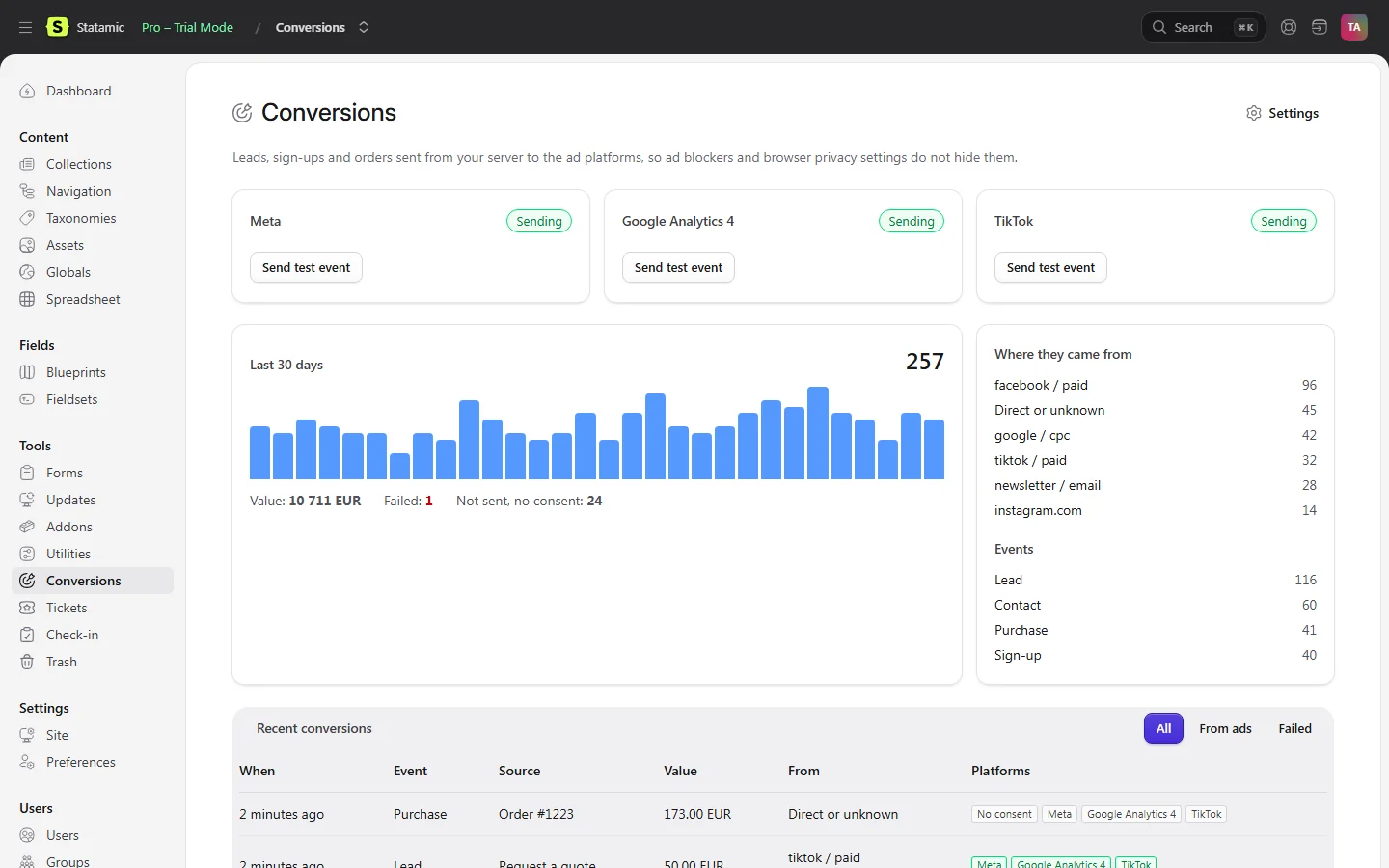
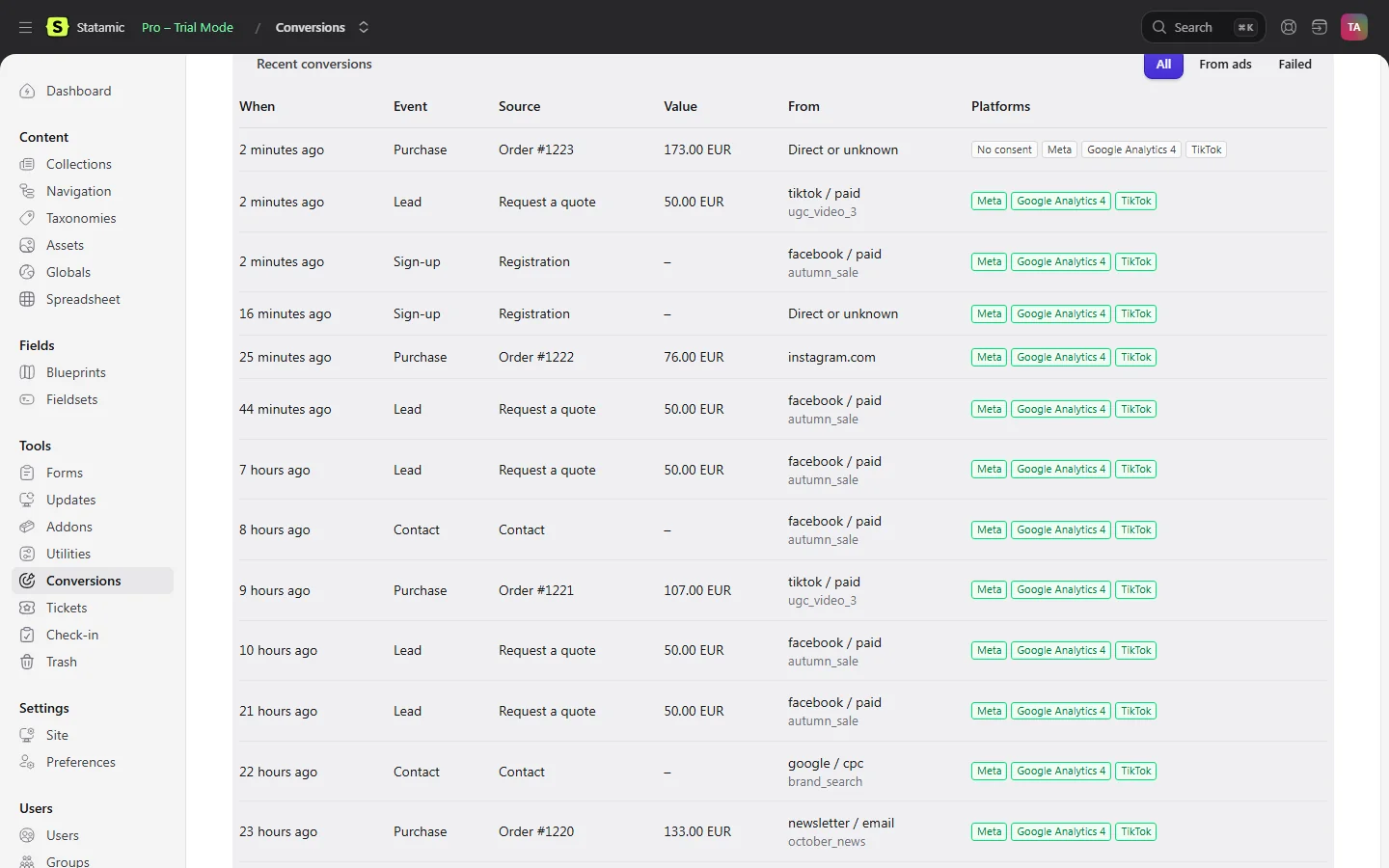
Karelia Conversions sends them from your Statamic server instead: the forms you choose, sign-ups and paid Cargo orders go to the Meta Conversions API, Google Analytics 4 (Measurement Protocol) and the TikTok Events API. Contact details are hashed before they leave the server, nothing is sent before consent, and every conversion shows up in a log under Tools.
What Karelia Conversions does
Three platforms
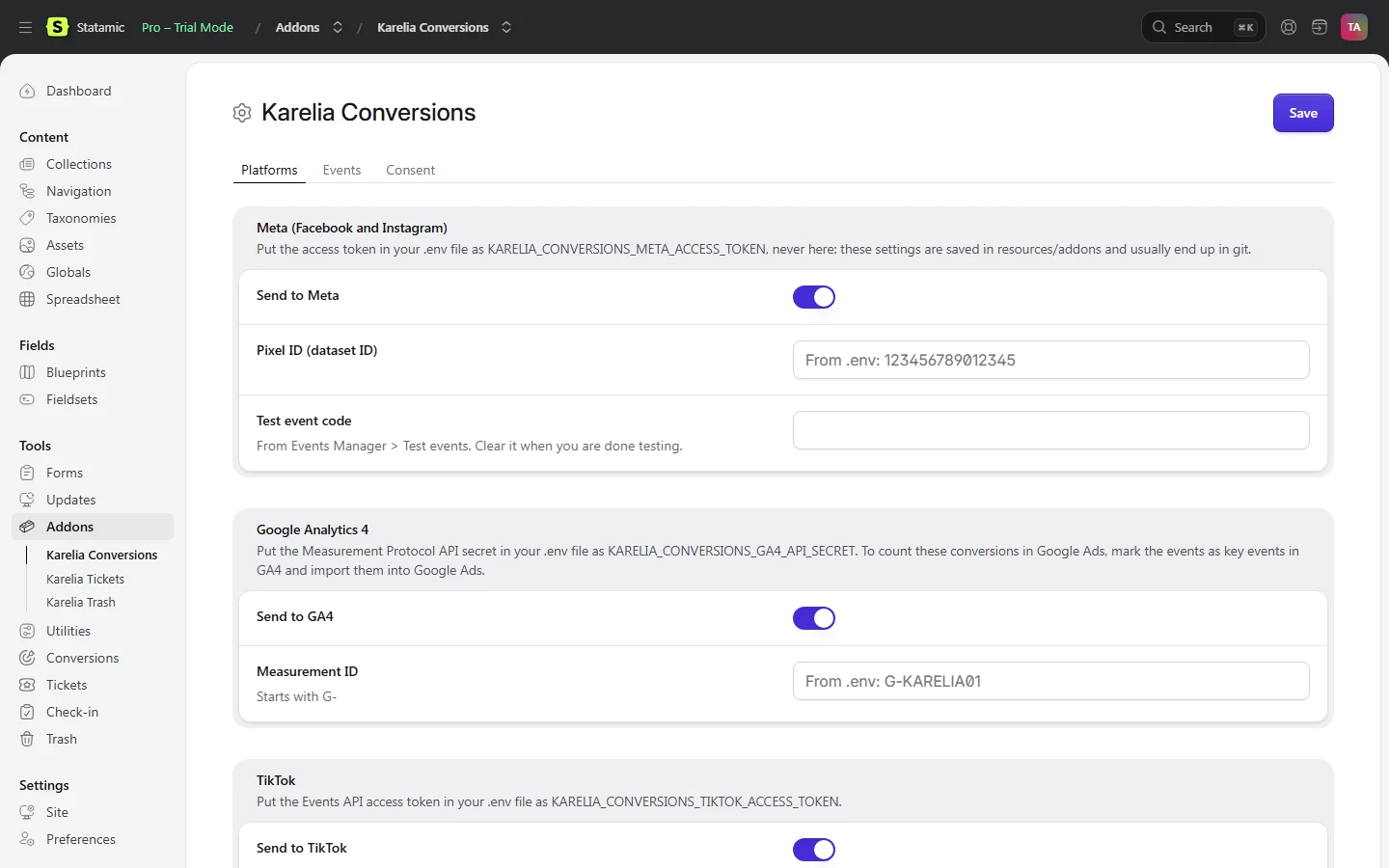
The Meta Conversions API (Facebook and Instagram), Google Analytics 4 through the Measurement Protocol, and the TikTok Events API. Switch each on or off. Every conversion gets one event ID that is the same on all platforms.
Forms without code
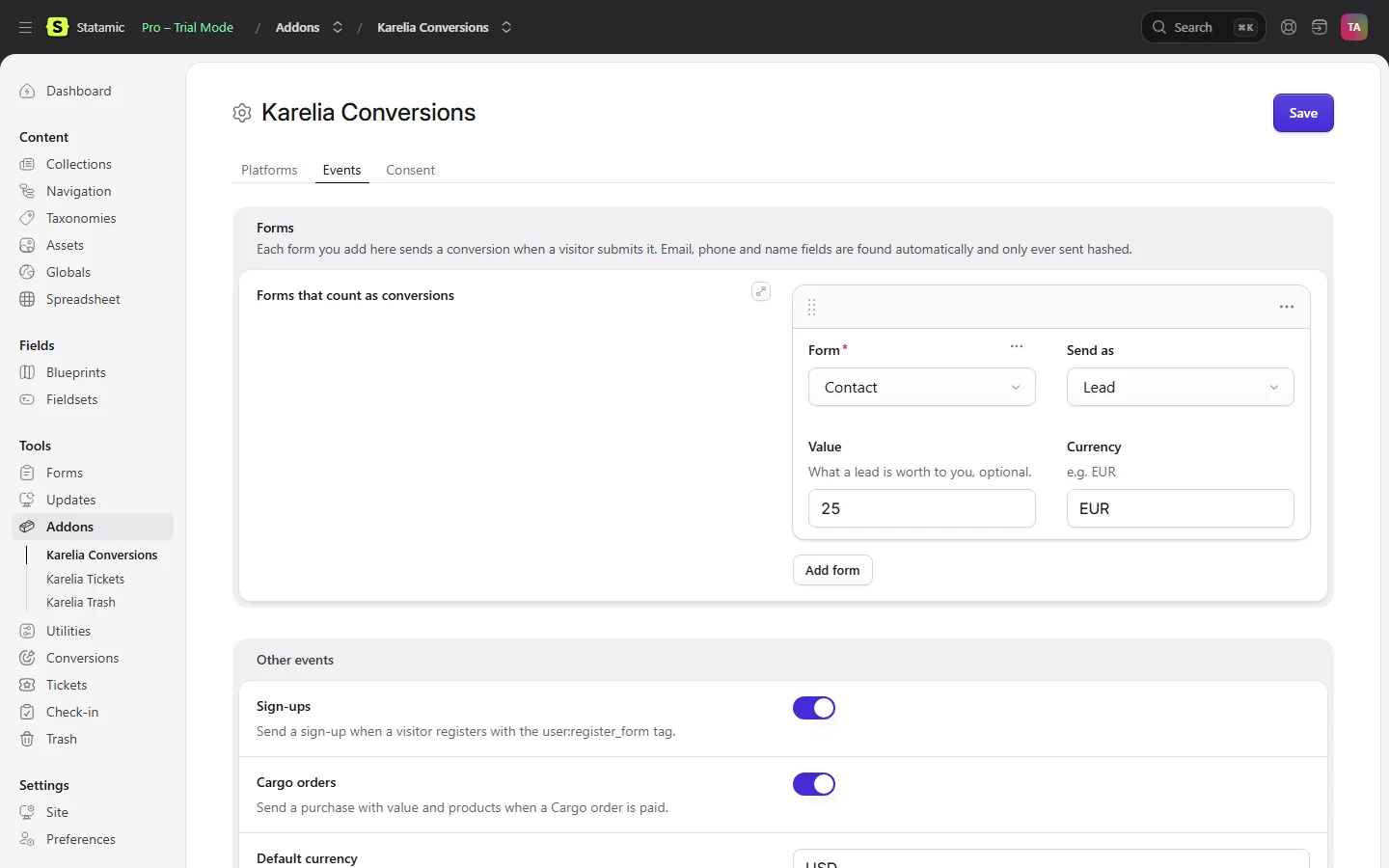
Pick the forms that count in the Control Panel and send each as a Lead, Contact, Sign-up or your own event, with an optional value and currency. Email, phone and name fields are found automatically.
Sign-ups and Cargo orders
Registrations through user:register_form send a sign-up. Paid Cargo orders send a purchase with value, currency, order number and products.
Keeps the ad click
fbclid, gclid, ttclid, msclkid and utm_* tags from the landing page are kept after consent (90 days by default) and sent with the conversion, so the platforms can match it to the ad click. Works on statically cached pages.
Consent first
Nothing is sent, and no click IDs or visitor details are kept, until the visitor accepts marketing cookies. Ready-made rules for Cookiebot, CookieYes and Complianz, KareliaConversions.consent(true) for any other banner, and a refusal never counts as consent.
Hashed on your server
Email, phone and names are hashed with SHA-256 before they are sent, normalised the way each platform matches them. Nothing personal is logged.
A log in the Control Panel
Every conversion with where it came from, its value, the campaign and each platform's answer, totals for the last 30 days and a dashboard widget.
Test buttons
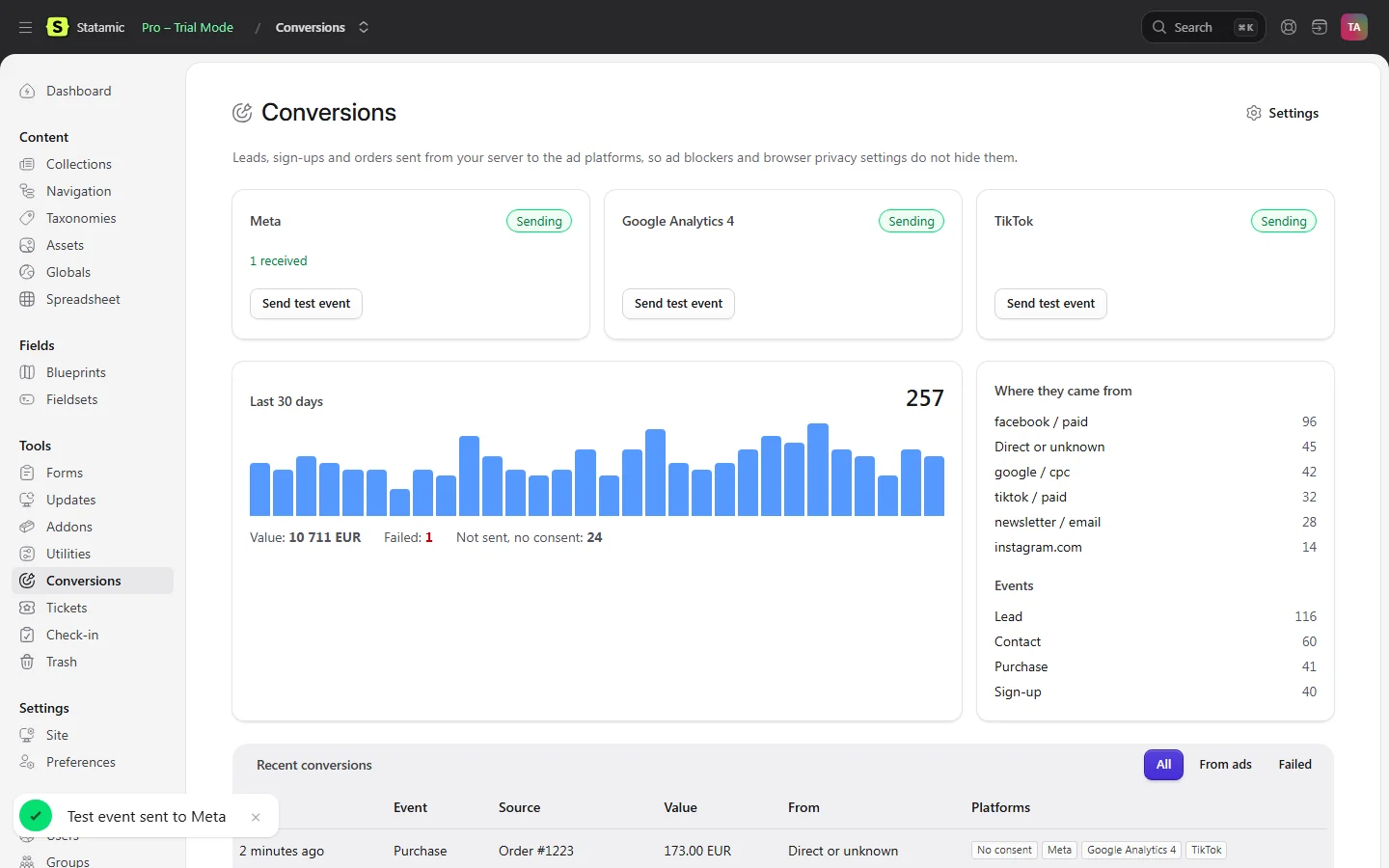
Send a test event to Meta (Test Events), TikTok (test code) and GA4's validation endpoint, or run php please conversions:test.
No slowdown for visitors
Conversions are sent after the response, or on your queue. Each platform is called separately, and one that is down never stops the form or the others.
From your own code
Conversion::make('lead')->fromRequest(request()) sends a conversion from a booking or anything else you build, with the page, click IDs and consent filled in.
How it works
- Install. Run
composer require karelialabs/statamic-conversionsin your site's folder and attach the licence to the site in your statamic.com account. - Connect the platforms. Put the Meta access token, the GA4 API secret and the TikTok access token in
.env, then switch on platforms and add forms under Tools → Addons → Karelia Conversions. - Add the script and your banner. Put
{{ conversions:script }}in your layout's<head>and choose your cookie banner under Consent, or callKareliaConversions.consent(true)from it. - Test. Press Send test event for each platform under Tools → Conversions, then send a form and watch it appear in the log.
Screenshots
Which event each platform receives
| In Statamic | Meta | GA4 | TikTok |
|---|---|---|---|
| Form, sent as Lead | Lead | generate_lead | Lead |
| Form, sent as Contact | Contact | generate_lead | Contact |
| Registration | CompleteRegistration | sign_up | CompleteRegistration |
| Paid Cargo order | Purchase | purchase | Purchase |
| Custom event "Book a demo" | BookADemo | book_a_demo | BookADemo |
From the Karelia Conversions 1.0 documentation. To count them in Google Ads, mark the GA4 events as key events and import them into Google Ads.
What is sent, and what is kept
- Sent: the event, its time and ID, the page address, the visitor's IP address and browser, the click IDs and the platforms' own cookies (
_fbp,_fbc,_ga,_ttp), value, currency and products. - Sent hashed with SHA-256: email, phone and user ID to all three; first and last name to Meta and Google Analytics 4; city, postcode and country to Meta. TikTok receives no name or address.
- Sent in plain text: city, postcode and country to Google Analytics 4, because its Measurement Protocol only accepts them that way. Leave those fields out of your forms if you do not want that.
- Not sent: anything for visitors who have not given consent, in the default "Only after consent" mode.
- Kept on your server: a log line per conversion with the event, source, value, UTM source and campaign, click ID type and each platform's answer. No names, emails, phone numbers or IP addresses. Lines older than 30 days are deleted (configurable).
From the Karelia Conversions 1.0.1 documentation.
Pricing
One-time purchase, no annual renewal. Local and staging copies of your site need no licence.
Good to know
- It does not add the Meta Pixel, the GA4 tag or the TikTok pixel to your pages. If a browser pixel also sends the same Lead, Meta counts both; keep form leads on the server only.
- GA4 ties a conversion to the visitor's session through the
_gacookie. Without the GA4 tag on your site, server-side events still arrive, but as separate users. - Google Ads gets the conversions through GA4: link GA4 and Google Ads, mark the events as key events and import them. Imports can take up to 24 hours.
- The GA4 Measurement Protocol never reports errors on the live endpoint; use the test button (validation endpoint) to check your setup.
- Cargo orders need Cargo. Forms and sign-ups work without it.
- It reports conversions; the platforms decide how many they match and how they use them.
Privacy
Karelia Conversions runs on your own Statamic server and sends conversions only to the Meta, Google and TikTok accounts you connect. It has no telemetry and no licence server, and never contacts Karelia Labs.
In the default consent mode nothing is sent and no click IDs are kept until the visitor accepts marketing cookies. Click IDs and UTM tags are kept in a first-party cookie, 90 days by default.
Email, phone and names are hashed with SHA-256 before they are sent. Google Analytics 4 receives city, postcode and country in plain text, because its API requires that.
The log on your server holds no names, emails, phone numbers or IP addresses, and lines older than 30 days are deleted. Access tokens stay in .env and are never shown in the Control Panel.
You remain the data controller for what you send to Meta, Google and TikTok. Mention it in your privacy policy.
FAQ
How do I send Statamic form submissions to the Meta Conversions API?
Install Karelia Conversions, put the Meta access token in .env, and add the form under Tools → Addons → Karelia Conversions → Events. Each submission is then sent from your server as a Lead (or Contact, Sign-up or your own event), with email, phone and name hashed.
Does it replace the Meta Pixel or the GA4 tag?
No. It adds no pixel or tag to your pages. Keep the GA4 tag if you want server-side events tied to the visitor's session, and send form leads from the server only, so Meta does not count them twice.
Can I count the conversions in Google Ads?
Yes, through GA4. Link GA4 and Google Ads, mark generate_lead, sign_up and purchase as key events in GA4, and import them in Google Ads. Imports can take up to 24 hours.
Which cookie banners does it work with?
There are ready-made rules for Cookiebot, CookieYes and Complianz. For another banner, enter its cookie name and the accepted value, or call KareliaConversions.consent(true) from the banner's own callback. Sites that need no consent can choose Always.
Does it work with Cargo?
Yes. Paid Cargo orders send a purchase with value, currency, order number and products, also when the payment is confirmed by a webhook. Forms and sign-ups work without Cargo.
Does it slow down my forms?
No. Conversions are sent after the response, or on your queue if you use one.
Do I need a licence for local and staging sites?
No. A licence covers one production site; development and staging copies are free.
Is it affiliated with Statamic, Meta, Google or TikTok?
No. It is an independent addon by Karelia Labs, sold on the Statamic Marketplace.
Related tools
Karelia Tickets
Sell event tickets on your own Statamic pages with Stripe Checkout: ticket types, QR tickets by email, check-in on a phone and refunds. No per-ticket fees.
Karelia Trash
A trash bin for Statamic 6. Deleted entries, terms, assets, globals, form submissions and users come back with one click, in the same place. $39 per site.
Karelia Spreadsheet
Edit a whole Statamic collection like a spreadsheet: paste from Excel, fill down, find and replace, CSV in and out, saved through your blueprints' validation.
More from Karelia Labs
Updated