Koivu: a calm backend theme for Odoo 17, 18, 19 and 20 Community
Koivu is a backend theme for Odoo Community from Karelia Labs. It restyles the screens people work in every day (lists, forms, kanban, chatter, dialogs, Discuss, settings and the login page) as one calm system of warm paper, ink and one deep accent colour, in light and dark.
On Odoo Apps since 2026-11-23, for Odoo 17.0, 18.0, 19.0 and 20.0.
- Odoo versions
- 17.0, 18.0, 19.0 and 20.0, Community
- Depends on
- web, base_setup and mail, all in Community
- Tested
- Odoo 17.0, 18.0, 19.0 and 20.0 Community with demo data: 27 screens at 1440 and 390 px in light and dark, all six colourways, right-to-left, install, upgrade and uninstall
- Licence
- OPL-1, one-time purchase per Odoo version
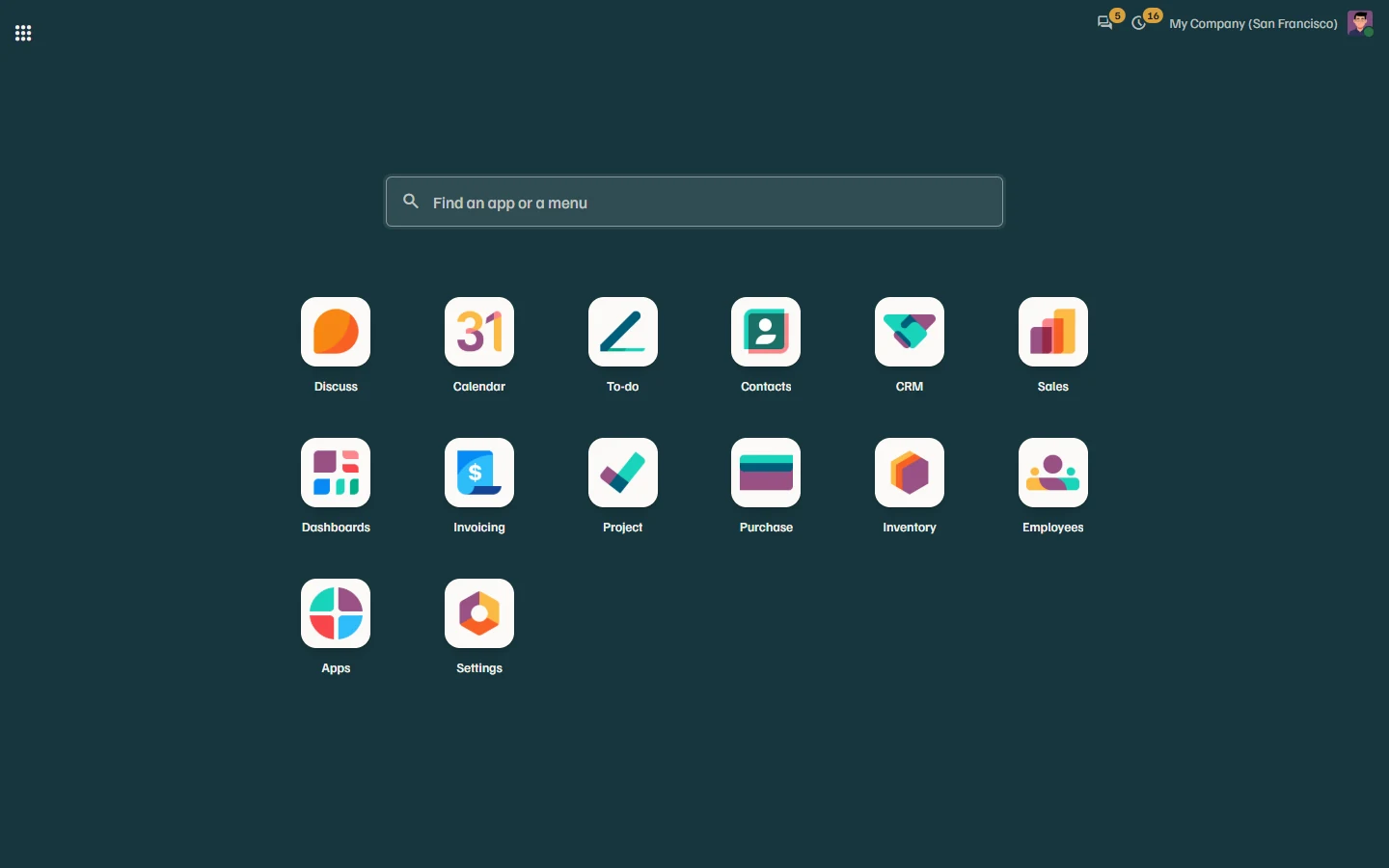
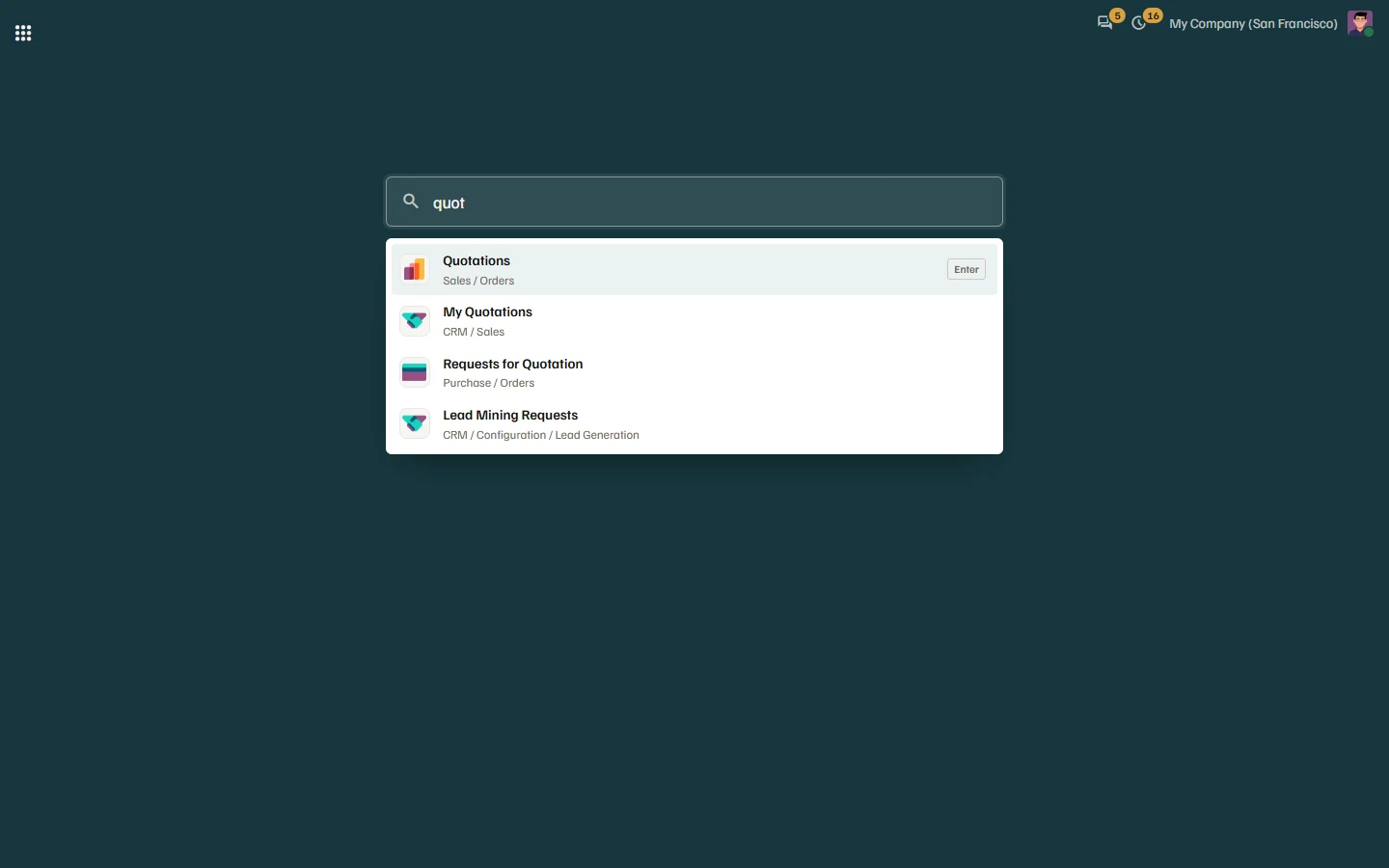
After login, every app sits on a home screen as a tile, with one search field that finds any app or menu as you type: type "quot" and Quotations comes first, Enter opens it, and Alt+H brings the home screen back. People who prefer their own start page keep it.
What Koivu Backend Theme does
A home screen that finds any menu
Every app as a tile and one search field for any app or menu. Arrow keys and Enter open it, Escape clears the search, Alt+H opens and closes the home screen.
Dark mode and a compact view
Each user switches them on in their own user menu, top right. The choice is saved in their browser.
Six colourways and three typefaces
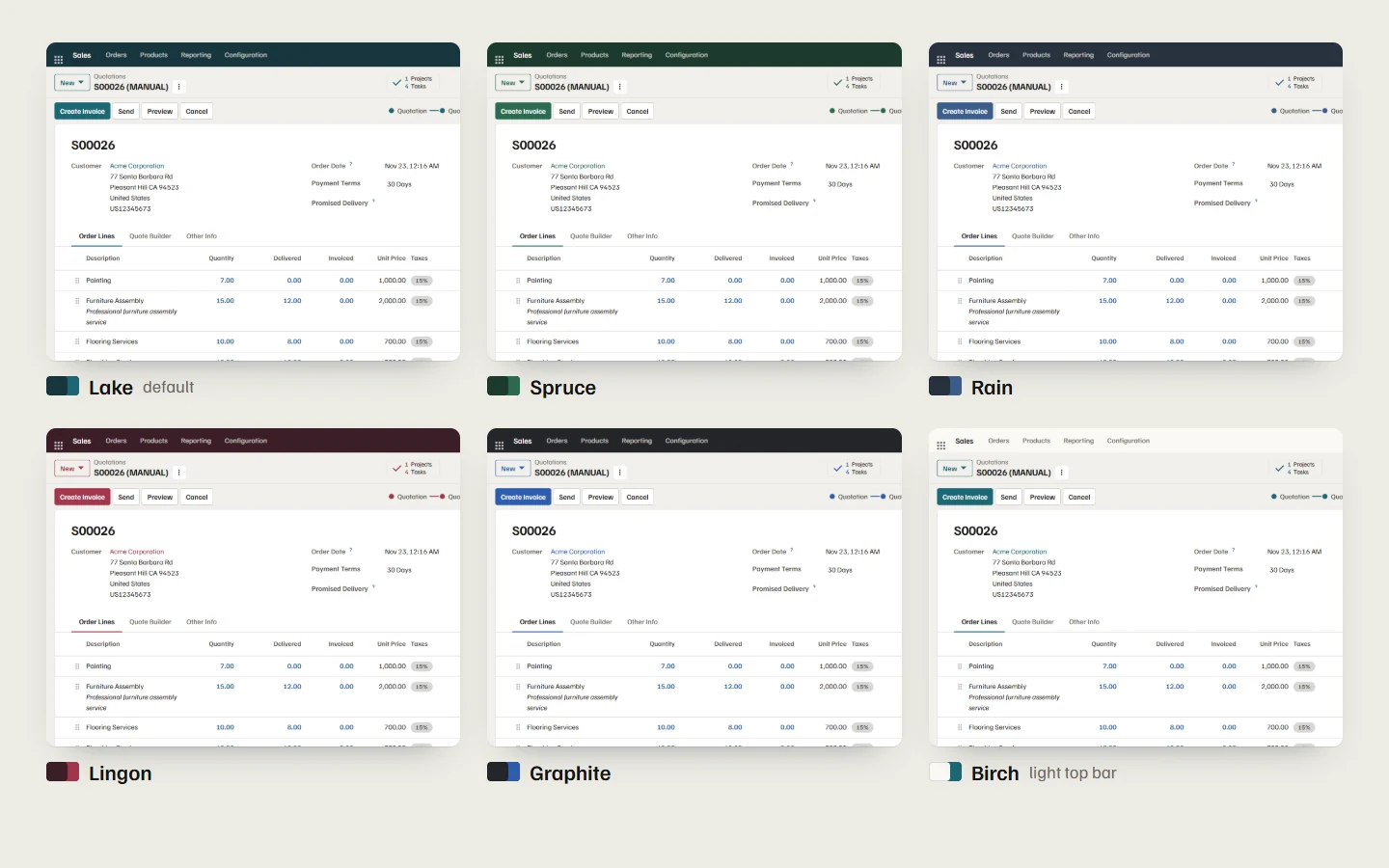
Lake, Spruce, Rain, Lingon, Graphite or Birch, and Familjen Grotesk, Inter or the system font, chosen by an administrator in General Settings for the whole database.
Figures that line up
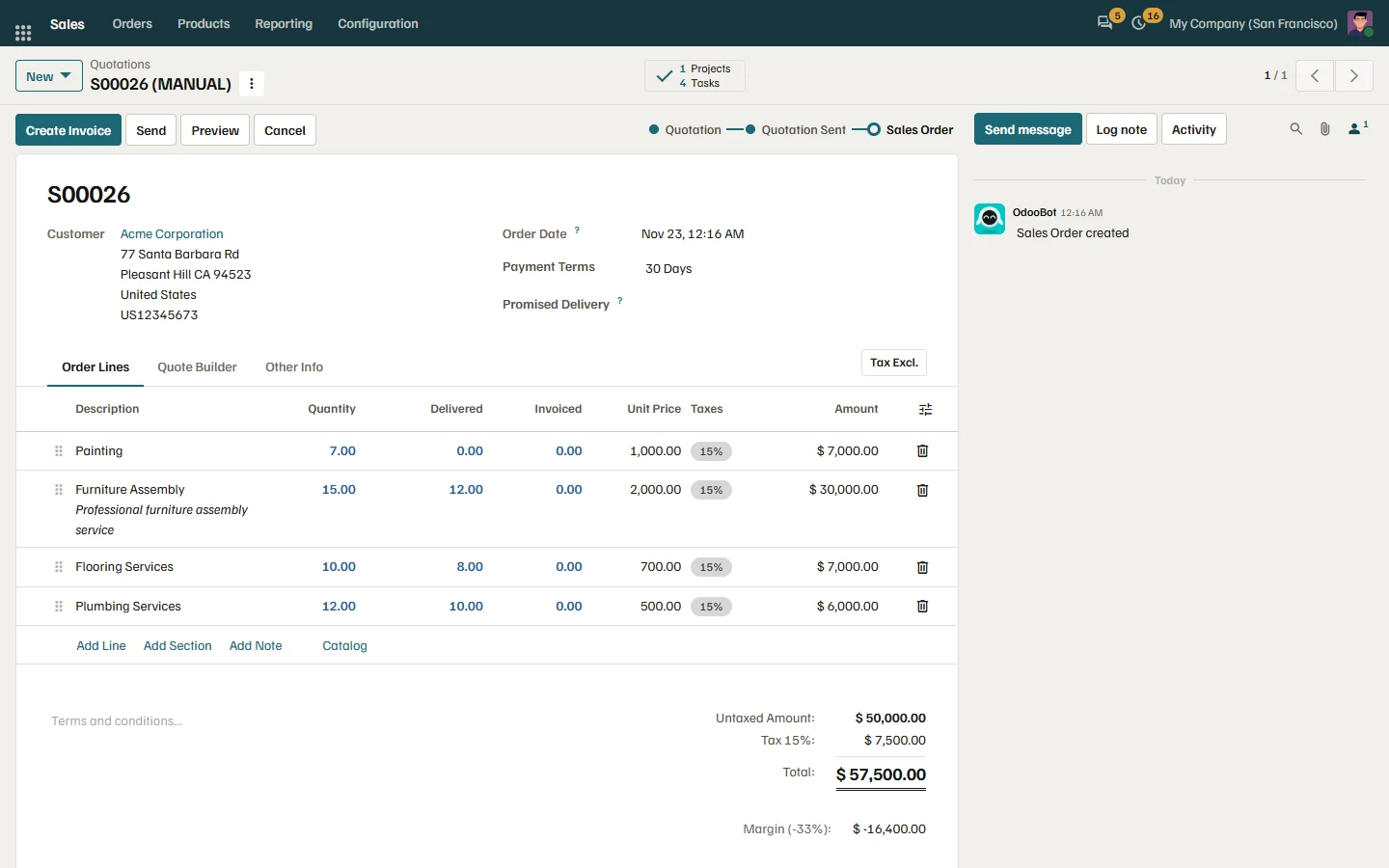
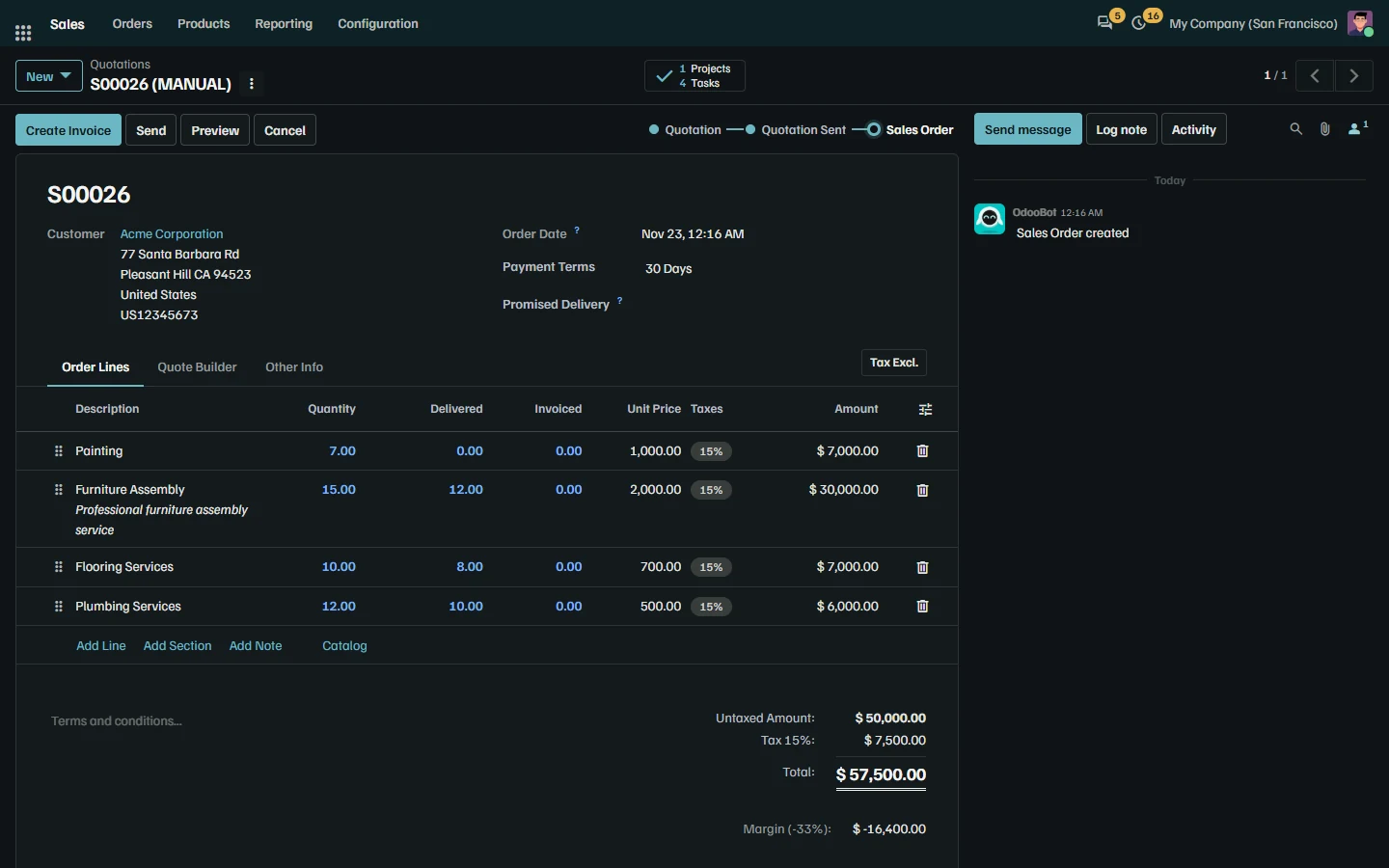
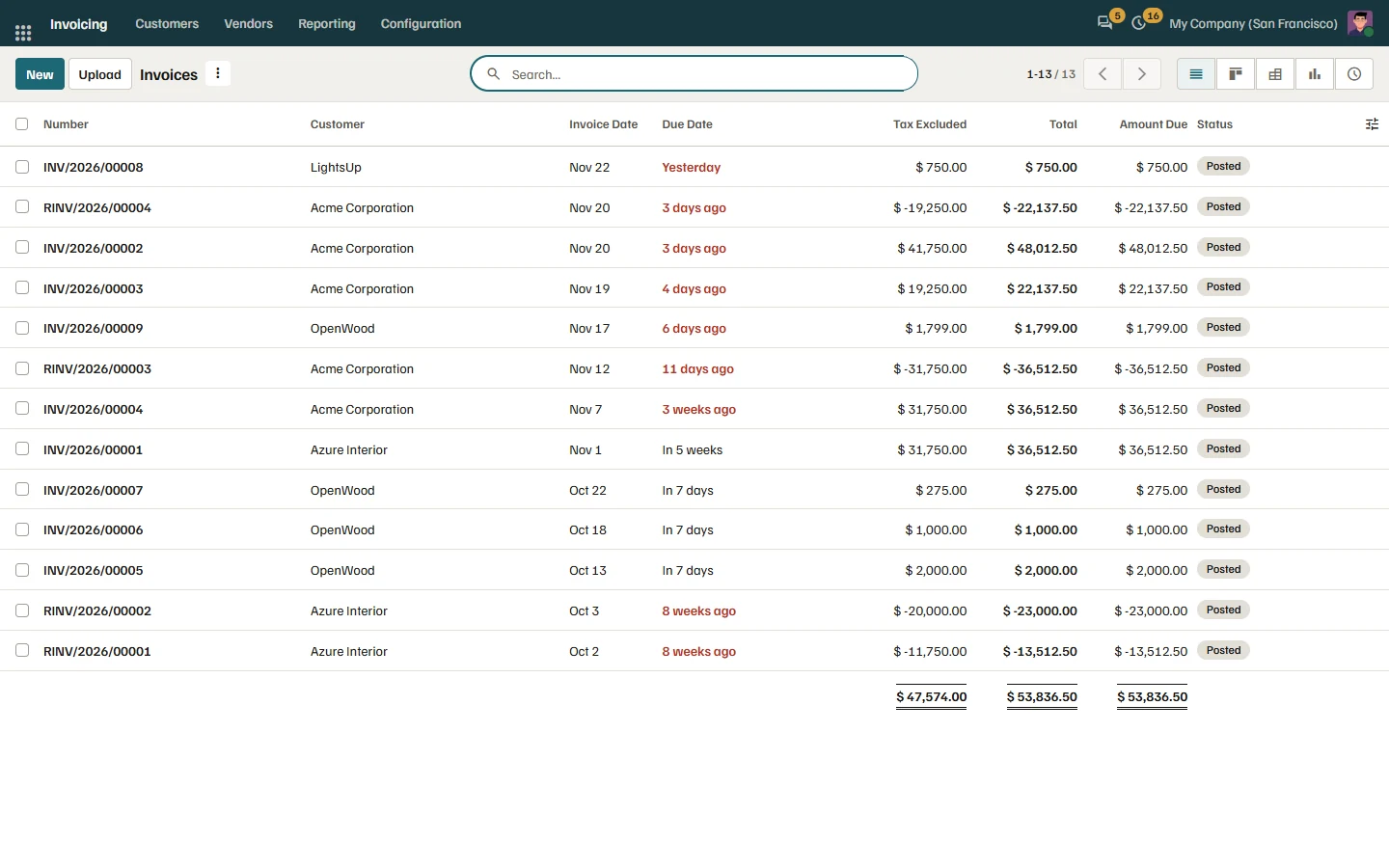
Amounts are set in tabular figures, so they stand in columns, and totals close the way a ledger closes them: a single rule above and a double rule below.
Stages drawn as a line
A record's stages read as a line with stations: the stages behind it filled, the current one ringed.
A login page in the theme's colours
Login, sign-up and password reset in light or dark, following each visitor's setting, as long as the Website app is not installed.
How it works
- Buy and install. Get the theme for your Odoo version on Odoo Apps and install it like any other module on your Odoo server.
- Pick the look. In Settings, General Settings, Backend Theme, choose a colourway and a typeface for the whole database.
- Each user picks theirs. Dark mode and the compact view are in each user's own menu, top right.
Screenshots
Pricing
One-time purchase per Odoo version, on Odoo Apps.
Good to know
- Made for Odoo Community. Odoo Enterprise has its own home menu and dark mode; Koivu was not tested there.
- Six ready colourways; you cannot enter your own brand colour. The colourway and typeface apply to the whole database, while dark mode and the compact view are chosen per person and browser.
- With the Website app installed, the login, sign-up and password reset pages follow the website's design instead of the theme.
- The theme's own words, such as "Find an app or a menu", are in English only. English and Arabic (right to left) were tested.
- On a phone, Odoo 18 shows every stage of the status bar in one row; Odoo 19 and 20 show a menu with the current stage, and Odoo 17 does so when the stages do not fit.
- Odoo 17 has no user menu at the top right on phones, so there dark mode and the compact view are in the side panel (tap your name).
- Tested on Odoo installed on a server, in Microsoft Edge (Chrome uses the same engine). Odoo.sh, Safari and Firefox were not tested, and Odoo Online does not accept third-party modules.
FAQ
Does it work on Odoo Online?
No. Odoo Online does not accept third-party modules. Koivu needs Odoo 17, 18, 19 or 20 Community installed on your own server or with a host that lets you add modules.
Is it for Odoo Enterprise?
No. Koivu is made for Odoo Community. Odoo Enterprise has its own home menu and dark mode, and Koivu was not tested there.
Does it change the website, the portal or Point of Sale?
No. The website, the customer portal, Point of Sale and PDF reports keep their own look. Koivu restyles the backend where your team works.
Can each user choose dark mode?
Yes. Dark mode and the compact view are in each user's own menu, top right, and the choice is saved in their browser.
What happens if I uninstall it?
Odoo's own look comes back. Uninstalling removes the theme's settings, templates and file references, and the theme changes no business data. This was tested on all four versions.
Related tools
Datum Furniture eCommerce Theme
Datum is a furniture eCommerce theme for Odoo 19 and 20 Community: floor-plan home page, styled shop, product dimensions block, five palettes. EUR 149.
Expense Report Sheets
Bring expense reports back to Odoo 19 and 20: group an employee's expenses, submit and approve them together, post one entry and pay in one go.
Project Budget Tracker
Project budgets for Odoo Community 16, 17, 18, 19 and 20: budget per cost type, actual and committed costs, and a warning before a purchase order goes over.
More from Karelia Labs
Updated