
How to add an accordion (FAQ) in Wix Harmony
Updated
The problem
An FAQ is easier to scan when each answer folds away until someone opens it. Wix's help center lists the accordion among the elements it is still bringing into the Harmony editor (checked November 2026), so there is no built-in element to use.
Add the accordion
- Add Karelia Accordion & FAQ from the Wix App Market and open your site in the Harmony editor.
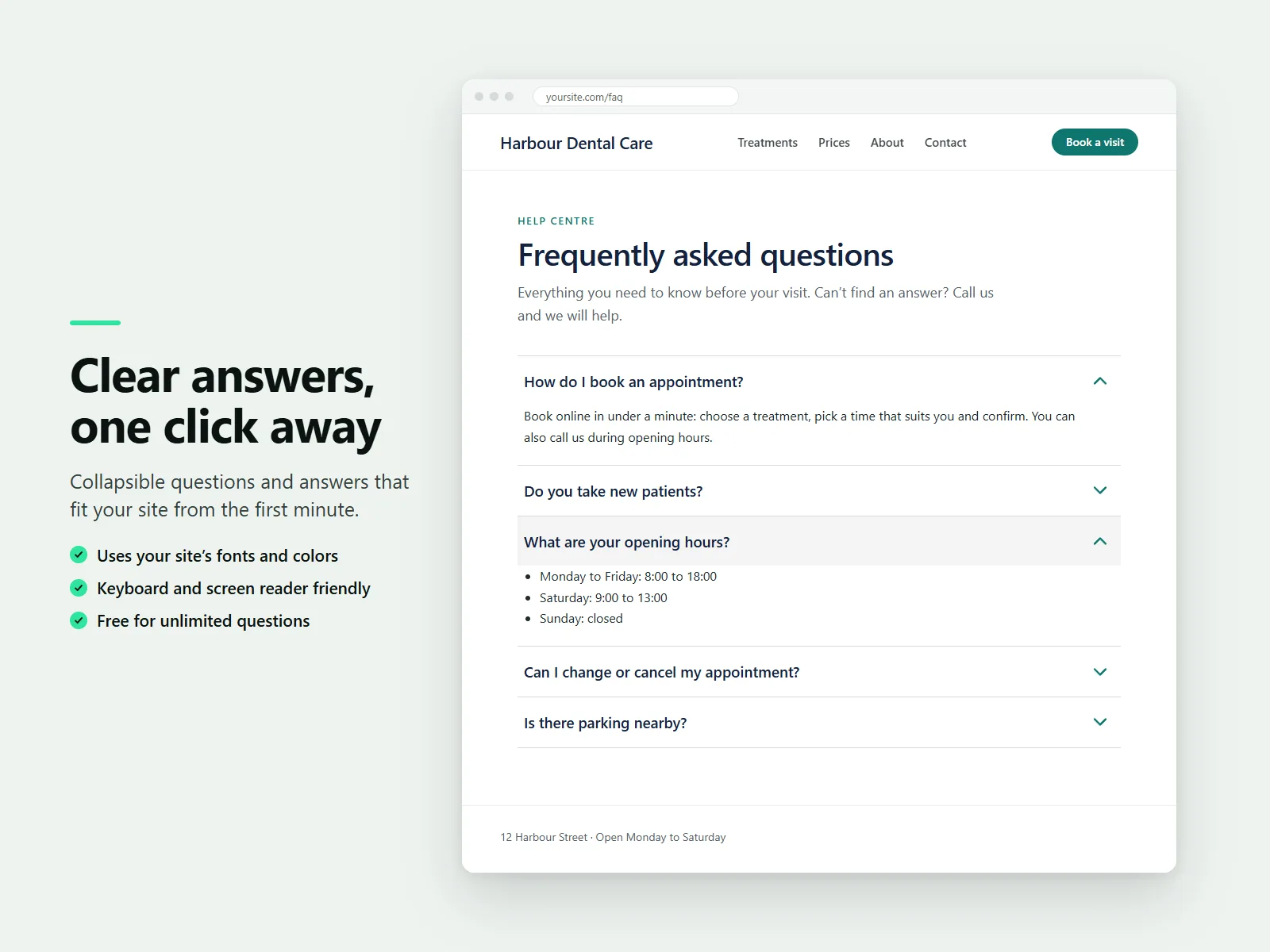
- Add Karelia Accordion from the Add panel. It shows five example questions.
- Select the accordion and edit the questions and answers. Answers keep bold text, links and lists.
- Choose a layout (clean lines, cards, filled or minimal), the icon and whether one or several answers can be open.
- Publish the page.
Link straight to one answer
Every question has its own link. Add a question's anchor to the page address, for example #faq-what-are-your-opening-hours, and that question opens directly. That is handy for emails and for pointing customers to one answer.
Let search engines read the answers
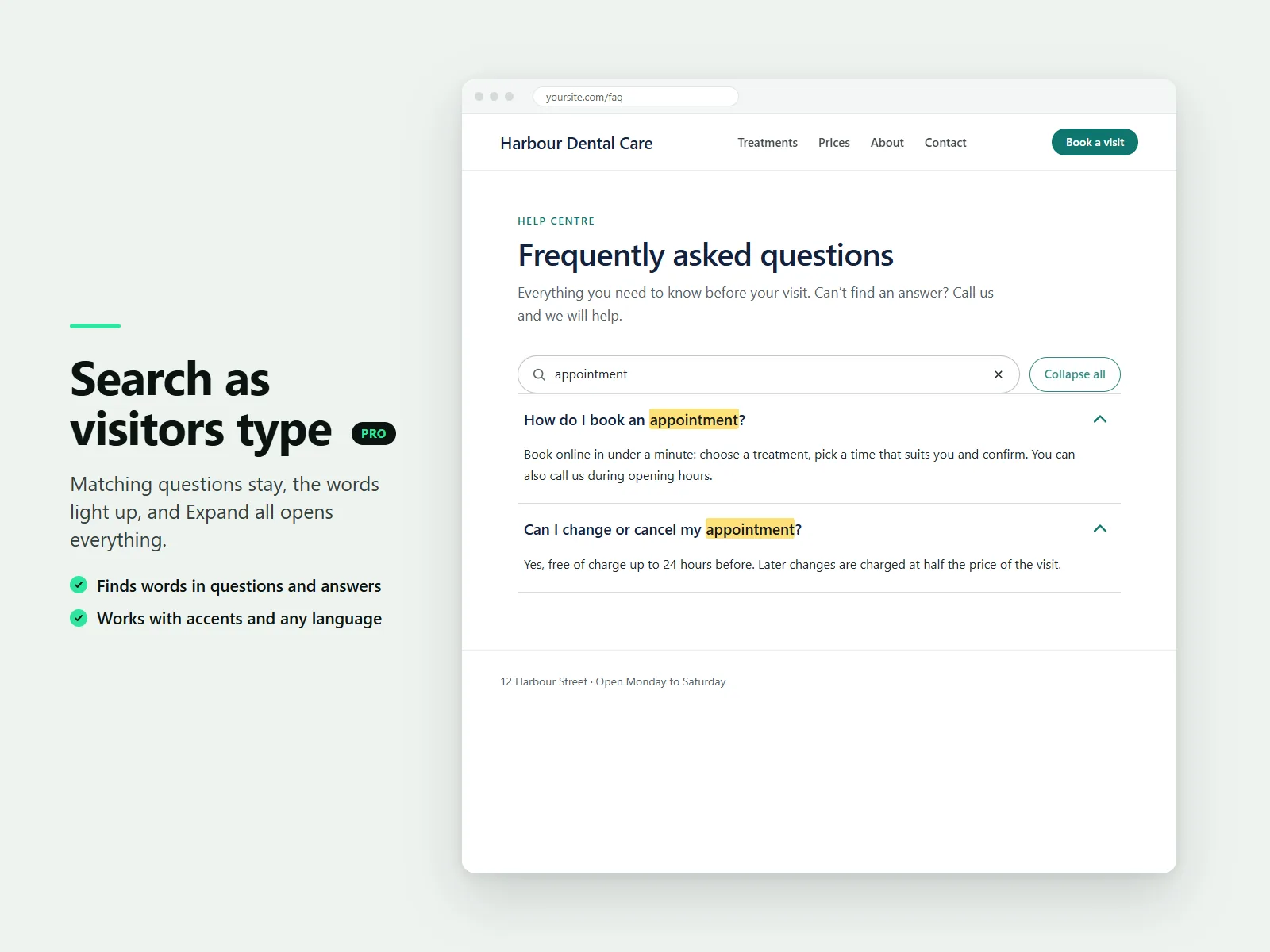
The answers are part of the page, so search engines can read them on every plan. The Pro plan also adds FAQ structured data built from the questions and answers on the page, a search box that highlights matches, and an Expand all button.
The accordion is a Harmony component. It cannot be added in the classic Wix Editor or in Wix Studio.
FAQ
Is the accordion free?
Unlimited accordions and questions, with all layouts, colors and fonts, are free. Pro adds FAQ schema, search and Expand all.
Can Aria write my FAQ?
You can ask Aria to draft questions from the text already on your published site or to make a long page collapsible.
More guides
How to add a PDF menu, brochure or flipbook to a Wix site
Add Karelia PDF from the Wix App Market, choose the PDF, pick a reader theme and colours, and decide whether visitors may download or print it. Pro adds the page-turn flipbook.
Read the guide →How to show a Google Sheet or Excel file as a searchable table on Wix
Add SheetTable, import an Excel or CSV file or a public Google Sheet, tidy the rows, choose a theme and a phone layout, and publish a table visitors can search and sort.
Read the guide →How to add site search to a Wix Harmony site
Wix Harmony does not include Wix Search. Install Karelia Site Search, publish the site, open the app once to build the index, and visitors get a search button on every page; add the Site Search Bar to the header if you want a search field there.
Read the guide →